


Pixel owners just received a much simpler way to play the same audio through two earbuds at the same time. Google is launching an update to Audio Share that integrates into Fast Pair, letting your phone find and pair with a second set of earbuds in just a few taps — no manual pairing or QR code shuffle needed.
What Was New in Audio Share with Fast Pair
Audio Share, which was introduced with Android 16 on Pixel, can already let one phone share Bluetooth audio to multiple parties. The twist is the integration of Fast Pair through Google Play services (version 25.38), which presents a pop-up when compatible earbuds or speakers are nearby. That all but eliminates the setup friction that made group listening feel fiddly.
Beneath the surface, this feature is based on Bluetooth LE Audio and Auracast broadcast technology; the latter will serve as the standard that Bluetooth SIG so far supports for synchronized, multi-listener audio. And because the phone sends out one broadcast instead of replicating streams, listeners all hear the same output at the same time — perfect if you’re watching a movie behind your friends and don’t want to deal with echo or timing drift. Google’s version can handle up to 20 listeners, which is overkill for a couch but great for classrooms, workouts, or group tours.
Fast Pair also remembers devices per account, so when your friend’s earbuds have joined your session once, reconnecting often takes seconds in the future.
Relative to older “dual audio” methods that divide classic Bluetooth streams, Auracast is engineered for better sync, greater reliability, and lower overhead.
Supported Phones and Earbuds for Pixel Audio Share
The update is for popular Pixel flagships that support Auracast: Pixel 8 series and higher, which means devices in the Pixel 9 and Pixel 10 families. The a-series models are excluded. If you’re not presented with the option, it means your device doesn’t have an LE Audio hardware path.
On the listening side, your earbuds or speakers need to support both Auracast and Bluetooth LE Audio (including LC3), via Bluetooth 5.3 as well as BLE.
Yup, lots of brands’ 2024–2025 models are starting to flip on the ability to use these features, but it’s not as if support is universal yet. Check your manufacturer’s release notes or spec sheet — Auracast‑capable products usually have some mention of “LE Audio” and “Auracast.”
A quick little compatibility reality check: if your earbuds support only classic A2DP and not LE Audio, they will not show up in the Audio Share flow. That’s a hardware, not software, limitation.
How to Make It Work on Your Pixel Phone Today
First, you need to update Google Play services to version 25.38 or later. On your Pixel, go to Settings, tap on your profile avatar, select All services and then Privacy and security, followed by System services. Tap Google Play services and tap check for updates. You could also initiate an update from the Play Store by opening its Play services listing in Manage apps.
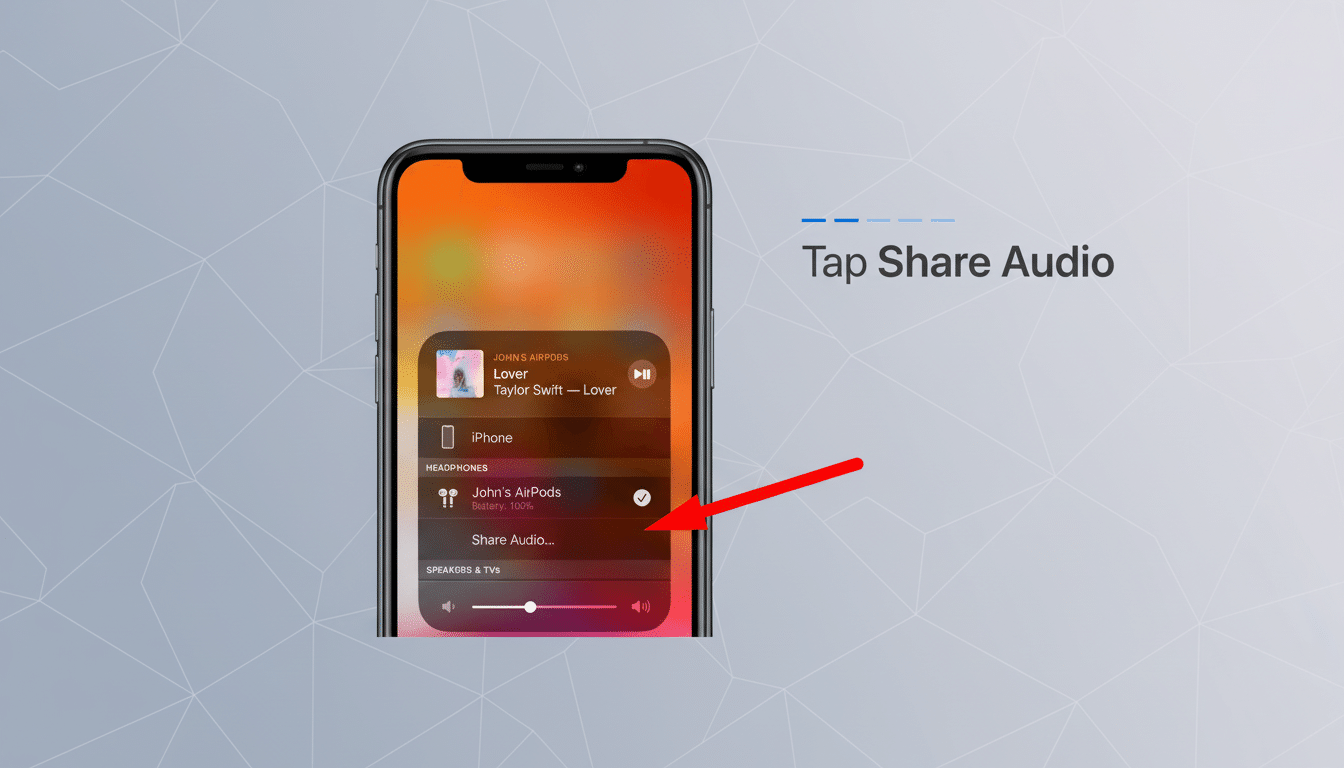
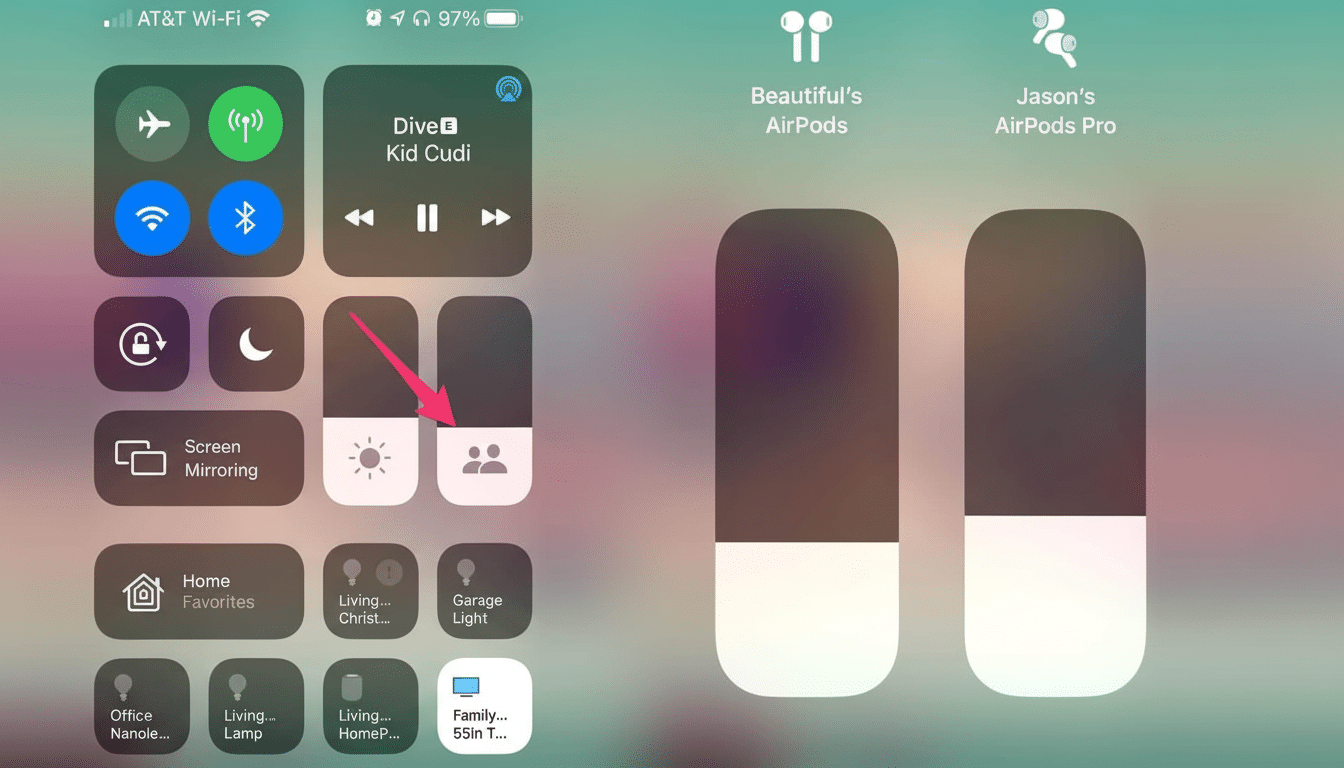
Once you have updated, play some audio and try opening the output picker from a media player or Quick Settings. Choose Share audio. Another dialog box will pop up with the request to join the second pair of earbuds; accept it. Every listener has an individual volume control that doesn’t affect the other listeners, and you can delete any of them from the same menu.
How It Compares to Other Phones and Ecosystems
Samsung’s Dual Audio allows one phone to play to two different headphones at the same time, but does not use Auracast, only classic Bluetooth. That wider accessory support comes at a cost, however: It maxes out at two listeners and can experience some slight sync discrepancies. Xiaomi and other Android OEMs are offering Auracast-based sharing on a few flagships as they move to Android 16, so it looks like this is going to be the Android-wide solution for multi-listener audio.
Technically speaking, Auracast’s single cast scales higher and is more efficient. The Bluetooth SIG is marketing it for public environments such as a gym, museum, or airport, where dozens of people might listen to the same thing. With phones, that efficiency results in sync that could be steadier and possibly better battery performance than mirroring streams, though it will still draw more power to send the same content to multiple listeners compared with a single connection.
Real-world tips and takeaways for better results
For best results, stick with earbuds that have been verified as LE Audio and Auracast friendly. A note on range: If you do encounter range problems, just remember that LE Audio works best at short-to-medium distances — walls and/or a busy 2.4GHz environment can introduce some uncertainty. In the case of video, LE Audio with its LC3 codec has lip-sync sufficiently tight for most (but read on), though actual performance might vary according to the headset or other accessory.
Bottom line: With Fast Pair baked into Audio Share, Pixels make double listening simple and consistent. That’s a meaningful quality-of-life upgrade that turns group audio from a tech demo into something you can use every day.
