


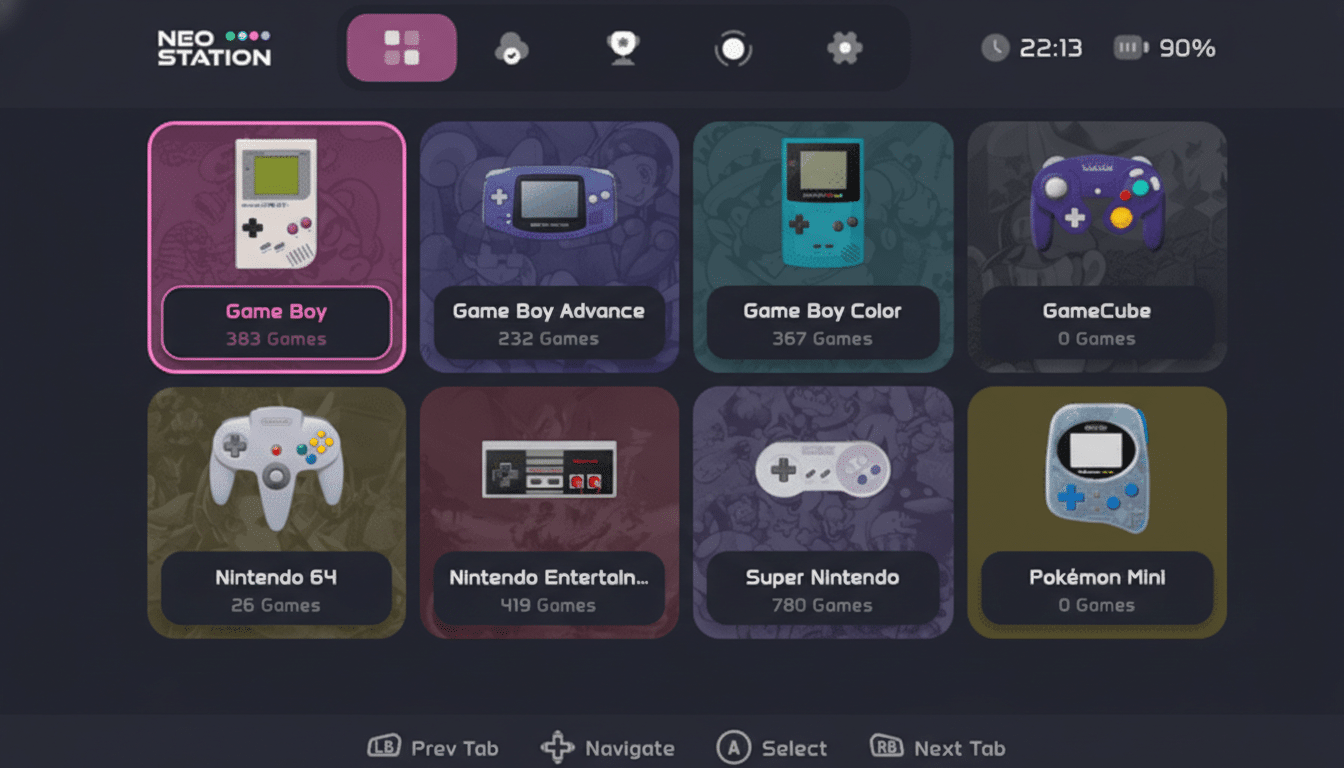
NeoStation, a fresh emulation frontend now in open beta, is turning heads with an elegant interface, tight integrations, and a setup experience designed to tame sprawling retro libraries. It consolidates Android apps and classic game collections into a single, visually rich hub while adding features power users usually bolt on piecemeal.
A Unified Frontend Built For Modern Emulation
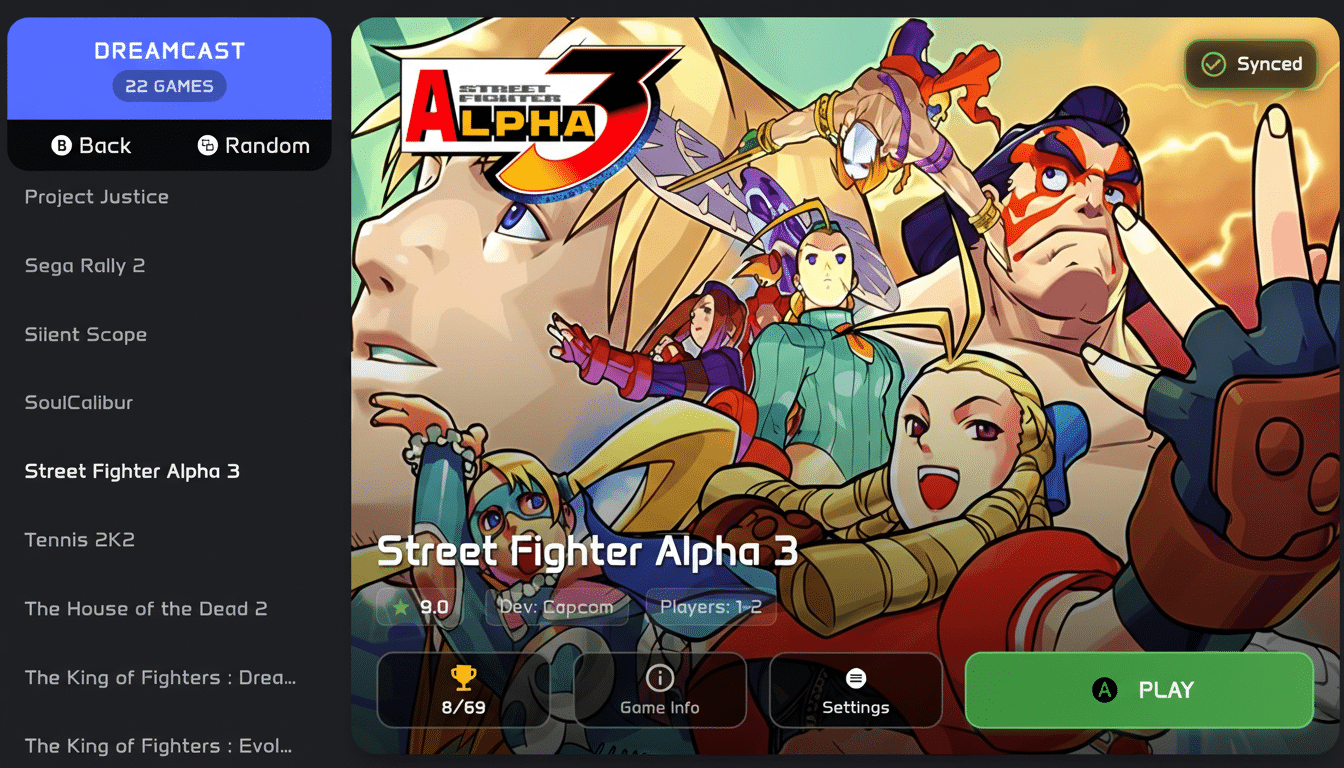
Developed by solo creator Miguel Soto, NeoStation aims to be the place you actually want to browse your collection. The new carousel view showcases high-resolution artwork that you can override with custom images, and theme options include an OLED mode with true blacks that can reduce draw on OLED displays during long sessions.
- A Unified Frontend Built For Modern Emulation
- Smart Setup And Reliable Emulator Detection Tools
- Cloud Saves That Make Sense For Retro Gaming Libraries
- Achievements And Community Hooks Integrated In-App
- How It Compares To Other Frontends On Mobile And PC
- Availability And What Comes Next For Every Platform
Unlike many frontends that lean toward couch use, NeoStation handles both touch and controller navigation gracefully. A vertical mode tailored for phones is temporarily out while it’s reworked, but the current UI remains friendly on handhelds and larger screens.
Smart Setup And Reliable Emulator Detection Tools
Initial configuration is refreshingly simple. After a clean install, NeoStation scans your device to identify which emulators are present and flags compatibility at a glance. That matters because the Android ecosystem often includes multiple forks or versions of apps like RetroArch, Dolphin, and PPSSPP, and getting the right core or build can be half the battle.
You can assign per-game defaults, switch between RetroArch cores and standalone emulators, and scrape artwork with minimal fuss. NeoStation also tags emulators that support RetroAchievements, avoiding the trial-and-error that typically comes with achievement hunting across platforms.
Cloud Saves That Make Sense For Retro Gaming Libraries
NeoSync, the app’s built-in cloud saving, is the standout. Create a free account and your save files can sync automatically across phone, PC, and handheld, letting you continue a run of Final Fantasy VI on your laptop after a commute session on your Android device. The free tier includes 4MB of storage, which sounds tiny until you remember most 8- and 16-bit save files are measured in kilobytes, not megabytes.
Because save sizes vary—think tens of kilobytes for many SNES and Genesis titles versus larger files for systems like PSP—NeoStation’s approach targets the long tail of classic games where saves are small and numerous. Paid tiers will cover heavier users, and planned support for services like Google Drive and RomM, plus options like Syncthing, give advanced users clear paths to scale.
Achievements And Community Hooks Integrated In-App
RetroAchievements integration is woven directly into the frontend, with a redesigned overlay that stays out of your way. There’s also a dedicated tab for the community-driven Achievement of the Week, a simple nudge that showcases one challenge to spark friendly competition and discovery across the back catalog.
For players who treat emulation as an ongoing hobby rather than a cabinet of curiosities, these lightweight community features offer just enough structure to keep you coming back without forcing a new ecosystem or store.
How It Compares To Other Frontends On Mobile And PC
Popular options like ES-DE and Beacon have long served as capable organizers, especially for big-screen setups. NeoStation differentiates with mobile-first ergonomics, touch parity with controller input, and built-in cloud sync that doesn’t require third-party scripts or plugins. The OLED theme is another practical touch for phones and handhelds where battery life matters.
The trade-off today is that vertical mode is being redesigned, so phone users who prefer a one-handed list may need to wait. But even in beta, the combination of clean navigation and smart emulator detection makes it feel mature.
Availability And What Comes Next For Every Platform
NeoStation is free on Android, Windows, Linux, and macOS, with an iOS build on the roadmap. Android users can sideload the APK now, with a Play Store listing expected shortly. You don’t need an account to use it as a straightforward frontend, and the optional NeoSync layer turns it into a cross-device progress hub.
If your ROM folder has grown into a maze, NeoStation’s beta already feels like the rare frontend that blends aesthetics, convenience, and community features without piling on complexity. For emulation fans juggling multiple systems, it’s an easy recommendation—and one to watch as the team ships vertical mode, storage integrations, and broader compatibility.
