


Microsoft is trialing a new PowerToys feature for Windows 11 that adds a customizable Command Palette Dock to the desktop, offering quick access to utilities, controls, and status widgets without digging through menus. First spotted by Windows Central and discussed by Microsoft’s PowerToys team on GitHub, the experiment hints at a more modular approach to Windows productivity—one that power users have been asking for since Windows 11 launched.
What Microsoft Is Testing with the PowerToys Command Dock
PowerToys senior product manager Niels Laute describes the prototype as a dock that can sit at the top of the screen—think a lightweight, persistent bar you can summon or keep visible—that exposes shortcuts you already use with Command Palette. The idea is to surface common actions and extensions where they’re always at hand, reducing trips to Quick Settings or the Start menu.
- What Microsoft Is Testing with the PowerToys Command Dock
- How the Dock Works and What You Can Pin and Customize
- Why It Matters for Power Users and Everyday Workflows
- The Taskbar Question Returns with Calls for Flexibility
- How to Try It Now in the Experimental PowerToys Branch
- What to Watch Next as Microsoft Evaluates the Dock
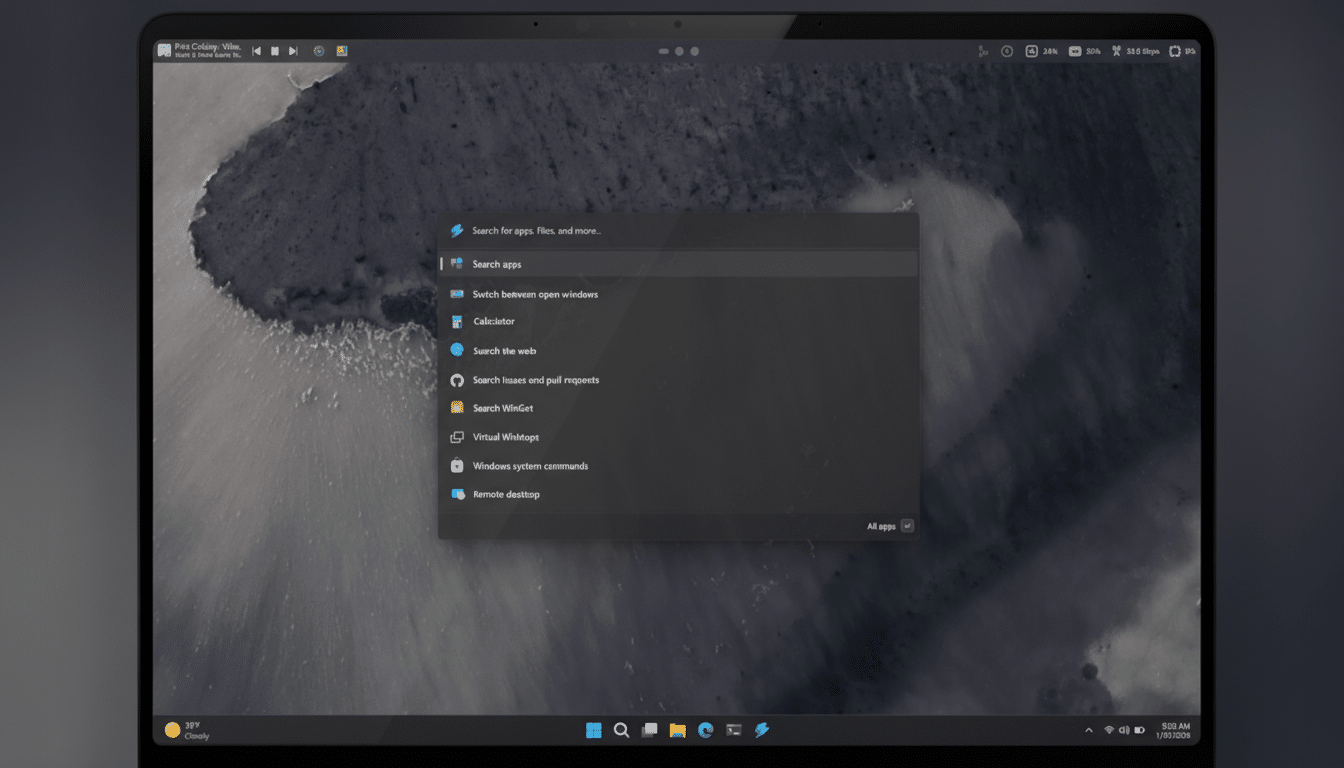
While early, the concept clearly targets friction in everyday workflows. Instead of launching a tool, waiting for a window, and losing context, the dock keeps essential controls one click away. It is, in effect, a compact, purpose-built layer for power users who live on keyboard shortcuts and micro-optimizations.
How the Dock Works and What You Can Pin and Customize
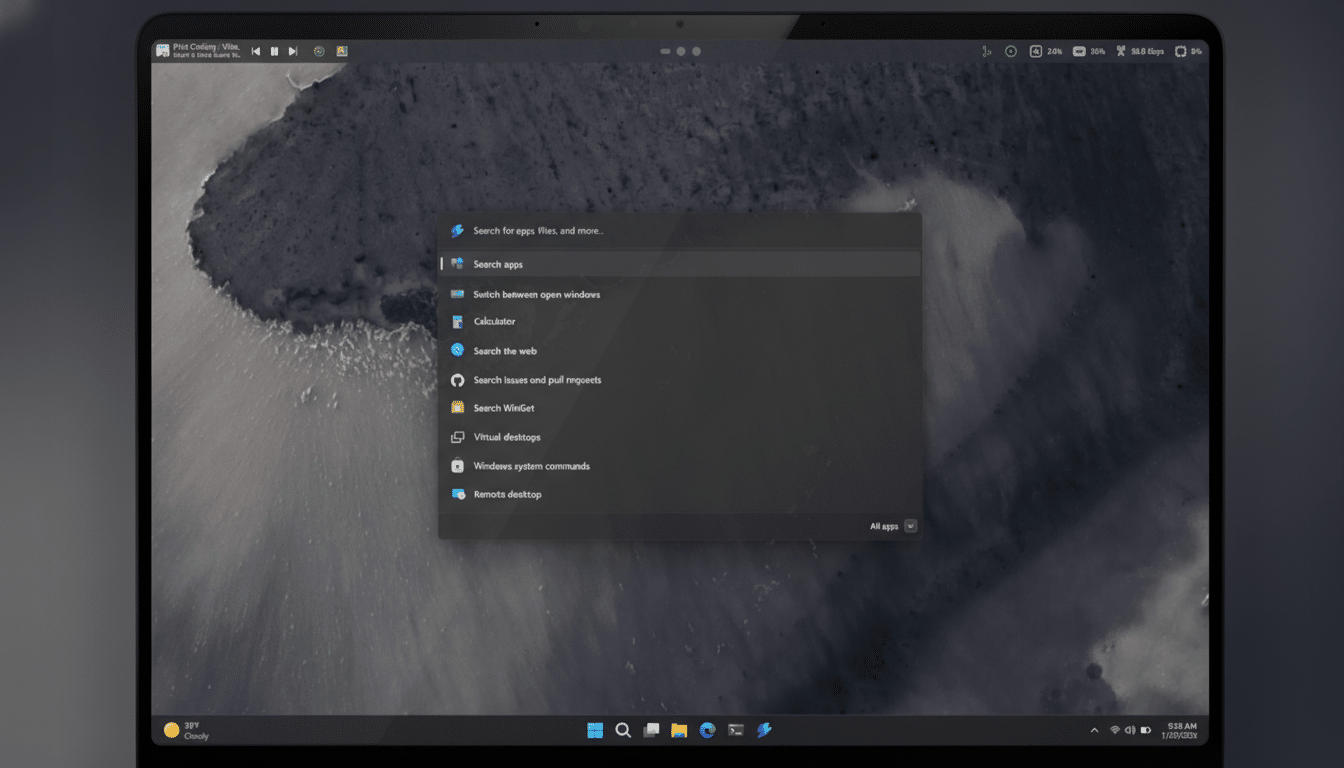
Laute’s preview shows a bar that can be pinned to any edge of the display—not just the top. You can attach favorite PowerToys extensions, system controls, and utility widgets, then arrange them to match your workflow. The mockups demonstrate CPU and memory readouts, clipboard history, and media playback controls, but the structure suggests broad extensibility.
Customization is a key pillar. Themes, backgrounds, and module selection appear in scope, which should let you tailor the dock to a minimalist or information-dense aesthetic. If you already rely on tools like FancyZones, Paste as Plain Text, or Color Picker, having those actions pinned persistently could trim seconds from repetitive tasks—minutes over a day, and hours over a month.
Why It Matters for Power Users and Everyday Workflows
Windows 11 puts quick toggles in the system tray and Quick Settings, but those panels still require multiple clicks and often steal focus. A dock is different: it’s deliberate, predictable, and built around the actions you use most. For developers, designers, editors, and IT admins who touch the same five to 10 functions dozens of times a day, shaving interaction overhead compounds into real productivity gains.
There’s also the scale argument. StatCounter estimates Windows 11 runs on roughly 33% of Windows PCs globally, meaning that small quality-of-life features can impact hundreds of millions of users. PowerToys, maintained openly on GitHub and shaped by community feedback, has repeatedly shown how niche utilities become mainstream once Microsoft makes them discoverable and safe to install.
The Taskbar Question Returns with Calls for Flexibility
The dock also reopens a familiar debate: taskbar flexibility. Windows 10 allowed vertical taskbars and easy repositioning; Windows 11 removed that, prompting one of the most-upvoted requests in the Feedback Hub. Early comments on the PowerToys proposal echo the same refrain—if a dock can live at the left or right edge, why not let the native taskbar move too?
Until Microsoft addresses that at the OS level, many advanced users lean on tools like ExplorerPatcher or StartAllBack to emulate classic behavior. A first-party dock won’t replace a movable taskbar, but it could soften the pain by elevating frequently used controls to where your mouse already travels. It’s a pragmatic middle ground while the shell team weighs broader design trade-offs.
How to Try It Now in the Experimental PowerToys Branch
For the adventurous, the prototype is available in a development branch of PowerToys referred to by the team as a work-in-progress (not in the main release). You’ll need to pull the branch from the project’s GitHub repository, build it yourself, and expect rough edges. This is an experiment, not a supported feature—yet.
If history is any guide, community testing will determine whether the dock graduates into a stable PowerToys release. Features like Always On Top and the modern Command Palette followed a similar arc: spark an idea, gather feedback, iterate in public, and ship once it clears quality bars.
What to Watch Next as Microsoft Evaluates the Dock
Two signals will reveal where this goes. First, momentum: if developers and IT pros embrace the dock and contribute extensions, it becomes an ecosystem, not just a toggle. Second, shell alignment: if Microsoft’s Windows team nudges the UI toward more modular surfaces, a PowerToys dock could become a proving ground for future, built-in experiences.
For now, the takeaway is straightforward. Microsoft is listening to power users and experimenting in the right place—PowerToys—where ideas can move fast. If the Command Palette Dock lands, it could become the rare feature that both reduces friction and respects how different people use Windows 11 to get real work done.
