


Microsoft’s latest perpetual version of Office is geared toward customers who don’t want to pay the monthly subscription fee for Microsoft 365. Office 2024 for Windows and macOS is available through some retailers for roughly $150 and includes updated versions of Word, Excel, PowerPoint, and Outlook with integrated AI helpers as well as tangible speed increases — all without needing a subscription to Microsoft 365.
What Comes With the $150 License for Office 2024
Office 2024 refreshes the core set of apps most people use every day. Word brings focus modes to cut distractions and improved writing suggestions; Excel opens big workbooks faster and deals with complex formulas more smoothly; PowerPoint enhances recording tools for narration, video, and captions; Outlook streamlines search and accessibility checks to enable quicker email cleanup.
- What Comes With the $150 License for Office 2024
- How the AI Appears in Daily Work Across Office 2024
- Perpetual License vs Subscription: Which Is Better
- Performance You Can Feel in Everyday Office Tasks
- Who Should Buy Now and Who Should Wait for Microsoft 365
- Bottom Line: Is Office 2024 Worth the One-Time Price?
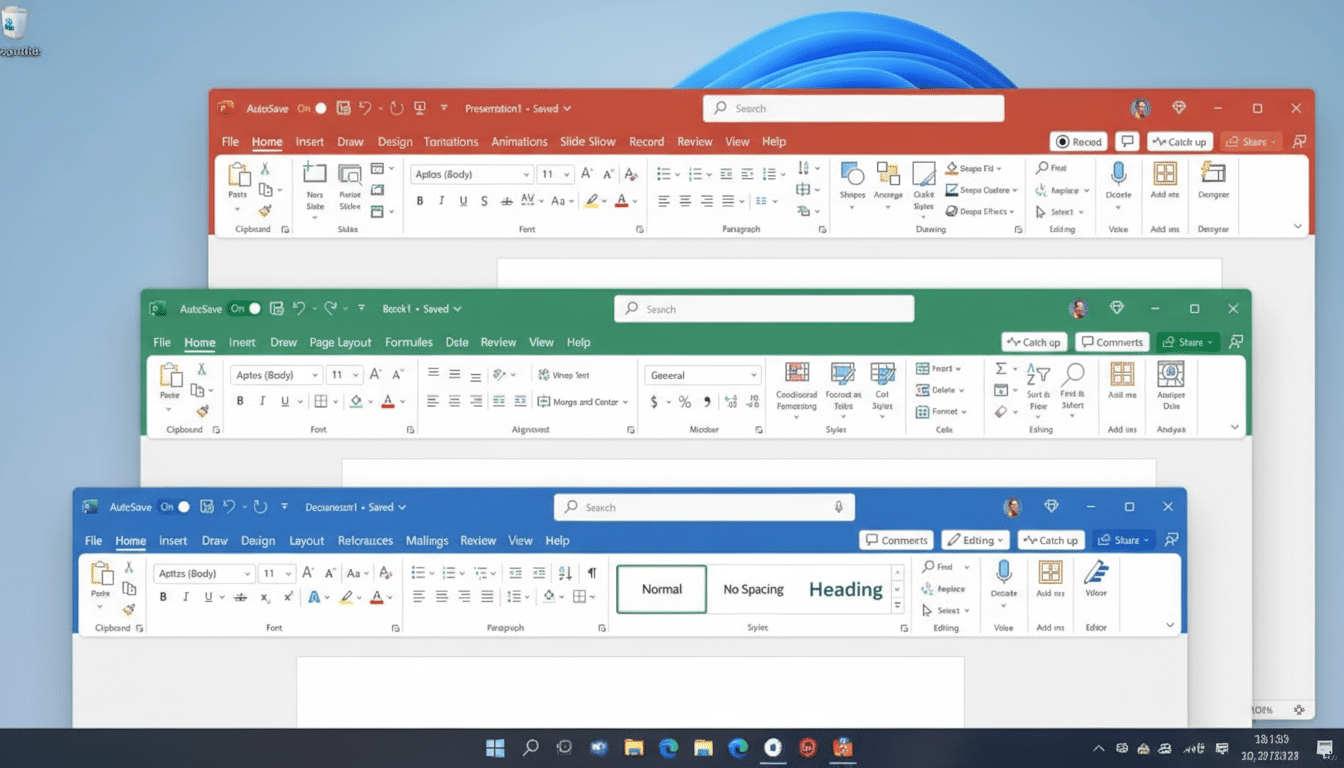
The design changes are modest and welcome — cleaner icons, consistent menu layouts — as well as the sense of a more seamless-looking switch between apps. There’s integration with Teams, version history, threaded comments, and real-time co-authoring in place to maintain order with group work.
How the AI Appears in Daily Work Across Office 2024
Instead of affixing chatbots, Microsoft bolsters AI in the places where people already work. In Word, you’ll also get inline suggestions for better phrasing and tone. PowerPoint suggests slide refinements, and it can even assist with shaping speaker notes for videos. Excel’s analysis tool prompts can help summarize ranges and find outliers — especially valuable in the untangling required of multi-sheet models.
These assistants are primed for on-device workflows once the suite is installed, which matters for privacy-conscious teams. It’s worth differentiating these capabilities from Microsoft’s Copilot services: premium, cloud-connected Copilot experiences — and Copilot Pro for consumers — are still paid add-ons, per what Microsoft has described in its announcements that cover Copilot. The “AI-enriched” label for Office 2024 centers on integrated, productivity-oriented assistants that don’t come with a monthly bill.
Perpetual License vs Subscription: Which Is Better
The $150 license, which lasts indefinitely and allows for commercial uses, is designed to appeal to students, small businesses, and families who want predictable costs. Microsoft 365 Family, on the other hand, is typically nearly $100 per year for up to six users. Other recurring features include: OnlyOffice and Zoho.com. If you live in the cloud, and need to have the latest features as they’re rolled out (see the table for information on which apps get new features when), then a subscription makes sense.
Historically, when you buy a copy of an Office release and pay the one-time fee, you’re assured of receiving security and reliability updates during Microsoft’s support window — though not necessarily the continued flow of new features subscription customers receive. That’s been Microsoft’s policy throughout previous versions. So the calculus is straightforward: pay up front to lock in a stable toolset, or subscribe to chase every new capability.
Performance You Can Feel in Everyday Office Tasks
Excel is the standout. Classic CSV imports and multi-workbook use cases load visibly quicker, and you can now scroll through 100,000+ rows without breaking a sweat on mid-level laptops. PowerPoint’s enhanced recorder eases the friction of wrapping a voiceover, camera feed, and captions into the same deck — good for sales reps and teachers who need to create asynchronous content. The focus mode in Word is excellent about cutting down on visual noise, and while that’s a little thing, it does make long writing sessions marginally less tiring.
When put to the test by enterprise IT departments and independent consultants quoted in industry forums, such performance and usability enhancements frequently mean minutes saved per day — resulting in measurable benefits at scale.
Who Should Buy Now and Who Should Wait for Microsoft 365
If you’re in the spectrum of creative professionals whose workflow revolves around desktop apps, and you have no use for regular feature rollouts (let alone frequent “updates” that are more about the cloud service than making desktop tools better), the $150 license is compelling. It’s also an easy fit for companies that want to pay upfront with perpetual licenses, for budgeting or compliance reasons. Creative teams that regularly work between PowerPoint and Outlook will love the recording enhancements and cleanup tools, and analysts or operations workers can gain from improved handling for large models in Excel.
On the other hand, heavy OneDrive users, customers who depend on cloud-based Copilot features, and families that need more than one seat with shared storage will still probably find better value in Microsoft 365. Microsoft has in fact continued to boast of how consumer and commercial cloud services are important and growing parts of its business, emphasizing just how crucial the subscription model is to its future.
Bottom Line: Is Office 2024 Worth the One-Time Price?
At about $150, Office 2024 brings back a simple pitch: own the basic office apps with an assist from modern AI and no ongoing bill.
- 15% off MSRP
That combination is precisely what productivity software should be, in the view of many buyers: snappy, familiar, and paid for once.
