


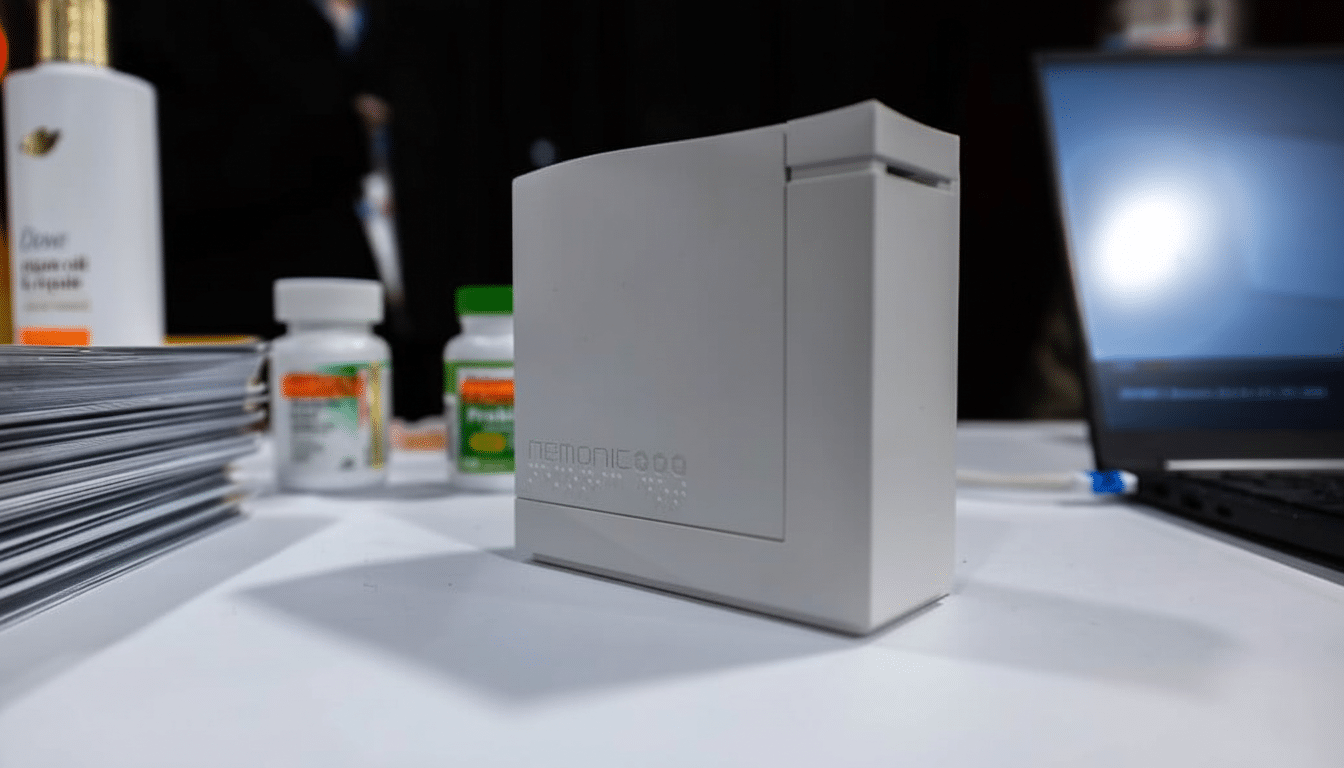
A new speech-to-Braille label maker, meanwhile, is making it drastically easier to tag everyday items without having to learn Braille. Mangoslab’s Nemonic Pro turns spoken words into Braille labels in seconds, an attempt to streamline kitchens, medicine cabinets and offices for people who are blind or have low vision — all using a mobile app and portable printer.
The portable contraption — roughly 4.5 inches square and 2 inches thick — is battery-powered or AC-adapter-ready, links to a smartphone and runs peel-and-stick tape through an embosser to produce raised dots you can feel with your fingers. The company is aiming for a price tag below $1,000, which would be a significant decrease from many of its competitors’ Braille labelers, which generally ring in higher than that.
Exactly How the Speech-to-Braille Labeler Works
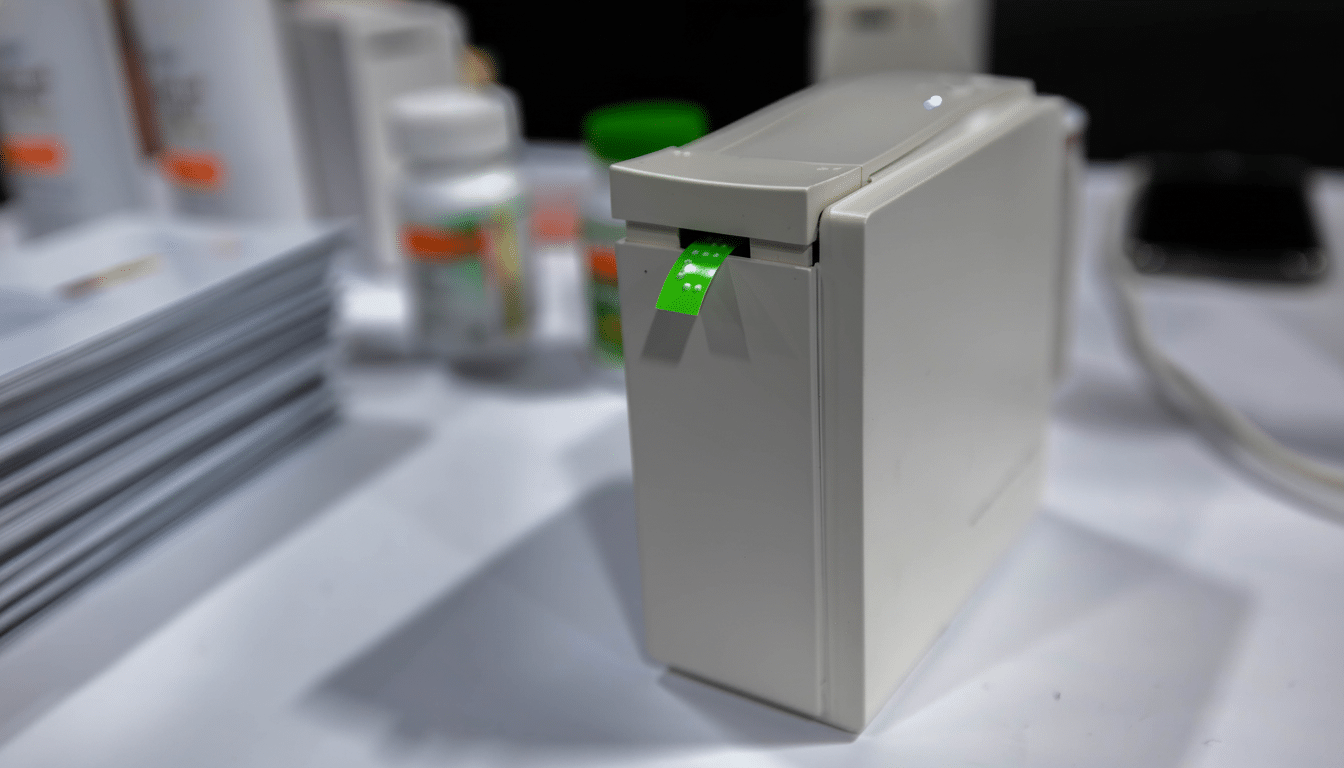
Open the companion app, dictate or type a term (like “pepper”), select a target language, then press print. The printer punches the correct Braille pattern onto adhesive tape and trims the strip with a press of a top-mounted button. Because translation occurs at a software level, users don’t have to type anything in Braille; you talk and the app does all of the hard work from voice to tactile.
Mangoslab claims the device, which offers an interface with multiple languages and Braille standards (including six-dot and eight-dot layouts), can send electric currents to move ball pins up or down whenever a user sends messages for translation purposes. That difference is important: Unified English Braille (UEB), for example, is different from French or Spanish Braille, while six-dot versus eight-dot formats change the character set and spacing. Keeping the translation tables in software allows the machine to adapt as standards change or when it includes multiple languages.
The label media loads from tiny, self-contained cartridges that snap in so there is no fooling with loose tape. When printed, they can be applied to spice jars, light switches, storage bins or office folders — essentially anything that benefits from fast, tactile identification.
Why Braille Labeling That’s Driven by Voice Patterns
The World Health Organization estimates that at least 2.2 billion people around the world have a vision impairment, including tens of millions who are blind. Despite this, Braille literacy is still low in many nations. Fewer than 10 percent of blind Americans read the system, according to the National Federation of the Blind; in the UK, figures are at a similarly modest level, the Royal National Institute of Blind People says.
That gap poses a logistical challenge at home: Medication bottles, cleaning solutions and pantry staples often seem indistinguishable. Braille is actually a legal requirement for outer pharmaceutical packaging within the European Union, yet proprietary pharmacy labels and most over-the-counter goods still turn up without any tactile information. In the U.S., advocacy organizations, including the American Council of the Blind, are still fighting for more accessible prescription labeling. A voice-to-Braille labeler provides a quick, DIY workaround that decreases reliance on sighted assistants.
For teachers and caregivers, the option to dictate labels on the fly can speed up organization in schools, daycares and anywhere these materials are shared. It also makes one-off, hyper-specific labels possible — think of “Left HDMI Switch” or “Morning Dose Only” — all without much specialized training.
Design, Label Media, and Long-Term Durability
Braille is read by touch, so durability is everything. The Nemonic Pro uses long-lasting tapes, such as embossing label stock, to withstand many finger strokes without flattening. For more demanding environments — outdoor signs, handrails or high-traffic buttons — the company plans cartridges with copper tape, which weathers the storm of conditions and tapping while maintaining dot height.
Readability depends on uniform dot height, spacing and adhesion. Though Mangoslab hasn’t published technical details such as embossing force or dot diameter, the tactile consistency demonstrated in demos should be a key part of customer confidence — particularly for safety-critical labels. Best practice for medications includes your drug name, dosage reminders and expiration; and deftly adding Braille modeled from tactile icons or high-contrast print helps low-vision readers.
Where It Fits in the Accessibility Market
There are a variety of Braille labelers and embossers. Stand-alone desktop embossers that produce full-page Braille from companies like Index Braille and Enabling Technologies cost thousands of dollars and are more than you need for basic labeling. Handheld labelers do exist, though many involve users having to enter characters on a six-key Braille keyboard — no problem for proficient Braille typists, but difficult if not impossible for family members and caretakers.
By undercutting the usual four-figure prices and by including speech recognition, Nemonic Pro hopes to broaden the appeal. If the app is built on commonly used translation libraries, including Liblouis, and follows standards from entities like the Braille Authority of North America, it could provide consistent, predictable output across languages and grades of Braille.
What to Watch Next for Nemonic Pro Availability
Mangoslab plans to make it available in the first half of the year, when language coverage and tape options will probably also expand. The early performance check will depend on the ability to understand speech in noisy rooms, error recovery with homophones and protections for high-stakes labels (such as medications) — features like audio confirmation or proofreading could be practical.
If it can deliver on ease of use and reliability, the Nemonic Pro could find a spot in homes, clinics, libraries and makerspaces as an easy way to create custom Braille labels without much hassle or any knowledge of the system; just bring your voice — and a few seconds to emboss.
