


Linux Mint 22.3 is just as confident about what its users want. It is not here to chase fashion; it’s here to make daily computing more serene, faster, and less irritating. Following some hands-on time, the headline is readily apparent: this is a parade of polish and quality-of-life tweaks that amount to a desktop you don’t notice you’re whittling away at.
LTS-based while also keeping up with modern hardware
Mint 22.3 remains on the Ubuntu 24.04 LTS base (now updated to 24.04.3), a conservative foundation that leans toward reliability over freezing hardware support in amber.
The (upstream 6.14) Linux kernel has Canonical’s Hardware Enablement stack, which brings newer kernel driver updates that are compatible with kernels up to 6.18. More pragmatically, recent laptops with Intel and AMD CPUs, as well as GPUs and Wi‑Fi chipsets, are more likely to “just work.”
Game developers and cross‑platform tweakers will appreciate the enhanced NTSYNC path, which facilitates Wine and Proton’s running of more Windows apps and games. The Linux Mint crew warns of known idiosyncrasies with VirtualBox and older Nvidia cards attached to the deprecated 470 driver, though neither should be a deal breaker if you’re dependent on those components.
Cinnamon 6.6 Introduces Frictionless Daily Use
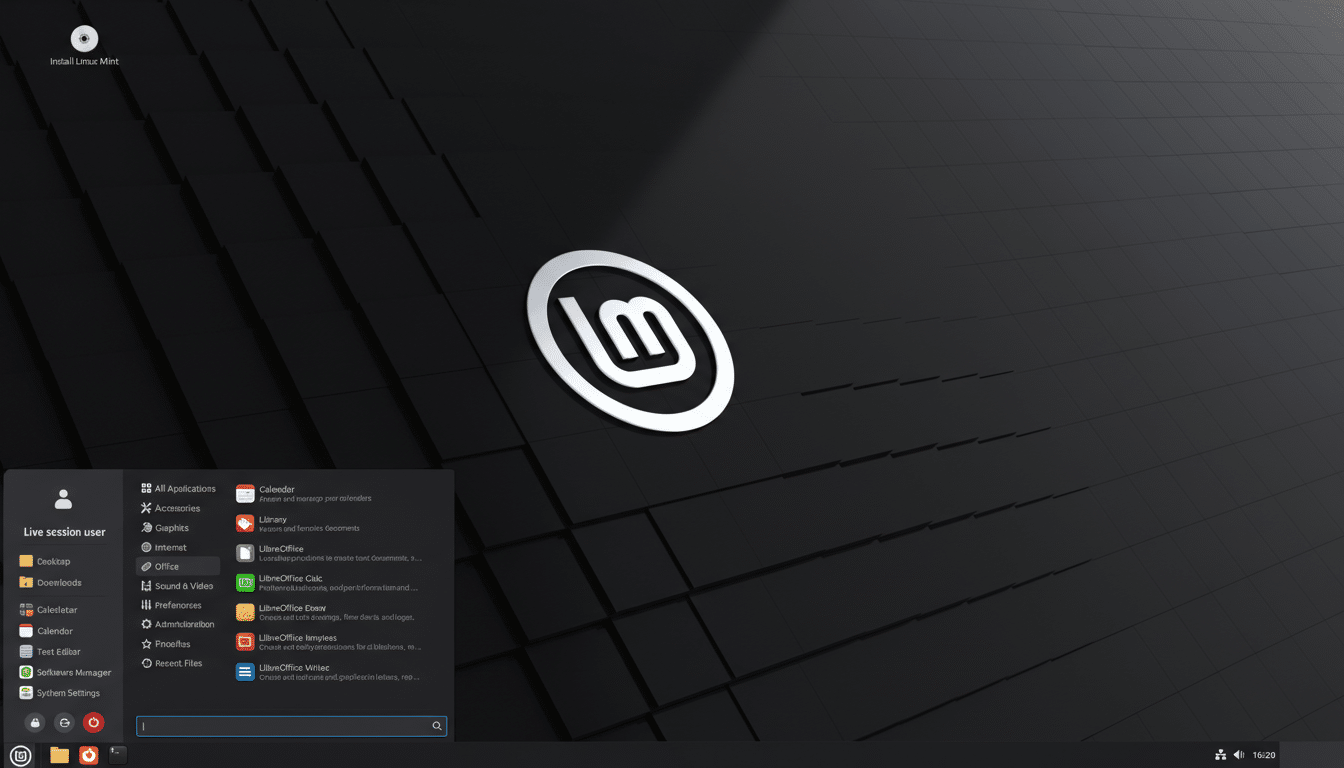
The most significant visual changes land in Cinnamon 6.6, Mint’s default desktop. A new application menu makes it easy to access your own avatar and places, as well as any you’ve favorited, within a tidy sidebar, saving on clicks and minimizing time spent drilling into various categories. App input is snappier, hot corners are less fiddly in full‑screen apps, and switching between different workspaces feels smoother. Our favorites include the aforementioned window tiling now being more accommodating to ultrawide and multi‑monitor setups.
Beneath the skin, Muffin provides underpinnings for Wayland and gives better touch support and multi‑monitor stability — even though Mint prudently keeps X.Org as the default for now. The shift toward XApp Symbolic Icons makes for more consistent small UI icons, with apps translucent under both light and dark themes. You can’t quite put your finger on the difference, but over a day of work you notice how fluidly everything reads at a glance.
Little changes, big payoffs across everyday tasks
File manager Nemo can finally pause and resume file operations — massively useful if you’re moving around giant media folders or constantly shuffling external disks. Pause/resume has been added to snapshot transfers with Timeshift, which takes the sting out of a network share — or indeed a cloud destination — dying mid‑backup. Mint Backup picks up an “Include All” option for hidden files and folders — just a tick box, but potentially something that can save you from reinstall‑based pain should you need to restore settings/configs on a dotfile‑laden app.
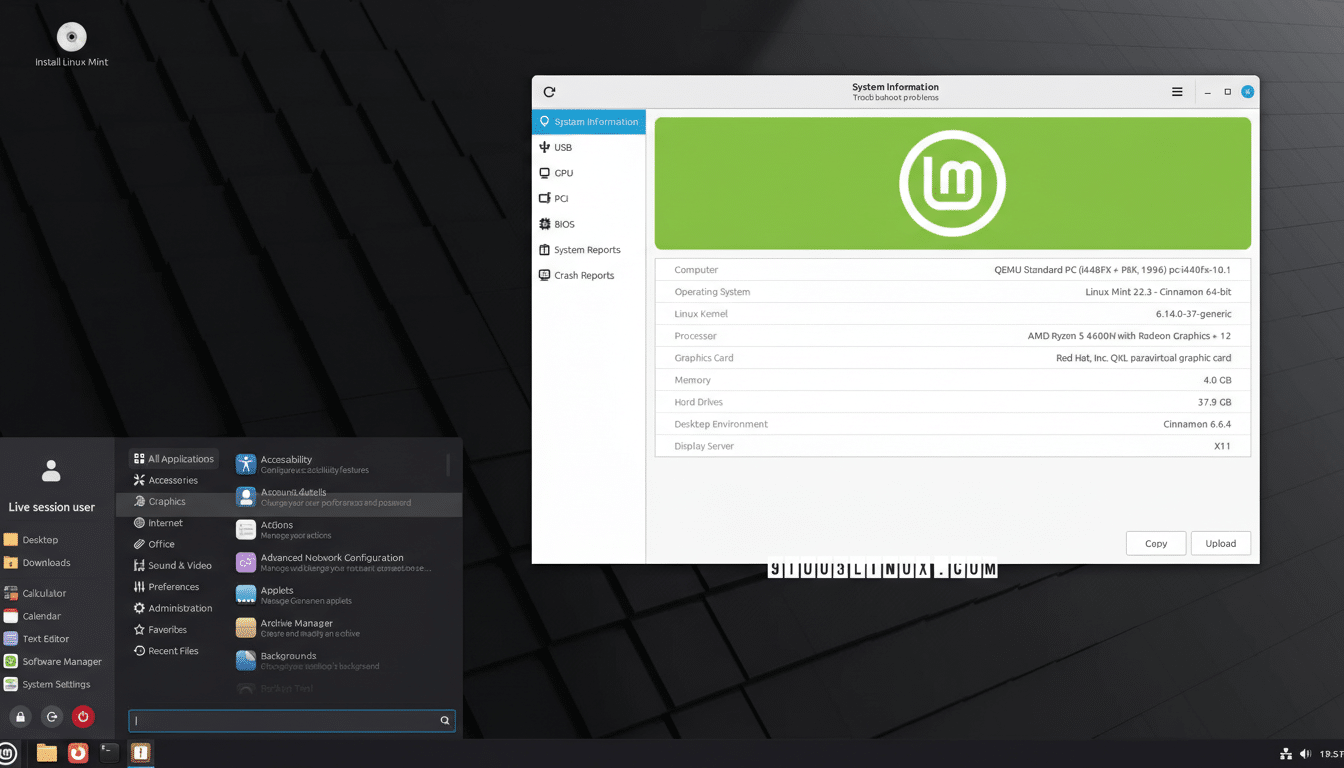
System Reports turns into System Information, with new detailed perspectives for USB, BIOS, GPU, and PCI devices. When a piece of hardware goes wonky, the correct details are just one click away now. There’s also a new System Administration menu that brings the control of boot configuration into one place. Yes, the default shutdown timer is shorter — 10 seconds instead of a minute and a half — so you’ll appreciate the reduced wait to prevent holdout apps from holding your machine hostage.
Apps and gaming are well represented at launch
Preinstalled in the box are current builds of Firefox, Thunderbird, and LibreOffice, ensuring you can browse, read email, and create documents from day one.
Steam is easy enough to install and, thanks to the growing maturity of Proton, thousands of Windows games now run on Linux with barely a flicker. Valve has more than 14,000 games listed as Verified or Playable on Steam Deck (a handy proxy for what you’d find on a modern Mint desktop).
If Cinnamon isn’t to your taste, official editions featuring Xfce 4.18 and MATE 1.26 keep Mint mint, with unobtrusive desktops keeping grain out of the teeth. The same under-the-hood enhancements to drivers, backups, and system tools apply to all editions.
Performance and stability impressions across systems
On an older Intel desktop and a newer AMD tower, installs went off without a hitch in all the best ways. Fresh‑boot memory usage using Cinnamon never went over 1 GB in my testing, and multi‑monitor setups seem reliable across suspend/resume. VirtualBox required a bit of handholding with graphics settings, which was in line with kernel caveats; once done, guests were stable.
This is not a release that cries out for a clean install. If you’re already on Mint 22.x, the transition is made as easy as possible with the Update Manager. Given the long support window — 22.3 aligns with Ubuntu LTS through 2029 — it’s a reasonable landing place for anyone who prizes predictable updates over constant churn.
Bottom line: a steady, refined update worth installing
Linux Mint 22.3 isn’t redesigning the desktop; it’s healing paper cuts. This is a release that is respectful of your time and attention. From a smarter menu to pause‑and‑resume across devices, everything you love about Mint becomes even better here. For the current Mint 22 user, the upgrade is a clear “yes.” For Windows switchers and distro‑hoppers who long for a sane default, 22.3 is the steadying, refined experience that makes Linux feel like home.
