


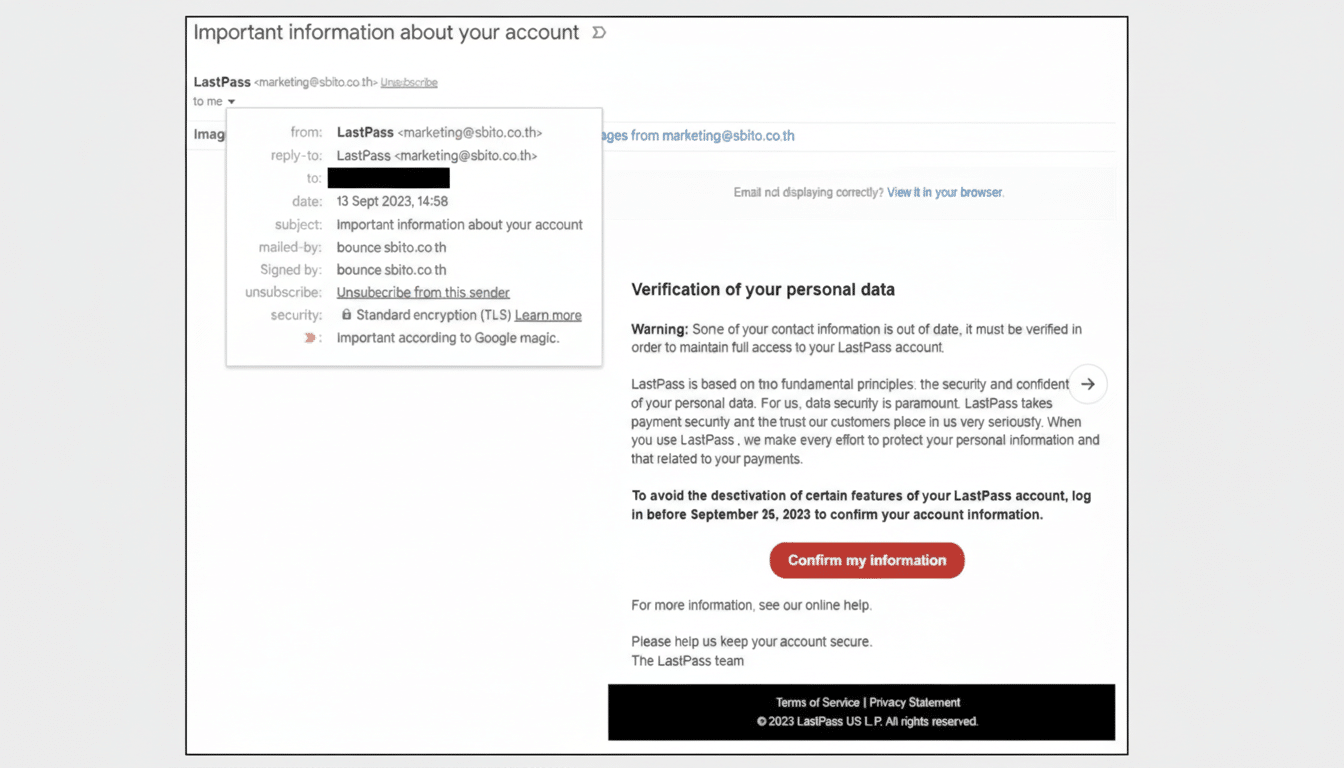
If you use LastPass, be on alert: a wave of convincing phishing emails is spoofing the password manager and trying to pry open user vaults. The messages pressure recipients to “back up” their vaults within a tight window and route clicks to a fake domain that mimics official branding—an approach designed to harvest master passwords and multifactor codes.
What the Fake LastPass Phishing Email Looks Like
Targets report subject lines like “Protect Your Passwords: Backup Your Vault (24-Hour Window)” and variations referencing LastPass infrastructure. The body features a prominent “Create Backup Now” button that does not lead to LastPass. Instead, it first hits an Amazon S3 bucket at group-content-gen2.s3.eu-west-3.amazonaws[.]com/5yaVgx51ZzGf and then redirects to mail-lastpass.com—an impostor with no connection to the company.
Using cloud storage for the first hop gives the scam a veneer of legitimacy, since URLs can appear familiar to non-technical users and may slip past weak email filters. The redirect then lands on a credential-harvesting page styled to look like a LastPass login.
How the LastPass Phishing Scam Operates in Practice
The ploy relies on urgency and authority. By warning of a narrow backup window, attackers nudge people into clicking before they think. Once on the lookalike page, victims are prompted to enter their master password and, in some cases, a one-time code—giving criminals the keys to decrypt vaults and pivot into other accounts.
Timing also matters. Security teams often see large phishing pushes during holiday periods and long weekends, when response times may slow and users are more likely to be triaging email from mobile devices. This campaign appears to follow that playbook.
Why LastPass Users Are in the Crosshairs
Password managers are high-value targets because a single compromise can cascade. Attackers have previously aimed at LastPass users with schemes around emergency access and legacy features, looking to exploit trust and brand familiarity. The broader backdrop is sobering: the Verizon Data Breach Investigations Report consistently finds the “human element” present in a majority of breaches, with credential theft and phishing among the top actions in real-world incidents.
Meanwhile, phishing remains the most reported internet crime by volume, according to the FBI’s Internet Crime Complaint Center, which has logged hundreds of thousands of complaints in recent annual tallies. Criminals favor what scales—spoofing well-known tech brands and password tools is a reliable way to reach a large, motivated audience.
How to Verify Whether a LastPass Email Is Legitimate
- Be skeptical of emails that instruct you to “back up your vault,” threaten account expiration, or impose a 24-hour deadline. LastPass does not ask for your master password by email, and legitimate security prompts will direct you through the official app or website.
- Inspect the sender and the link destination before clicking. Type lastpass.com manually into your browser or open the LastPass extension/app directly. Do not rely on embedded buttons.
- Look for subtle domain tricks. Anything resembling mail-lastpass.com, lastpass-security[.]com, or a first hop to an unrelated cloud bucket should be treated as malicious.
- Keep phishing-resistant MFA enabled. Security keys using FIDO2/WebAuthn reduce the chance that a one-time code can be replayed on a fake site.
If You Clicked a Link or Entered Any Account Details
Act immediately from a trusted device and network. Change your LastPass master password and ensure the vault is re-encrypted. Review trusted devices and active sessions, revoking anything unfamiliar. Rotate passwords for sensitive accounts stored in your vault, prioritizing email, financial services, cloud storage, and workplace logins.
If you use app-based or hardware MFA, re-enroll factors where possible and regenerate recovery codes. Check LastPass account history and security notifications for suspicious logins, and consider enabling additional alerts. Report the phishing message to LastPass and to your mail provider’s abuse team; wider reporting to the FBI IC3 can help disrupt related infrastructure.
The Bigger Picture Behind This Ongoing Phishing Trend
This campaign underscores a broader trend: criminals increasingly host phishing kits on reputable cloud services, register brand-adjacent lookalike domains, and rely on social engineering rather than software exploits. Takedowns can be fast, but new lookalikes often pop up just as quickly.
The safest habit is also the simplest—never follow account-security instructions from an email button. Go straight to the official app or site, verify alerts inside your account, and let the built-in notifications guide you. For password manager users, that one step can be the difference between a scare and a full-blown breach.
