


Hulu is one of the most popular streaming services in the United States, offering thousands of movies, TV shows, and original series. One of the great features of Hulu is the ability to download content for offline viewing, but this convenience comes with several download limitations that can frustrate users.
In this article, we’ll explain what the Hulu download limit is and why it exists. Additionally, we will share one hulu downloader to watch offline without limitations and, tutorial to record hulu easily.

What Is the Hulu Download Limit?
Hulu allows subscribers to download some movies and TV shows for offline viewing through its mobile app — but you can’t download an unlimited amount of content. That’s because Hulu imposes several rules on how downloads work:
Download Quantity Limit: You can have up to 25 downloaded titles at one time on your Hulu account across a maximum of five mobile devices. This is an account-level restriction, not per device or per profile. Once you hit this limit, you won’t be able to download more until you delete older downloads.
Time Limits on Downloads: Even after you download a video, it’s not permanent:
Unwatched downloads usually expire after 30 days.
Once you start watching, you generally have 48 hours to finish before the download expires.
These time limits are tied to licensing agreements between Hulu and content owners.
Device & Platform Restrictions: Hulu downloads are only supported on mobile devices using the official Hulu app — specifically:
iPhone & iPad
Android phones/tablets
Amazon Fire tablets
You cannot download Hulu videos on Mac or Windows PC, laptops, Smart TVs, or web browsers using the official app.
Content Availability Limits: Not every show or movie on Hulu supports downloading — only those with a download icon can be saved for offline use. Licensing rules for some titles, especially content from certain partners, prevent them from being made available for download.
Why Hulu Has These Download Restrictions
Hulu’s download limits aren’t arbitrary — they come down to two main factors:
Content Licensing Agreements
Hulu licenses content from studios and networks. These agreements often restrict how and where content can be stored or shared, which leads to limits on downloads and expiration timelines.
DRM (Digital Rights Management)
Downloaded Hulu files are encrypted and locked to the Hulu app to prevent unauthorized copying or sharing. This is why you can only watch them inside the Hulu app and on supported devices. ([moyeasoft.com][4])
How to Manage Hulu Download Limits
If you hit the 25-title download limit, here are your practical options:
Delete Old Downloads
Go into the Hulu app, tap Downloads, then delete titles you have already watched or no longer need. This frees up space for new downloads.
Delete Downloads on Other Devices
Since the 25-title limit is account-wide across five devices, downloads on another phone or tablet could be using your quota. Removing old downloads from other devices may help.
Watch or Renew Before Expiration
If your downloaded content is about to expire, watching it or renewing it (if allowed) can reset the expiration timer.
Bypassing Hulu Download Limits for Unlimited Offline Access
If you want to avoid Hulu’s built-in restrictions, like the 25 download cap, expiration timers, and mobile-only access, a third-party Hulu downloader offers a more flexible solution.
With Keeprix Video Downloader, you can:
Save unlimited Hulu movies and episodes without the 25-item cap
Download videos to your computer or laptop
Convert downloads to MP4 or MKV format so you can play them anywhere
Keep videos forever — no expiration timer
Transfer to phones, tablets, Smart TVs, or USB drives
Bypass app-only limitations and DRM playback restrictions
This gives you more control over your Hulu library, especially if you travel, work offline, or want to build a permanent collection.
How to Use Keeprix Video Downloader (Quick Steps)
1. Download and install Keeprix Video Downloader on your Windows or Mac computer.
2. Open the program and select the Hulu platform mode.
3. Log in to your Hulu account securely inside the app.
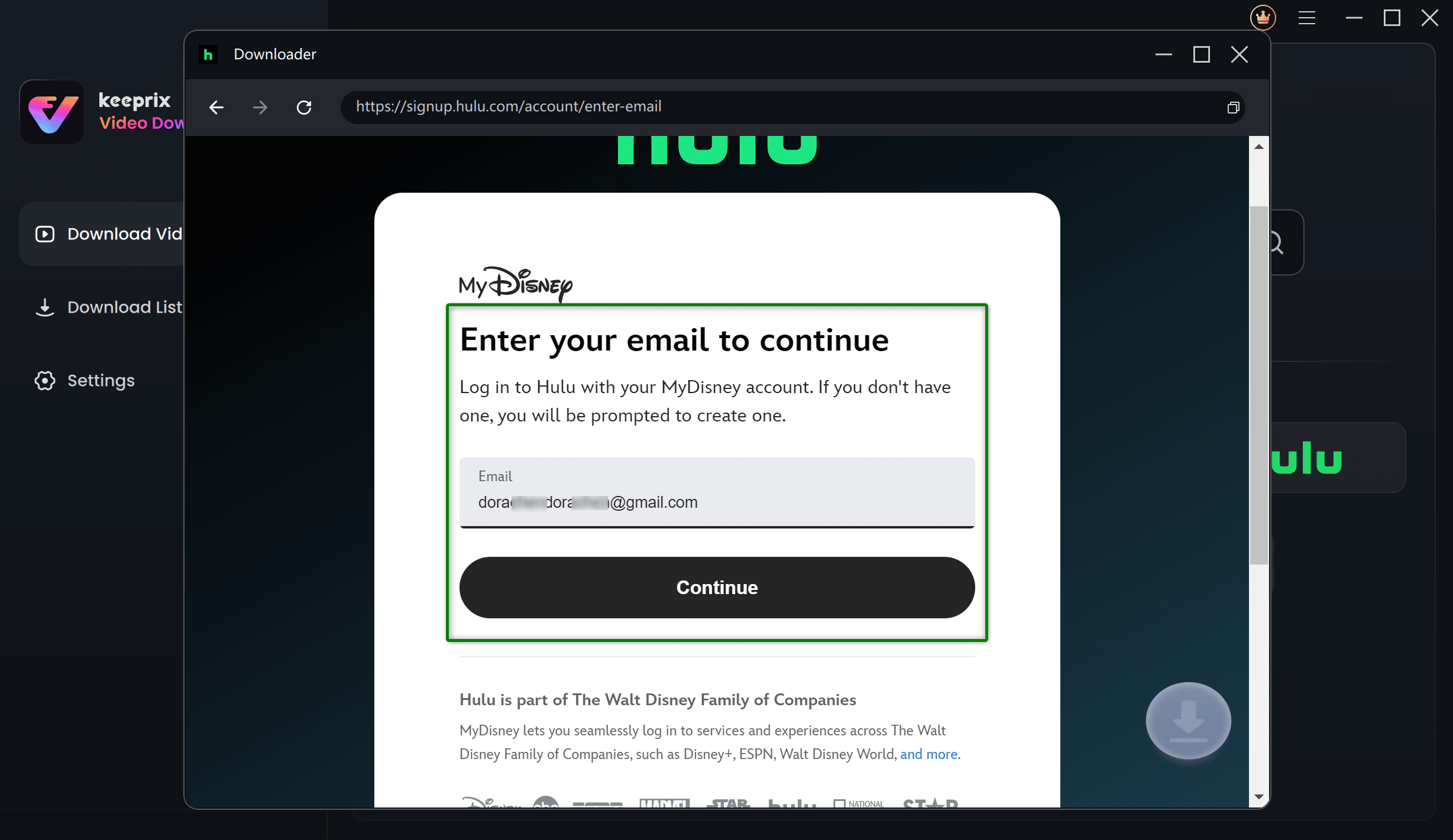
4. Search for the movie or show you want to save.
5. Choose your preferred quality, audio, and subtitle options.
6. Click Download — the video will be saved as an MP4/MKV file. (no DRM, no limits)
After downloading, you can play the video with any media player or transfer it to other devices.
Frequently Asked Questions About Hulu Download Limits
Q1. Does Hulu have a download limit?
Yes. Hulu limits users to 25 total downloads across up to five devices at the same time on a single account.
Q2. Why is Hulu not letting me download more?
You likely reached the 25 download limit on your account. Removing old downloads from any of your devices frees up space.
Q3. Can I watch Hulu downloads on my computer?
No — the official Hulu app only supports downloads on mobile devices (iOS, Android, Amazon Fire tablets).
Q4. Why do my Hulu downloads disappear?
Downloaded videos expire after 30 days if unwatched, or 48 hours after you start watching due to licensing restrictions.
Conclusion
Hulu’s built-in download feature is convenient, but it comes with multiple limitations — limited quantity, expiration timers, and device restrictions that affect how you watch offline.
If you want limitless downloads, permanent offline access, and the ability to use Hulu videos anywhere you like without expiry, Keeprix Video Downloader offers a powerful workaround. It removes the constraints of the official Hulu app and lets you save, organize, and play your favorite shows and movies however you want.
