


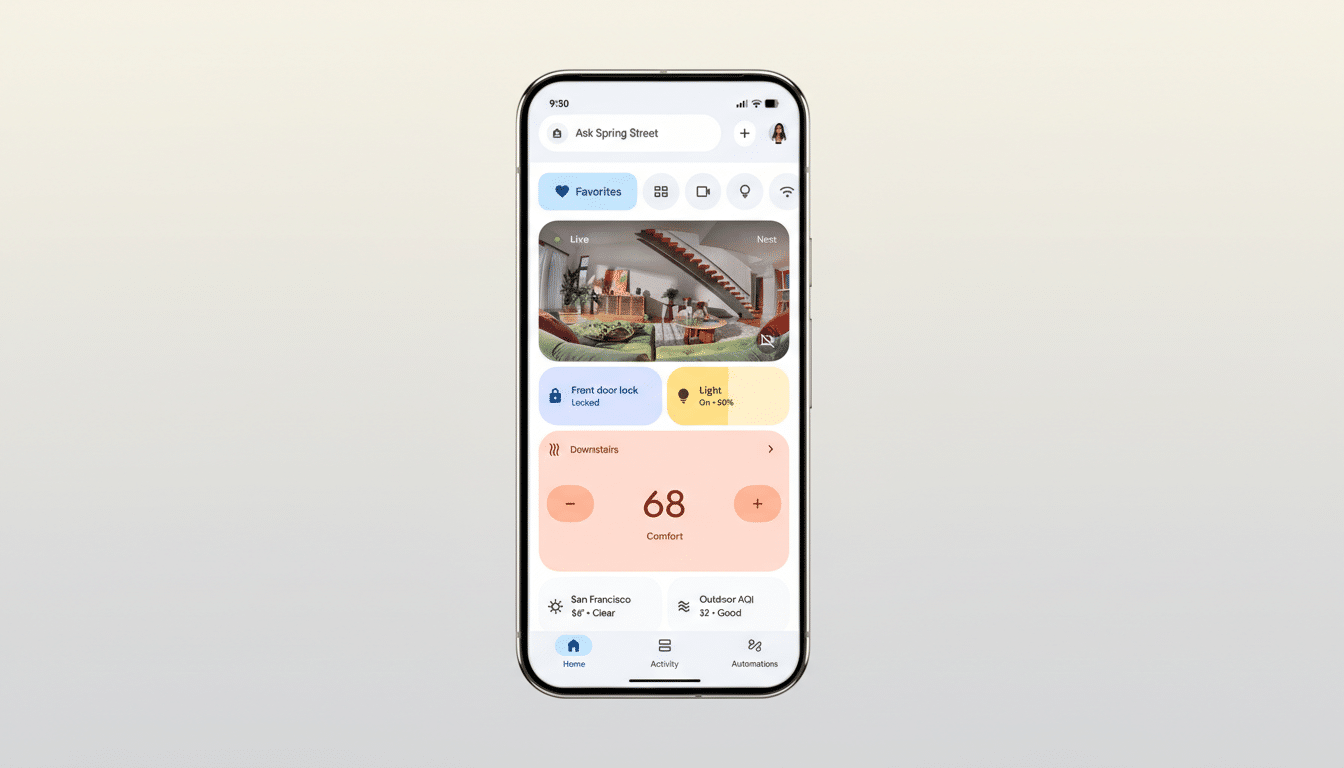
Google is piloting a new way to talk to your smart home, testing media attachments inside Ask Home, the Gemini-powered conversational feature in the Google Home app. The experiment, spotted in version 4.9.51.0 on Android, adds a plus button next to the text box that lets users attach images or videos to their queries, hinting at a shift from text-only control to true multimodal assistance.
Ask Home debuted as part of a major Google Home refresh, enabling natural-language requests like “show me what happened on the front porch this afternoon,” planning routines in plain English, and pulling a quick summary of camera events. Until now, interactions were text-based. Media input—while not fully functional in early testing—signals Google’s intent to let Gemini ground responses in visual context from your own devices.
Why Media Input Could Be a Game Changer for Smart Homes
Multimodal models like Gemini are designed to understand text, images, and video in a single conversation. That matters in the home: you might share a still from your doorbell feed to ask if the package on your porch matches a delivery earlier, or submit a clip to quickly summarize motion events without scrubbing timelines. With image context, Ask Home could identify which light fixture a photo refers to or recognize a thermostat’s on-screen error code and suggest a fix.
Consider common scenarios. A security camera flags motion at night; attaching a snapshot could let Ask Home confirm if it was a person, a pet, or passing headlights. If you’re building automations, a photo of a room layout might help Gemini suggest more precise lighting scenes by recognizing where lamps and windows are located. Even device onboarding could improve: taking a picture of a QR code, model label, or wiring panel could save minutes of guesswork.
It’s also about reducing friction. Smart homes are full of visual cues—status LEDs, on-device screens, and camera thumbnails. Bringing those cues into the same chat where you control routines and devices can compress complex troubleshooting into a single step. That’s the promise of multimodality: less tapping through menus, more direct outcomes.
Smarter Conversations With Redo and Reset
Alongside media attachments, Google is testing Redo and Reset Chat buttons. Redo regenerates a response if the first answer misses the mark. Reset Chat clears prior context so you can start fresh—useful when shifting from, say, camera recaps to building a new bedtime routine. These controls mirror best practices in AI chat design, giving users quick ways to refine or reframe without diving into settings.
The practical upside is iterative routine building. You might ask for a 10 p.m. “Goodnight” scene, then hit Redo until the automation dims only hallway lights, lowers the thermostat by two degrees, and arms the entry camera exactly as you want. As households add devices, conversational do-overs can dramatically reduce trial-and-error in apps.
Context From the Market on Smart Home AI Trends
Adoption creates demand for simplicity. Parks Associates reports that over 40% of U.S. broadband households now own at least one smart home device, yet many owners underuse advanced features like scenes and automations. The gap is not hardware—it’s usability. Moving from rigid commands to multimodal, back-and-forth chats is a logical next step to unlock value people already paid for.
Competition is tightening, too. Rivals have been racing to inject generative AI into assistants, with an emphasis on richer, contextual conversations. Meanwhile, IDC notes the smart home market softened in 2023 before a return to modest growth, underscoring why platforms are leaning on intelligence, not just new gadgets, to reignite engagement.
Availability and What to Watch in Early Tests
The attachment option and new chat controls surfaced in the Android app’s 4.9.51.0 build but are not broadly available, suggesting a server-side test. Early testers could attach media, although Ask Home didn’t yet incorporate the images or videos into responses—common in staged rollouts, where UI lands before model behaviors are enabled.
If Google leans into media-grounded queries, expect guardrails and transparency to be pivotal. Users will want clear indicators about where visual data is processed, how long it’s retained, and granular controls for cameras and shared devices. Given Gemini’s multimodal capabilities and Google’s on-device versus cloud processing options, implementation details will matter as much as the feature itself.
Bottom line: Ask Home’s move toward media input and tighter conversational controls points to a smarter Google Home that sees what you see and adapts faster to what you meant. If the tests graduate to wide release, the smart home could feel less like a stack of apps and more like a single, intuitive dialogue—one picture or redo at a time.
