


Google has today announced that it will introduce an AI-based layer of protection to the Google Drive desktop product designed to detect ransomware activity in real time, stop damage, and assist users in rolling back changes before a ransomware attack takes hold. The feature suspends syncing at the sight of something that smells like nefarious encryption, and instead helps users revert back to clean versions of their files.
What Google Is Implementing in Drive for Desktop
The new feature exists in the Google Drive for desktop app for Windows and macOS, and it’s open to commercial Google Workspace customers. When Drive’s client notices a ransomware-looking pattern modifying a large number of files, it puts the brakes on syncing to that particular content, so bad versions don’t propagate across devices and shared folders.
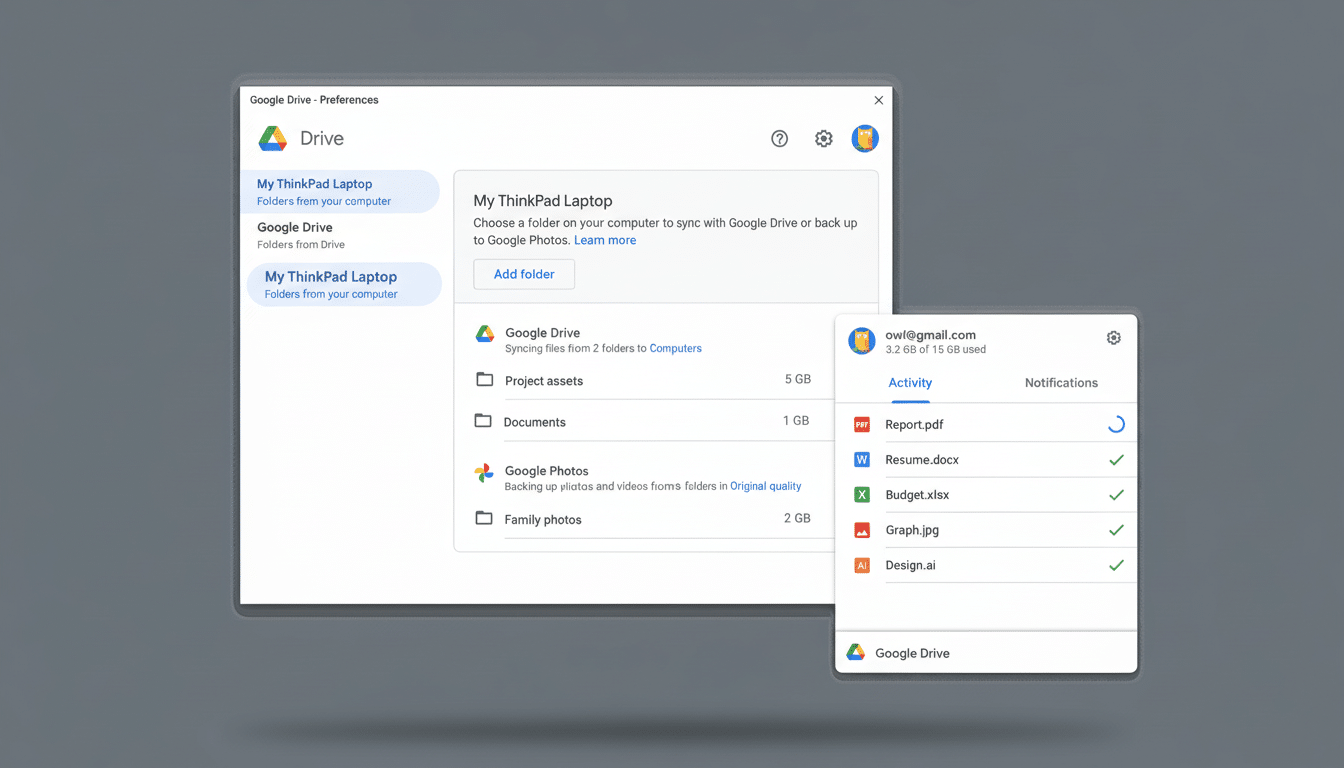
Desktop and email alerts arrive with simple instructions for how to recover, usually by restoring earlier file versions that Drive always retains. Admins can monitor incidents with existing Workspace controls, which makes it easier to control the spread across teams and shared drives.
How the AI Spots Ransomware Behavior in Files
Google says it trained its models on a large corpus of ransomware samples in order to identify behavioral markers that signature-based methods neglect. In practice, it looks for the telltale signs you’d expect:
- Rapid changes to files across an organization
- Spikes in data entropy associated with encryption
- Mass renaming patterns
- Unusual I/O activity relative to a user’s normal behavior
Drive can disrupt the blast radius of an attack by addressing it at the sync layer, instead of letting the malware and its attackers simply play themselves out, without having to immediately disinfect the endpoint. That insulates cloud copies and buys security teams time to disable the root cause on the device.
Why It Matters for Companies and Cloud Workflows
Ransomware continues to be among the most disruptive threats facing organizations. Ransomware represented about one in five intrusion cases recently, according to Mandiant, and the latter estimate suggests that malware was traced to ransomware in roughly a third of all breaches over the last six years. Ransomware payments exceeded a record billion dollars in a recent year, according to one estimate from Chainalysis, which underscores the size of the problem.
Now, because so many teams collaborate via cloud storage, encrypted files can easily proliferate around laptops and shared drives. A checkpoint in the sync client prevents that cascade. If versions of files can be quickly rolled back, the economics behind such attacks — downtime, data loss, and pressure to pay — break down.
Limits and What the Program Will Not Do Today
This is not a substitute for endpoint protection. It does not clean malware from the infected system, and it does not block encryption of local files when the device is offline. It’s to keep a clean copy in the cloud and to prevent spread through sync, not to mitigate the underlying payload.
Data hijacking is also a risk. Many ransomware groups now take data before encrypting it and then use it to extort victims. Detection of malicious file modification in Drive won’t stop data leaving an organization by itself, so combining this capability with endpoint detection and response, data loss prevention, and strong identity controls will remain important.
There’s also scope to consider: the rollout is destined for Google Workspace customers by way of the desktop client. Consumer users of Drive do not receive this ransomware detection. Admins should ensure all these endpoints are running the most current Drive client and review version-history retention levels to meet recovery requirements.
How It Compares and Fits Into a Security Stack
Similar ideas have already been explored by other cloud platforms. There are ransomware detection and recovery prompts in Microsoft OneDrive, and there are several backup vendors that offer immutable snapshots. Google’s approach focuses on intervention at the sync boundary backed by the existing Workspace security stack — context-aware access, data loss prevention (DLP), and admin auditing.
The value comes from layering. Immutable backups safeguard last-ditch recovery, endpoint tools hamstring the ransomware encryption process, and Drive’s AI raises a red flag as soon as data begins to undergo out-of-the-ordinary changes, limiting collateral damage across teams and devices.
For Security Teams: Rollout Steps and Training Tips
To make the most of this capability, security teams should consider the following actions:
- Standardize the latest Drive for desktop client across Windows and macOS fleets.
- Enforce automatic updates for the client.
- Run a tabletop exercise to practice responding to a ransomware alert, including stopping sync and restoring versions.
- Centralize alerts and notifications so the security team can act as soon as Drive detects suspicious activity.
Employee training and recovery readiness remain critical:
- Treat paused-sync alerts as high priority.
- Disconnect the device from the network immediately.
- Contact IT, and avoid interacting with affected files.
- Ensure version-history windows and retention policies can meet recovery goals.
- Keep backups isolated in case an attacker aims for restore points.
The game in ransomware defense is one of reducing impact. By integrating AI-powered detection seamlessly into the everyday process of syncing files, Google is providing a pragmatic control that can prevent a bad day from becoming organization-wide downtime or, in many cases, help organizations stop paying ransom altogether.
