


Festivitas, the indie app that popularized twinkling bulbs on your Mac desktop, kicks off a new season with its biggest update ever: Now you can personalize holiday lights on iPhone and iPad while creating an endless variety of richly tunable snow effects for macOS. The result is a fun, powerfully configurable way to style your Apple screens while still keeping them usable.
New iPhone and iPad widgets bring customizable lights
The new iOS and iPadOS release uses Home Screen widgets to surround your favorite wallpaper or picture with holiday lights. You also can use a transparent widget look for the bulbs to give them the appearance of resting flat on your background, adding a sort of ornamented bezel around everything else you own.
- New iPhone and iPad widgets bring customizable lights
- Deep customization without clutter across devices
- Snow comes to the Mac with immersive, tunable effects
- Automation and interactivity with Shortcuts support
- Pricing and availability across macOS, iOS, and iPadOS
- Why Festivitas stands out in the personalization boom
- Conclusion: a playful app that respects performance
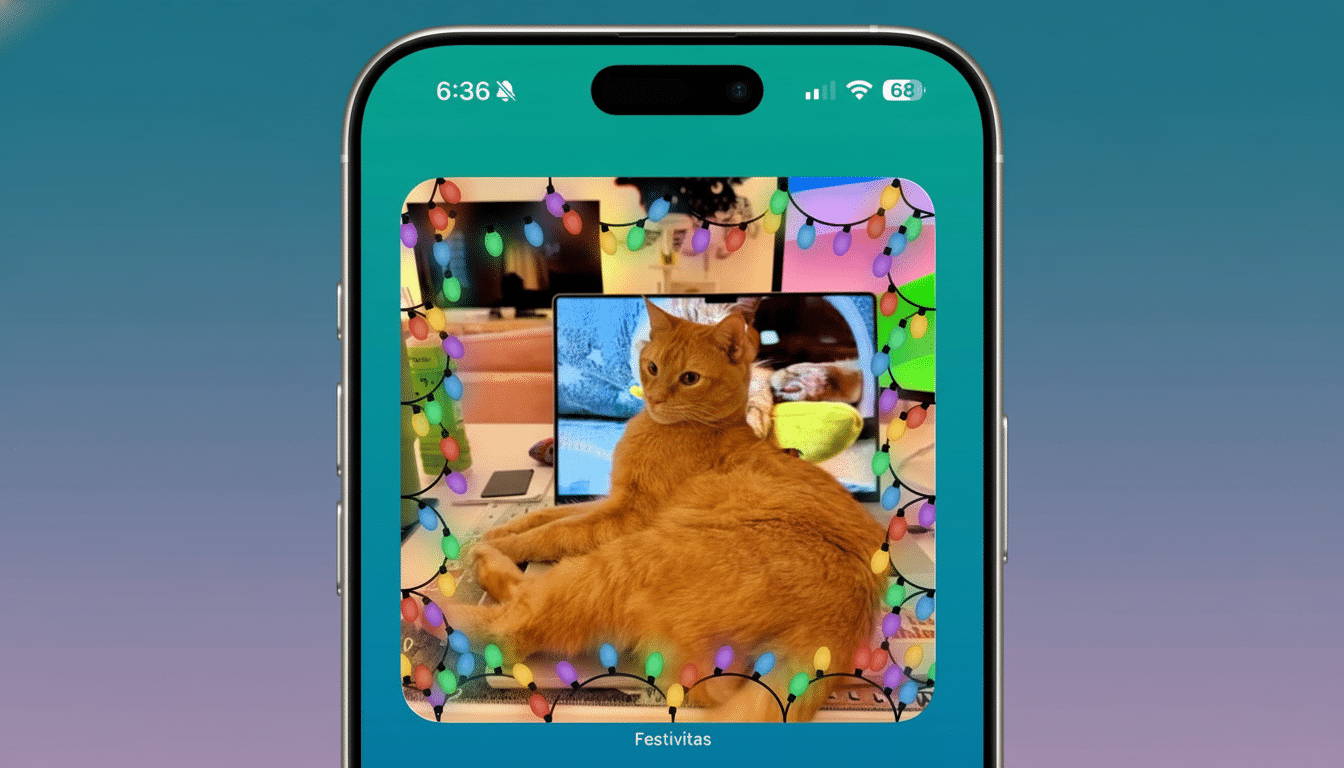
Customization is the hook. In addition to selecting colors and a “twinkle” style, you can adjust cable thickness, drop width and height, spacing, and intensity to match your wallpaper’s makeup. Festivitas contains palettes in pre-curated pairings, like Candy Cane, Winter Snow, and Elf, as well as a design-it-yourself collection of shades to create your own color story.
Apple’s widget system is designed for efficiency, so you won’t be able to run constant animations on the Home Screen. Festivitas operates within those constraints, leaning on design polish and the kind of smart layout choices that mean the effect remains tasteful (and battery‑friendly) when used on iPhone and iPad.
Deep customization without clutter across devices
Festivitas is designed to outlast the December holidays. You can exchange the bulb shapes for bats, clovers, Easter eggs, hearts, ghosts, stars, and even “2026,” because why not have your Home Screen or desktop keep tabs on seasons and events (or that year you’re just really looking forward to)? There’s a WWDC bulb for people who mark Apple’s developer week in their calendars as an IRL moment.
The string of lights on Mac is more than ornamental, though. You can customize the cables so your pointer lifts or lowers a bit when it gets closer to your browser tab bar, preventing overlap and keeping some controls within reach. If you want it to be the way it was before—looks only—there’s a reset (touchy theme) switch.
Snow comes to the Mac with immersive, tunable effects
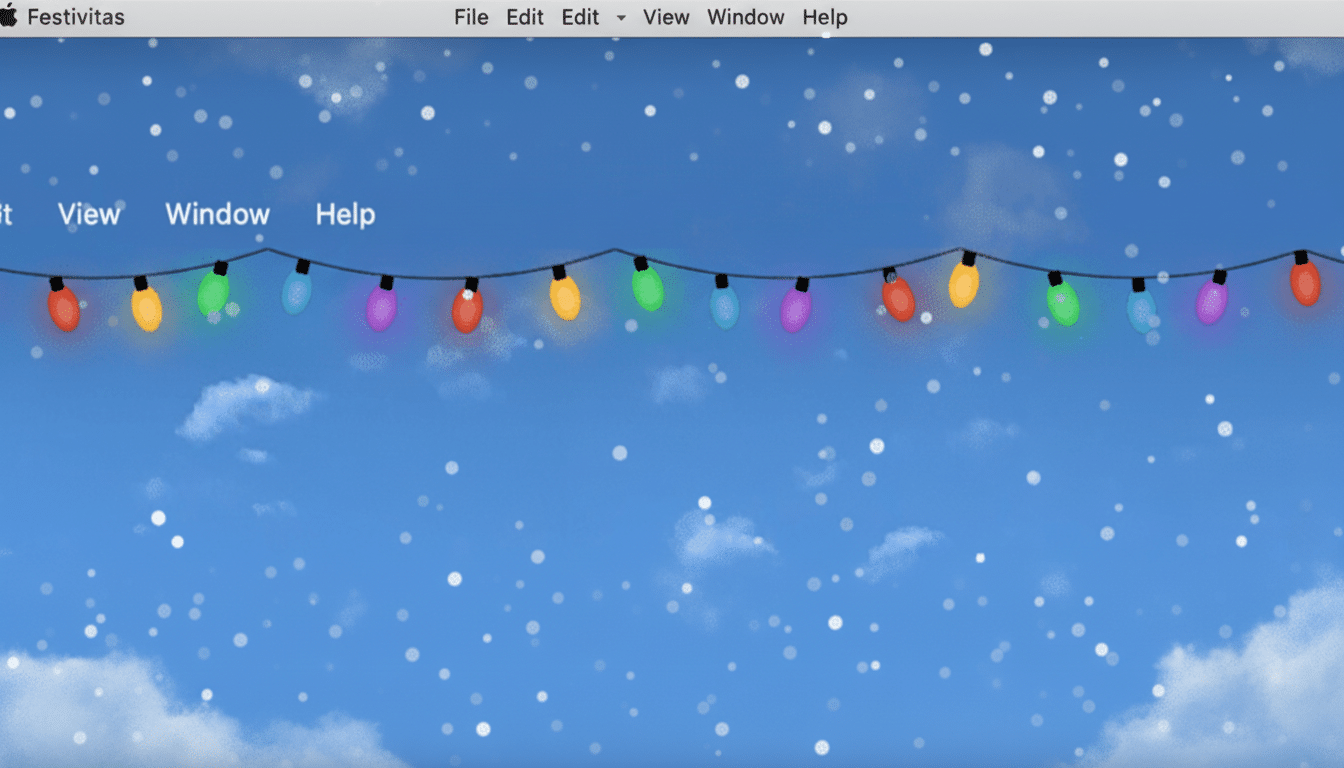
A new macOS snowfall function provides a bit of winter to the desktop, beginning with a light snowfall and continuing until the screen fills with a blizzard. Sliders mean you can monkey around with how much snow there is, how fast it falls, the size of flakes, and so on. You can decide if you want flakes to lie only on top of the desktop layer or even over other windows to get a much more immersive scene.
There’s even a whimsical physics model: move your cursor and the flakes can dance or lightly scatter; those light strings might sway as though pulled by an unseen hand.
It’s that kind of detail that communicates a handcrafted effect more than a canned one.
Automation and interactivity with Shortcuts support
Festivitas is compatible with Shortcuts, allowing you to automate when the decorations appear or link them to routines. Examples of what this could look like:
- When the forecast says it will fall below freezing, set Snow to On.
- If my holiday playlist starts, turn on Festive mode.
This angle of automation matters if you are a power user who wants such ambience without its distraction. It also makes the entire Festivitas app feel like an extension of Apple’s broader automation ecosystem.
Pricing and availability across macOS, iOS, and iPadOS
Festivitas, developed by indie developer Simon Støvring, is free to download with various paid features unlocked based on the user’s choice of contribution between $3.99 and $9.99.
The application supports macOS, iOS, and iPadOS, with settings synced to each platform’s design conventions to create a native platform experience.
The installation process is so seamless that a user can complete it in less than a minute, and the default presets quickly lead you to a cool, calm environment.
Why Festivitas stands out in the personalization boom
Apple users flooded the App Store following Apple’s decision to open the Home Screen to widgets, leading to an influx of personalization apps, many of which disappeared within a month. The excitement was short-lived since they seemed gimmicky and lacked full commitment to personalization—that is the heart of Festivitas.
Conclusion: a playful app that respects performance
Festivitas is a manifestation of app development commitment to creating bright visuals without violating key Apple principles regarding performance and accessibility. It is one of the few whimsical applications that rarely distract users from their main role, making an adjustment to help them feel better in your home setting.
