


OpenAI has also begun to issue a new set of parental controls for ChatGPT that allow parents and guardians to link to a teen’s account and limit the content and features available. The features were created for families with users ages 13 to 17, in recognition of the platform’s age minimum and parental consent rules, but the tools provide adults with a more straightforward way to control how artificial intelligence is used in their homes.
What’s New for Families in ChatGPT Parental Controls
The controls let a parent customize a teen’s experience without getting outright control over the account. Once they’re connected, adults can establish time constraints, dial down risky or mature content, limit certain features, and decide how they wish to be notified if something is flagged as risky or harmful by ChatGPT or human reviewers. OpenAI says the features are rolling out widely and will develop as safety advocates or policymakers offer feedback.
- What’s New for Families in ChatGPT Parental Controls
- How to Connect Your Teen’s Account to Parental Controls
- What Parents Can Restrict with ChatGPT Family Controls
- How Privacy and Safety Alerts Work for Teen Accounts
- Why These Controls Matter for Teen Safety and Well-Being
- What Experts Advise Parents to Do Right Now with ChatGPT
- A Real-World Example of Teen ChatGPT Safety Settings
- The Bottom Line on Using ChatGPT Safely with Teens
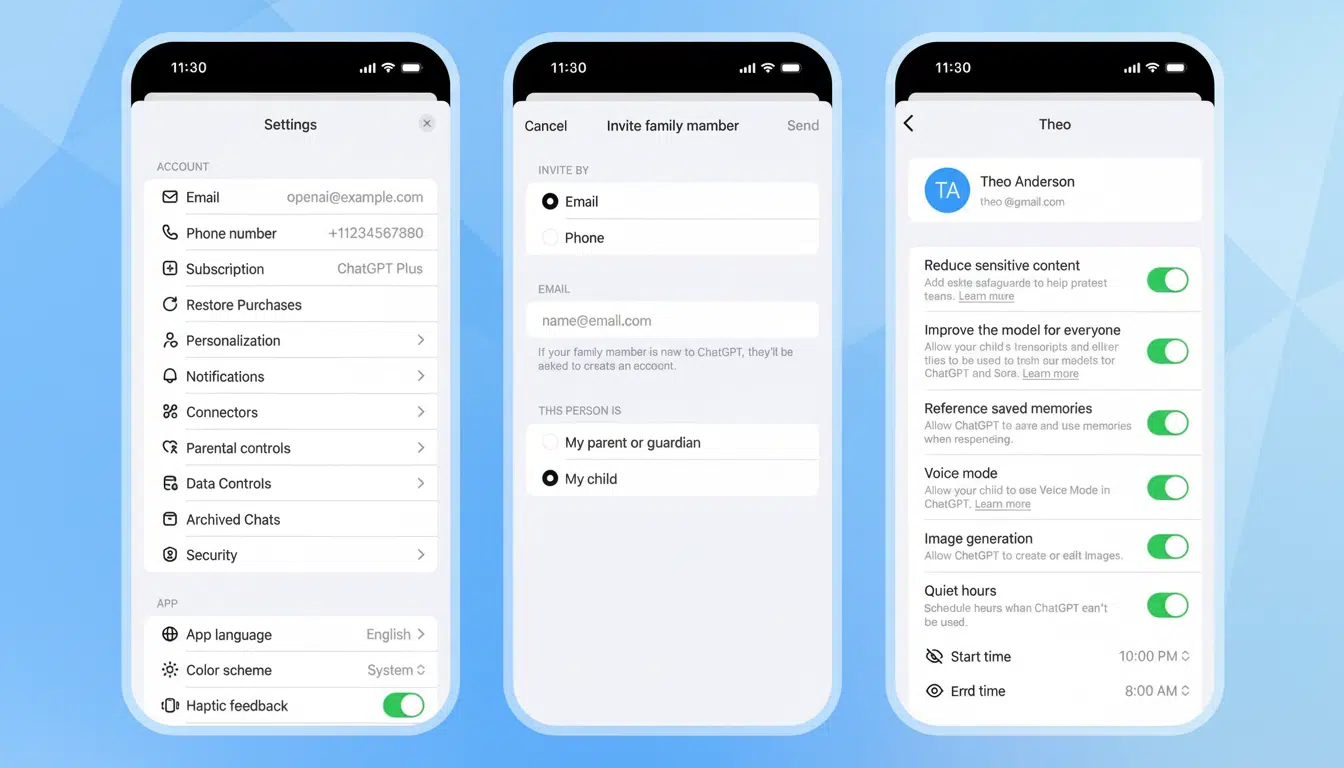
How to Connect Your Teen’s Account to Parental Controls
To begin, open ChatGPT from the web, then navigate to Settings and tap Parental Controls. From there, invite your teen to the account, or ask your teen for a link so you can join. When the invitation is accepted on both ends, there will be a parental controls panel in your account where all of the management takes place.
Installation takes a few minutes and you don’t need to access your teen’s chat history. Instead, you set settings, schedules, and alerts, while the teen keeps using their own login.
What Parents Can Restrict with ChatGPT Family Controls
The controls are arranged by feature, then time. You can also hold the reins over late-night use by setting either daily or bedtime limits, while disabling features that may cause worry over safety or privacy for younger users. That usually consists of various web browsing, voice interactions, image displays, and access to experimental tools or custom experiences where possible.
Parents can also lock down data settings — like whether a teen’s chats are stored to help improve the service’s models — and determine if conversation history appears in the app. For older teens, you may grant fewer features but maintain stricter content filters. For younger teenagers, a typical offer is no browsing at all, limited image tools, and shorter daily time windows.
Most notably, parents are unable to read a record of their teen’s past conversations. Instead, the system flags high-level signals and safety notifications that are engineered to preserve privacy while still intervening when risk has escalated.
How Privacy and Safety Alerts Work for Teen Accounts
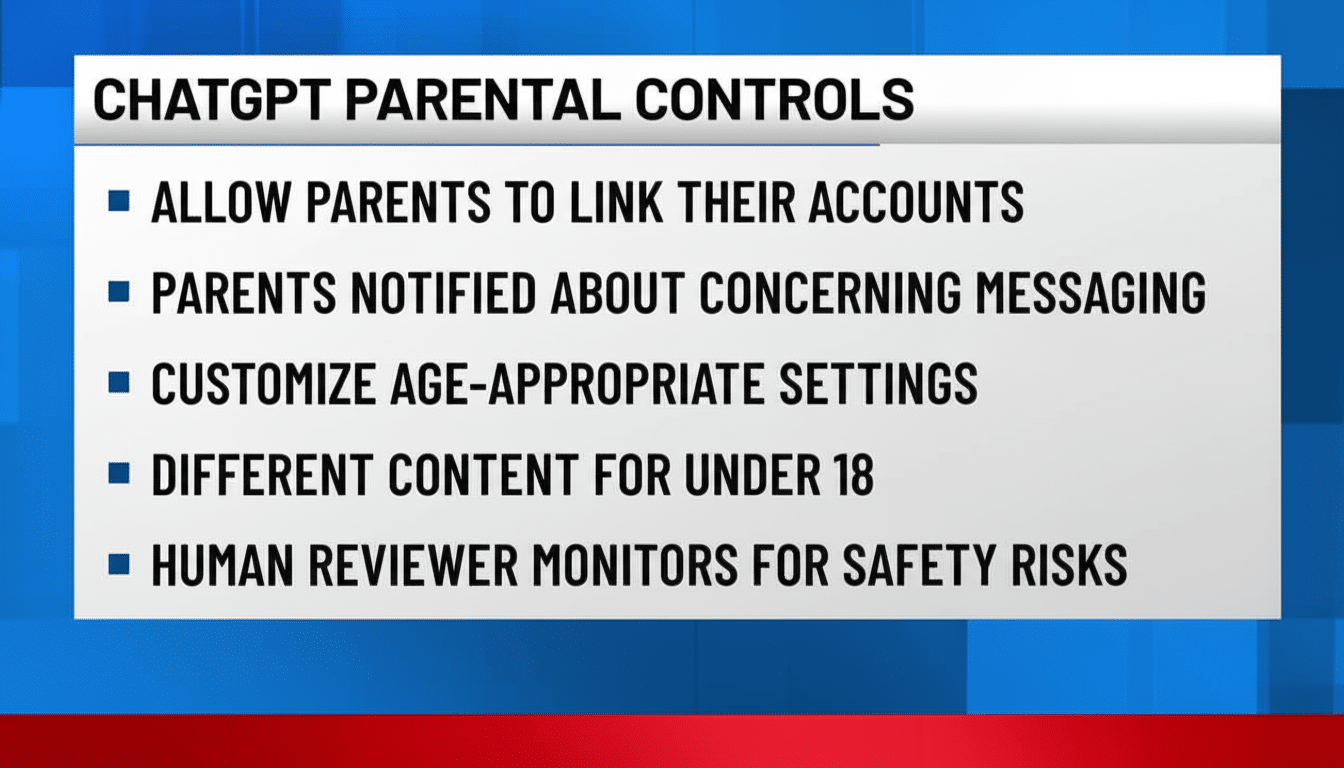
OpenAI’s approach combines automated detection with human reviewers who have been trained to flag such content that may be an indication of imminent harm. Parents can opt to receive alerts by email, text or push notification. It’s a way for families to be aware and informed without making the use of AI tantamount to being under constant surveillance.
OpenAI says it is also developing an age prediction system that estimates the likely age of a user based on usage signals. “By seeing that someone looks like a teen, the service can toggle modes to those age-appropriate for teens, avoid flirtatious talk, shut down discussions of self-harm and connect the user to professional resources,” said Jennifer Lee. For more severe incidents, the company said it may try to involve a parent or appropriate authorities.
Why These Controls Matter for Teen Safety and Well-Being
Generative AI can make for a useful study buddy and creativity tool, but it might also churn out flawed or harmful text. And safety advocates have cited tragic cases in which teenagers chatted about self-harm with chatbots, making the case for why guardrails and human oversight are still needed. American public health experts emphasize that suicide is one of the leading causes of death for teenagers, and platforms are facing growing demands to bake proactive response systems into their products.
OpenAI developed the controls with guidance from Common Sense Media and in collaboration with state attorneys general, including California and Delaware. Parental controls, which Common Sense Media has described as a good starting point, are most effective when paired with family rules, active monitoring, and discussions about responsible AI use.
What Experts Advise Parents to Do Right Now with ChatGPT
Begin by establishing goals for the use of AI: homework help, practicing language, or being creative. Disable browsing for younger teens, and limit image tools and turn on strict content filters. Set time limits and establish a rule with your kids that complex or emotional things should be brought up to a trusted adult, not just an AI.
Turn on alerts to all three channels, so that you see serious-risk flags immediately — but decrease alerts over time. Revisit settings every quarter; teens’ needs change fast as they grow and in response to school demands.
A Real-World Example of Teen ChatGPT Safety Settings
That could look like weekday limits from 4 p.m. to 8 p.m., no browsing, restricted image tools, training mode with history off, and notifications on.
If that sounds like a 17-year-old studying for an exam, parents may let the kid browse during study hours but keep content filters on and allow voice for accessibility while receiving alerts related to high-risk content — which is more utility with just enough safety.
The Bottom Line on Using ChatGPT Safely with Teens
ChatGPT’s family controls give parents concrete levers — time, features, triggers — without intruding into private chats.
They’re no substitute for guidance and oversight, but well used, they can help make AI a safer, more age-appropriate tool for teenagers. For additional background on safe AI use, families may consult resources from Common Sense Media and the U.S. Surgeon General’s advisory on youth and digital platforms, as well as school district standards for responsible technology use.
