


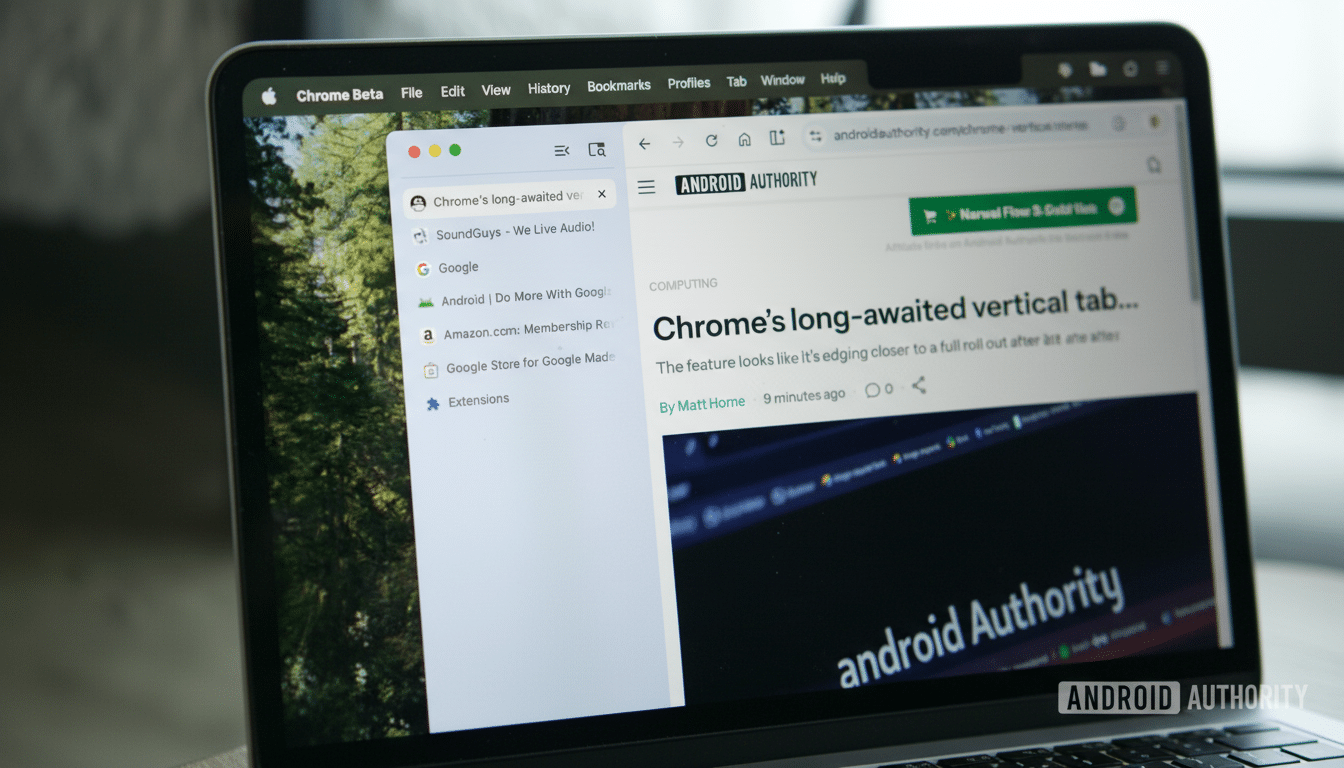
Chrome’s move toward vertical tabs is picking up speed, and the next twist looks aimed at turning messy browsing into organized workflows. Early builds point to a new Projects panel that clusters related tabs and even ties in AI chats, giving users a task-first view of their online work instead of a never-ending scroll of page titles.
Hints discovered in test builds describe Projects as a way to switch between tasks and recent AI conversations without losing context. In practice, that suggests a sidebar hub where your research tabs and the chat threads assisting that research live side by side.
What The Projects Panel Does And How It Organizes Tabs
Based on strings surfaced in the Chromium codebase and preview text seen by early testers, Projects serves as a layer above individual tabs. Instead of juggling dozens of pages, you assemble them under a named project—say, “Quarterly Report” or “Italy Trip”—and move between projects as your focus shifts.
The twist is AI. Chrome already allows Gemini to read the current page and keep separate side-panel conversations per tab. Projects appears to promote those chats to first-class citizens, bundling your tabs and the relevant AI threads so the reasoning that helped you evaluate sources stays docked to the collection it informed.
That’s a subtle but powerful shift: browsing becomes less about window and tab management and more about maintaining context across tasks. When you return to a project, you don’t just find pages where you left them—you also get the AI-assisted trail of thought you had at the time.
Two Layouts In Early Tests For Chrome’s Projects Panel
Test builds indicate Google is trialing two design directions. One approach essentially elevates existing Tab Groups into the Projects panel, giving users a familiar structure but with a cleaner, task-centric entry point in the vertical sidebar.
The second approach is more ambitious: it places conversation “threads” alongside grouped tabs, likely representing back-and-forths with Gemini tied to the project. That layout implies a true workspace model—tabs for sources, threads for synthesis—with quick switching that keeps your place across both.
Because this feature is still in development, the final layout, naming, and scope could change. Google often refines sidebar components behind flags in Canary and Dev builds before broad rollouts to stable channels.
How It Compares To Rivals In Tab And Workspace Design
Vertical tabs aren’t new—Microsoft Edge added the option in 2021, and browsers like Vivaldi and Opera offer workspaces and stacked tabs to corral complex sessions. Edge’s Collections feature, in particular, set an early benchmark for bundling links, notes, and images under a research topic.
Chrome’s potential advantage is scale and integration. According to StatCounter, Chrome consistently holds around 64% to 65% of the global desktop browser market, making any navigational shift immediately consequential for how the web is used. If Projects marries Chrome’s speed with a native, AI-enriched workspace model, it could normalize task-based browsing for hundreds of millions of people.
The AI angle also differentiates it. While competitors can group tabs effectively, treating AI threads as part of the workspace—not just a floating assistant—could compress the time between gathering information and producing something with it.
Why It Matters For Productivity And Task-Focused Browsing
Most users don’t manage tabs; they accumulate them. A task-first model cuts through that by anchoring pages to outcomes. Consider planning a trip: a project could hold flight searches, hotel comparisons, currency info, and a chat thread that summarizes cancellation policies or builds a day-by-day itinerary from your saved links.
For work, a project for a client deliverable might include analytics dashboards, reference docs, a draft in a web editor, and an AI conversation that converts bullet notes into outlines or explains API responses you’re inspecting. Reopening the project means reopening your working memory, not just your tabs.
Vertical tabs amplify this effect on widescreen displays, where a persistent left rail keeps navigation visible without stacking rows at the top. Pair that with lightweight grouping and AI context, and the browser starts to resemble a project manager rather than a page launcher.
Availability And What To Watch As Chrome Refines Projects
The Projects panel is not widely available and remains experimental. References have surfaced in Chromium builds and early testers have reported seeing a “View projects” entry within the vertical tabs sidebar. There’s no announced timeline or confirmation that the feature will ship unchanged.
Watch for refinements to how Projects relates to existing Tab Groups, how Gemini threads are attached, and whether syncing will let projects travel seamlessly across devices. If Google nails those details, vertical tabs could evolve from a layout preference into a genuine productivity layer inside Chrome.
