


OpenAI’s ChatGPT Atlas browser just picked up its most meaningful refresh since launch, adding tab groups and a smarter mode that can automatically pivot between ChatGPT answers and Google results. The upgrades make Atlas feel more like a daily driver for knowledge work, but the browser remains Mac-only—there’s still no Windows, iOS, or Android version in sight.
The latest build is rolling out to macOS users now, tightening up organization, navigation, and stability. For many prospective users, though, the headline isn’t what’s new—it’s what’s missing. A Windows release and mobile apps were promised early on and are still “coming soon,” with no dates attached.
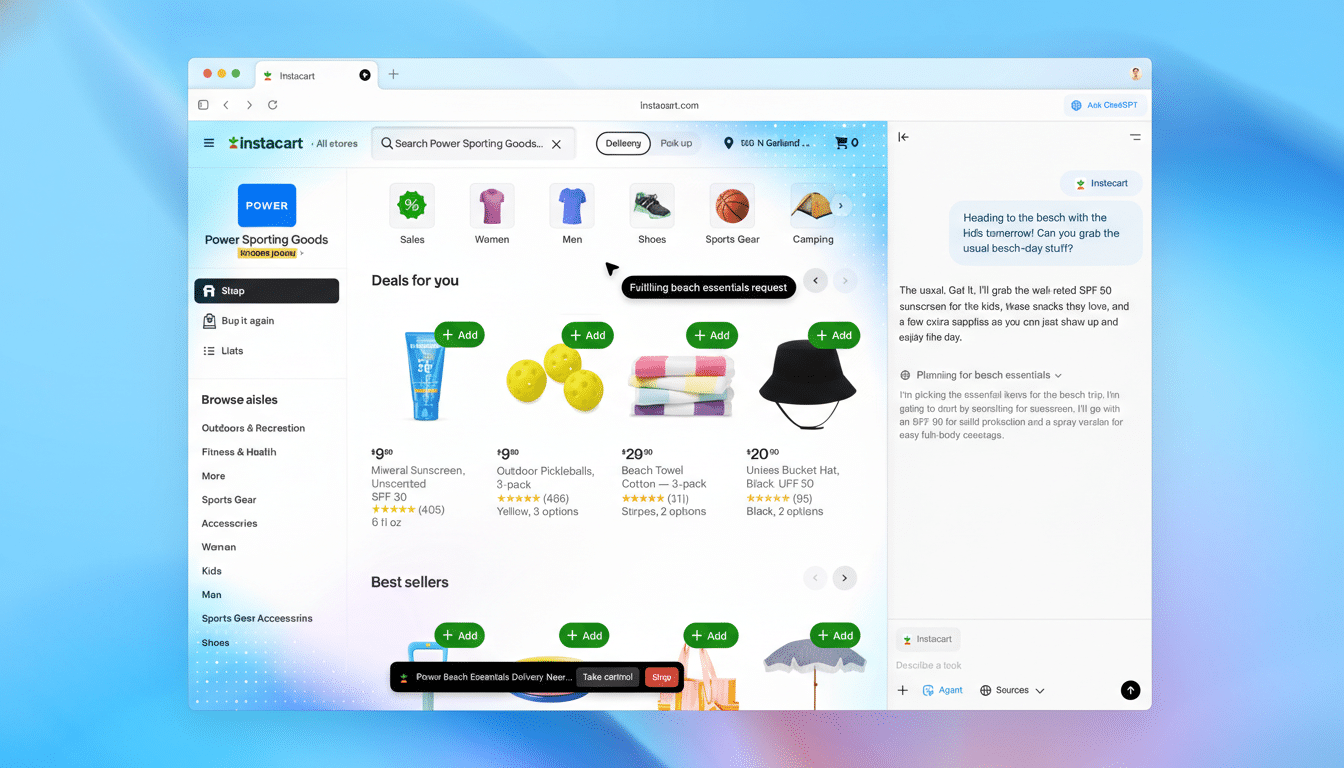
What’s New in the Latest Atlas Browser Update
Tab groups are the marquee addition, letting you cluster pages into named, emoji-tagged collections so research threads don’t sprawl across a single bar. If you’ve used Chrome’s Tab Groups (introduced in 2020) or Safari’s Tab Groups (added in 2021), Atlas’s take will feel familiar—but the twist is its ChatGPT-first workflow. You can keep an AI conversation, its citations, and all the source tabs in one tidy lane, which is ideal for multi-day projects.
The second big change is a new automatic switching mode that decides when to surface a ChatGPT response versus standard Google Search results. Ask for a summary or a draft, and Atlas leans on ChatGPT; query a breaking fact or a navigational search, and it can jump you to Google without manual toggling. The aim is to cut the constant context switching that plagues AI-augmented browsing.
Smaller refinements round out the release:
- a simpler right-click tab menu
- smoother macOS text replacements
- a more direct path to install the iCloud Passwords extension when importing from Safari
There are also the usual crash and bug fixes to keep things stable.
Why Auto Switching Between ChatGPT and Search Matters
Blending AI answers with traditional search is turning into a baseline expectation. Perplexity popularized a hybrid answer engine with citations, Microsoft’s Edge leans on Copilot alongside Bing, and Google continues to inject AI Overviews into Search. For Atlas, intelligent switching is less a gimmick and more a bridge between two distinct user intents—generation and retrieval.
Usability researchers have long argued that clear sourcing increases trust in AI outputs; sending users to Google for verifiable, real-time information is a practical nod to that. Similarweb estimates Google holds roughly 90% of the global search market, so funneling fact-finding there—and reserving ChatGPT for synthesis—matches how people already work. The net result is fewer dead ends and more time on task.

Atlas Is Still Mac-Only and That’s a Ceiling
Staying exclusive to macOS limits reach. StatCounter’s latest figures put Windows at roughly 72% of desktop OS share worldwide, with macOS around the mid-teens. Add the mobile gap—smartphones now account for about 60% of global web traffic—and you see the scale of the opportunity Atlas can’t touch yet.
OpenAI’s product lead for ChatGPT has said the team is “hard at work on Windows,” while also flagging that multi-account switching on Mac is the current top priority. That request makes sense: many knowledge workers juggle personal and enterprise identities, and a frictionless switcher is a quality-of-life feature that also matters for compliance.
For organizations, a Windows build is table stakes. Enterprise deployment, policy controls, extension management, and single sign-on typically center on Windows fleets. Until Atlas arrives there—and later on iOS and Android—most companies will treat it as a pilot rather than a platform.
How Atlas Compares To AI-Forward Browsers
Atlas positions itself as a browser that makes ChatGPT native, not bolted on. That’s different from Edge, where Copilot sits in a sidebar; or Brave, which integrates its Leo assistant while emphasizing privacy; or Arc, which rethinks browsing around Spaces, pinboards, and now AI features. Atlas’s differentiator is the fluid handoff between generative responses and traditional search, paired with research-friendly tab grouping.
The competitive bar is rising quickly, though. Arc’s organizational model is beloved by tab power users, and Edge’s enterprise integrations run deep. If Atlas wants to win mindshare beyond Mac enthusiasts, it needs parity on Windows and credible mobile apps, plus the management controls IT teams expect.
What to Watch Next for Atlas Across Platforms
Short-term, expect continued polish: more robust tab management, smoother account switching, and incremental stability gains. Medium-term, the pivotal milestone is Windows, followed by iOS and Android. Given how much browsing happens on phones, a solid mobile experience—with the same AI-to-search handoff—will determine whether Atlas is a niche research tool or a true everyday browser.
For now, the new tab groups and auto switching are meaningful upgrades that reduce friction for Mac users. The rest of the market is waiting—on other platforms and on proof that Atlas can scale its smart ideas beyond a single OS.
