


Browser obby games cut the friction down to almost nothing: click a link, the obstacle course loads, you jump. No installer, no launcher, no account wall. That simplicity matters more than most people admit. This guide covers the top picks by skill level, with a comparison table and quick tips so you can start playing in under two minutes.
What makes the best obby games in browser worth playing
An obby — short for obstacle course — is a platforming game where you navigate a sequence of jumps, gaps, and hazards from start to finish. The core loop is tight: read the distance, time the jump, land cleanly, repeat. When that loop feels fair and responsive, it’s genuinely hard to stop. When it doesn’t, you quit in thirty seconds.
- What makes the best obby games in browser worth playing
- Browser-based access vs traditional downloadable games
- Core game features: precision platforming, jumps, and challenge
- Top browser obby game categories to try first
- Parkour tower, speed escape, and obstacle courses
- Prison escape, school escape, and lucky block variations
- How to compare the best obby games: controls, performance, and platform support
- Smooth gaming experience on desktop and mobile devices
- When modern browser obby games feel better than older alternatives
- Best obby games for different play styles
- FAQ about browser obby games
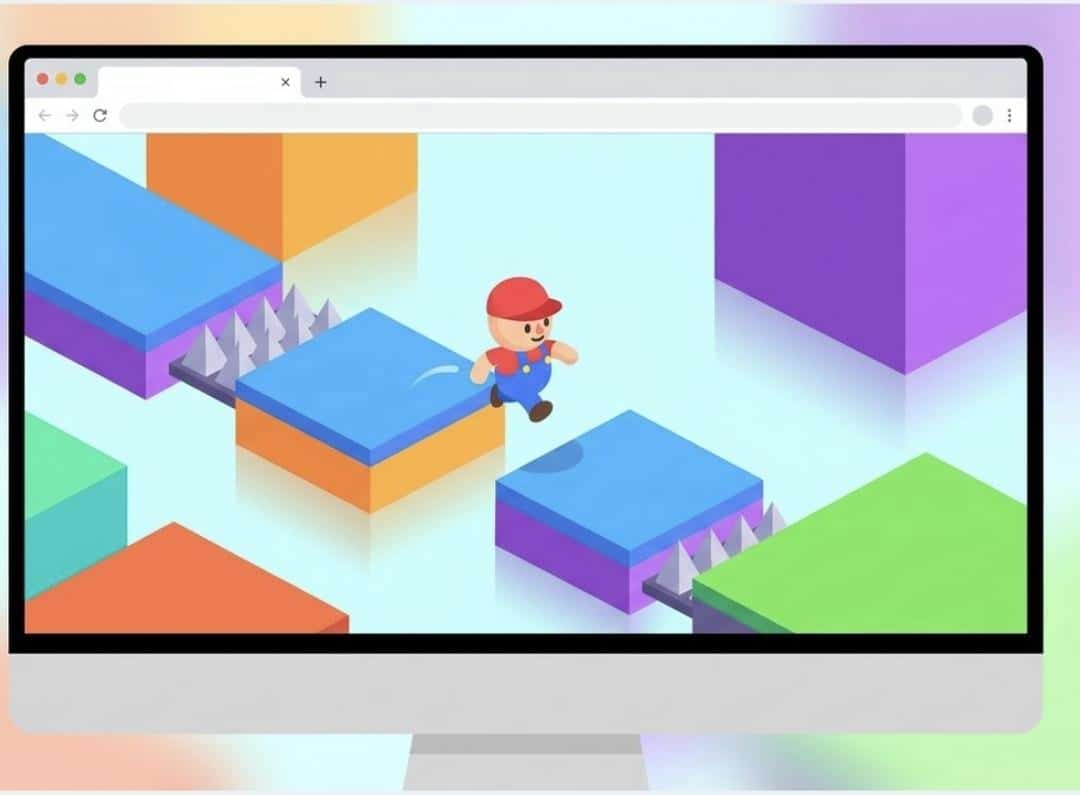
Browser-based obby games specifically earn their place because they’re free games with zero setup. Open a tab, play. That accessibility is the whole pitch — and for quick gaming sessions between tasks or on a school break, it’s hard to beat.
Obby
Short for “obstacle course” — a platforming game built around sequential jumps and hazards.
Obstacle course
The level structure: a series of platforms, gaps, and traps the player must clear in order.
Parkour obby
A subtype focused on fluid movement — wall runs, slides, chained jumps — rather than static platform hops.
Speedrun
Completing a course as fast as possible, often with multiple route options and a visible timer.
Browser-based
Runs entirely inside a web browser — no download or installation required.
Multiplayer obby
A shared obstacle course where players race, cooperate, or compete in real time.
Browser-based access vs traditional downloadable games
Traditional downloadable games ask for gigabytes of storage, a compatible OS, and sometimes a client account. Browser obby games skip all of that. You share a link; your friend on a Chromebook joins the same session. Cross-platform compatibility is essentially built in — desktop, laptop, tablet, phone. The trade-off used to be performance, but that gap has closed significantly.
WebGL 2.0 and WebAssembly now let engines render complex 3D scenes in-browser with near-native frame rates. Mature engines like Three.js and Babylon.js handle geometry and physics that would have required a standalone client five years ago. Performance can still vary on older devices with limited GPU support, but for most modern hardware, browser-based obby gaming is smooth enough that the “it’s just a browser game” excuse doesn’t really hold anymore.
Core game features: precision platforming, jumps, and challenge
Precision platforming is the non-negotiable foundation. Jump power, jump arc, and the distance between platforms have to feel consistent — players learn the rules of a game’s physics in the first two minutes, and any inconsistency after that reads as unfair. Difficult obstacles work when the player can see exactly why they failed. They don’t work when input lag or frame drops introduce randomness.
Some browser obbies add jump-per-click mechanics or timed jump power (hold longer, jump farther), which raises the skill ceiling without making the game inaccessible. That’s the design sweet spot.
Top browser obby game categories to try first
Not all obstacle courses are the same. Picking the right category for your play style saves you from bouncing off a game that was never meant for you.
| Style | Difficulty | Pace | Quick sessions? | Multiplayer? |
|---|---|---|---|---|
| Parkour tower | Expert | Fast | No (long runs) | Sometimes |
| Speedrun / time trial | Advanced | Very fast | Yes | Yes |
| Prison / escape obby | Intermediate | Medium | Yes | Rarely |
| Classic platform | Beginner | Relaxed | Yes | Sometimes |
| Lucky blocks / mini games | Mixed | Variable | Yes | Yes |
Short summary: if you want a quick session, speedrun formats and escape obbies — Barry Prison: Parkour Escape is a good example, with checkpoints that make a short attempt low-stakes — are your fastest on-ramp. If you want a long challenge, parkour towers are the commitment. Lucky block variants sit in the middle — chaotic, social, and rarely punishing.
Parkour tower, speed escape, and obstacle courses
Parkour tower obbies — Tower of Hell being the clearest example — stack vertical challenge sections with no checkpoints. One fall, back to the bottom. The appeal is pure: you either clear it or you don’t, and the moment you do, you know exactly how much you improved. Speed escape formats add a timer on top of obstacle courses, rewarding route knowledge over raw reflexes. Both styles run directly in browser without any install.
Prison escape, school escape, and lucky block variations
Prison parkour escape games layer a loose narrative over the obstacle course — you’re not just jumping, you’re breaking out. The sub-genre took off with Barry’s Prison Run on Roblox, but for browser play the standout is its no-download cousin, Barry Prison: Parkour Escape: it keeps the spinning-saw-and-electrified-pool gauntlet but adds frequent checkpoints and a jetpack, so momentum rather than memorization carries you to the exit. School escape obbies follow the same template with a different skin. Neither is particularly deep, but the theming gives new players a reason to keep going beyond “reach the end.” Lucky block obbies are something else entirely: random power-ups, chaotic hazards, and outcomes that feel more like a party game than a precision platformer. Great for groups. Terrible if you’re trying to improve a specific skill.
How to compare the best obby games: controls, performance, and platform support
Before you commit to a game, check three things: does it load without a long wait, do the controls respond within one frame of input, and is the advertising intrusive enough to break the session? Those aren’t aesthetic preferences — they’re the baseline for a fair gaming experience.
Here’s what honest evaluation looks like in practice:
- Load time: under 10 seconds on a standard connection is reasonable; over 20 is a red flag for a browser game.
- Input latency: tap a key, the character should move on the same frame. Any visible delay in a precision platformer is a design flaw, not a skill issue.
- Ad placement: mid-run interstitials that pause gameplay are a dealbreaker. Pre-session ads are acceptable.
- Mobile compatibility: test landscape orientation; check whether touch controls cover the jump button without blocking the view.
Smooth gaming experience on desktop and mobile devices
Smooth character movement across desktop and mobile devices comes down to consistent frame delivery. A game that runs at 60 fps on Chrome desktop but drops to 20 fps on Safari mobile isn’t cross-platform — it’s cross-platform in name only. The best browser obbies maintain smooth frame rates by keeping geometry counts low and using sprite-based or low-poly 3D assets. If a game stutters on your device, closing background tabs and disabling heavy browser extensions usually recovers 10–15 fps before you touch any in-game settings.
When modern browser obby games feel better than older alternatives
Advancing web technologies — specifically WebAssembly and hardware-accelerated WebGL — have enabled developers to create sophisticated platforming mechanics that older browser games simply couldn’t support. Physics-based jumps, dynamic lighting, and real-time multiplayer sync are all viable now. The catch: rendering capabilities vary by device. On hardware from 2017 or earlier, complex obby games with heavy shaders may still struggle. The fix is usually lowering the in-game quality setting one notch — most modern browser obbies expose that option.
Best obby games for different play styles
Six games. Different problems they solve.
Tower of Hell (Expert · Tower climb · Rating 8.5/10): Massive vertical tower, zero checkpoints. Falls cost real progress — that’s the whole appeal. Clean visual language separates hazards from safe ground. Tip: commit to one route for 5–7 attempts before switching. That’s when you actually see where you’re losing time, not just where you’re falling.
Speed Run 4 (Advanced · Speedrun · Rating 8.0/10): Multiple paths per level reward route knowledge, and built-in replays let you study your own mistakes. Timer pressure stings at first. Personal-best tracking keeps you coming back.
Ninja Warrior Obby (Expert · Parkour precision · Rating 8.0/10): Realistic physics, custom-level tools, active community. Use short hops instead of full jumps on close platforms — overshooting is the single most common cause of failed precision sections.
Barry Prison: Parkour Escape (Intermediate · Themed parkour escape · Rating 8.0/10): A prison break that runs straight in the browser — no client, no download — through a 3D gauntlet of spinning saw blades, electrified pools, and narrow bridges. Frequent checkpoints and an instant retry mean a fall costs seconds, not the whole run, so it stays approachable even as the obstacles get mean. The jetpack is the smart-play hook: hold it in reserve for the traps where a clean landing feels impossible. Voxel-style visuals keep a steady 60 fps on modest hardware, and it plays the same in a desktop tab or on a phone. Tip: bank early coins toward the Speed Booster before skins — pace clears more sections than cosmetics do.
Mega Fun Obby (Beginner · Classic platform · Rating 7.5/10): Colorful, forgiving, well-placed checkpoints. Best entry point for newcomers. The skill curve is gradual — one mechanic at a time, then it remixes with longer gaps and angled surfaces.
Escape the Prison (Intermediate · Themed escape · Rating 7.0/10): Prison setting adds narrative weight to the obstacle navigation. Stealth sections slow the pace, but multiple escape routes reward replay.
Quick gaming sessions vs complex obby games
Quick sessions — under 15 minutes — suit escape formats and classic platform obbies with frequent checkpoints. Barry Prison: Parkour Escape is a good fit here: a fall drops you at the last checkpoint and the retry is instant, so you can put it down mid-run without losing much. Complex obby games like Tower of Hell or Ninja Warrior demand longer blocks of time: you’re learning a specific section, not just playing through a level. Neither is better. They serve different moods. The mistake is loading a no-checkpoint tower when you have ten minutes — you’ll quit frustrated before the game has a chance to hook you.
FAQ about browser obby games
Are browser obby games free?
– Do they work on mobile?
– How do I reduce lag?
– Which game is best for beginners?
– How do I actually improve?
– Can browser obby games match downloadable games in quality?

