


My latest quality time was with the next-gen ZenBook Duo, and I’m convinced the concept has finally grown up. The newest model smooths over almost every pain point of the last generation, from hinge stability to battery life, and then doubles down on what makes this form factor so addictive: two color-rich OLED panels that change how you work.
Design and build get a real upgrade across the board
There is also a significant improvement to the integrity of the chassis. Asus’s signature Ceraluminum finish resists scuffs and fingerprints without adding weight, and the new kickstand locks in place with a satisfying snap. At 1.65 kg and 14.6 mm thick without a keyboard, that’s thicker than an ultralight clamshell but impressively small for such a screen-forward dual-screen machine.
- Design and build get a real upgrade across the board
- Two OLED screens that rewrite workflow and multitasking
- Performance and AI readiness for creative and office work
- More battery life for all-day use on dual OLED screens
- Connectivity and audio step up with modern ports and Wi-Fi 7
- Feel productivity gains from a refined dual-screen workflow
- Early verdict on the most persuasive dual-screen laptop yet
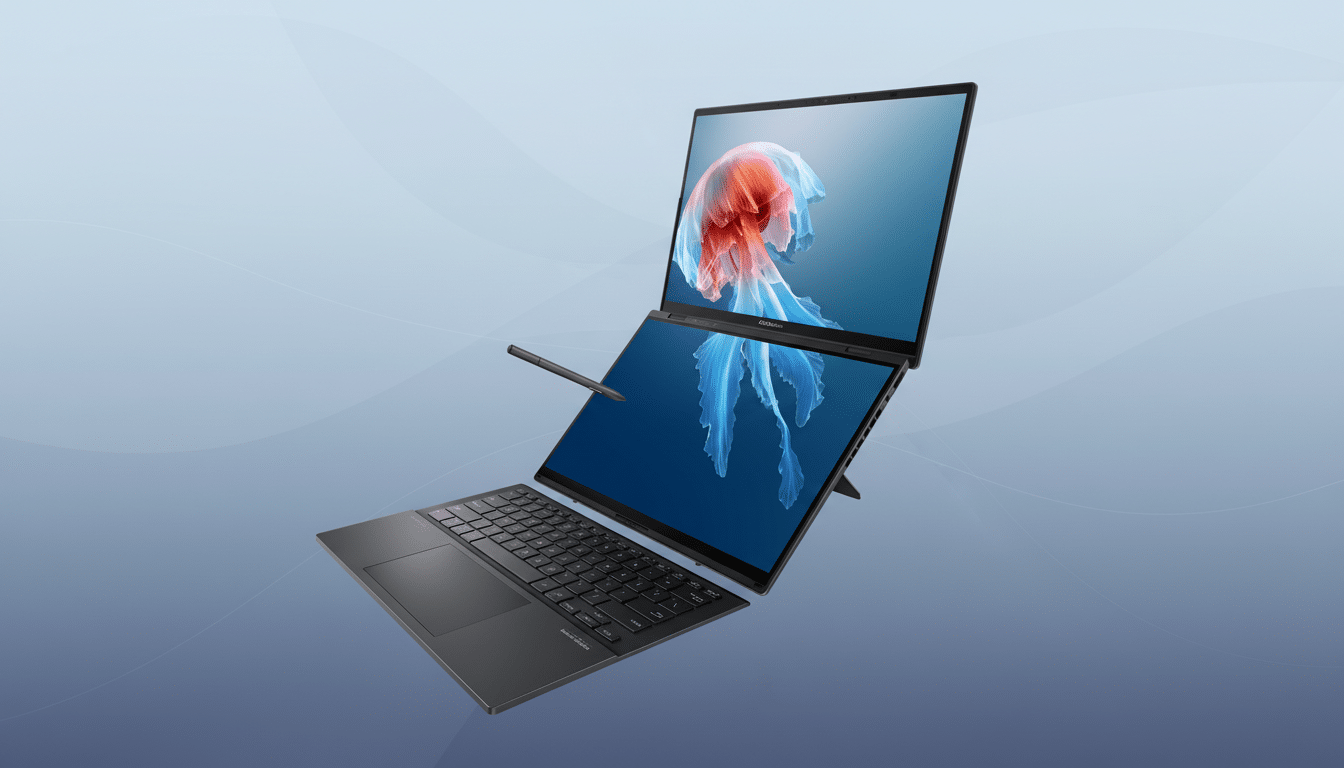
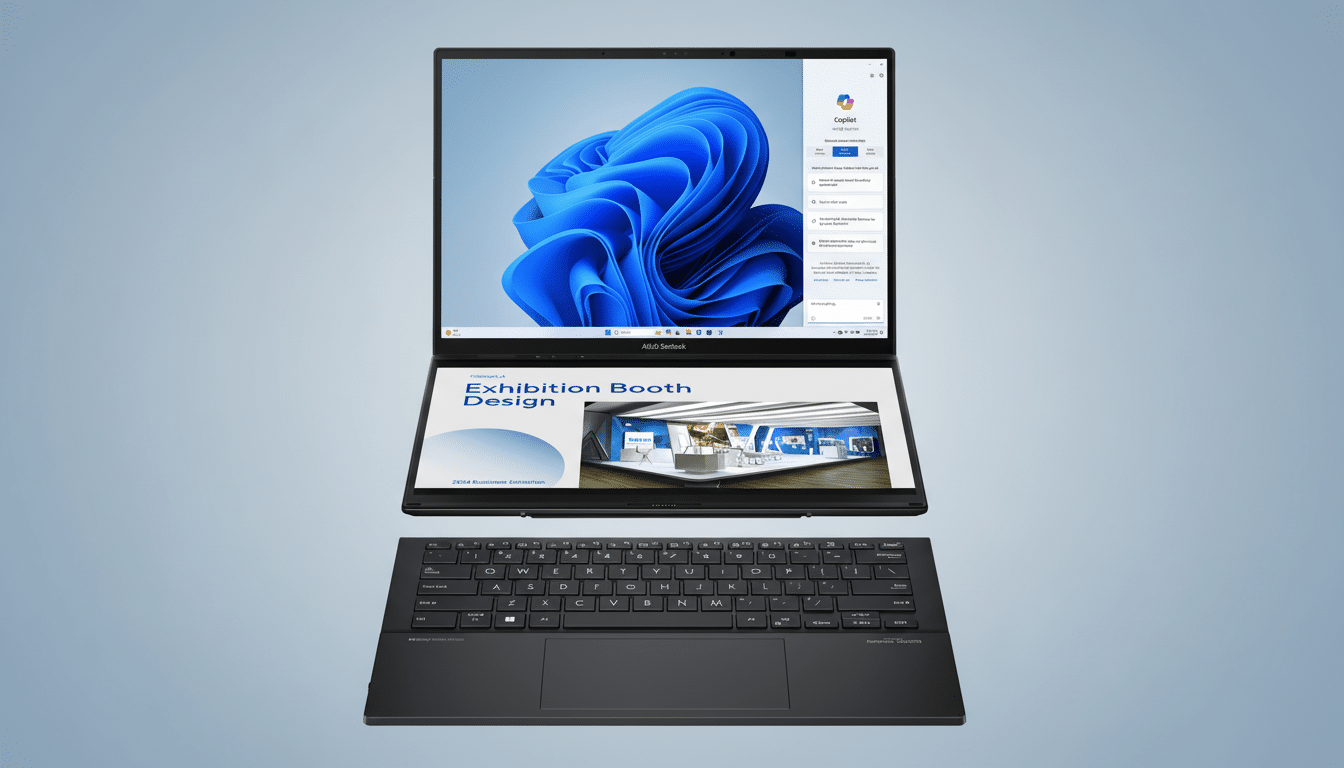
The removable Bluetooth keyboard is also much better. A larger glass trackpad and deeper key travel offer added comfort during long sessions, and we could no longer flex the deck with pressure. It magnetically snaps into place on the lower display and still leaves a bit of quick app access in a narrow launcher if you wish.
Two OLED screens that rewrite workflow and multitasking
Both panels are 14 inches with a resolution of 2.8K and a refresh rate of 144 Hz, HDR support at up to 1,000 nits peak brightness, and a squarer 16:10 aspect ratio that’s also more productive. The bezels around the hinge are narrower, resulting in a reported 93% screen-to-body ratio across the fold. Erect, the canvas seems like a single big monitor with a quiet seam.
In reality, the layout is a productivity boon. Lower screen is timeline, upper is clip preview. Notes below, video call above. Clip the keyboard up to the desk and now both boards give you pure touch with pen input, or park one at the side for an alternate screen for a more closed, traditional laptop stance in tight quarters.
Performance and AI readiness for creative and office work
These come in two flavours: Intel Core Ultra 7 355 with a 48 TOPS NPU or Core Ultra 9 386H with a 50 TOPS NPU, combined with up to 32GB of LPDDR5X and a 1TB NVMe SSD. The punchline is that the Duo is purpose-built to manage local AI features in creative and office apps, while keeping fans quiet and latency lower than a cloud-first workflow.
When I was navigating around, window management spanning two 144 Hz OLEDs felt snappy and the stylus latency seemed minimal to me. The additional NPU headroom is expected to future-proof on-device transcription, background effects, and generative fills as software vendors release accelerated capabilities across Windows, Creative Cloud, and productivity suites.
More battery life for all-day use on dual OLED screens
The battery’s capacity rises to 99 Wh—up from the older 75 Wh model—and is the maximum you’re allowed to legally take on most flights. With more efficient silicon and adaptive refresh, the Duo should at last provide true all-day endurance for mixed workflows at a moderate brightness. Drive both panels at 144 Hz and HDR and you’ll pay the power tax, but that’s the price to pay for a dual-OLED canvas.
Thermals seemed in check during my session, with heat focused toward the rear edge near the hinge vents. The hinge design also elevates the system slightly to enhance airflow while lying flat in “book” mode.
Connectivity and audio step up with modern ports and Wi-Fi 7
Practical port layout: two Thunderbolt 4, HDMI 2.1, USB-A 3.2 Gen 2 and a 3.5 mm jack. Wireless is leading the charge with Wi-Fi 7 and Bluetooth 5.4, with IDC predicting “premium” notebooks will quickly shift to this new standard to take advantage of lower latency and higher throughput.
Audio gets a welcome bump thanks to a six-speaker array that contains two front-facing tweeters and four woofers. Clarity of the audio and stereo separation are markedly better than the version on last year’s model, which matters when your second screen is also being used for call controls, chat, or a timeline you need to hear.
Feel productivity gains from a refined dual-screen workflow
What the Duo makes you feel, there’s data to support it. Jon Peddie Research has claimed productivity increases of approximately 42% using multiple displays. The Duo crams that benefit into a backpack-friendly form factor without the clunky compromises of early dual-screen efforts.
Snap layouts know the split and the smaller hinge gap means that moving windows around doesn’t produce as much visual disconnect. For creators, color consistency between panels appears to be well-tuned, a common bugbear on older dual-screen devices.
Early verdict on the most persuasive dual-screen laptop yet
The new ZenBook Duo doesn’t merely iterate; it focuses on why users were hesitant before. A more durable construction, improved keyboard, bigger battery, and smarter displays make for a daily driver, rather than a novelty. Whether you live in spreadsheets and timelines or trip over research, calls, and content creation, it’s the most persuasive dual-screen laptop yet.
It is not going to be the absolute lightest system in your bag, but for the right user, the extra screen real estate is worth it. After this hands-on, I’m prepared to sacrifice a few grams for a noticeable improvement in flow—and that’s how you know Asus actually got it right.
