


Google is pushing the redesigned media player for Android Auto to the stable channel, bringing the refreshed layout and its eye-catching wavy progress bar to all users on version 16.0. After months of beta testing, the interface overhaul is moving beyond early adopters, standardizing how music and podcast apps look and behave across the dashboard.
This is more than a coat of paint. By leaning on a unified template from the Android for Cars App Library, Google is tightening consistency across heavy hitters like Spotify, YouTube Music, Audible, and Pocket Casts, which should make hopping between apps feel seamless and safer when you’re on the road.
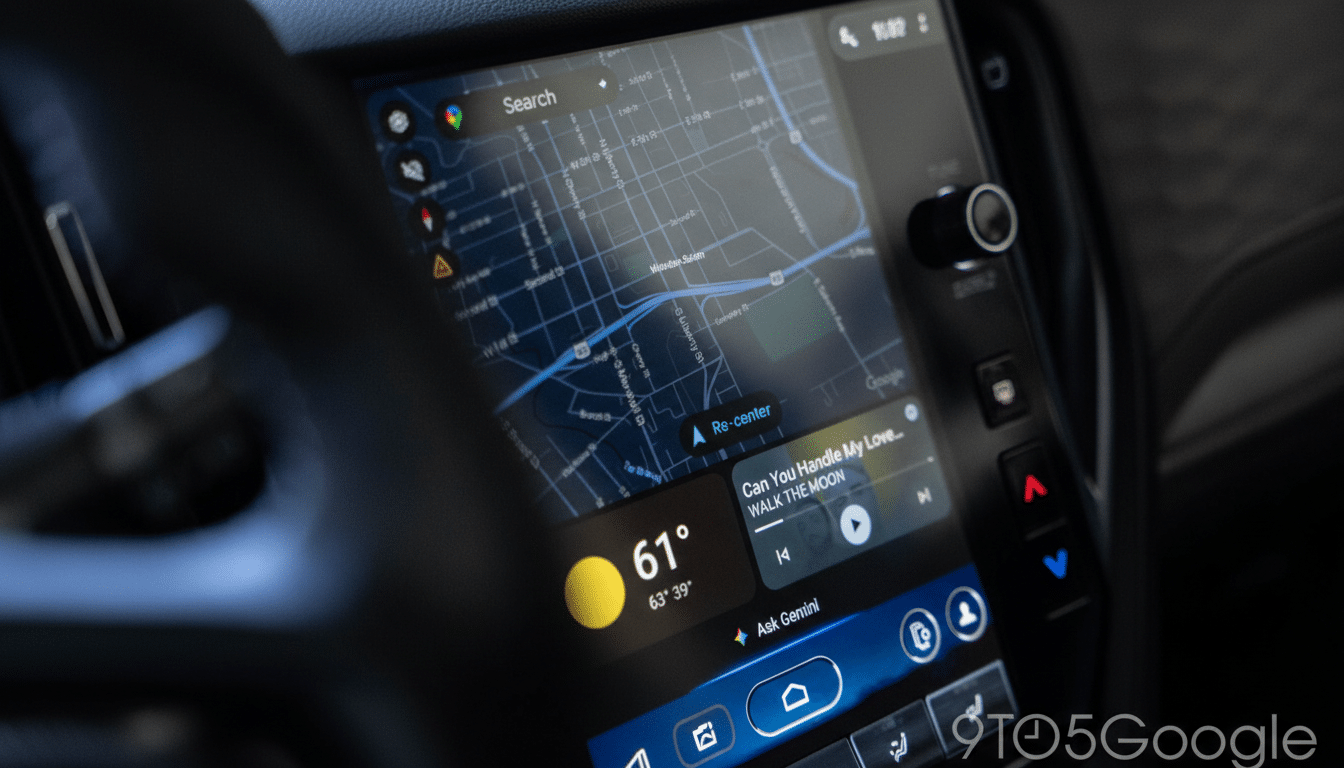
What’s Changing in Android Auto 16.0’s Media Player
The most noticeable shift is control placement. Play, pause, and track navigation now live on the left side of the player, with app-specific actions grouped on the right. That’s a departure from the center-weighted layouts many drivers are used to, and it may trigger a short period of muscle-memory misfires.
The new wavy progress bar is more than a visual flourish. It offers a clearer at-a-glance sense of playback without demanding precise focus, aligning with driver-distraction guidance used by regulators such as the U.S. NHTSA and the UNECE. Subtle motion and improved contrast can reduce dwell time on the screen, an important safety consideration.
Reports from testers and coverage by 9to5Google indicate the template behaves consistently across compatible apps, with album art, metadata, and queue access presented in predictable places regardless of the service you use.
Why a Universal Template Matters for Android Auto
Android Auto has grown into a dense ecosystem that spans most major automakers and an enormous catalog of media apps. A common playback template trims fragmentation, reduces developer overhead, and gives drivers fewer UI surprises. For developers, it means less time spent reinventing controls and more time on features like better recommendations, lossless streaming, or smarter offline caching.
For drivers, uniformity is a safety feature. When the same play and skip buttons live in the same place across Spotify, YouTube Music, or NPR One, glance behavior becomes more predictable. That predictability is crucial in a split-screen world shaped by Android Auto’s “Coolwalk” redesign, where media, maps, and calls often share space.
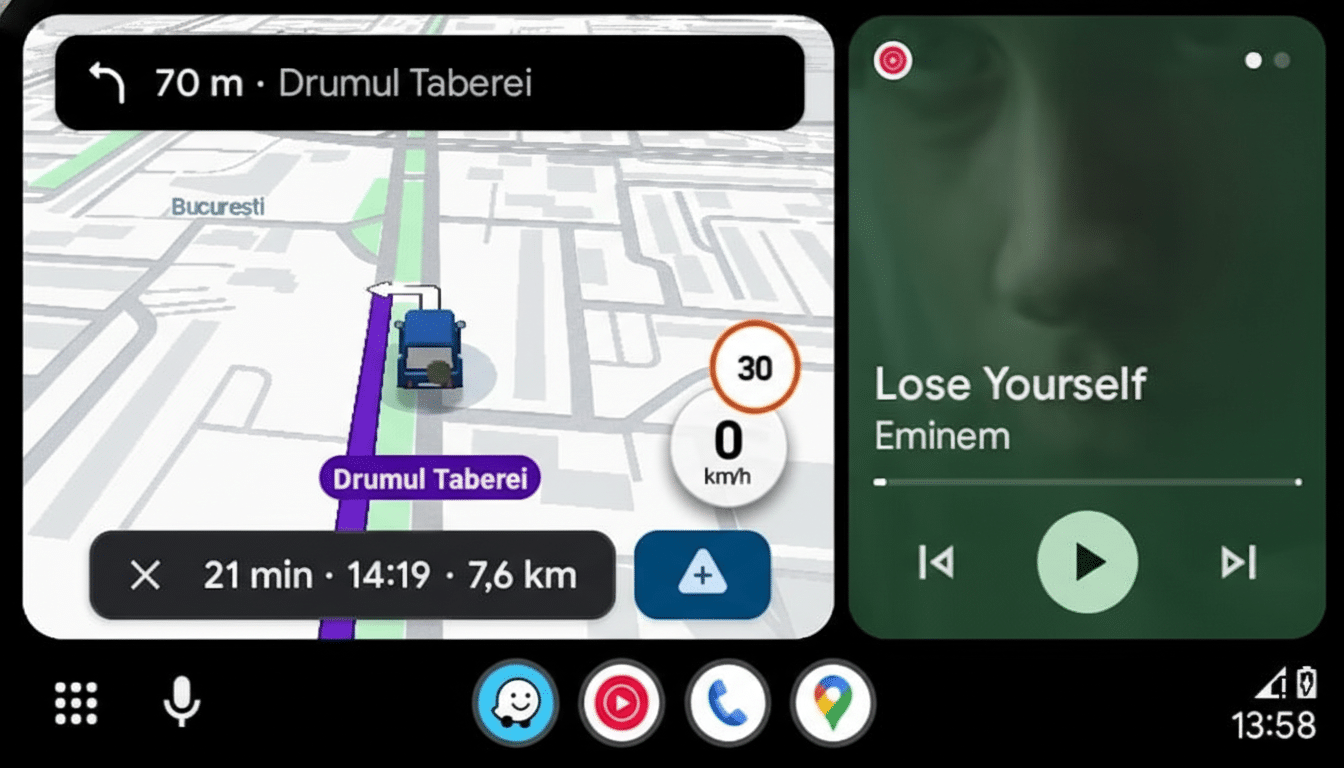
The move also complements Google’s larger strategy of template-based car apps. The Android for Cars App Library restricts risky UI patterns and enforces touch-target sizes, color contrast, and layout rules designed for quick, low-cognitive-load interactions. Changes like this roll out uniformly, so everyone benefits without app-by-app updates.
Design and Safety Considerations for Driver Focus
Left-anchored controls put primary actions closer to the driver in left-hand-drive markets, which make up the bulk of global sales. In right-hand-drive regions, it may require a slightly longer reach, though large touch targets and steering wheel controls help mitigate that. Car UI always lives in a tension between symmetry, reachability, and distraction minimization; Google’s choice here clearly favors consistency and glanceability.
Real-world app behavior matters, too. Services with massive catalogs—Spotify now counts well over 600 million monthly active users globally, while YouTube Music and Premium surpassed 100 million subscribers, according to Google—benefit from predictable playback mechanics as users switch devices and vehicles. The template helps keep core interactions stable even as content libraries and personalization get more complex.
How to Get It and What to Expect Next on Android Auto
Check the Android Auto app version on your phone and update to 16.0 via the Play Store. Rollouts are often staged, so availability can progress from a small cohort to 100% over several days. Because parts of Android Auto are controlled server-side, you might see the new player appear after you connect to the car even if the app updated earlier.
If you rely on voice, the template change pairs well with Assistant commands—“play my driving mix” or “skip ahead two minutes”—which remain the lowest-distraction way to control audio. Expect Google to continue iterating on glance-friendly cues, haptic feedback via steering wheel buttons, and template extensions that benefit audiobooks and long-form podcasts.
Bottom line on Android Auto’s updated media player
Android Auto’s new media player is a thoughtful, safety-minded refresh that standardizes the experience across apps and cars. It’s rolling out broadly in version 16.0, and while the left-shifted controls may take a moment to relearn, the payoff is a cleaner, more consistent dashboard that gets you back to the road faster.
