


Staring at a broken laptop screen can ruin your day, especially when you need to work or study. A cracked display is one of the most common reasons people search for laptop screen repair options.
In this blog, you will learn how to weigh the screen replacement cost against buying new devices like tablets or a desktop computer. Read on and find out if it’s smarter to fix your old device or invest in something better!
- When to Repair a Damaged Laptop Screen
- Minor cracks or dead pixels
- Newer laptops under 3 years old
- High-end models with affordable repair costs
- Loose or faulty video cables causing flickering
- When to Replace a Damaged Laptop Screen
- Repair costs exceed 50% of a new laptop’s price
- Older laptops (4–5+ years) with degraded performance
- Extensive physical damage to the screen or frame
- Recurring hardware or performance issues
- Key Considerations
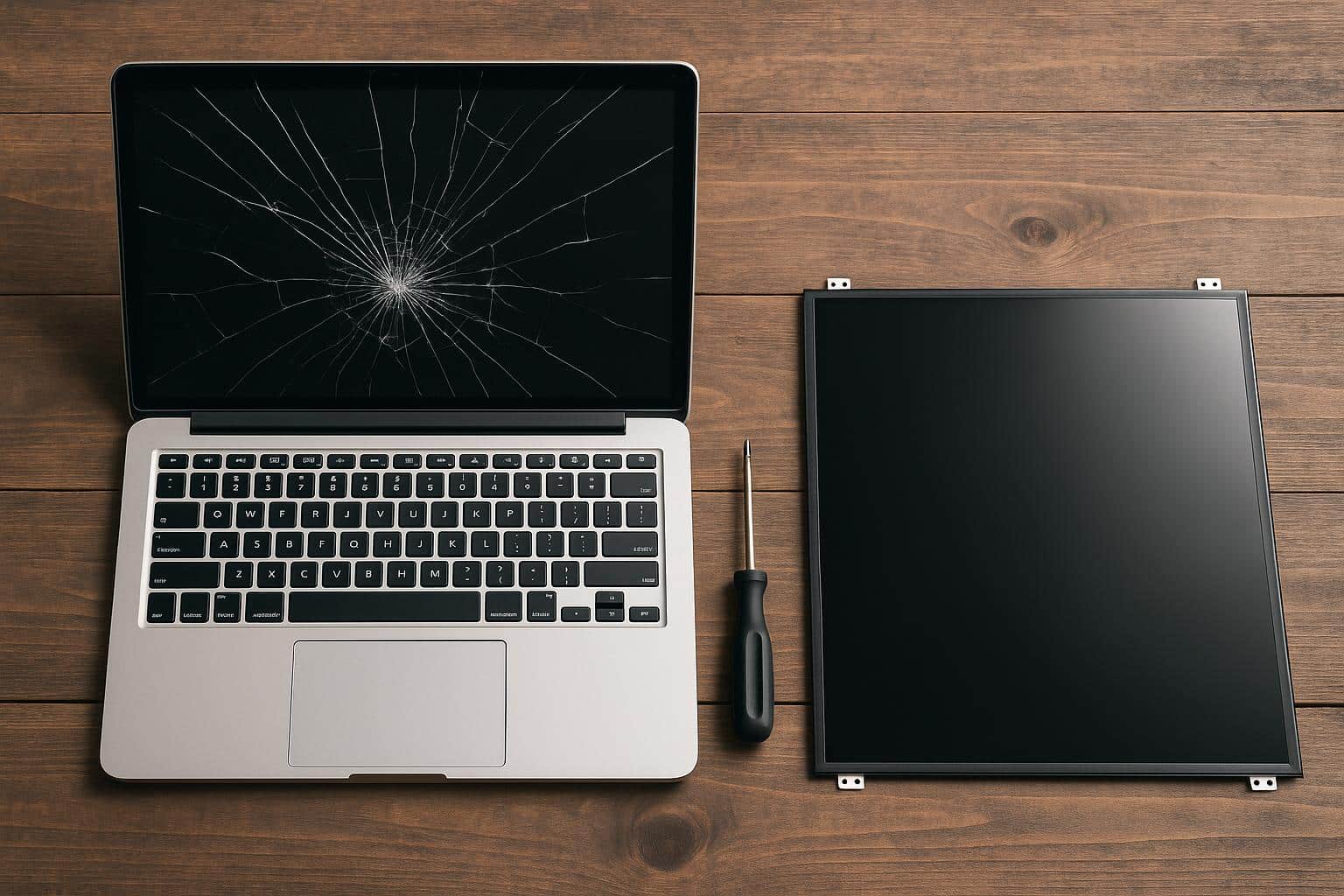
When to Repair a Damaged Laptop Screen
If your laptop screen acts up, but the device still runs fast and you have good cyber security tools in place, a quick fix might save the day. Quick repairs work best for newer laptops used by SMBs who depend on their devices to protect hard drives and vital files.
Minor cracks or dead pixels
Minor cracks or a few dead pixels on your broken laptop screen might seem alarming, but they don’t always spell disaster. Many people keep using their laptops just fine with small blemishes like this, especially if the damage doesn’t block key parts of the display.
If your device is under 3 years old and still runs strong, laptop screen repair often makes sense, especially for high-end brands like Dell XPS or Apple MacBook Pro.
Repairing these issues usually costs less than half compared to buying new hardware in 2024. Small fixes rarely risk cyber security or impact your hard drive. Plenty of folks try simple DIY laptop screen repair after watching trusted guides online, though professional help is smart if you’re not feeling brave about tiny screws and cables.
A cracked corner or one stuck pixel isn’t an instant deal-breaker for most users, says Alex from SMBs Tech Support NYC.
Getting that minor flaw fixed can easily stretch your machine’s life while saving extra cash for something more exciting than a full-on replacement.
Newer laptops under 3 years old
Repairing a laptop screen is often wise for newer models. If your laptop is less than three years old, small cracks or flickering screens can be fixed easily and inexpensively. These laptops still hold good value, so it makes sense to repair minor issues instead of buying new.
High-end models may also deserve another chance. Even if the replacement cost is higher, their overall worth justifies repairs. Loose video cables that cause flickering are an example of problems that can be resolved without replacing the whole screen.
You save money and keep your laptop running smoothly!
High-end models with affordable repair costs
Newer laptops can be worth repairing, especially if they are high-end models. These devices often have strong parts and features that make them special. Even if the screen replacement cost is high, it can be cheaper than buying a new laptop.
High-end laptops can face simple issues like cable problems. Fixing these minor problems may save you money compared to replacing the entire screen. As a general rule, if repair costs stay under 50% of what a new laptop costs, then getting it repaired makes sense.
In some cases, it may be more cost-effective to repair a damaged computer rather than purchasing a new one.
Loose or faulty video cables causing flickering
High-end laptops might have affordable repair costs, but you should also check the cables. Loose or faulty video cables often cause flickering. This can make your screen look like a strobe light at a concert.
It may seem like a serious issue with the screen itself, but it could just be an easy fix.
If you notice constant flickering or blackouts, take a closer look at those cables. They are usually simple to access and replace if needed. Many people end up spending money on laptop screen repair when they just need to tighten or swap out the cable instead.
A little detective work here can save you time and cash!
When to Replace a Damaged Laptop Screen
When it’s cheaper to buy a new laptop than fix the screen, it’s time for a change. If your device is old and lagging or if the damage is extensive, you might want to consider that upgrade.
Keep an eye on those repair costs; if they’re more than half the price of a new model, it’s best to cut your losses. Want advice on this? Read on!
Repair costs exceed 50% of a new laptop’s price
Repair costs can really add up. If fixing your laptop screen costs more than half of a new laptop’s price, you should think about replacing it. For example, if a new laptop is $600 and repairs are $350, that’s 58%.
It might be better to buy new.
Older laptops often have other issues too. A four or five-year-old model may not run well anymore. If the screen is damaged and it needs repairs on top of that, replacement is usually the smarter choice.
Next up are some key things to consider when deciding between repair or replacement!
Older laptops (4–5+ years) with degraded performance
Older laptops often show many signs of wear. After four to five years, they might lag and freeze. These performance issues can make daily tasks frustrating. A damaged screen on such a laptop may not be worth fixing.
Extensive damage could mean deeper problems inside the laptop too. If it’s always breaking down or slowing down, replacing it might be smarter than repairing it. Spending money on repairs for older models just feels wasteful at some point.
Buying a new one will likely bring better speed and efficiency, saving you time and hassle in the long run.
Extensive physical damage to the screen or frame
Extensive physical damage can mean a shattered screen or a broken hinge. This kind of harm often indicates serious internal problems. Repairing these issues is usually not wise. When you see this level of damage, it’s often better to consider replacing the laptop.
A laptop with major damage may face many technical troubles too. Repairs might cost more than half the price of a new device. Laptops that are 4-5 years old and show extensive physical harm should be replaced rather than fixed.
In such cases, buying a new laptop makes much more sense for usability and performance.
Recurring hardware or performance issues
Frequent hardware problems can be a sign it’s time to replace your laptop. If you keep facing issues, like crashing or slow speeds, it may cost you more in repairs than a new device.
Older laptops, especially those 4-5 years old, tend to struggle more with these problems.
If you’re constantly fixing things and spending cash on a broken laptop screen repair or other parts, think about replacing it. You’ll save money and frustration in the long run.
In many cases, older laptops just can’t keep up anymore.
Key Considerations
When fixing your laptop screen, think about DIY versus getting help from a pro. A broken screen can be tricky and even risky, so weigh your options carefully before jumping in.
DIY vs. professional repair
Some folks like to roll up their sleeves and try a DIY fix, while others head straight to the repair shop. Take a look at how these options measure up, side by side, before you grab a screwdriver or your wallet.
| Aspect | DIY Repair | Professional Repair |
|---|---|---|
| Cost | Around $100, often for minor issues, like replacing a cracked screen or a loose cable. Parts from online shops like iFixit or Amazon. | Usually over $300. Covers labor and parts, especially for high-end laptops or touchscreens. |
| Risk | Higher chance of causing more damage if you’re not careful. You could void warranty or break something else, like the motherboard. | Much safer. Trained techs handle the repair. Lower risk for hidden damage or botched jobs. |
| Skill Level | Best for confident tinkerers who know their way around small electronics. YouTube has tutorials, but it’s easy to miss a step. | No skills needed, unless you count driving to the shop. Experts like Geek Squad or local shops use special tools and have lots of experience. |
| Issue Type | Minor cracks, dead pixels, or flickering from a loose cable fall in this camp. Quick and simple fixes work best. | Deep cracks, shattered glass, backlight failure, or recurring issues need pro-level attention. |
| Warranty Impact | DIY repairs often void manufacturer warranties. Brands like Dell or HP usually require repairs by authorized service centers. | Many shops keep your laptop’s warranty safe. They use approved parts and repair methods. |
| Time | Can be done in an hour or two, if you have the parts and tools on hand. Sometimes, shipping delays for replacement screens. | Repair shops may take 1–5 days, depending on parts availability and workload. |
| Tools Needed | Precision screwdriver set, pry tools, anti-static wrist strap. Most kits are under $20 online. | Professional-grade tools, calibration devices, sometimes even cleanroom conditions for delicate work. |
| Suitability | Good for newer laptops, simple fixes, and lower-cost screens. Not advised for older models or major damage. | Ideal for expensive, high-end, or older laptops. Especially when repair costs climb or safety is a concern. |
Safety concerns with severely damaged screens
Severely damaged screens can pose safety risks. Shattered glass may cause cuts or injuries. Loose parts might fall off and create hazards too. Liquid crystal damage, seen as dark or rainbow lines, requires a screen replacement to avoid further issues.
Using a laptop with extensive physical damage can lead to more problems down the line. It is wise not to take chances with broken hinges or shattered displays. Getting a laptop screen repair may cost around $100 for simple fixes, but serious damage often means spending over $300 for professional repairs.
If the costs get too high, replacing the laptop could be the best option for safety and performance reasons.
Conclusion
Deciding whether to repair or replace your laptop screen can be tricky. If the damage is small and your laptop is fairly new, a repair might be the way to go. But if you’re looking at serious cracks or high costs, it may be time for something new.
Look closely at age and performance too; an old machine with issues could hold you back more than help you out. Trust your gut—sometimes a fresh start feels good!
