


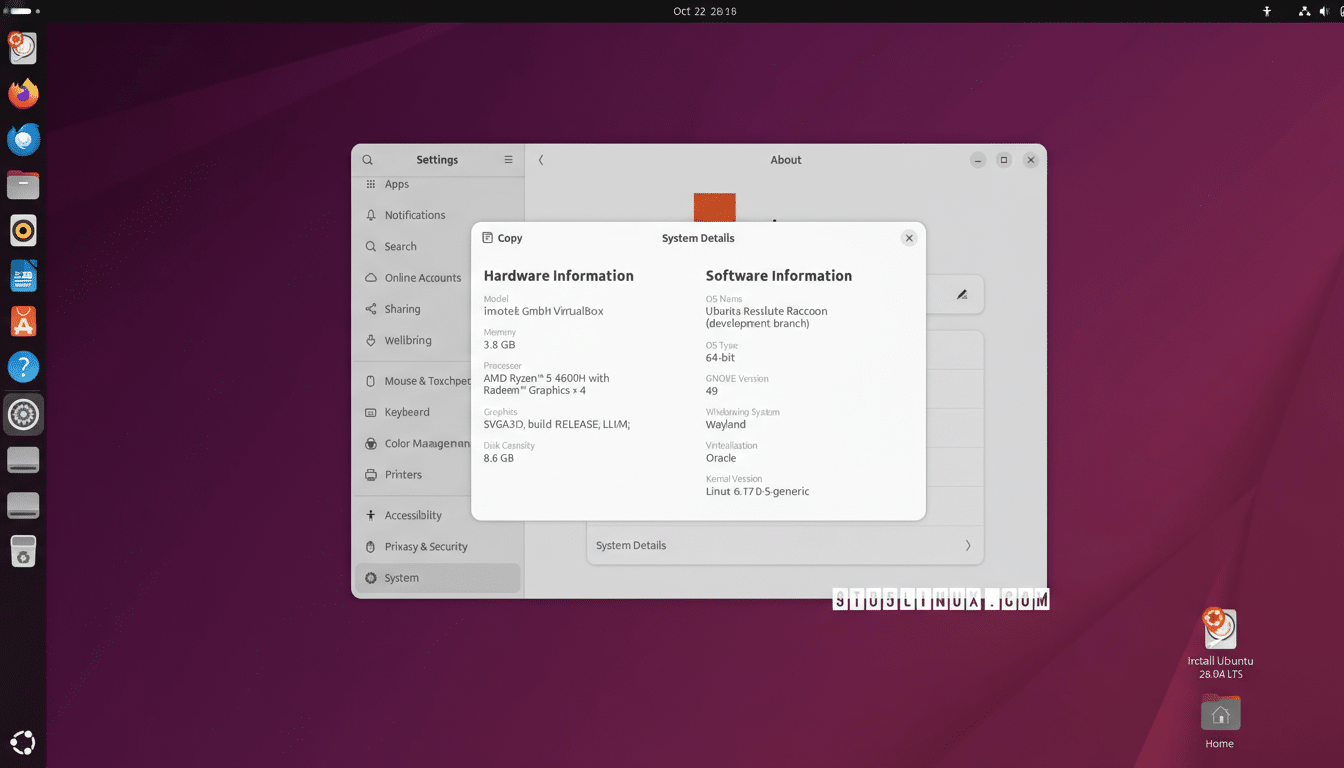
I expected the usual polish from Ubuntu’s next long-term release. What I didn’t expect was how aggressively Ubuntu 26.04 tightens security by default—on the desktop, in virtual machines, and down to cryptographic foundations. After time with recent pre-release builds, it’s clear this version treats security as a first-class feature, not an afterthought.
TPM-Backed Full Disk Encryption Grows Up
Ubuntu’s full disk encryption has matured into a frictionless, hardware-rooted defense. Building on work that reached general availability in 25.10, 26.04 ships with TPM-backed full disk encryption that binds your keys to the specific machine and its secure boot state. That closes off common “evil maid” attacks by making stolen drives much harder to decrypt offline.
- TPM-Backed Full Disk Encryption Grows Up
- Confidential Computing Comes to Your Laptop
- Post-Quantum Cryptography Steps Into Prime Time
- Granular Snap Permissions With Clear Prompts
- Security Center Brings It All Together in One Place
- Why This Security Push Matters for Ubuntu Users
- Early Takeaway on Ubuntu 26.04 Security Upgrades
What moves it from good to great are new management tools. From the Security Center, you can add or remove a PIN after installation, rotate your encryption passphrase, and even trigger disk re-encryption without a full reinstall. For anyone who has had to rebuild a system just to refresh crypto, this is a practical win.
Confidential Computing Comes to Your Laptop
Ubuntu 26.04 also embraces confidential computing with native support for Intel Trust Domain Extensions. TDX lets you run virtual machines with memory encrypted in hardware using AES-128 and isolated from the host, hypervisor, and other tenants. In plain terms: you can sandbox sensitive workloads in trust domains that are opaque to everything outside.
For developers, that means testing service components locally in a TDX-backed VM that mimics protected environments offered by major clouds. For security-conscious users, it enables genuinely isolated spaces for password managers, finance apps, or research datasets. Intel’s TDX model has been vetted by industry groups focused on confidential computing, and Ubuntu’s integration makes it accessible without vendor lock-in.
Post-Quantum Cryptography Steps Into Prime Time
Another quiet but important upgrade lands in the crypto stack. Updated OpenSSH and OpenSSL builds in 26.04 include hybrid post-quantum algorithms, pairing classical curves with quantum-resistant key exchanges and signatures. OpenSSH’s long-tested hybrid modes—such as combinations of X25519 with NTRU Prime—reduce risk without breaking compatibility.
This aligns with guidance from standards bodies like NIST, which has selected algorithms including CRYSTALS-Kyber and CRYSTALS-Dilithium for the next generation of crypto. Hybrid handshakes hedge against the “harvest now, decrypt later” threat model flagged by national cybersecurity agencies, offering future resilience while preserving today’s reliability.
Granular Snap Permissions With Clear Prompts
On the application front, Ubuntu tightens control with a more granular Snap permissions framework. Instead of blanket access at install, apps now trigger runtime prompts when they try to reach microphones, cameras, USB devices, or specific folders. Think of it like modern mobile OS permissions—transparent, revocable, and understandable.
Under the hood, confinement still leans on AppArmor and namespaces, but the experience feels far less opaque. Example: when a photo editor requests the Pictures directory, you’ll see a clear, one-time decision rather than hunting through settings. It’s a small change that builds trust.
Security Center Brings It All Together in One Place
A refreshed Security Center consolidates status and controls that used to be scattered. From one place you can confirm Secure Boot, check disk encryption, view firmware update readiness via the Linux Vendor Firmware Service, and manage automatic updates. If you use Ubuntu Pro, Livepatch integration reduces reboot cycles for critical kernel fixes.
For organizations, this single pane of glass pairs well with compliance guidance from the Center for Internet Security and Canonical’s Ubuntu Security Guide, simplifying baseline hardening without custom scripts.
Why This Security Push Matters for Ubuntu Users
Linux desktops increasingly share attack surface with the services they help build and manage. Industry reporting from teams like IBM X-Force and the Linux Foundation highlights steady growth in threats targeting Linux workloads, including ransomware variants and supply chain compromises. Hardened defaults on developer laptops and office desktops reduce lateral movement and data exposure when incidents occur.
Crucially, Ubuntu didn’t trade usability for safety. The GNOME-based experience remains familiar, and most protections fade into the background unless you need to make a decision. It looks like Ubuntu, but with fewer sharp edges.
Early Takeaway on Ubuntu 26.04 Security Upgrades
Ubuntu 26.04 isn’t loud about its upgrades, yet the improvements add up: hardware-rooted disk protection you can actually manage, confidential VMs that don’t require a data center, and crypto that anticipates the post-quantum era. Pair those with clearer app permissions and a cohesive Security Center, and you have a desktop that feels measurably safer out of the box.
If you wanted major UI upheaval, you won’t find it here. If you wanted an everyday Linux desktop that raises the security floor for everyone, this release delivers.
