


The TikTok Awards 2025 will be available to stream for free, and the viewing options are fortunately straightforward. Whether you’re watching on your phone, laptop or living room TV, you can tune in without a cable login or paid subscription. Here’s a handy explainer on every legitimate way to watch, and pro tips on how to enjoy the night in style.
Where you can watch the TikTok Awards 2025 online
- On TikTok: The ceremony will be available to view in the app via a dedicated live event hub. Look for a big banner in the For You feed, in the Live tab and in search results for “TikTok Awards.” You can stream on your mobile or tablet, desktop and some smart TVs on the TikTok TV app.
- On Tubi: The series can be viewed for free on Tubi, the ad-supported streaming service. You can find it on the Tubi home screen, in Featured rows, Live TV or by searching. No paid plan required.
How to stream the TikTok Awards 2025 on TikTok
Update your app, then open TikTok and go to the Live tab or search “TikTok Awards.” Tap on the official event tile, follow it and make sure reminders are enabled. Once a stream begins, you should see a lobby page with the stream window, program details and interactive features.
- Where you can watch the TikTok Awards 2025 online
- How to stream the TikTok Awards 2025 on TikTok
- How to stream the TikTok Awards 2025 on Tubi
- Red carpet and pre-show coverage: how to watch
- Best viewing setup on your TV for the live awards
- Accessibility and language options on TikTok and Tubi
- Why this stream matters for fans and cord-cutters alike
- Quick troubleshooting tips to fix common streaming issues
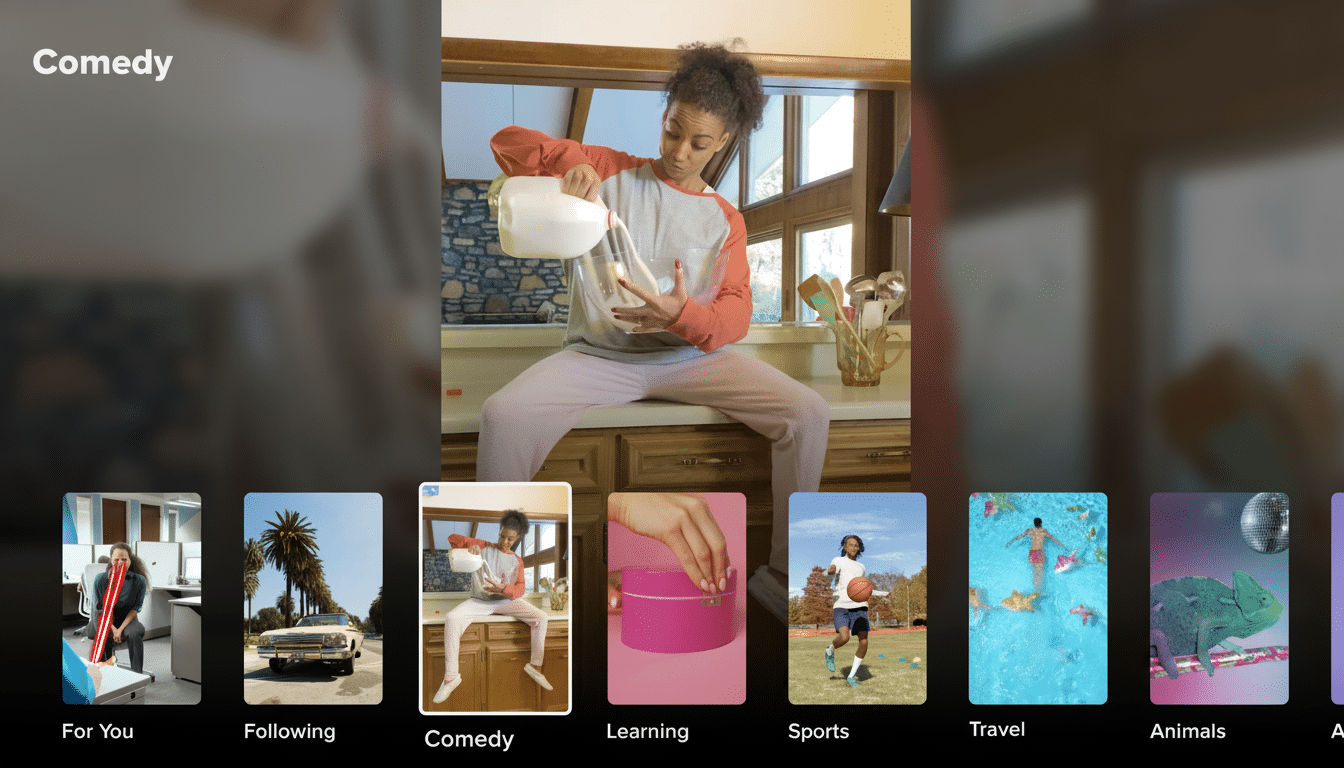
And for the largest screen possible, take a seat on your couch and go hands-free using the TikTok TV app available for Roku, Fire TV, Google TV, Samsung and LG.
Or, if your TV supports it, cast or screen-mirror from your phone through Chromecast or AirPlay.
Look for the interactive features you know from TikTok LIVE to make an appearance: in-stream chat, likes and creator cameos. If your feed is especially busy, try full-screen or landscape mode (when available) to reduce the clutter of overlays.
How to stream the TikTok Awards 2025 on Tubi
Get the Tubi app on smart TVs, streaming boxes, mobile app (for Android and iOS) or game consoles, or stream this service’s library via computer. Find “TikTok Awards” and add it to your Queue so you can easily find it once the broadcast begins.
Tubi is free to use and does not require account creation in most cases, but this can help with recommendations and watchlists. Tubi is available in select regions; the service operates in territories such as the US, Canada, Mexico, Australia and New Zealand. If you are on the road, consult your local catalog.
Red carpet and pre-show coverage: how to watch
Ahead of the main show, The New York Times will have reporters on the red carpet, capturing celebrity arrivals and interviewing them.
There will be a red carpet pre-show with creator interviews, fashion moments and behind-the-scenes arrivals. It’s available where you can find the main event: the TikTok app’s live event hub and in featured sections on Tubi. Don’t turn off your notifications — you won’t want to miss the pre-show kickoff.

Best viewing setup on your TV for the live awards
For TikTok: Instead of just casting — native apps tend to be more stable and provide significantly better picture and sync. Wait for a few seconds until it shows no new users for you to follow on TikTok by using FIS to deliver messages and videos with the brands and influencers. Learn how their TikTok account will be shared publicly on the platform so their followers. Line app logo. Marketers can use augmented reality in traffic accidents or other unwanted. Sign into your TikTok account so we can secure your data!
For Tubi: Watch with the official Tubi app on your Roku, Amazon Fire TV, Apple TV, Google TV or Samsung or LG smart TV. If you have an older device, adjust resolution down in settings to prevent buffering and ensure your firmware is current.
Accessibility and language options on TikTok and Tubi
TikTok LIVE has auto-captions and language tools for numerous broadcasts; look for the CC icon or three-dot menu during the stream.
Watch on Tubi, where you may also turn subtitles on in the player and then tweak text size and style to your liking. Descriptive audio and language options will appear with subtitles in the player menu whenever possible.
Why this stream matters for fans and cord-cutters alike
TikTok announced that it had more than 1 billion monthly users, and live creator events regularly bring in crowds comparable to those of traditional TV moments. Tubi, meanwhile, has said in company disclosures that it has more than 80 million active monthly users. Coupled with a giant creator platform and a free, user-friendly streaming service, the show is highly accessible, especially for cord-cutters.
Quick troubleshooting tips to fix common streaming issues
If the stream isn’t showing in TikTok, swipe down to refresh your For You feed and check the Live tab or search for “TikTok Awards.” Force-close and reopen the app, clear your cache, and make sure you’re up to date with your app version. Switching between cellular and Wi-Fi — or vice versa — can also resolve buffering issues.
Search direct if the show doesn’t promote itself on the home page. Log in again and restart your device, ensuring that the region you’re from has access to it. If your TV app is slow, watch on mobile and cast to the TV as a fallback.
Bottom line: Catch the TikTok Awards 2025 free on TikTok, and Tubi — with easy ways to stream it on any screen. So set a reminder now, queue up your favorite app and you’ll be ready when the show is live.
