


If your headphones or speakers sound thin, boxy, or dull, a 30-second equalizer tweak can make them sing. The fix is simple, repeatable across phones, laptops, and receivers, and rooted in decades of listening research. You don’t need golden ears or expensive gear—just a quick set of small, smart EQ moves that restore punch, clarity, and sparkle without distortion.
The 30-Second Tweak for Instant Clarity and Balance
Open the EQ in your device or app, play a familiar track, and make a gentle “smile” curve. The goal is a subtle bass and treble lift with a small dip in the midrange.
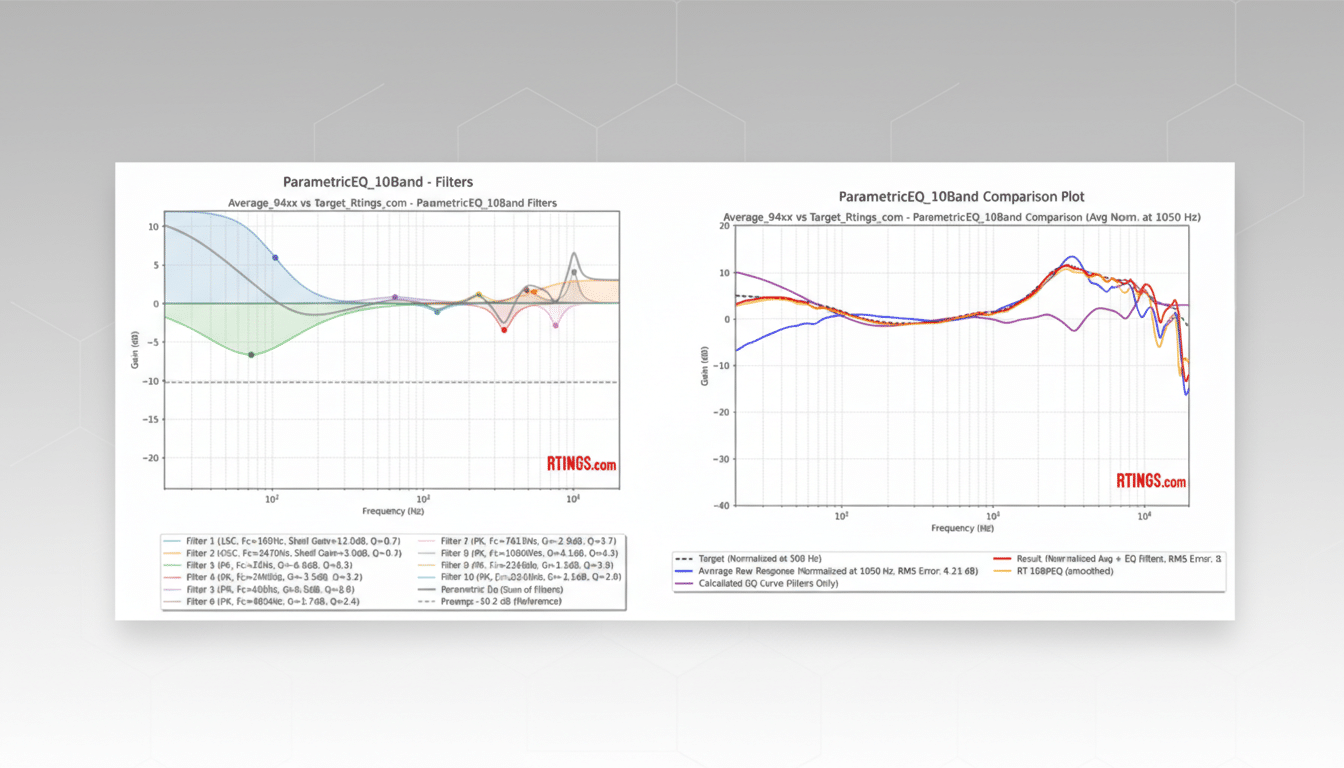
Use these ballpark settings as your fast start: add about +3 dB around 60–100 Hz, reduce roughly −2 dB around 300–500 Hz, add +2 dB near 3–5 kHz for presence, and add +2 to +3 dB at 10–12 kHz for air. If your EQ has a preamp or gain slider, pull it down about −3 dB to preserve headroom. Done.
On a basic three-band EQ, boost Lows slightly, trim Mids a touch, and boost Highs slightly. On a five- or ten-band EQ, focus your boosts and cuts near the frequencies above and keep changes modest. The sound should open up immediately without harshness or boom.
For speakers, apply the same curve and, if available, enable your receiver’s “Loudness” or “Dynamic EQ” feature. Those functions automatically compensate for how our hearing changes at lower volumes so music doesn’t collapse into flatness when you turn it down.
Why This Works: Hearing Science Behind the EQ Curve
Human hearing is less sensitive at the frequency extremes, especially at moderate volumes. ISO 226 equal-loudness contours (often called Fletcher-Munson curves) show that we perceive bass and treble as quieter than mids at typical listening levels. A gentle bass/treble lift restores natural balance.
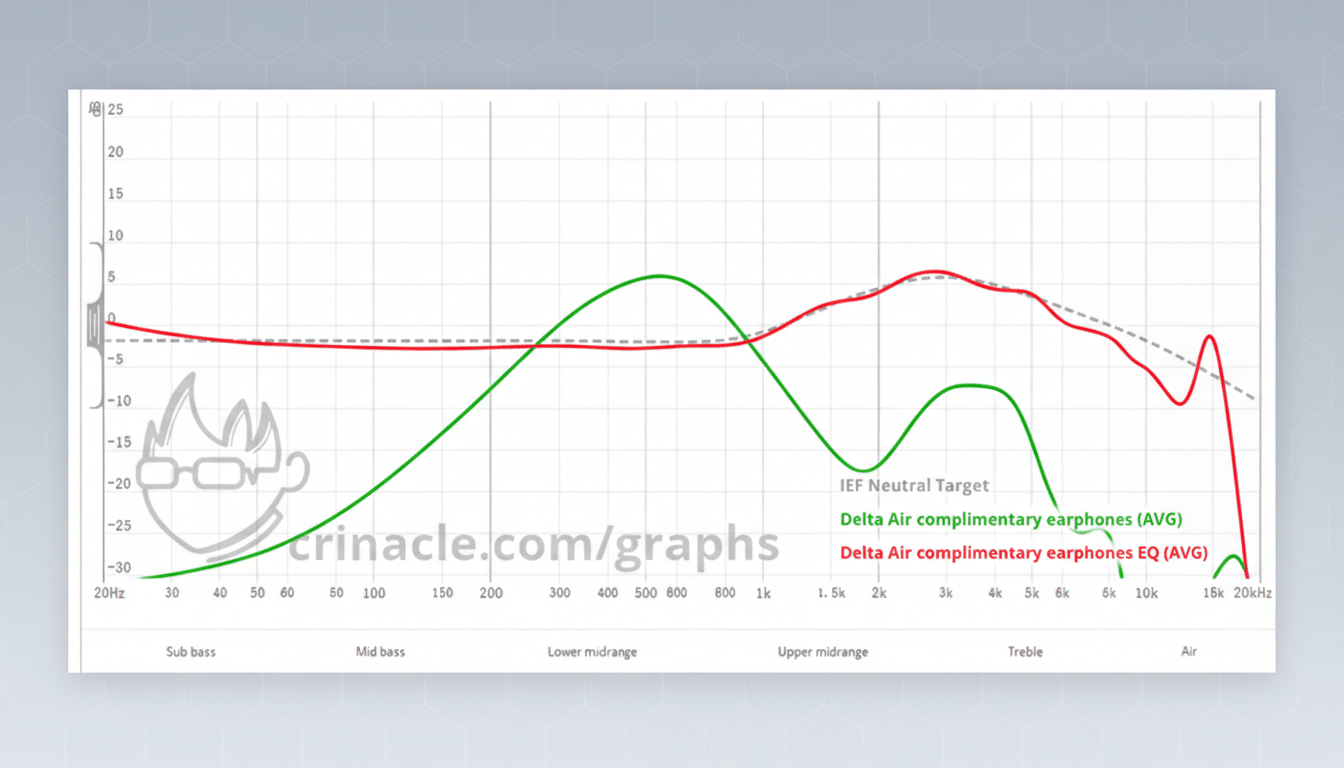
There’s also strong evidence for a preferred target curve. Harman International’s blind tests, led by researcher Sean Olive and colleagues and published through the Audio Engineering Society, found listeners consistently preferred headphone responses with a low-frequency shelf and a smooth high-frequency tilt—essentially a refined, data-driven version of the “smile” curve. You’re matching your gear to how we actually hear, not chasing hype.
The small mid cut matters, too. Many budget headphones and small speakers overemphasize 300–500 Hz, which adds congestion and “cardboard” tonality. Trimming a couple of dB there clears the mix so vocals and instruments separate instead of smearing together.
Fast Presets on Popular Devices, Apps, and Receivers
- Phones and laptops: On iOS, Music includes built-in EQ presets; “Bass Booster” plus a small manual treble lift often works well. Accessibility’s Headphone Accommodations can tailor output to your hearing profile in under a minute. On many Android phones, a system EQ appears under Sound or Developer options; several makers add per-headphone presets.
- Streaming apps: Spotify, Apple Music, YouTube Music, and Tidal include EQs with genre presets. Pick a preset that’s close (e.g., Rock or Acoustic), then nudge a couple bands to match the quick curve above.
- Computers and receivers: On Windows, tools like system enhancements or third-party software provide graphic EQ and a master preamp. On macOS, the Music app’s EQ is fast for local and streamed audio. Home theater receivers from brands that support Audyssey Dynamic EQ, Yamaha YPAO Volume, or Dirac Live can maintain tonal balance at real-world listening levels with a single toggle.
Dial It to Your Content: Quick Adjustments by Genre
- Podcasts and talk: Lift 1–3 kHz slightly for intelligibility, keep bass modest to avoid “chestiness,” and tame 7–9 kHz if sibilance appears.
- EDM and hip-hop: Add a touch more at 60–80 Hz, but trim 200–300 Hz if the mix gets muddy. Keep treble lifts gentle so hi-hats don’t get spitty.
- Rock and metal: Small bass shelf, a mild cut near 400 Hz to clear guitars, and a careful +1 to +2 dB around 4 kHz for edge without ear fatigue.
- Classical and jazz: Start nearly flat, then add a light bass and air shelf if the presentation feels too dry on headphones. For speakers, a bit more bass fill can recreate the warmth of a live hall.
Pro Tips and Pitfalls to Avoid for Clean, Dynamic Sound
- Cut before you boost. If something sounds wrong, try a −2 dB trim in the offending band first; it preserves headroom and reduces distortion risk.
- Leave headroom. Always reduce the preamp or master gain by roughly −3 dB when boosting multiple bands. Digital clipping can masquerade as “harsh treble.”
- Use a reference. Keep two or three well-recorded tracks you know intimately to A/B your tweaks. Small moves win—big swings often break timbre.
- Leverage measurements. Independent labs and engineers publish headphone target profiles and corrections based on rigs that align with AES and IEC standards. Matching a known target gets you 90% of the way there, the last 10% is personal taste and hearing.
That’s the beauty of this tweak: in half a minute, flat turns lively, muddy turns clean, and dull turns detailed—on almost any pair of headphones or speakers you own.
