


Alternating between a Galaxy and a Pixel helps remind me what really counts in day-to-day use. Google’s software is clean, focused, and getting more coherent, but there’s one Samsung app I constantly pine for when I move back to a Pixel: Samsung My Files. It’s that rare preinstalled utility that feels pro-grade and it reminds you how much a good file manager still matters on a modern phone.
What Samsung My Files does better than Files by Google
Google’s Files app works well enough for most of us. It’s light; it’s neat; it cleverly cleans up clutter. But My Files operates just like a proper file hub, rather than a pretty viewer. It gives you control beyond the device itself, it digs deeper when you search, and it makes navigating through nested folders painless. And when your phone is also your camera, your scanner, your portable workstation, well, that difference adds up fast.
Network storage that’s actually good
Even if you use a NAS or a home server as a casual file library, My Files feels like a must-have for you. It connects directly to SMB shares and FTP servers via its Network Storage Manager, auto-discovers hosts on your network, and remembers your log-in credentials. On a Galaxy, I’m able to access a Synology or TrueNAS share, stream a 4K file, and copy documents without having to grab a third-party client.
Files by Google doesn’t quite have the same. It’s compatible with Google Drive, but there’s no built-in SMB or FTP support, and no simple way to mount a local share inside the browsing interface. This is a practical limitation for homes that have leaned into home storage — which is to say most homes, and increasingly so as photo and video sizes balloon. And you can also see Samsung’s longstanding partnership with Microsoft at work here; OneDrive integration outside of My Files is a win for Windows-first workflows.
Smarter, deeper search on-device
Search is of course where you’d expect Google to be tops, but My Files has from time to time pulled up files that I could not get Files to pull up. Samsung’s app can search inside PDFs and other supported files for keywords if you turn on “Search inside files.” If you want to keep invoices, contracts or manuals on your phone, that time adds up. I find an expense report I posted using a tax phrase I remember even though I forgot the name of the file (just the sort of real-world rescue your file manager should provide).
It’s not so much about the numbers, but the boxes being checked. For ultra-mobile workflows — like scanning a receipt on the go, checking over a reference PDF on the plane — content-aware search is a bit of a silent superpower.
Navigation and media handling polish
My Files offer a breadcrumb path right at the top of the screen, so if you’re five folders deep, it only takes one tap to jump all the way back to any level. It’s tiny, but it can take navigating speed from zero to 60 in three seconds. Files by Google goes for a cleaner appearance, which also often translates to more back taps to get where you need to go.
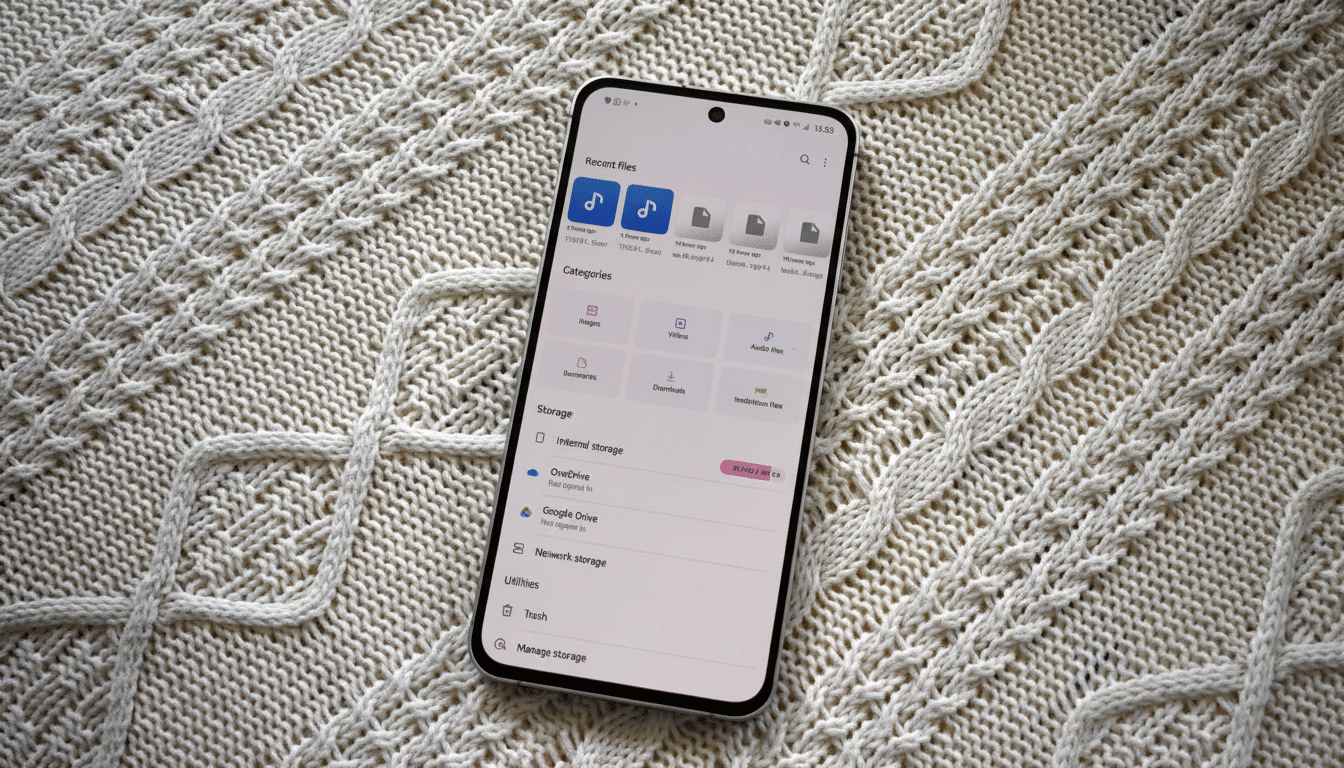
Samsung also includes a capable media player. Scrubbing to anywhere in very long videos in a few seconds – great for, say, ripping something from YouTube – is another slice of nitpicking functionality you might not even realise you needed until you have it scrub up videos from a share (network attached storage) drive in seconds As such, we can all imagine many ways to use this software. It may be more pressure (and texture) than you’re used to, but for creators, a family with old footage to archive or anyone doing a lot of file shuffling between devices, this lowers the friction quite a bit more than you might expect.
Where Files by Google edges ahead
Google’s app gets the basics right and a few pleasures for good measure. The Clean tab is very useful, and can surface duplicates, giant downloads and temporary junk. If you back up to Google Photos, the “free up space” recommendations are nearly foolproof, and that counts on low-level storage tiers. Google’s Safe Folder, secured with a PIN or pattern, is also an easy way to keep sensitive files out of the way—something My Files lacks by default.
The Share tab, now matching Android’s Quick Share branding, ensures local device-to-device transfers are easy, and the document scanner is perfect for ad hoc paperwork without fumbling around in another app.It’s my most used feature by far. On the design front, Material You theming makes Files look calm and cohesive and, quite frankly, very inviting.
What Google might copy next
For power users, My Files establishes an expectation that should not be limited only to a single brand’s owners. Native SMB support, content-aware smart search, breadcrumb navigation and a formidable, built-in media experience are just table stakes for a phone that already is your laptop in a pinch. Share your own thoughts in the comments! With Google’s push into AI and on-device intelligence, enabling Files to index document contents and browse local network shares makes too much sense.
The truth is that both apps cover the mainstream well. Files by Google sees billions of installs on the Play Store and therefore makes for a dependable default; Samsung’s My Files removes the cap for those who want more. When I’m on a Pixel, I miss My Files, because it treats my phone like part of a larger, multi-device ecosystem. That’s more and more what all of us are doing with our tech — and where Google has an opportunity to take its file manager to the next level.
