


Vibe coding used to be a joke. Andrej Karpathy coined the term in early 2025 to describe a style of development where you “fully give in to the vibes” — just describe what you want in plain English and let the AI figure out the code. A year later, it’s not a meme anymore. It’s how a huge chunk of software actually gets built.
By early 2026, vibe coding tools represented roughly $4.7 billion in annualized spend, with developer adoption pushing close to 90% in some form. Solo founders are shipping working prototypes in an afternoon. Non-technical people are building tools they couldn’t have dreamed of two years ago.
The catch? Not every AI agent is built the same. Some are great for quick UI mockups. Some shine in the terminal. Some handle long autonomous workflows without hand-holding. If you’re trying to figure out which one belongs in your stack, here’s a practical breakdown of the best options right now — and what each one is actually good for.
Cursor
Cursor is probably the most popular IDE-based coding agent at this point. It’s built on top of VS Code, so if you already live in that environment, the learning curve is basically zero. You get AI autocomplete, inline chat, and an agent mode that can make multi-file edits based on a single instruction.
What makes Cursor feel like vibe coding rather than just autocomplete is how naturally it handles context. You can highlight a chunk of code, say “refactor this to be more readable,” and it just does it. No syntax, no prompting tricks. For everyday development tasks — writing functions, fixing bugs, generating boilerplate — it’s fast and reliable.
Best for: Developers who want to stay in their IDE and get AI help without switching context.
Claude Code
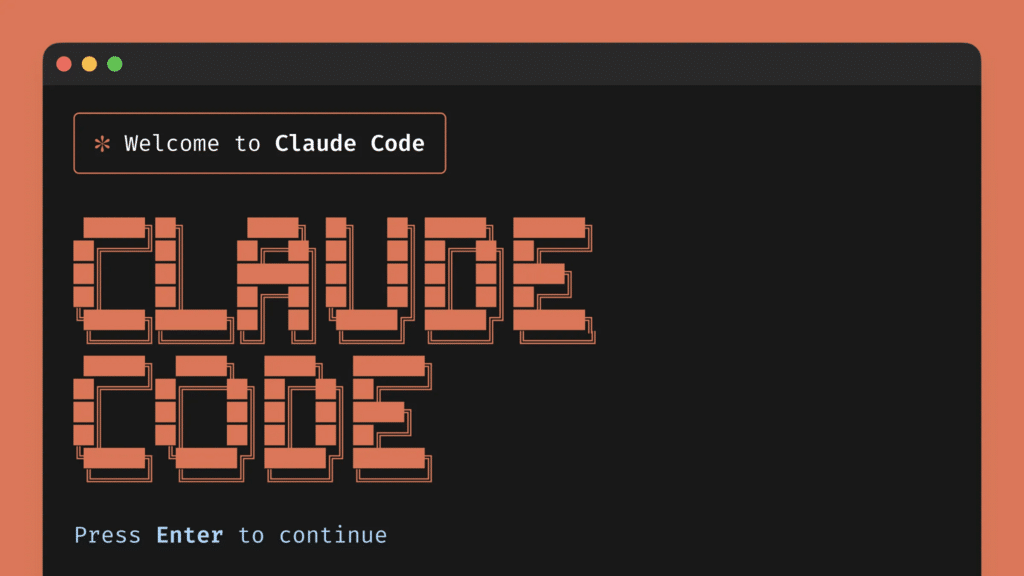
Claude Code is Anthropic’s terminal-based coding agent. It connects directly to your codebase and works from natural language instructions at the command line. Before it makes any changes, it shows you its reasoning — what it plans to do and why — and waits for your approval.
That transparency makes it unusually trustworthy for larger tasks. You can hand it a high-level instruction like “add authentication to this app” and watch it plan the steps, then execute. It handles multi-file edits, runs shell commands, and proposes fixes on its own. For developers comfortable in the terminal, it’s one of the most capable autonomous agents available.
Best for: Experienced developers who want deep codebase integration and want to stay in the terminal.
MyClaw
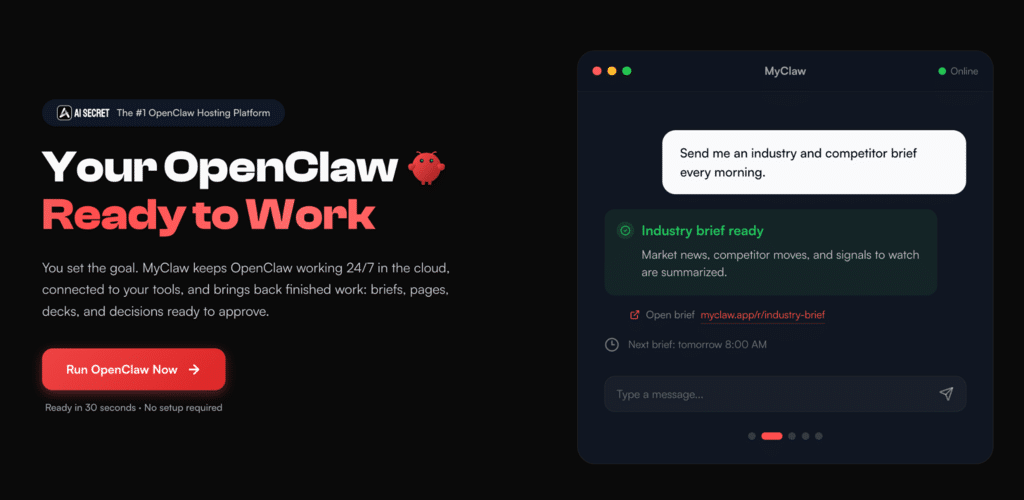
Most of these tools help you write code. MyClaw is for when you want the AI to actually do things — including code-related work — on your behalf, autonomously, while you’re not watching.
MyClaw is a managed hosting platform for OpenClaw, an open-source autonomous AI agent that has picked up over 134,000 GitHub stars. OpenClaw isn’t just a coding assistant. It’s a persistent agent that lives on a computer, has access to your apps and tools, and can handle tasks across your entire workflow — reviewing code, managing GitHub repos, running scheduled jobs, browsing the web, and more.
The problem with running OpenClaw yourself is that it’s technically demanding. You need a server, the right environment, ongoing maintenance. MyClaw handles all of that. You get a private, always-on OpenClaw instance — fully configured and ready — without touching a terminal. It ships with 50+ built-in skills, and you can set up scheduled tasks (cron jobs) that run while you sleep.
For vibe coders who’ve outgrown the “prompt → review → prompt again” loop and want a more autonomous setup, MyClaw is worth a serious look. You can choose which AI model powers your agent (including Claude Opus 4.6 for complex coding or reasoning tasks), set spending limits, and customize the agent’s persona and memory. It’s less of a coding copilot and more of a coding teammate that just keeps working.
Best for: Power users, small teams, and anyone who wants an always-on autonomous agent without managing the infrastructure.
Windsurf
Windsurf (formerly Codeium) takes a different angle. Its standout feature is Cascade — an AI agent that handles complex, multi-step development tasks with minimal back-and-forth. You describe a goal, Cascade breaks it down, and works through the steps while keeping you in the loop.
It’s particularly strong for prototyping. If you want to go from idea to working demo quickly — without getting into architecture debates with yourself — Windsurf’s flow keeps you moving. It’s also good at understanding and refactoring existing code, which makes it useful when you inherit a messy codebase.
Best for: Rapid prototyping, legacy code work, and people who want AI to handle multi-step tasks without constant prompting.
Bolt / Lovable
These two tools sit in a slightly different category: browser-based, full-stack app builders. You describe an app — “a simple task tracker with a clean UI and local storage” — and they generate the entire thing: frontend, backend logic, styling, and all.
They’re not IDE tools. You don’t need to install anything. For non-developers, entrepreneurs, and designers who want to build something real without ever touching a code editor, they’re genuinely transformative. The output isn’t always production-ready, but for prototypes, demos, and internal tools, they’re hard to beat for speed.
Best for: Non-technical builders, quick demos, and early-stage product validation.
Replit Agent
Replit Agent lives inside the Replit cloud development environment. You describe what you want to build, and it sets up the project, writes the code, and deploys it — all in one place. There’s no local setup, no configuration, no environment headaches.
For anyone just getting started with vibe coding, Replit Agent removes a lot of the friction that would otherwise trip you up. It’s also collaborative by default, so teams can jump into the same environment without fussing over shared settings.
Best for: Beginners, quick deployments, and teams that want a shared cloud dev environment.
How to Choose
Here’s a simple way to think about it:
- If you spend most of your day in a code editor → Cursor
- If you prefer the terminal and want deep codebase control → Claude Code
- If you’re prototyping fast and don’t want to slow down → Windsurf
- If you’re not a developer but want to build something → Bolt or Lovable
- If you want everything in the cloud and to deploy quickly → Replit Agent
- If you want an agent that keeps working even when you’re offline → MyClaw
The truth is, most serious vibe coders end up using more than one of these. Cursor or Claude Code for active development. Windsurf when you need to move fast. MyClaw for the background tasks and automations you don’t want to babysit.
Vibe coding isn’t about replacing skill — it’s about removing the friction between what you want to build and the thing actually existing. The best tool is whichever one gets out of your way the fastest.

