


I had the chance to go hands-on with TCL’s Note A1 Nxtpaper at the Consumer Electronics Show, and it comes off as a confident swing at a modern, color-first take on digital paper. It is not a jack-of-all-trades tablet. It’s a targeted notebook with its own custom Android skin, matte display and writing experience that promises to compete with dedicated e-paper slates—just in full color and at a snappier pace.
Hands-On With Nxtpaper Pure’s Always-On Paper Display
TCL’s Nxtpaper lineage is really all about trying to make LCDs look and feel like paper. On previous generations of devices, you could switch between color mode and a paper-like option. The Note A1 takes another approach: what TCL describes as Nxtpaper Pure is simply always-on, with a slightly flatter color spectrum and consistent matte finish. There is no mode switch, and this is on purpose—the whole slate has been tuned for reading and writing without having to second-guess settings.
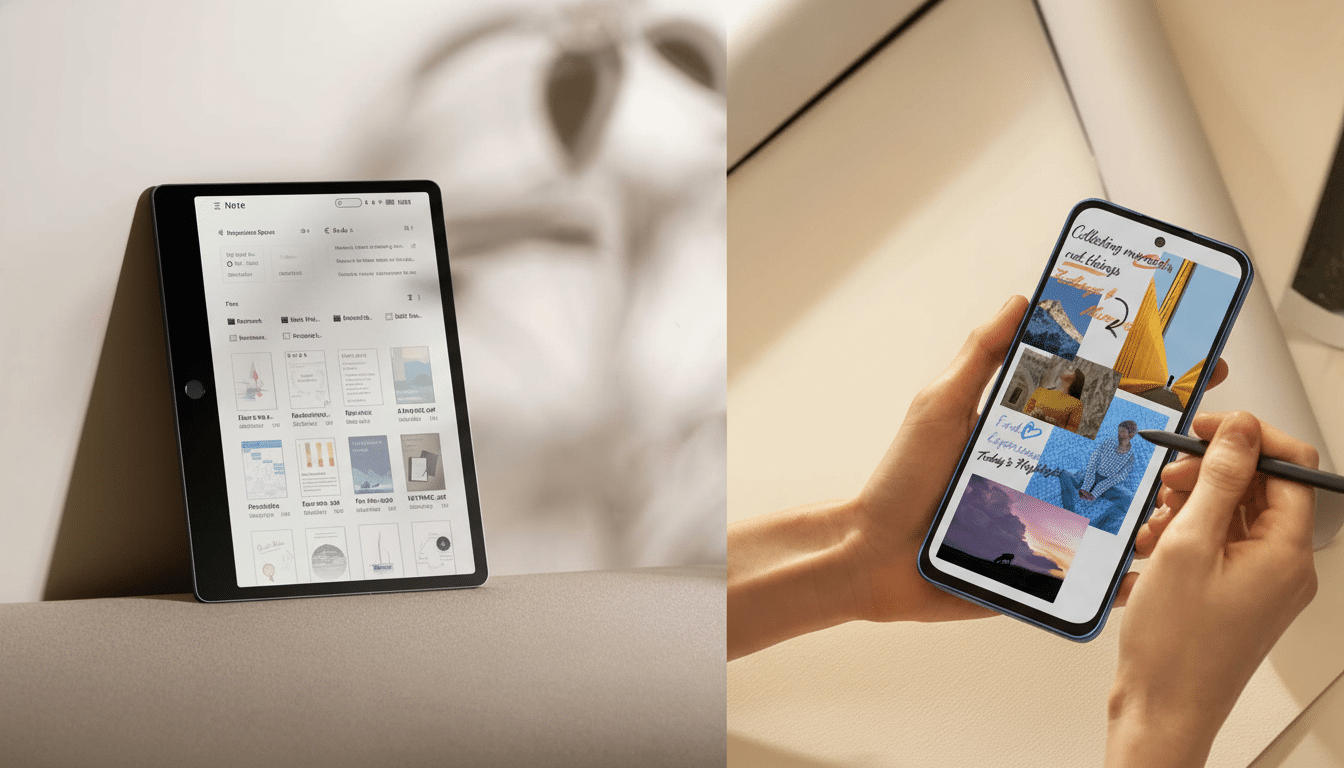
The 11.5-inch panel is the star. It’s matte, bright enough for indoor work and refreshes at 120Hz, which creates an e-ink experience that those only-partially-refreshing devices can’t match. In my testing, pen strokes and UI transitions felt instantaneous, with none of the ghosting or treacle-like redraw that you get on traditional e-paper. TCL also boasts multiple eye-comfort certifications and a 3A Crystal Shield Glass layer; in testing I noticed less glare and a subtle texture that results in longer sessions without getting tired.
Design, T Pen Pro Stylus and Real-World Writing Feel
Slim and light, the chassis has a smart asymmetrical design that creates a natural grip zone for your hand. TCL embeds the home button in that wider edge, so your thumb will hit it without moving your grip. Photos give the bezel an indulgent appearance; in hand, it’s utilitarian, particularly when you’re writing for more than a few minutes.
There’s an included T Pen Pro, which recognizes 8,192 levels and has an eraser on the back. It’s not just a software toggle — the rear cap has a light, satisfying press to it that lets you feel like you’re doing something real. The pen is parked magnetically along one side; the connection stuck, though a couple of shakes knocked it off during my demo. On glass, the writing feel is heavier pen-on-paper than pencil-on-paper: a little bit of bite, a tiny hint of glide and nothing about perceived latency because of that 120Hz panel. TCL also includes a folio-style magnetic case, and the company said it has a keyboard accessory in the works.
Software Focus With Custom Android Skin and Tools
There’s Android driving the slate, but TCL does a good job of hiding it. There is no standard notification shade, no quick settings, and no app sprawl. The interface neatly funnels you into notes, into documents, into reading, which is fitting for the mission. A programmable side button delivers the single, double and long presses; on my test unit, a long press went right into audio recording with live transcription — one of those little friction-slaying touches that count in meetings.
One feature that stands out is a split-view workspace, meaning real-time transcription and handwriting can all be viewed in one place.
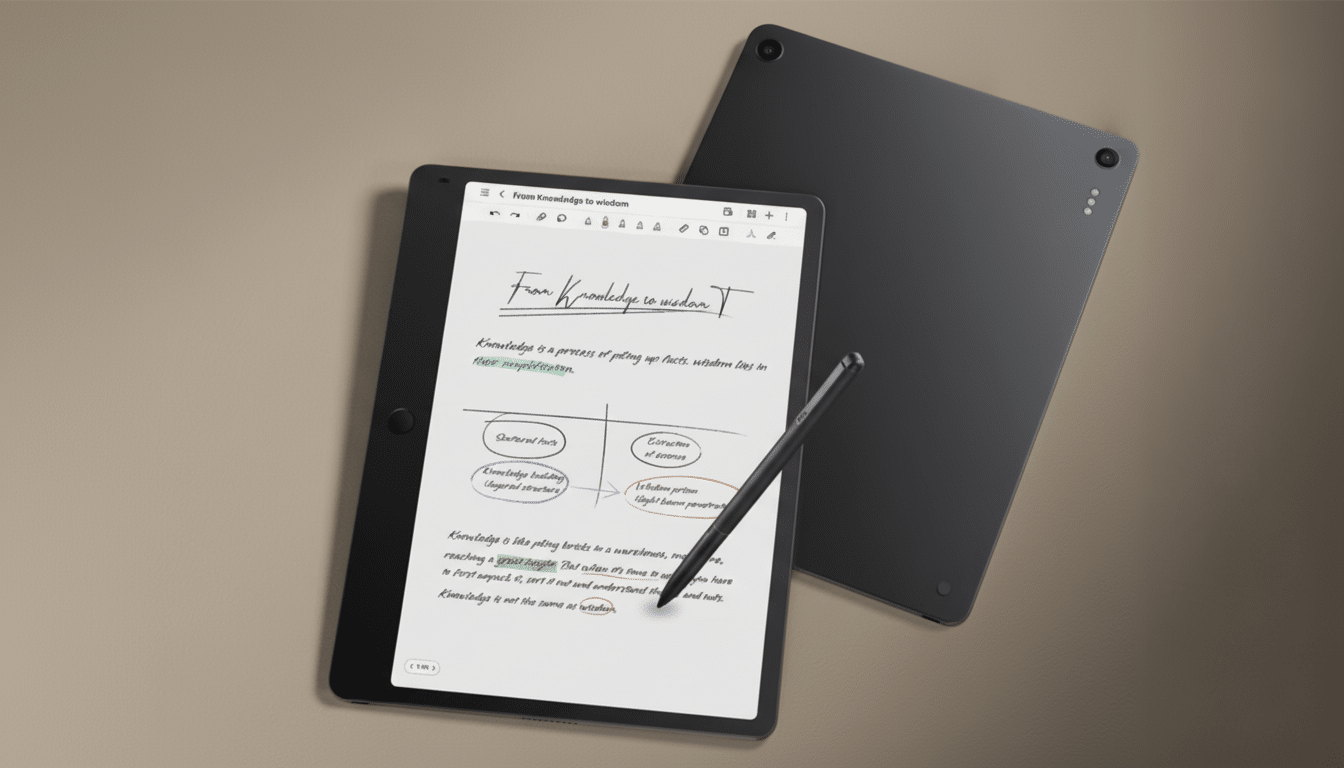
It’s the way people actually take in information: Listening, annotating and adding their own personal context all at once.
Handwriting-to-text is on the spec sheet but wasn’t live on my demo unit; TCL says it’s being worked out still. The slate plays nice with Microsoft’s ecosystem: Copilot and Edge are front-and-center, but popular cloud destinations including Google Drive and Dropbox are also supported. TCL said it recognized that the Android base could facilitate deeper tinkering, even if the product isn’t being pitched as an app playground.
How It Compares To ReMarkable And Kindle Scribe
ReMarkable and Kindle Scribe have raised the bar for distraction-free writing, but both depend on monochrome E Ink. The upsides are the same: days-long battery life and an ink-like texture, and less eyestrain than on a backlit display. The costs are just as obvious: slower response times, black-and-white visuals and limited flexibility when it comes to colorful PDFs, slide decks or web content.
The Note A1 turns that equation around. Its full-color, high-refresh Nxtpaper screen lets annotating color docs, sketching UI comps or marking up charts feel natural, with real-time ink flow and added context. You do trade for some of the E Ink benefits: this panel is backlit and won’t offer the marathon battery life numbers of a passive E Ink screen, and it’s not meant to be an all-purpose Android tablet. But if color fidelity, fluid writing and a laser-focused workflow trump weeklong endurance, then the A1 is enticing.
Early Verdict on TCL Note A1 as a Color-First Notebook
But the Note A1 isn’t out to accomplish everything. It tries to be just the right thing for people who live in notes and meeting rooms, annotated PDFs. The hardware is mature, the pen is a thoughtful one and TCL’s three-view workspace might be just the kind of real-world solution these devices will need. Some of them — like handwriting conversion — still need to land in shipping software, and we’ll want to test battery life over longer chunks. But as a color-first competitor to ReMarkable and Kindle Scribe, the Note A1’s combination of matte optics, fast response and focused tools rises above.
Big picture, TCL is cutting a third lane between minimalist e-ink slates and full-bore tablets: purpose-built, eye-friendly screens you can work on for hours without the usual LCD glare or the attention-sucking assault of alerts. If TCL can provide solid transcription, strong cloud sync and a keyboard that doesn’t break the spell, the Note A1 could be the digital notebook we all turn to as teams and students when color matters more than chaos.
