


The most recent system software for Sony’s PlayStation 5 quietly fixes an age-old annoyance: managing a DualSense or DualSense Edge between your console and anything else.
The update allows each controller to remember as many as four devices at one time, so switching from the PS5 to a PC, Mac, iPhone, iPad, or another gadget no longer requires an unpair–re-pair grind.
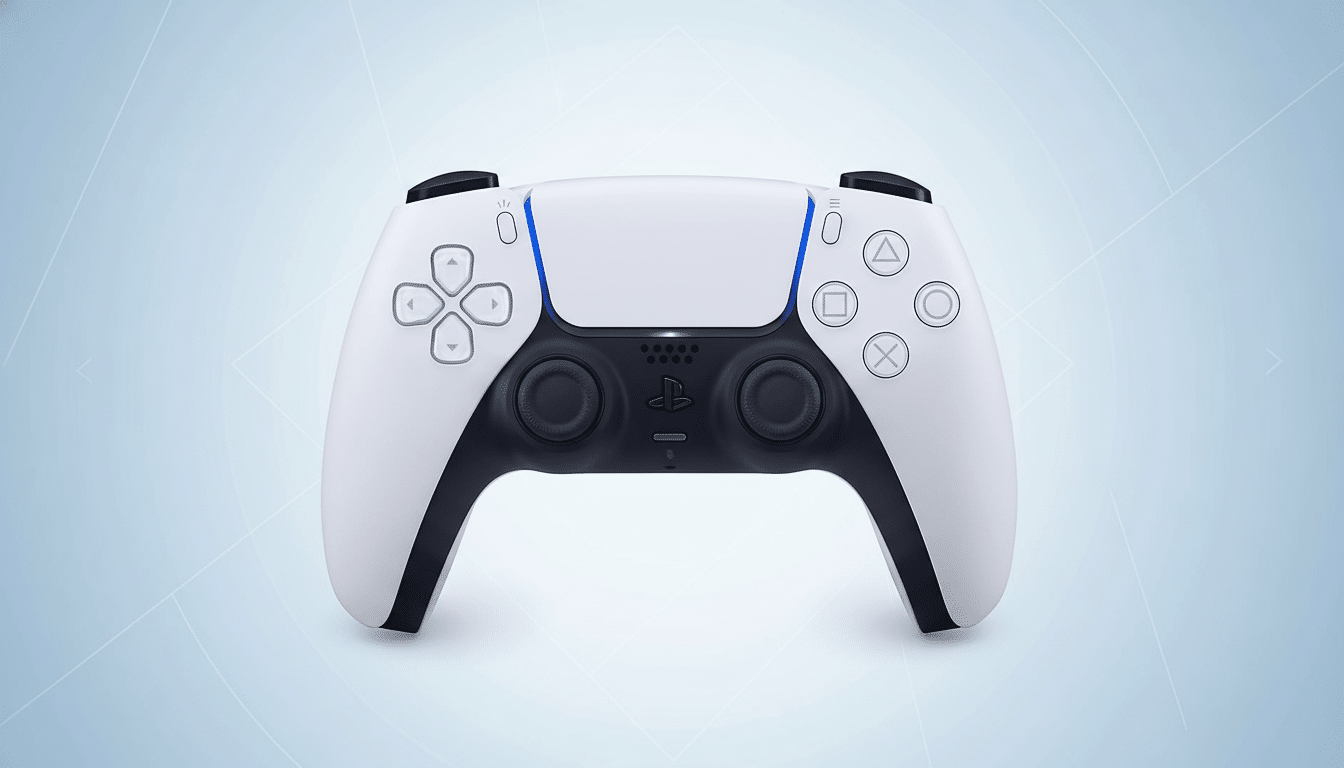
It’s small fry, but it’s a significant catch for anyone who plays across multiple screens — say, with Remote Play tucked on an iPad during lunch and in the living room at night — not to mention a “Power Saver” mode that looks to cap electricity use on supported games.
DualSense gets multi-device pairing support
Previously, moving a DualSense over to another host would generally require you to re-pair the controller all over again. Now, with the new firmware, the controller can hold up to four pairings and connect or disconnect from them in seconds. In practice, you’re still using the pad with one device at a time, but it’s frictionless: simply pick up the controller in your host’s list of Bluetooth devices, or on PS5, through its accessories menu and you’re back in.
That’s not the same as actual Bluetooth multipoint support (where two connections can be active at once), but in everyday use it very much feels like you’re using a device where the controller just hops between remembered hosts in almost no time at all. It’s perfect for a household combining a PS5 or PS5 Pro, a gaming laptop with Steam installed, and a tablet streaming cloud services, using only one gamepad.
Pairing is still easy: put the DualSense in pairing mode and add it from your device’s Bluetooth settings. The benefit is that, at least for an individual controller, you no longer have to “forget” the other pairings to make it back to the console. Sony’s move seems quite similar to what Microsoft pulled off in an update for the Xbox Wireless Controller when the company introduced its own quick-switch feature, and at least now PlayStation players will have access to a bit of convenience their rivals have enjoyed since that other team did.
Efficiency is at the forefront with Power Saver mode
The update is also the first to feature a Power Saver mode for compatible games. And when it’s engaged, the PS5 will dynamically adjust its performance targets to more aggressively shave power draw. An icon in the Control Center indicates when it’s on, and players can also toggle the feature on a per-title basis by going to Settings > System > Power Saving.
Why That Matters: Independent testing from organizations like NRDC and outlets like Digital Foundry has found PS5 power draw in modern titles can often fall in the 150–220W range depending on game and hardware revision. Even small incremental gains pay off over long play times, particularly for users who are using Remote Play/Cloud Streamed Games, or in any future extensible scenarios, where performance efficiency directly impacts battery life and thermal limits.
Initially, Sony is restricting support to a small handful of first-party games: Death Stranding 2: On the Beach, the PS5 remake of Demon’s Souls, and Ghost of Yotei. The company hasn’t provided savings in percentage terms, but given that there will be a per-title toggle, it sounds like the feature can be tuned by developers to keep enough overhead on hand (so to speak) to ensure that some of its “feel” is preserved while shaving watts here and there.
What this means for players and creators
The controller upgrade is strictly a quality-of-life change for players. Whether you spend time split between a PS5 and, for instance, your MacBook running native Apple Arcade titles or Steam on Windows, your DualSense can now be the constant. Just keep an eye on the fact that those features we mentioned — haptics, adaptive triggers, and the motion sensor — can have mixed results outside of PS5. Steam has wide DualSense support, and Apple’s Game Controller framework allows for rumble along with button maps, though your mileage may vary by game.
Power Saver mode is a new design lever for developers. Already, many games provide performance and quality presets; an efficiency option at the system level allows studios to maintain visual targets while tweaking background systems, streaming, or frame pacing in order to avoid big spikes of power. That latter approach mirrors what we’ve seen in PC and mobile — here, both efficiency cores and those frame generation tools try to make each level of experience cheaper to obtain.
Tips, cautions, and best practices for PS5 users
Ensure your console and controllers are updated to the latest firmware; controller memory is a feature of pads as well as system software on PS5. Bear in mind that only one active connection is possible at a time — if another device you’re paired with seizes the controller, it’ll drop its current host. If you want the lowest possible latency in competitive play, a USB-C connection still beats Bluetooth on any platform.
Finally, keep your expectations realistic: cross-device pairing speeds up switching among devices but it isn’t going to let you control two hosts at once or mix audio the way a Bluetooth headset with multipoint can. Consider it the DualSense getting some smart memory — and the PS5 learning to be smarter in how power is consumed.
The bottom line on PS5 controller update and power
This PS5 update removes friction where it counts and pushes the console toward a more efficient future. Swift and seamless controller swapping enables cross-device play, while Power Saver mode offers players and developers a new way to strike the right balance between performance and power consumption. Neither is a headliner alone, but together they take some of the edge off living in the PlayStation ecosystem — on your couch, at your desk, and everywhere else.
