


I spent a week with the viral “never-ending” modular keyboard that keeps popping up in my feed, and I didn’t just type faster—I redesigned how I work. The Naya Connect, a low-profile, magnetically expandable keyboard system launched via Kickstarter, turns your desk into a snap-together control surface that morphs with your tasks in seconds.
Modular Design That Clicks Into Place With Add-On Modules
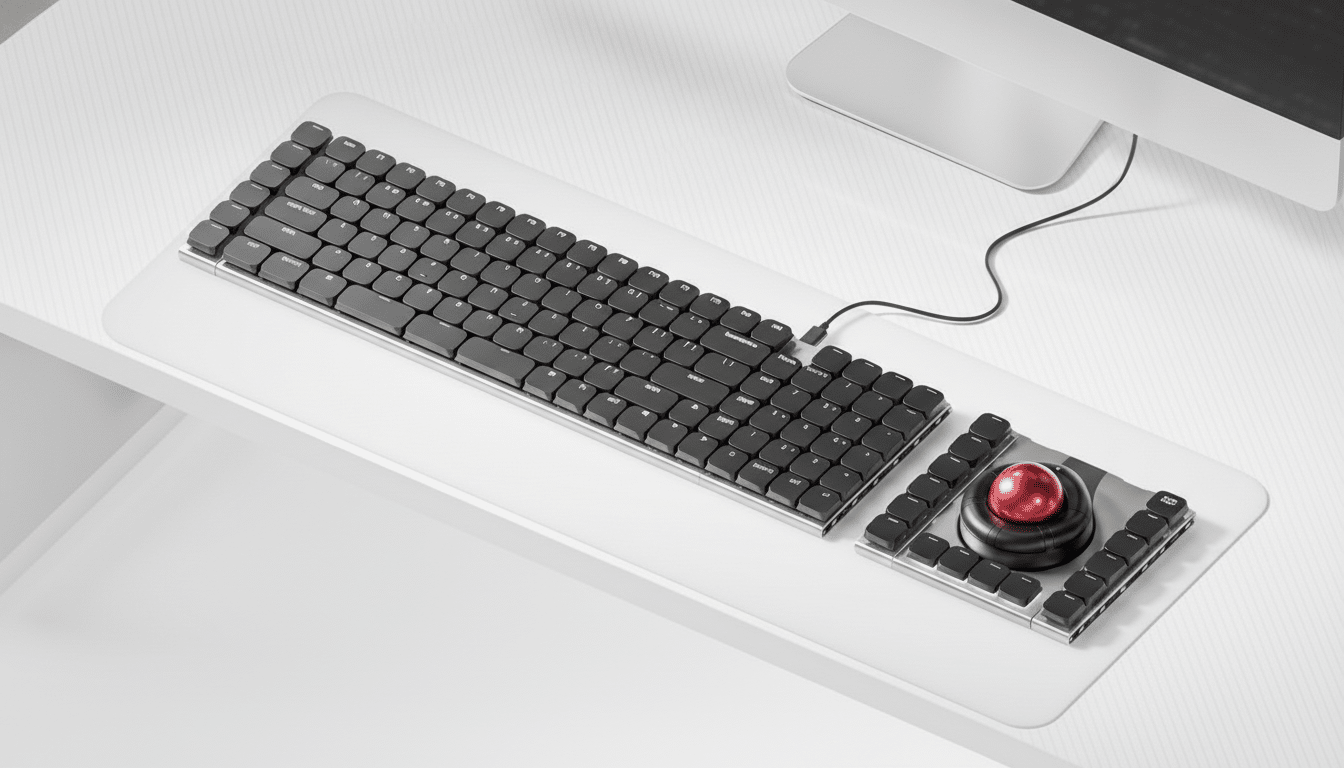
The Connect is built around a main QWERTY board that mates to add-on modules with firm magnetic snap connectors along both edges. You can mount a 24-key Multipad on the left for numbers and macros, stack a six-key strip on the right for shortcuts, or line both sides for an ultra-wide command deck. The entire system is designed to keep growing: it also hooks into Naya’s existing modules, including a trackball, a touchpad, a dial for precise tuning, and a “Float” module aimed at 3D and spatial input.
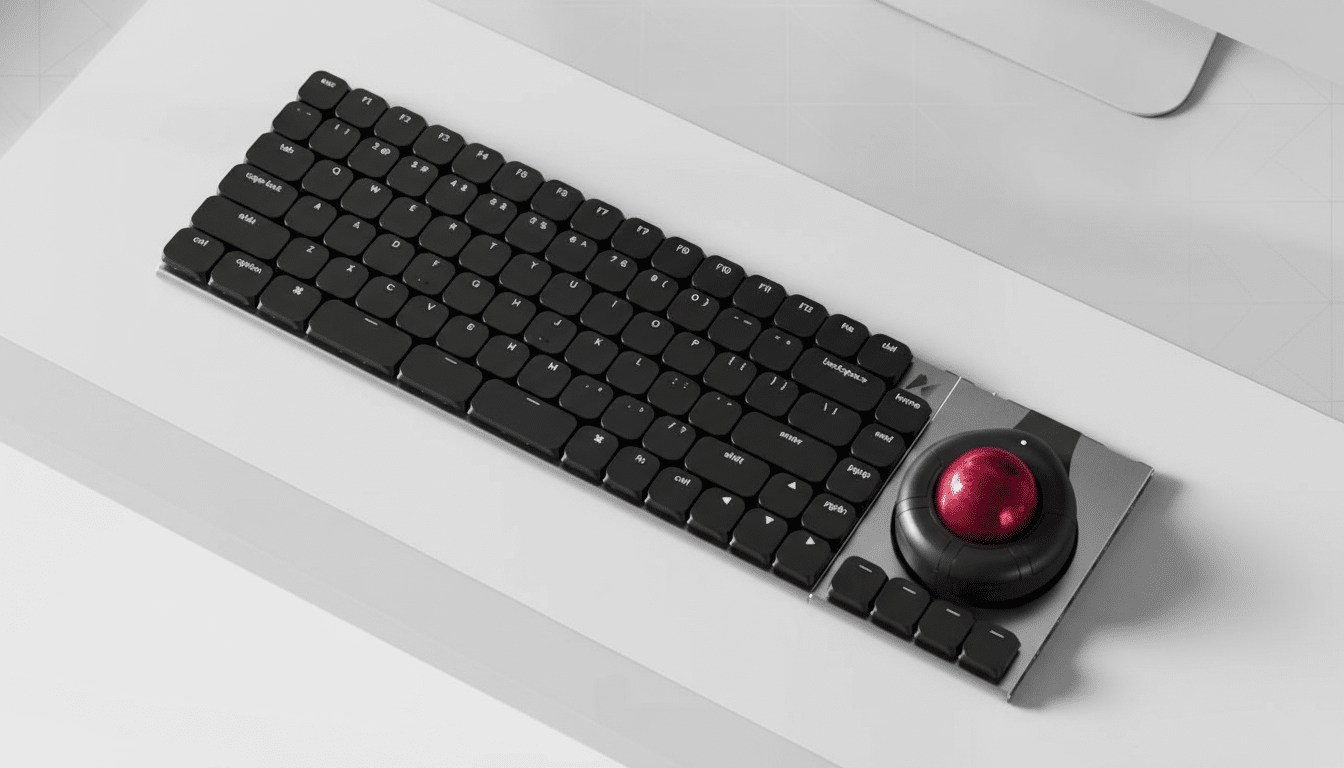
There’s an important constraint to understand. The keyboard lacks its own battery, so you’ll want one of the power-enabled modules—like the trackball or touchpad—to run it wirelessly. That design keeps the board thin and light, but it means the Connect is effectively the hub that relies on the modules for power and connectivity.
Pricing is aggressive for a modular platform: $99 for early backers with a planned $189 retail price. The Multipad is set at $69 and the six-key strip at $49, with modules sold individually. Naya previously funded its split keyboard through crowdfunding and later sold it directly, suggesting the company knows how to graduate a project from campaign to storefront—though, as with any crowdfunding, timelines can slip and configurations may evolve before shipping.
Hands-On Performance And Build Quality In Use
I first tried the Connect on the CES show floor and then lived with a pre-release unit in my home setup. It feels more like a purpose-built tool than a flashy, RGB bazooka. The aluminum unibody keeps flex at bay while staying notably lightweight. Keys are hot-swappable and use low-profile Kailh Choc V2 mechanical switches, which deliver a crisp, short throw with a satisfying tactile pop. Think laptop-speed without laptop mush.
The snappiness became obvious when I tested a coding session, a spreadsheet sprint, and a round of edits in Premiere Pro. The shallow travel rewards quick taps and resets cleanly, and the matte caps resist shine. While die-hard typists who crave long-travel thock may prefer taller switches, the Connect’s feel is tuned for speed, accuracy, and modularity rather than desk-shaking acoustics.
How It Rewired My Workflow Across Daily Tasks
The promise of a “never-ending” keyboard isn’t about having infinite keys—it’s about eliminating friction. I used the six-key strip as a modal bar: one set for window management, another for AI prompts, a third for mic mute and camera toggle during calls. The Multipad became my quick-launch and macro pad: code snippets on the left column, spreadsheet formulas in the center, and timeline navigation on the right. Swapping modules took seconds and didn’t require re-cabling the whole desk.
This matters because context switching remains a silent tax. The American Psychological Association has reported that task switching can sap performance by up to 40%, largely because our brains take time to reorient. By parking frequently used actions on dedicated keys—right where my hands land—the Connect shaved micro-delays all day. It’s the same logic behind control surfaces in audio studios: tactile, single-purpose controls reduce cognitive load.
Ergonomics also benefit from configurability. Research from human–computer interaction labs and ergonomics programs at institutions such as Microsoft Research and Cornell University has long emphasized reducing ulnar deviation and awkward reaches. The Connect’s detachable modules let you place frequently used controls closer to neutral positions, and pairing the keyboard with Naya’s pointing modules condenses mouse travel without sacrificing precision.
Who It’s For And What To Know Before Backing
Naya says the Connect targets coders, business users, and creators, and that checks out. If your day lives in terminals, spreadsheets, IDEs, DAWs, or timelines, the add-on real estate buys you speed. Office traditionalists will appreciate the understated design, while gamers will find it capable but not tuned for the maximalist RGB aesthetic.
Trade-offs include the reliance on power-enabled modules for wireless use and a typing feel that skews low-profile. If you’re coming from a high-profile, heavy mechanical board, this will feel different—faster, flatter, and more surgical. Crowdfunding adds the usual caveats, but Naya’s prior campaign-to-retail path is a reassuring data point.
Bottom Line: A Modular Keyboard That Adapts Daily
The Connect is the rare keyboard that doesn’t just ask for keycap swaps and firmware tinkering—it invites you to redesign the desk around your work. After a week, I wasn’t just typing; I was orchestrating. The ability to snap on the tools I need, exactly where I need them, made my workflow feel lighter, faster, and frankly more fun. If you’ve ever wished your keyboard could grow with your day, this one actually does.
