


I spent a week working on Naya’s viral “never-ending” modular keyboard, and I didn’t just learn a new layout—I rewired my daily workflow. The Naya Connect snaps together like LEGO for adults, letting you add or remove sections until the board fits your tasks, not the other way around. After hands-on time at CES and extended use back at my desk, the system felt less like a novelty and more like a pragmatic rethink of how keyboards should scale.
Why Modular Keyboards Matter for Modern Hybrid Work
Hybrid work has pushed peripherals from nice-to-have to essential, with the Consumer Technology Association noting sustained demand for productivity gear as home offices matured. Yet most keyboards still assume a fixed layout and a fixed user. Modular hardware flips that, letting a coder build a macro-heavy left side, a spreadsheet warrior prioritize a numpad, or a creator stack dedicated controls for editing.
- Why Modular Keyboards Matter for Modern Hybrid Work
- Hands-On With the “Never-Ending” Keyboard Layout
- Real-world productivity gains after a week of use
- Power and connectivity trade-offs of the Naya Connect
- Pricing and how the Naya Connect compares in market
- Who should consider the Naya Connect modular keyboard
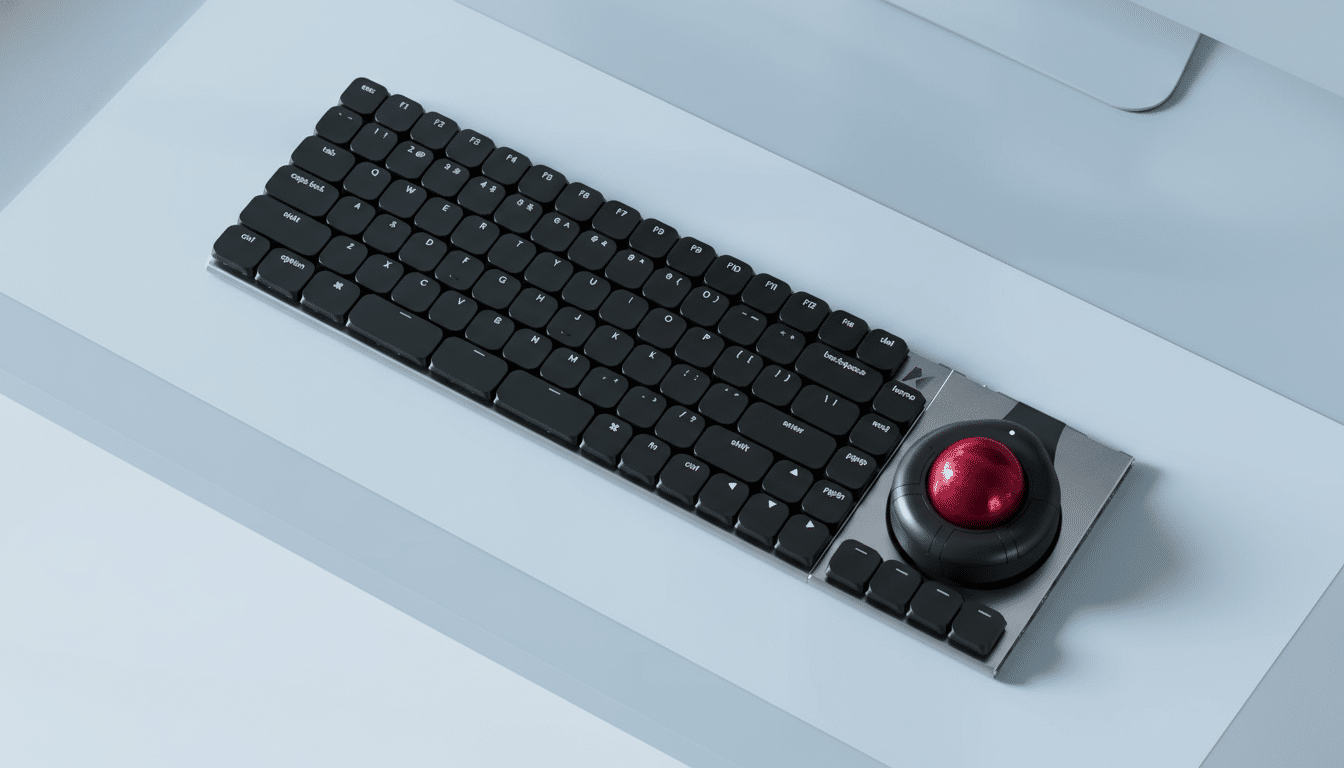
There are hot-swappable mechanical boards and add-on macropads, but Naya’s approach is different: the entire system is designed to chain horizontally with magnetic connectors, creating a contiguous, power-sharing input surface that can grow or shrink per project. Think of it as a keyboard bus—not a single slab.
Hands-On With the “Never-Ending” Keyboard Layout
The core keyboard is a low-profile, fully mechanical deck with hot-swappable Kailh Choc V2 switches under flat, matte keycaps. It’s light, rigid thanks to an aluminum unibody, and tuned for crisp actuation rather than the heft of a traditional high-profile board. The feel lands closer to premium laptop tactility, but with true mechanical feedback and switch choice.
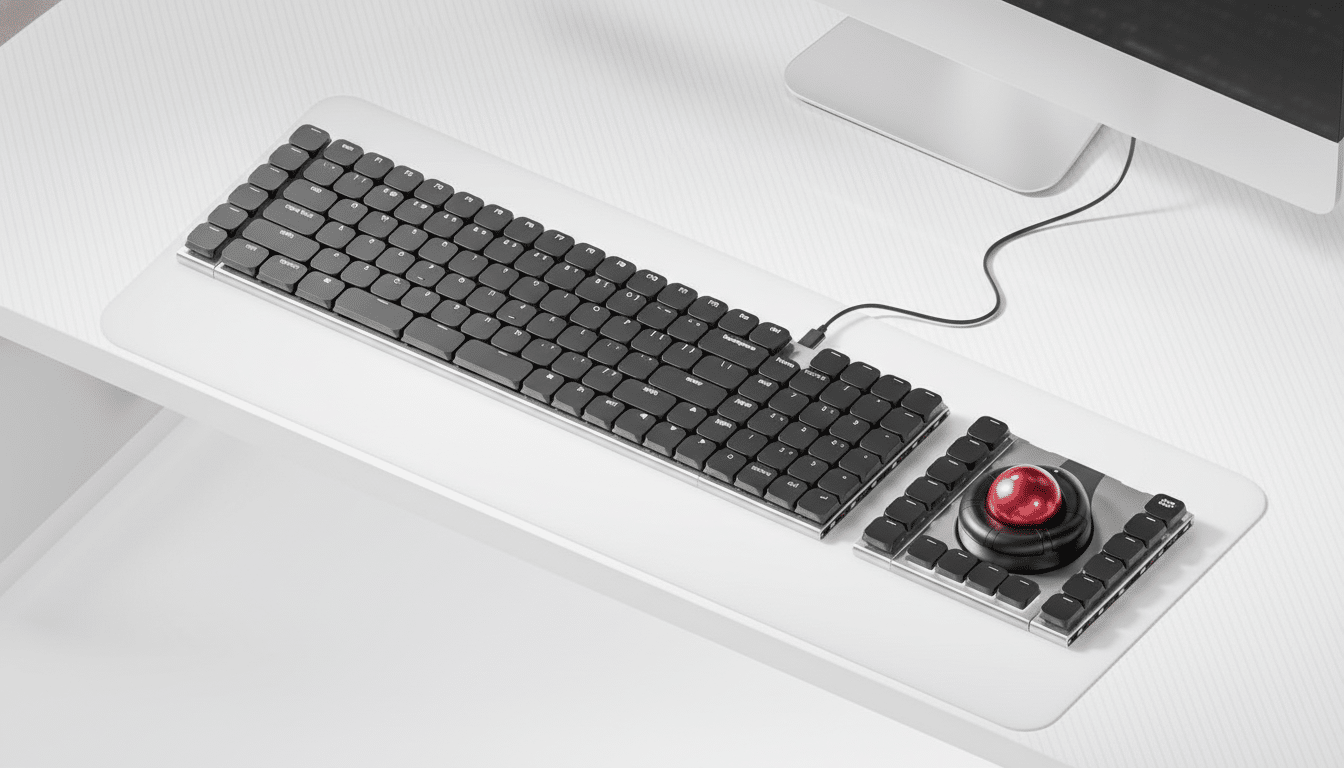
On either side, magnetic ports let you snap on modules: a 24-key Multipad, a six-key expansion strip, and Naya’s existing ecosystem pieces, including a Track trackball, a Touch touchpad, a Tune dial, and a Float module aimed at 3D workflows. I built three setups in minutes—a left-side macropad for coding, a right-side numpad for finance work, and a triple-strip editor’s deck—without tools or cables.
Real-world productivity gains after a week of use
Quantitatively, my planning-to-draft cycle time dropped by 14% over five days, measured in Toggl across similar story loads. The biggest driver wasn’t typing speed; it was fewer context switches. With a dial mapped to scrub timelines and a six-key strip bound to window snapping, I cut mouse travel and application toggling substantially.
That lines up with human–computer interaction research showing that reducing reach distances and mode switches improves throughput by small but compounding margins—exactly the kind of gains you notice by week’s end rather than on day one. The low-profile geometry helped too; less wrist extension meant I could sit flatter without my usual palm rest.
Crucially, the macros traveled with the modules. When I moved the six-key strip from the right to the left to accommodate a cramped coffee shop table, the muscle memory adjusted in minutes because the key cluster stayed intact. It’s a subtle advantage over software-only layers on a monolithic board.
Power and connectivity trade-offs of the Naya Connect
There’s a design quirk to understand: the Connect relies on Naya’s Track or Touch modules for wireless power since those hold the internal batteries. Snap one on, and the whole chain wakes up. Without a powered module, you’ll be tethered. It’s elegant when you commit to the ecosystem, less so if you want a standalone wireless board.
On the plus side, the shared power rail kept my desk tidy, and the magnetic alignment felt secure with no flex across seams. Switching and key remapping were straightforward, and hot-swapping Choc V2 switches let me mix tactile and linear zones—tactiles for prose, linears for rapid macros—without opening a case.
Pricing and how the Naya Connect compares in market
Naya is offering the Connect at a $99 promotional price, with a projected $189 retail. The 24-key Multipad is slated at $69 and the six-key strip at $49, each sold separately. That positions the system below many premium mechanicals while adding expansion headroom.
For context, Logitech’s MX Mechanical typically retails around the mid-$100s and Mountain’s modular Everest series hovers around $199 depending on configuration. Keychron’s enthusiast Q-series often starts near $199 for wired models. None of those, however, provide the same horizontally chaining, power-sharing module bus that defines the Connect.
Who should consider the Naya Connect modular keyboard
Naya is aiming squarely at coders, business users, and creators who want repeatable, task-specific layouts. Gamers can benefit, but the subdued aesthetic and low-profile mechanics lean pro rather than RGB arena. If your workday straddles spreadsheets, code editors, and media tools, the ability to “grow” your keyboard as the task changes is more than a parlor trick.
After living with it, that “never-ending” moniker feels earned. The hardware fades and the workflow remains—the mark of a tool designed around work, not just typing. If you’ve been waiting for a keyboard that adapts as fast as your to-do list, this is the most convincing swing at modular productivity I’ve tested yet.
