


If your calendar is a wall of back-to-back calls, there’s fresh relief: a lifetime plan for My Notes AI, an AI meeting assistant that records, transcribes, and auto-summarizes your meetings, is currently offered for $39.99, down from $299—an 86% cut. It’s positioned as a simple shortcut for people who are tired of spending their day in Zoom, Google Meet, or Microsoft Teams and still needing to write follow-up notes.
What This AI Shortcut Does for Your Meetings
My Notes AI joins a growing class of tools designed to sit in your calls, capture everything verbatim, and deliver a concise recap with action items. The service integrates directly with Zoom, Google Meet, and Microsoft Teams, so you can add it to a meeting without juggling uploads or copy-paste gymnastics. It promises unlimited transcriptions and AI summaries under the lifetime plan, and it supports uploads of audio from in-person sessions—handy for hybrid teams. Work can be filed into custom folders by project or date, making it easier to track decisions across a sprint or quarter.
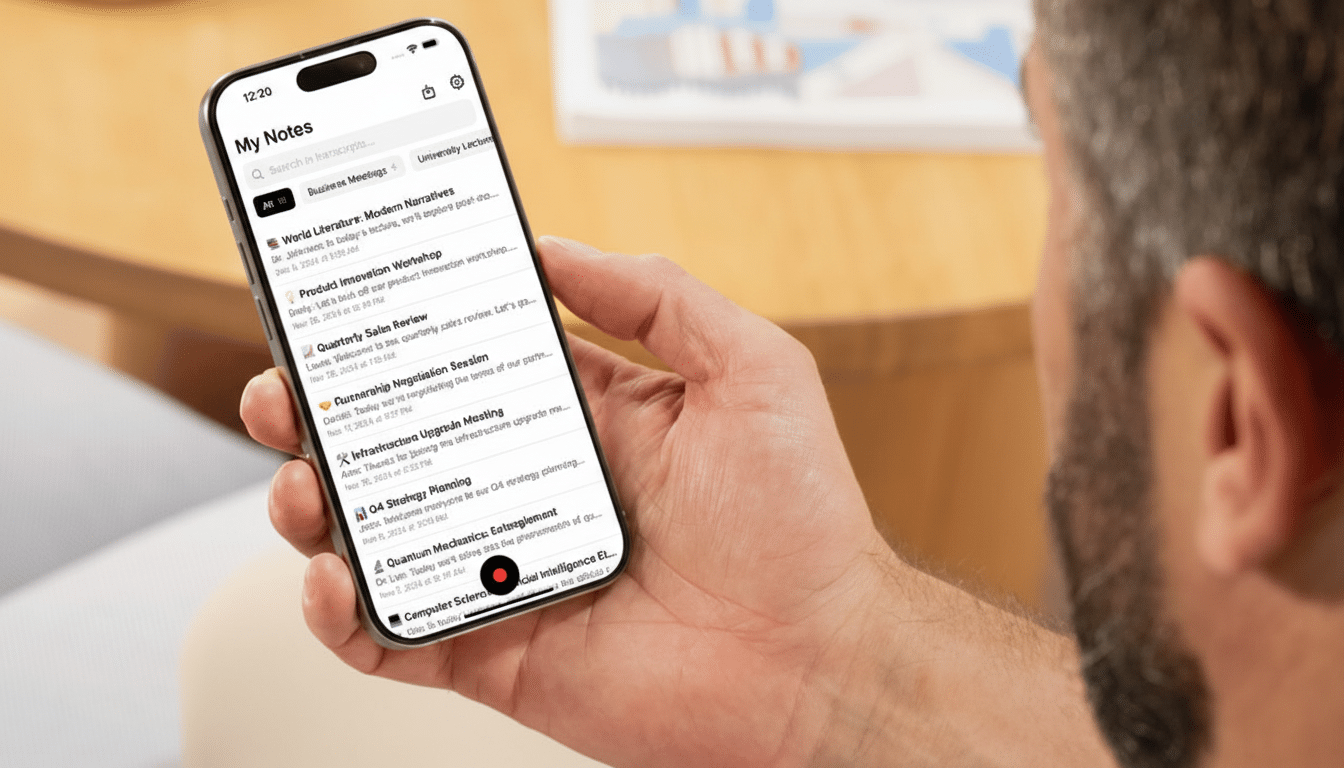
Under the hood, these assistants rely on modern speech-to-text engines and large language models to handle accents, technical jargon, and speaker changes, then compress the conversation into a readable digest. The best outputs don’t just rehash; they extract next steps, owners, deadlines, and unresolved questions so you can move work forward without rewatching an hour-long recording.
Why Meetings Need a Rethink in Modern Workflows
The timing isn’t a coincidence. A National Bureau of Economic Research study on pandemic-era work found that people attended roughly 13% more meetings while individual meetings got about 12% shorter—an exhausting trade that left many knowledge workers context-switching more than ever. Microsoft’s Work Trend Index has repeatedly flagged meeting overload as a top productivity drag, with employees reporting too little uninterrupted focus time and too many recurring calls with unclear purpose.
The financial cost is real, too. Doodle’s State of Meetings Report estimated that poorly organized meetings waste hundreds of billions of dollars annually in the US alone. AI-generated recaps and searchable transcripts don’t eliminate meetings, but they can reduce the number of attendees who must be present live, preserve institutional memory, and cut the time spent on manual note-taking—gains that compound over a quarter.
How It Fits Into Your Team’s Existing Stack
For most teams, the litmus test is simple: Will this tool play nicely with the platforms we already use? My Notes AI’s direct hooks into Zoom, Meet, and Teams check the biggest boxes. Once connected, a bot can join scheduled calls; after the meeting, the transcript and summary arrive automatically. You can then sort, tag, or export notes for project spaces, wikis, or ticketing tools. If you record in-person interviews or customer calls on your phone, you can upload the audio for the same treatment and keep everything in one archive.
In a crowded field that includes Otter, Fireflies, Fathom, Zoom AI Companion, and Microsoft Teams Intelligent Recap, the differentiators usually come down to transcription accuracy, speaker diarization, summary quality, and cost. A one-time lifetime price is attractive for small teams and freelancers who want predictable spend, especially compared with monthly per-seat plans.
Privacy and Policy Considerations for Recording
Recording meetings raises legitimate compliance questions. Before hitting record, confirm your jurisdiction’s consent requirements—several US states mandate that all parties agree to be recorded. Enterprises should review data handling: where transcripts are stored, retention periods, encryption in transit and at rest, admin controls, and whether the vendor supports standards such as SOC 2 Type II or GDPR-aligned practices. Look for features like PII redaction, domain-wide recording policies, SSO, and audit logs. Clear in-meeting disclosures and calendar invites that flag recording can help keep teams on the right side of policy and law.
Who Benefits Most From an AI Meeting Assistant
Managers juggling multiple workstreams, sales teams running discovery calls, product groups sifting through stakeholder feedback, researchers conducting interviews, and any distributed team working across time zones stand to gain the most. Instead of pulling everyone into a live call, a smaller group can meet and share an accurate recap widely. People who miss the meeting can scan key takeaways in minutes and search transcripts for specifics—no hunting through recording timelines.
The Bottom Line on This Lifetime AI Meetings Deal
AI meeting assistants have matured from novelty to necessity for overloaded calendars. With an 86% discount, My Notes AI’s lifetime plan is pitched squarely at professionals who want fewer interruptions and better documentation without ongoing fees. If you’re evaluating an AI shortcut for meetings, weigh integration, accuracy, governance, and total cost of ownership. Done right, the payoff isn’t just a tidy summary—it’s getting back hours of deep work every week.
