


MSI’s GeForce RTX 5090 Lightning Z is not a normal flagship. It’s a $5,090, liquid‑cooled monument to excess with a limited run of 1,300 numbered units, a hulking copper cold plate, an elaborate vertical mount, and a full-blown side-panel LCD. I powered it up, wrestled it into a showcase chassis, and walked away convinced: this thing is engineered for the 0.1% who treat a GPU like a hypercar, not a commuter.
What Makes the GeForce RTX 5090 Lightning Z Different
The Lightning Z takes Nvidia’s GB202-based RTX 5090 and stretches the envelope with an 800W default BIOS, a second BIOS lifting the power ceiling to 1,000W, and a twin 12VHPWR input arrangement designed to safely deliver well beyond the standard 600W per connector. There’s even an “XOC” mode that unlocks up to 2,500W for record attempts—at the cost of the warranty. This isn’t marketing fluff; it’s a hardware platform built with overclockers in mind, from a 40-phase power design to a thick, factory-installed liquid loop and radiator.
- What Makes the GeForce RTX 5090 Lightning Z Different
- Installation Realities and Power Demands
- What the Benchmarks Say About Lightning Z Performance
- Thermals, Acoustics, and the Lightning Z’s Integrated Screen
- Value Proposition and Alternatives to the Lightning Z
- Bottom Line: Who Should Buy MSI’s RTX 5090 Lightning Z
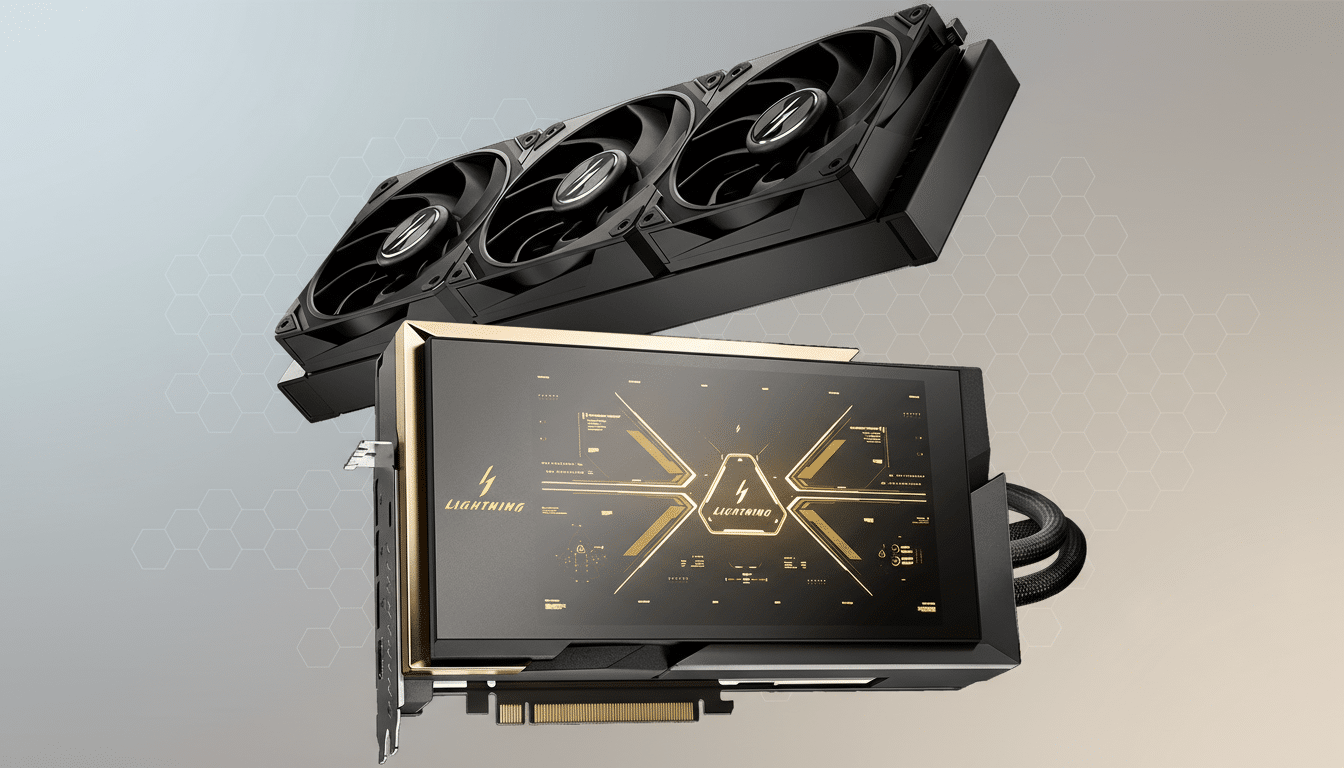
Then there’s the eight-inch, tough-coated LCD on the shroud. It isn’t piped internally; MSI routes it via a USB-C port on the GPU backplate and a USB Type-A connection to the motherboard. Once the USB display driver is installed and MSI’s software is configured, the screen behaves like a second monitor for telemetry, media, or whatever you drag onto it.
Installation Realities and Power Demands
Plan on a 1,500W to 1,600W 80 Plus-rated PSU with two native 12VHPWR leads if you intend to use the higher power mode and leave headroom for spiky transient loads. Cable seating and bend radius matter; engineering teardowns and industry reporting—including investigations by outlets like GamersNexus—have shown that poorly seated or kinked high-power connectors can overheat. The Lightning Z’s dual inputs reduce stress per plug, but careful routing remains non-negotiable.
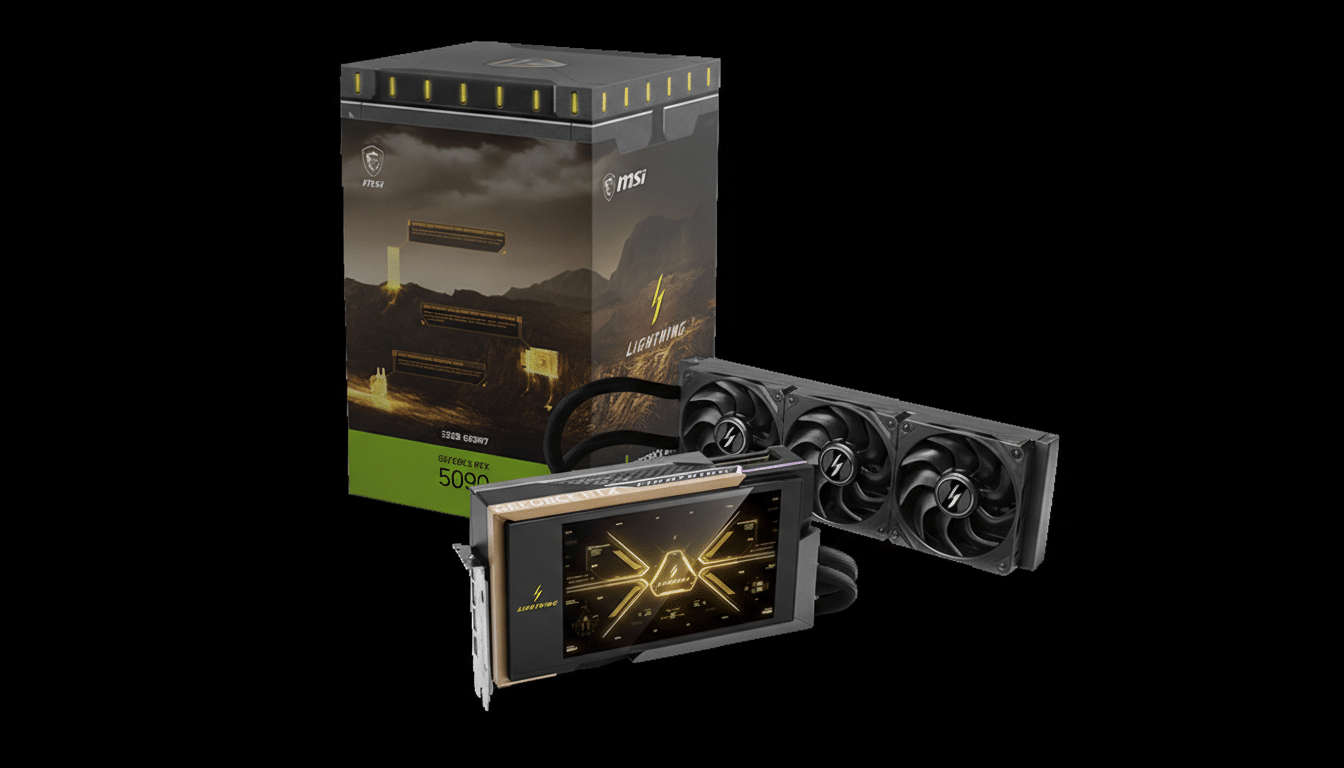
MSI ships an intricate vertical mount that turns your case into a stage. It’s a multi-rail assembly with a riser and lock levers, allowing millimeter-level alignment. The catch: it demands a chassis with full-height PCIe slot clearance and space for a 360mm-class radiator and hoses. Expect to rearrange case fans, route cables with intention, and budget time for trial fits. The card is heavy—think several pounds of copper and coolant—and the radiator location will dictate everything else in your build.
What the Benchmarks Say About Lightning Z Performance
Out of the box, the Lightning Z arrives factory overclocked. In synthetic testing using UL’s 3DMark suite, I saw gains in the 6% to 10% range compared with a stock RTX 5090 Founders Edition, with one subtest stretching to an 18% lead. In real games at 4K, uplift generally landed between 5% and 10%. At 1440p, results were mixed—often a hair faster, occasionally the same—echoing the CPU-bound ceiling that shows up when GPUs get this fast.
Flipping to the 1,000W BIOS didn’t move the needle in typical play. Monitoring live draw on the side display, power flirted with the mid‑800W range only in short spikes. Translation: the card isn’t power-limited at stock OC under normal conditions. To go meaningfully faster, you’ll need to tune with tools like MSI Afterburner, and even then GDDR7 memory headroom and silicon lottery realities mean you’re chasing a few extra % rather than night-and-day jumps.
Thermals, Acoustics, and the Lightning Z’s Integrated Screen
The appeal of this card isn’t only frames. The oversized cold plate, aggressive VRM design, and closed-loop cooling kept operating temperatures and fan speeds comfortably in check during extended 4K workloads, avoiding the sawtooth fan ramps common to air-cooled boards. The result is sustained boost behavior without the audible drama.
MSI’s software stack is split among Lightning Hub, Afterburner, and MSI Center. Once the USB display driver is added, the LCD becomes genuinely useful: system vitals, per-rail power, GPU and CPU temperatures, or a minimalist FPS overlay. Or go full spectacle—think live tickers, esports streams, or ambient videos bathed in RGB. It’s functional bling done right.
Value Proposition and Alternatives to the Lightning Z
At more than 2x the price of a standard RTX 5090, the Lightning Z doesn’t deliver 2x the performance. That’s the physics tax at the top of the curve. If you want near-5090-max performance per dollar, a conventional air‑cooled 5090 remains the rational buy. Even AMD’s Radeon RX 7900 XTX, while well behind at pure raster and ray tracing at 4K, undercuts this card so dramatically that you could outfit a complete high-end PC for the cost delta alone.
But rational isn’t the point here. Scarcity (1,300 units worldwide), collectible cachet, and the overclocker runway make this a showpiece. Also factor total cost: a high-watt PSU, a panoramic case, and possibly a top-bin CPU to avoid bottlenecks. That’s before you start chasing curated cables and custom lighting to make the LCD centerpiece sing.
Bottom Line: Who Should Buy MSI’s RTX 5090 Lightning Z
The RTX 5090 Lightning Z is a technical flex—part prototype, part product—and it behaves exactly like one. Expect roughly 5% to 10% more speed than a stock 5090, quieter sustained boosts, and build-defining visuals courtesy of the side display. If you’re an inveterate tweaker or a builder who wants the most outrageous GPU you can actually buy, this is the moment. For everyone else, the Founders Edition—or any well-executed AIB 5090—delivers the performance story without the five-grand epilogue.
