


Today’s the day to tweak your operating system just the way you like it with MacPilot. It’s on sale right now for 59% off.
The best Mac tweaking suite just got a huge price drop. MacPilot, the long-established customization and maintenance app from Koingo Software, is 59% off, at $39.99 instead of a $99 list price. If you’ve ever longed for more control over macOS without resorting to life in the Terminal, this deal grants you access to a professional-grade toolkit.
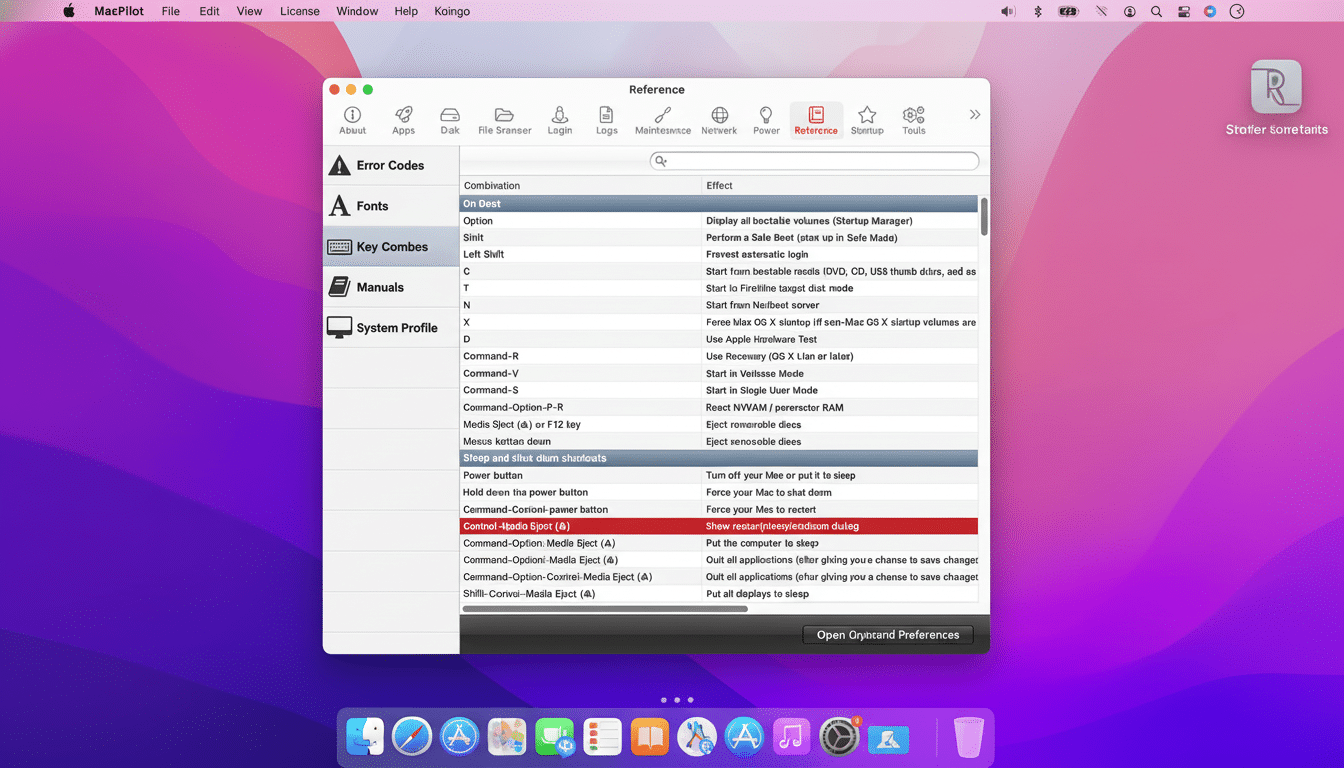
A visual front door to macOS commands you didn’t know existed
Apple strips an excessive amount of functionality behind command-line flags and property list edits. MacPilot exposes more than 1,200 of those options in a nice, checkbox-driven interface. Consider it a centralized control center for tweaks that would otherwise require memorizing defaults write commands or searching through obscure corners of System Preferences.
Practical examples are plentiful:
- Show hidden files in Finder
- Quiet the startup chime
- Add spacers and custom actions to the Dock
- Change screenshot formats
- Shorten interface animations
- Customize the login window
Most importantly, there are power-user utilities to purge caches, run maintenance scripts, check out sophisticated file attributes and permissions, or view open network ports (great for troubleshooting strange app behavior or a sluggish system).
What’s sold here is speed and safety. Instead of pasting Terminal snippets from internet forums, you flip features on and off, and undo the ones you change your mind about. Multiply that time savings by however many Macs you use and manage, and the benefit grows even more.
Why this MacPilot discount matters for many Mac users
Low-priced and with the added convenience of combining both customization and maintenance in one package, MacPilot ($39.99) does it all for less than many competing utility suites. Free tools such as OnyX and TinkerTool are fine for individual tasks, and Cocktail takes a polished maintenance focus, but MacPilot’s combination of scope (tweaks alongside diagnostics in an approachable UI) has placed it at the center of numerous IT and creative workflows.
It’s also coming at a time when Mac user bases continue to spread outside the creative core. StatCounter’s GlobalStats data shows macOS at around a fifth of the worldwide desktop market share, while regular reports from device management solution provider Jamf tell us enterprise use is climbing. As more and more Windows-first users make the transition, there is a lot of demand for a “Control Panel”-style experience that does away with any clunky macOS learning curve. This deal reduces much of the barrier to that kind of control.

Who will get the biggest deal and benefit from MacPilot
Power users and developers can benefit from easy access to system flags, file metadata, or OS configuration, while creatives can streamline their workflow by organizing interfaces and animations directly on the screen. If you’re involved in managing family machines or a small studio, the capability to batch-apply common tweaks across Macs can save hours over time.
Crucially, Windows switchers often lament that system preferences elsewhere have all kinds of granular controls. MacPilot helps close that gap with a convenient array of familiar knobs and switches—no shell commands need apply—letting you configure Finder, the Dock, Profiles, or system behavior in a way that matches your habits.
Compatibility and caution for using MacPilot on macOS
MacPilot is fully compatible with the most recent versions of macOS on Intel and Apple silicon hardware. As with anything that touches lower-level preferences, I have a few best practices:
- Make sure to have a Time Machine or similar backup before big rounds of changes.
- Introduce tweaks in small but meaningful steps.
- Document what you change.
Apple’s support guidance also notes that some hidden settings can impact stability or app behavior, so if something goes awry you should be able to revert changes made in MacPilot, or restore from backup.
Keep in mind, too, that these flags are subject to being reset or overridden by major macOS updates in particular. Now here’s where some people might think there’s a flaw in Apple’s timekeeping app, but it isn’t really—the same bit of getting-used-to-it you need to adjust for with something as important as system updates. Post-update, a brief visit to MacPilot to reset everything how you like it again takes minutes.
Bottom line on the MacPilot discount and key takeaways
That’s a killer deal for any users who want more control over macOS without having to learn their way around the Terminal. It’s 59% off, bringing a platter of visual tweaks, system utilities, and diagnostic helpers down to a bargain purchase. The offer is available from StackSocial for $39.99, and for a lot of Mac owners, the fall in time spent and increase in polish will recoup those costs quickly enough.
