


A new utility called MacMagic is drawing attention for surfacing powerful macOS options that Apple keeps tucked away. The software, available now with a lifetime upgrades license for $29.99, corrals a mix of pro-level tweaks and everyday workflow boosters into a single pane—no Terminal commands, arcane shortcuts, or deep system digging required.
For Mac users who know there’s more under the hood but don’t want to spelunk through preferences or risk copy-pasting commands, this is a notable development. It bundles tools that typically require multiple apps or manual methods and presents them with plain-language switches and one-click actions.
What This Tool Actually Unlocks on macOS
MacMagic highlights features many users never realize exist. It can batch convert images across more than 100 formats, scale and rotate them in one pass, and strip or preserve metadata as needed. Creators juggling screenshots, RAW photos, and social-ready assets will appreciate the speed-up.
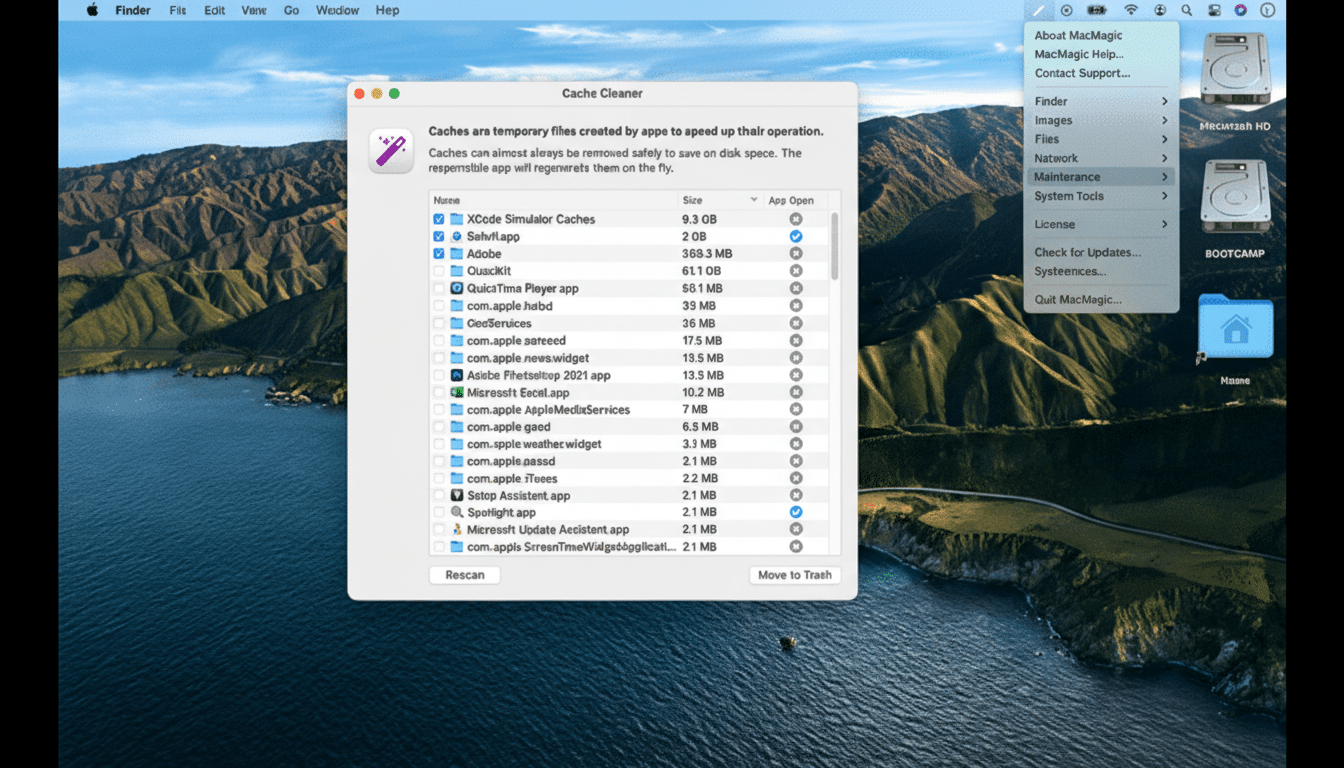
It also exposes system-level options that Apple leaves hidden by default: show or hide desktop icons, toggle visibility of hidden files, make specific folders invisible, and wipe recent app histories. There’s a force-delete function for stubborn files, batch renaming for orderly archives, one-click file locking, quick PDF combining and compression, and even QR code creation without opening a browser.
Storage hygiene gets attention, too. MacMagic can surface and delete large caches and logs that quietly accumulate over time. Anyone who has watched Xcode’s derived data balloon—or seen browser caches creep into multi-gigabyte territory—knows how quickly disk space can evaporate. Apple’s own developer forums are filled with threads recommending periodic cleanups; this wraps those tasks into straightforward buttons.
Why Power Users Care About These Mac Enhancements
Many of these capabilities live behind Terminal commands like toggling Finder’s hidden-file view or altering desktop behavior. Veterans may prefer the command line, but for teams and less technical users, a consistent, reversible UI is safer. It also reduces context switching: instead of bouncing between Automator, Shortcuts, Preview, and Finder preferences, you can complete entire workflows in one place.
Consider a quick scenario: a photographer needs to downscale 300 images, convert them to WebP, and remove location data before handing them off. Or a researcher compresses multi-chapter PDFs and renames hundreds of files to a coherent scheme. Those are five-minute jobs with the right batch tools—versus an hour of manual steps. Time saved compounds in busy environments.

Privacy and Safety Considerations for Using MacMagic
Clearing app histories and caches can reduce digital footprints and free space, but restraint matters. Caches often speed up apps; aggressive purging may temporarily slow relaunches. As a rule, back up with Time Machine before large cleanups and confirm what’s being deleted. Apple Support materials routinely advise caution with system files for a reason.
Metadata is another area to handle thoughtfully. Location tags in photos can inadvertently disclose sensitive details. Organizations like the Electronic Frontier Foundation have long warned about metadata exposure; having a convenient way to view and remove it is valuable—as long as teams adopt clear policies about when to strip or retain it.
Price and Availability for the Lifetime License Deal
The current offer is a lifetime upgrades license for $29.99, listed against a regular price of $99.99. It’s offered via a third-party storefront known for software bundles and one-time deals, and, as with most promotions, pricing can change. In a market tilted heavily toward subscriptions, a pay-once option will appeal to students, freelancers, and IT shops looking to control recurring costs.
How It Compares to Popular Mac Utility Alternatives
Mac users have long leaned on utilities like OnyX from Titanium Software for system maintenance and hidden settings, and on TinkerTool for exposing Apple’s buried UI preferences. CleanMyMac X from MacPaw offers comprehensive cleaning, monitoring, and malware scanning with a polished subscription model. MacMagic’s differentiator is breadth across practical, everyday jobs—batch conversions, PDF assembly, QR codes—while bundling the most requested hidden toggles in a friendlier shell.
It doesn’t replace full diagnostic suites or specialized developer tools, but it does collapse a surprising number of high-value actions into a single utility. For many, that convenience is the point.
Bottom Line: Who Should Consider This $30 Utility
MacMagic’s pitch is simple and timely: unlock the useful stuff Apple hides, speed up repetitive work, and do it without memorizing commands. If you routinely wrangle images, PDFs, or large file sets—or if you’ve been meaning to clean caches without risking system stability—this $30 lifetime license is an easy win. Just apply standard best practices: back up first, review what you’re toggling, and keep workflows transparent for your team.
