


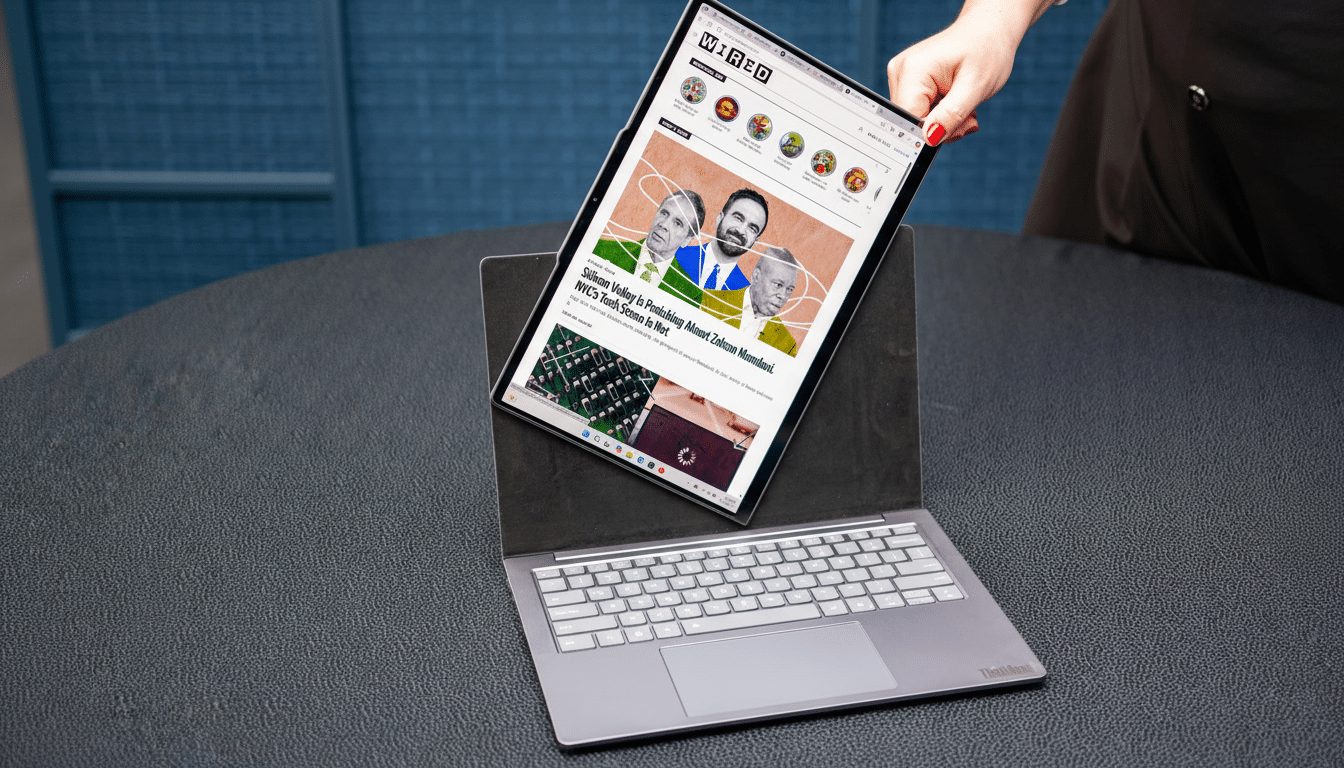
I went hands-on with Lenovo’s ThinkBook VertiFlex at IFA, and the rotating display didn’t just look clever—it changed how the laptop felt in use. Twist the screen with a gentle nudge and it flips between landscape and portrait, with Windows reorienting instantly. It’s the kind of interaction that feels obvious the moment you try it, yet radically different from any clamshell I’ve used.
A simple twist, surprisingly complex engineering
Lenovo’s mechanism lets the panel swivel while the base stays planted, so the keyboard and trackpad never budge. There are no toggles or modes to hunt for; you physically rotate the display, and internal sensors handle the rest. Up close, you can spot a custom hinge spine and a layered backing between the panel and the lid, which likely routes power and video through a rotary joint while keeping flex cables protected under repeated twists.
- A simple twist, surprisingly complex engineering
- Why portrait mode on a laptop actually matters
- Design: restrained outside, experimental inside
- Software polish and the app reality check
- How it compares to Lenovo’s wilder concepts
- Specs, pricing, and what still needs answers
- Bottom line: a small motion with big impact
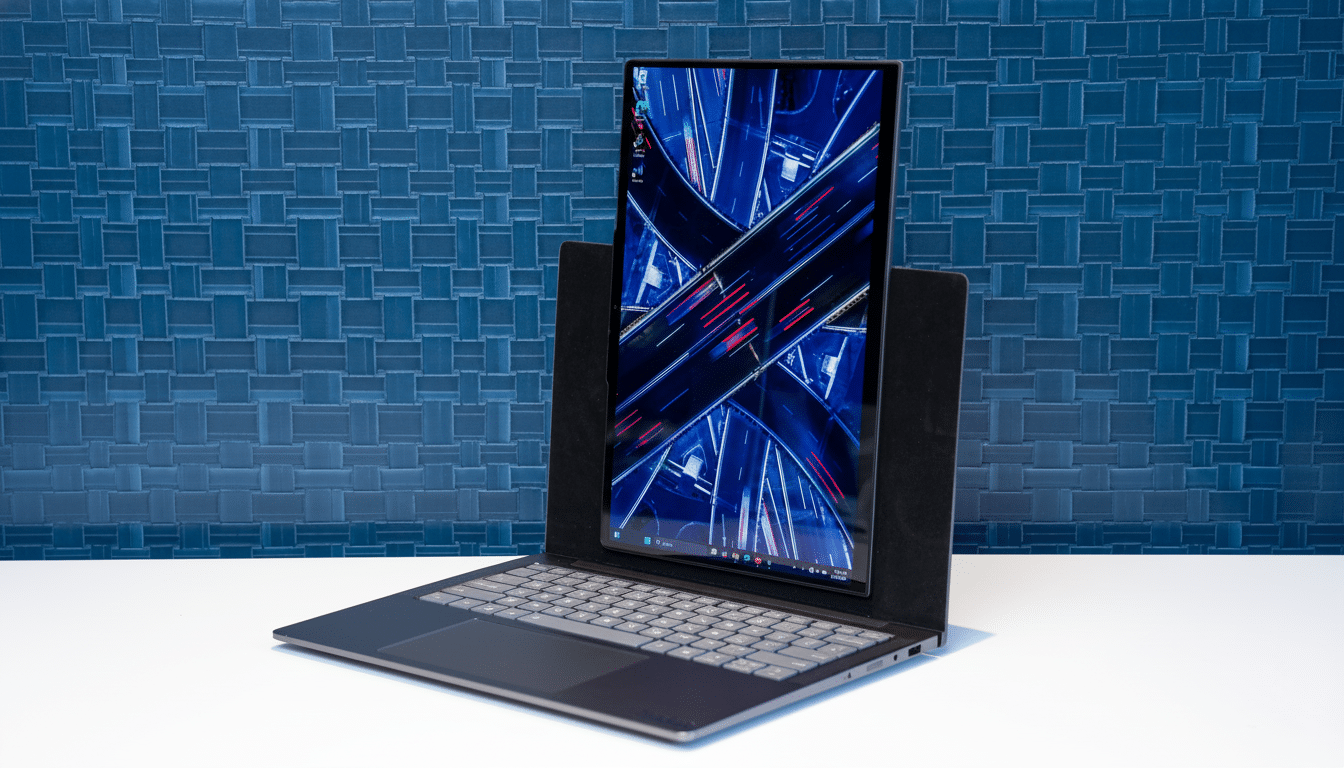
The pre-production unit I tested felt tight and well-damped—no wobble, no creaks. Lenovo reps wouldn’t detail the exact hinge architecture, but the precision suggests metal-on-metal detents and Hall-effect sensing to register position. That matters for longevity, because consumer laptops endure thousands of open-close cycles; a rotating assembly adds another durability axis the engineers have to win.
Why portrait mode on a laptop actually matters
If you’ve ever swung an external monitor into portrait for coding, writing, or reading, you already know the appeal. On a 14-inch 16:10 panel, rotating to portrait can surface roughly 50–70% more vertical content compared to a typical 14-inch 16:9 setup, depending on app chrome and scaling. In practice, I could view full pages in a document editor, longer threads in a messaging app, and tall dashboards without constant scrolling.
For developers, the payoff is immediate: more lines of code visible before a compile or diff. For researchers and students, journal PDFs fit comfortably without shrinking text into oblivion. Usability specialists at organizations like Nielsen Norman Group have long noted that reduced scrolling can help comprehension and task flow; this hardware makes that benefit native, not an external-monitor hack.
Design: restrained outside, experimental inside
Closed, the VertiFlex reads like a tasteful ThinkBook: thin-and-light, around three pounds, roughly seven-tenths of an inch at its thickest point. Open it, and the trick reveals itself as the screen arcs onto a short standoff, then rests flush in portrait against the back of the clamshell. The sample unit had a textile-like layer behind the panel—a bold choice. It adds grip and visual warmth, though I do wonder about long-term wear and oil absorption. Anodized aluminum would be tougher; a composite could split the difference. That’s the point of a concept: test the trade-offs in public.
Despite the moving parts, the base stays rigid when typing, and the trackpad’s palm rejection behaved the same in either orientation. I appreciated that the hinge holds the angle against taps, which matters if you annotate or sketch at the top edge in portrait.
Software polish and the app reality check
Windows handled rotation instantly, and Snap Layouts adapted smartly: tall thirds in portrait, familiar grids in landscape. Most productivity apps respected the change, though a few legacy utilities didn’t love the aspect ratio and popped odd dialog placements. That’s not on Lenovo alone; app makers still optimize primarily for horizontal layouts. The good news is that browsers, Office suites, code editors, and modern chat apps already shine in vertical space.
Color and brightness on the demo panel looked consistent at off-angles, with no visible tearing during rotation. Lenovo didn’t share calibration targets, but for creative work I’d want factory sRGB or P3 profiles and a 400–500 nit ceiling to preserve usability under bright lighting.
How it compares to Lenovo’s wilder concepts
Lenovo’s rollable prototype stole headlines with a display that extended to near 17 inches, but it came with audible motors, moving bezels, and a clearly premium price tier. The VertiFlex feels more grounded: no motors, fewer failure points, and the ergonomics of a familiar clamshell. If the rollable was spectacle, this is utility. Industry analysts at IDC have noted that premium convertibles and niche form factors are where PC makers can still command margins; a refined rotating display fits that thesis without straying into sci‑fi territory.
Specs, pricing, and what still needs answers
As shown, the VertiFlex is a proof of concept, so Lenovo is keeping hard specs and pricing under wraps. Thermal design will be key—rotating assemblies can limit radiant area on the lid—and so will cable life within the swivel. I’d expect modern Intel or AMD silicon, Wi‑Fi 7, and at least two USB‑C ports with DisplayPort, plus a hinge that resists torque creep well past standard MIL‑STD lifecycle targets. Battery life is another open question; portrait workflows encourage screen‑on time, and higher vertical resolutions can nudge power draw upward.
Bottom line: a small motion with big impact
The VertiFlex doesn’t try to reinvent the PC. It takes one habit—turning a tablet or external monitor vertical—and puts it inside a laptop that still behaves like a laptop. After an afternoon of writing, coding, and reading in portrait, flipping back to a standard clamshell felt cramped. If Lenovo can deliver durability, color-accurate panels, and sane pricing, this rotating display could be the rare concept that graduates to a feature people actually use every day.
