


I test a lot of Linux distributions, and every so often one ships a feature that feels both obvious and genuinely clever. The latest is iDeal OS, a Debian lineage desktop that bakes in a systemwide DNS switcher. It turns an often-ignored security control into a one-click decision, and the result is one of the smartest safety features I have seen on any consumer Linux desktop.
What Makes iDeal OS’s DNS Switcher Truly Different
DNS is the phone book of the internet, and attackers exploit it by hijacking lookups, steering users to phishing pages, or quietly tracking traffic. Most people leave DNS to their ISP or tweak it per browser. iDeal OS treats DNS as a first-class security setting at the operating system level and puts it behind a simple switch.
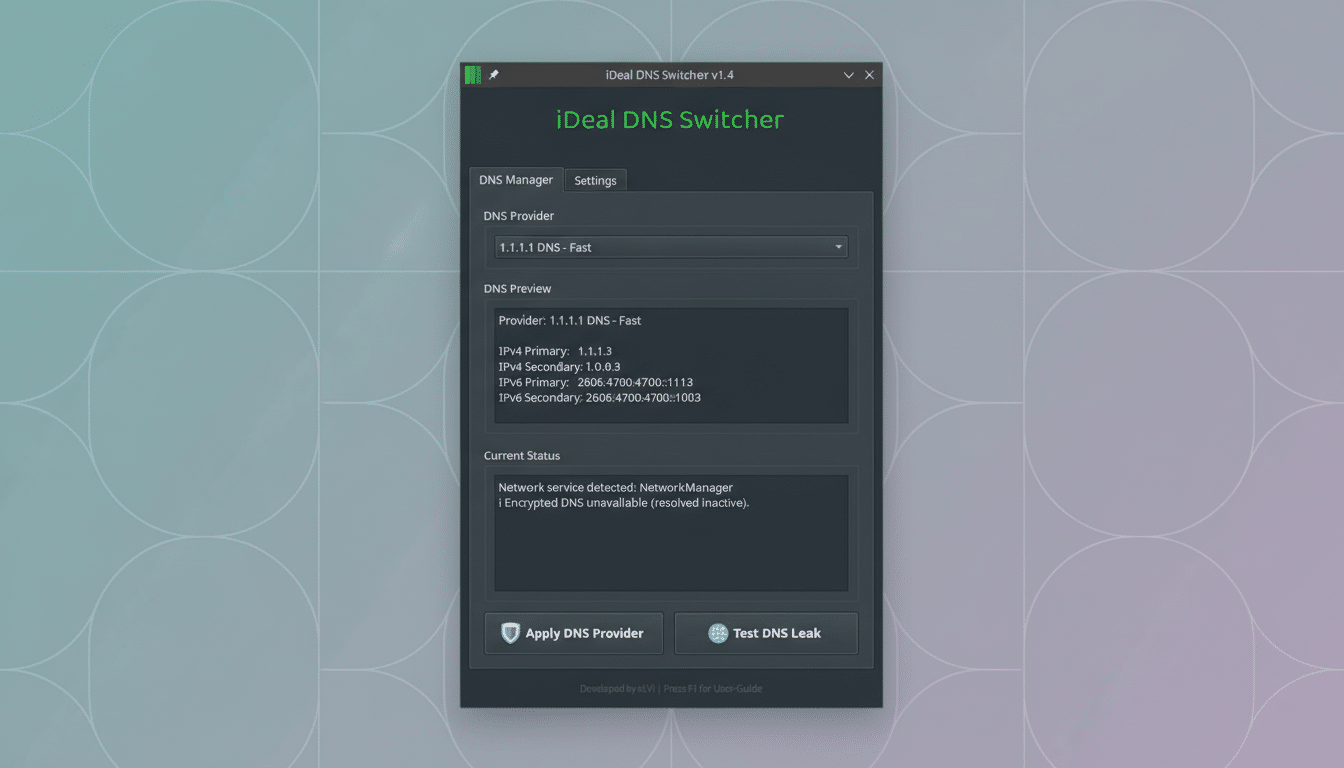
The iDeal DNS Switcher presents a curated list of 16 reputable providers chosen for privacy policies, DNSSEC validation, and malware-blocking options. Think names like:
- Quad9 for threat blocking
- Cloudflare for privacy by design
- Google Public DNS for scale and reliability
- CleanBrowsing for family-focused filters
All included resolvers are free, and the OS handles the plumbing so changes apply to every app, not just the browser.
That matters for real risk reduction. The Anti-Phishing Working Group has reported more than a million phishing attacks in several recent quarters, and DNS filtering is a proven way to stop known bad domains earlier in the kill chain. European cybersecurity guidance from ENISA also recommends DNS-based defenses as a lightweight control that scales without user friction.
How the iDeal OS DNS Switcher Works Systemwide
Open the menu, head to System, and launch iDeal DNS Switcher. Pick a provider from the dropdown and apply. In seconds, the system updates your resolver configuration and propagates it across the network stack, so every application inherits the new setting.
There is also a built-in DNS leak test. One click checks whether your traffic is quietly falling back to the ISP or another unintended resolver. It is a small touch that saves a trip to a website and verifies the change actually took effect, especially useful on captive portals or restrictive networks.
For newcomers, this is safer than editing resolv.conf or wrestling with NetworkManager profiles. For power users, it means fast context switches between a privacy-focused resolver on public Wi‑Fi, a malware-blocking option for family machines, or a low-latency provider for gaming nights.
Why Your DNS Choice Matters for Security and Privacy
Threat-intelligence-backed resolvers can block domains used for phishing, malware command-and-control, and typosquatting. Research from Cisco and other security vendors has long shown that DNS sits at multiple stages of the attack lifecycle, making it a high-leverage control that catches misuse early.
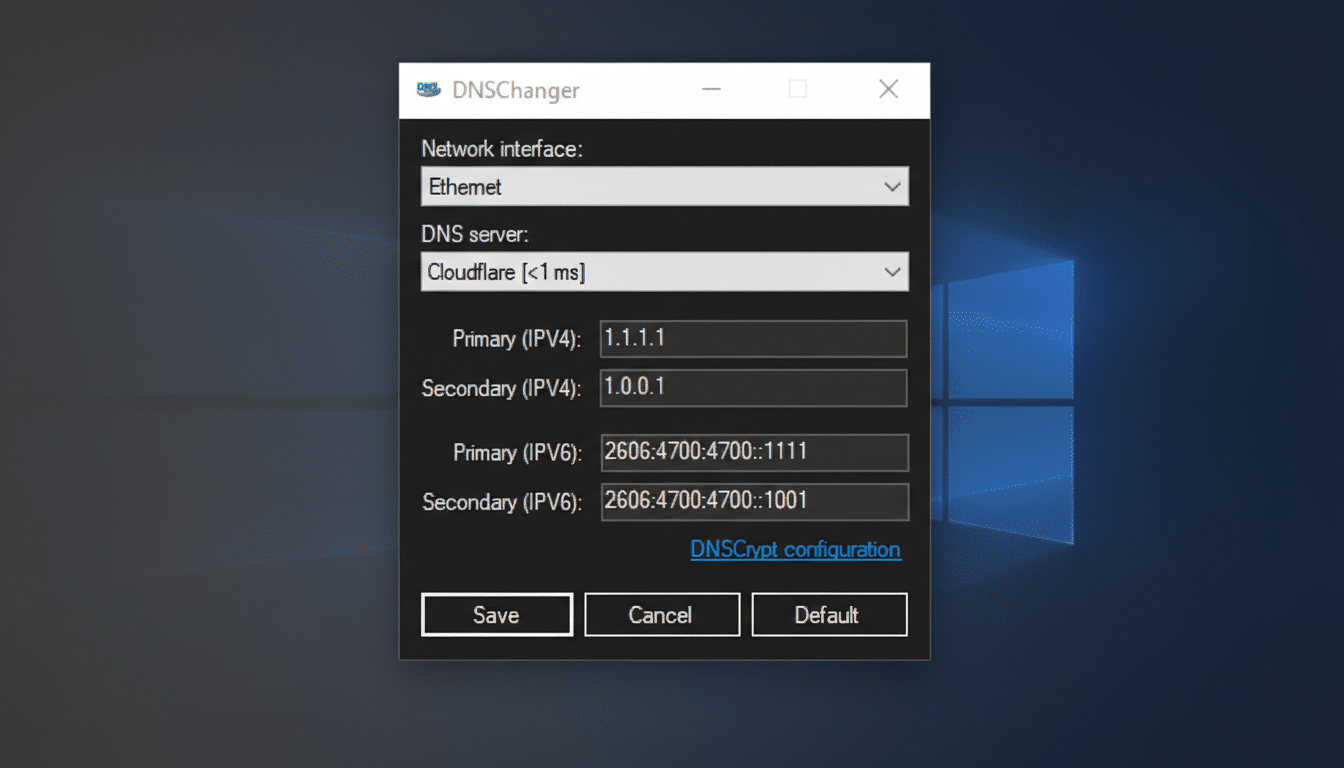
Privacy is the other pillar. Some resolvers minimize logs, support DNSSEC validation, and offer encrypted transports like DNS over HTTPS or DNS over TLS when configured. While iDeal’s switcher focuses on selecting trustworthy endpoints, choosing providers with strict data retention and strong encryption support reduces passive monitoring exposure. Organizations like the Electronic Frontier Foundation have consistently urged users to prefer resolvers with transparent privacy commitments.
None of this replaces endpoint hygiene. A DNS blocklist will not stop a zero-day exploit, and encryption alone will not defeat social engineering. But as ENISA and CISA guidance emphasize, layered controls reduce overall incident probability, and DNS policy is a low-cost layer with high coverage.
A Complete, Polished Desktop Experience Around It
iDeal OS is built on MX Linux, which inherits Debian Trixie foundations, and ships KDE Plasma 6 for a polished, responsive desktop. It follows a rolling release cadence, so security patches and applications arrive continuously rather than in big point jumps.
The default install is generous. You get:
- LibreOffice
- GIMP
- Firefox
- Betterbird for email
- VLC
- PDF Arranger
- KeePassXC
- The full suite of MX Tools
Yakuake provides a fast drop-down terminal, and a tasteful Conky widget surfaces CPU, memory, and time at a glance. KDE Discover is included for graphical package management, and enabling Flatpak support is a few clicks in Discover’s settings if you want Flathub’s catalog.
Themes are sensible out of the box with dark and light variants tailored for iDeal OS, plus the broader KDE catalog a click away. In short, there is little you must change to get productive immediately.
Who Should Consider iDeal OS and Its DNS Switcher
If you work remotely, hop between coffee shops, or manage a family PC, the one-click resolver control is a practical win. Small businesses that lack centralized DNS policies can also benefit from the curated options without deploying new infrastructure. Security-minded tinkerers will appreciate the speed of switching contexts while keeping the rest of the desktop clean and stable.
Bottom Line: A Smart, Safer Default for Linux Users
Plenty of distros tout security, but iDeal OS earns it with a thoughtful, high-impact feature that normalizes a decision most users never make. The DNS switcher turns best practice into muscle memory. Combined with a modern KDE experience and a complete app lineup, it is an easy recommendation for anyone who wants stronger privacy and safer defaults without extra work.
