


Google News has audio briefings that can be played right from the site or app — so you can hear a summary of top stories instead of reading them.
The feature adds a standalone Listen tab with polished playback and source transparency, marking a substantial move into hands-free news listening from within the News app itself.
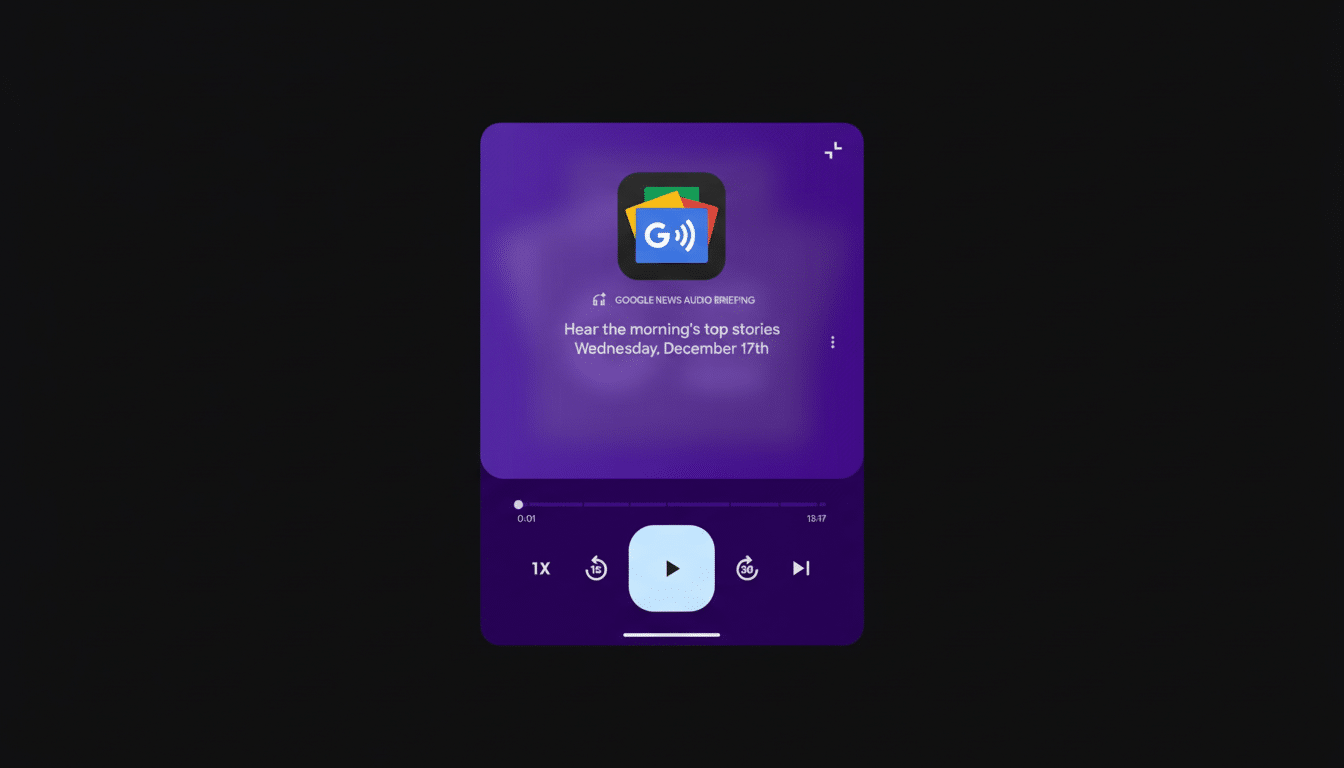
What You Get: A Look at the New Listen Tab in News
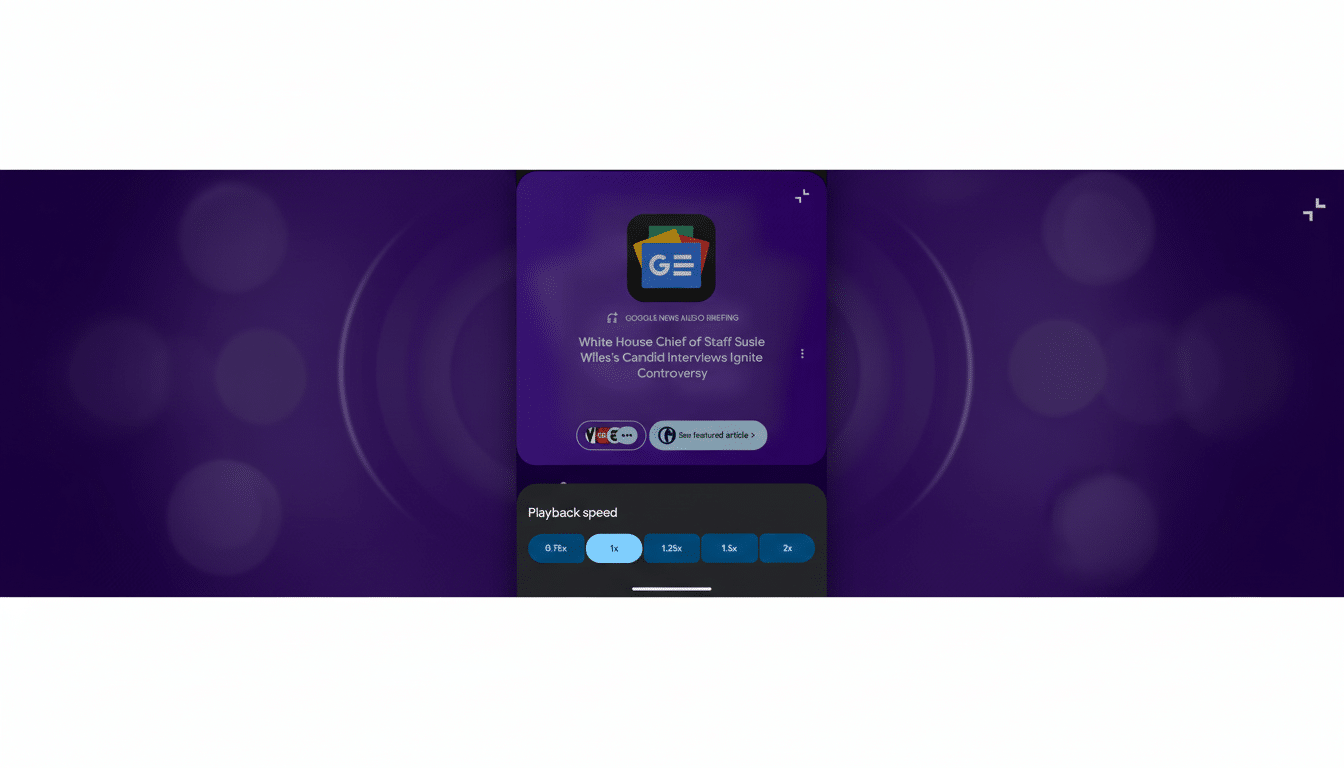
Tap the new Listen tab and you’ll find a “Google News Audio Briefing” with a friendly media player interface. It includes controls for playing (and pausing), skipping forward by 30 seconds and backward by 15, along with variable speeds for playback at 0.75x up to double speed to catch up or listen more intently.
Every segment has clear attribution to the original outlet, and you can open a full article if you want to go deeper. That last bit is key: It pitches the briefing as a discovery layer, not a destination, potentially driving more traffic back to publishers and contextualizing newsy snippets that listeners need to know.
It’s not a cut-to-the-bone text-to-voice switch stuffed below headlines. The design is audio-first, so you can queue up the latest news while commuting, working out, or taking a screen break.
Availability and how to turn it on in Google News
Audio briefings are being released in select areas at first, though for now their availability is linked to your News app settings. If you’re not already seeing the Listen tab, changing your “Languages & regions of interest” preference to United States through News settings can make it pop up. You can access these settings when signed in to your profile inside the app.
There hasn’t been a full global timeline published by Google, but the plan is to have this be an iterative rollout that grows with feedback and performance. Look for gradual region support rather than a blanket switch-on.
Why audio briefings matter for modern news audiences
Audio has increasingly been the news delivery method of choice for those looking for an update while multitasking. The Reuters Institute has tracked continued growth in news listening on the go, while Edison Research’s long-running audio research series has seen sturdy increases in spoken word and podcast consumption over recent years. In summary, eyeballs are turning towards ears.
Google’s move is part of a larger trend in the industry. The Apple News+ app has narrated stories, Amazon’s Alexa provides daily news updates, and major publishers — from NPR to The New York Times — have trained people to listen regularly with snack-size morning briefings. By embedding audio directly within Google News, the company also lowers the number of steps in a bouncing-around-between-apps process to get quick updates.
It also enhances accessibility. Variable speeds and intuitive controls could help people of different ages, literacy levels, and cognitive abilities access coverage, while clearer source labels might offer a counterstrike to the opacity engendered in this era of churn by AI-generated summaries or repackaged headlines that can obscure origins.
How this fits Google’s product strategy for news
Google has been gradually reimagining how people discover and consume news on its platforms. Both Search and Gemini have introduced summaries and more conversational experiences, for example, as the company has been winding down Google Podcasts in order to bring listening there into YouTube Music. Years ago, Google tried out “Your News Update” in Assistant, an early indicator that a tier of the company’s playbook would include curated audio news.
Audio briefings in Google News tie these threads together: AI-led curation, features already well liked by media companies, and a single home for listening that can send avid listeners back to publishers with a click.
What it means for publishers and their audiences
For newsrooms, the upside is possible reach and referral traffic from a high-frequency touchpoint. Source callouts and direct links to the articles make it clear who’s providing value, something at the crux of the industry debate about how summaries and synthetic voices affect attribution and monetization. The model is something like the contemporary “headline radio,” in which short bursts lead to deeper reading.
Some of the questions ahead include how briefings are prioritized, whether personalization leans toward local or topic-based diversity, and what role ads or sponsorships could play in the stream. Publishers will be looking for signs on things like click-through rates, session length, and audience retention — metrics that could prove whether audio briefings become a lasting distribution channel.
The bottom line on Google News audio briefings
Google News’ new audio briefings elevate the app into a credible, adroit companion for morning updates on what you need to know. With an easy-to-browse Listen tab, news stories at a glance, and the option to resume playing, the feature is convenient for times when it may be less suitable to read: on road trips, during exercise, or between panels at a conference. It also reflects how many listeners like to stay updated on news — on the go and without having free hands. It’s the broader availability test that matters, but this groundwork illustrates that Google is serious about making audio an integral component of its news experience.
