


Google Messages has evolved into a neat and tidy texting app on Android, even if it still feels a little bit unfinished — but that composure shatters the second you open up your computer or tablet. Users are complaining more and more loudly about an enduring parity gap: The web and large-screen desktop versions sit far behind the phone app in features, reliability and design fit. For a product that serves as the RCS anchor for more than a billion people, the gap is no longer justifiable.
The real problem isn’t that the web client can’t send texts; it’s that as soon as you want anything but the most basic features, it’s like a completely different, incomplete product. From less capable voice messaging to missing call rejections and an older UI, the web client detracts from much of the great user experience that Google has enabled for mobile.

The web app lags in features, reliability, and design fit
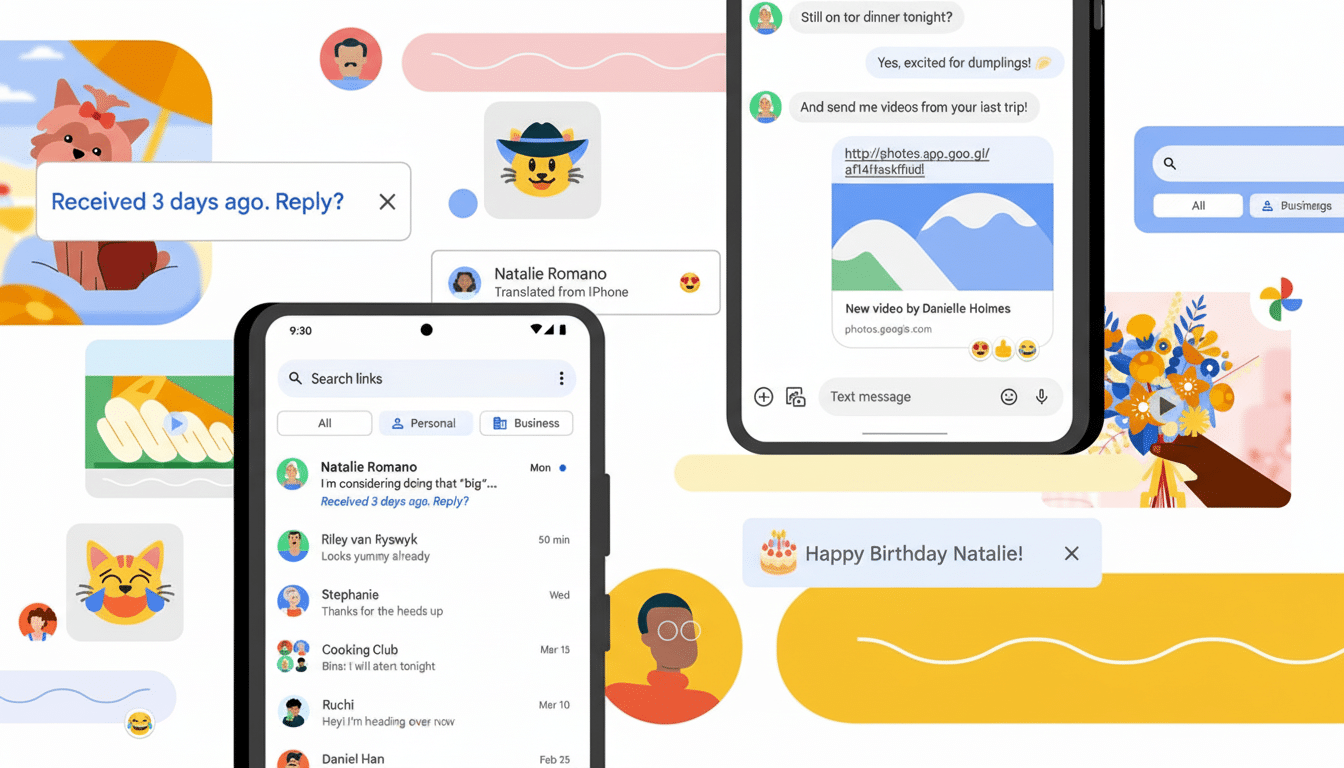
For Android, Messages brings Google’s new design language complete with smooth animations, responsive gestures and Material You touches. The list of features is extensive: RCS group chat and high-quality media sharing, message reactions and a sleek new recording interface for voice notes with an optional noise gate.
Open Messages on the web and the difference couldn’t be more stark. The interface is also outdated, with sharp edges and layouts that don’t fit Material 3. There are no visual indicators like the ones on phones for RCS. Notably, there’s no native voice message recording on the web or tablets (even though it’s front and center on Android). If your work is dependent on a laptop or desktop, that’s difficult to overlook.
Then there’s the link-and-relink dance. The regular QR pairing model will force a re-verification, disrupt chats and undermine trust in the tool. A broken sign-out process and re-pairing of the device were some of the most consistent complaints on community forums and in product support boards.
Missing basics on web and tablets hurt productivity
Scheduling send times also works on Android, and is particularly useful for work texts or too-far-away-to-juggle time zones. But online and on tablets, that choice is gone. It’s a dumbing down for anybody who drafts on a keyboard and expects to have the same controls that they have on a phone.
Voice notes are another sensitive point. Recording from the desktop is table stakes across competing platforms. WhatsApp recently added support for voice messages in its Electron and web apps, Telegram supports voice notes across platforms, and Apple’s Messages app on the Mac lets you send short audio snippets with a couple of clicks. You can listen on the web, but you can’t record with Google Messages. That asymmetry leads to friction in group chats when some participants prefer voice to text.
This matters at scale. Google has claimed that the use of RCS in Messages exceeds 1 billion monthly active users. When a service has reached that point, inconsistency is more than an aggravation; it’s a wall for users who expect conversations to behave the same way on every screen and device.
Consistency of design across platforms is not optional
Google has shown that it is capable of producing integrated cross-platform apps. With Gmail, Calendar, Drive and Keep, features use the same buttons and mental models echo on both phone and web. Messages is the outlier. The web client does not reflect the Material You theming, and rudimentary UI elements are distinct from those in the mobile app. Even the subtlest differences — say, bubble shapes, iconography and spacing — undercut muscle memory and ease of use.
The fix is more than skin deep. A common design system means shipping features once and teaching them once. Syncing themes from Android to the web, standardizing controls and sharing the same gestures and menus would make Messages feel like one product rather than three.
Rivals like WhatsApp and Telegram set a higher bar
Competitors have their flaws, but the direction is clear. WhatsApp’s multi-device design means you’ll always be logged in and chatting, even without your phone. All the advanced features are available on all devices and browsers that use Telegram’s web clients, with no difference. Apple Messages on the Mac is great, but it doesn’t do everything.
Now with Apple committing to support RCS in the future, Google has all the more on its plate to make the experience and transition across devices bulletproof. If RCS wants to be the open solution that bridges ecosystems, the flagship Android app has to have an equally impressive desktop and tablet experience that meets — or exceeds — the standard set by the incumbents.
What Google can do next to close the web parity gap
First, ship feature parity. That includes voice message recording, message scheduling and all basic chat controls that have been lacking on the web and tablets. Second, let’s fix session persistence: default to long-lived, trusted sign-ins and obvious device management. Third, enable Material You for the web client and sync themes from the phone so that there’s no adjustment period when you first open up the app.
Finally, publish a parity roadmap. Google has been doing this with products like Chrome and Android, where public milestones keep the teams and users in sync. Messaging deserves the same transparency. Having a set schedule for when desktop features and design changes are rolled out would indicate that cross-device consistency is something important, not just something nice to have.
Google Messages for Android is really, really good. The problem is what’s around it. Until the web and tablet apps are up to snuff, Google will continue pushing its most invested users into an unnecessary compromise — one that others have already figured out.
