


Gmail is introducing two new Gemini-driven features designed to make inboxes less messy and outgoing messages more polished, according to a news release. A searchable AI Overview now answers natural-language questions about your email, and a Proofread feature critiques and rewrites drafts for grammar, tone and concision. Both are rolling out first on the web in English to Google AI Pro and Ultra subscribers in the US, with availability on mobile and support for additional languages coming soon, Google says. For a service that has more than 1.5 billion accounts, according to Google’s own past counts, the stakes are high.
New Gmail features and how the AI tools work
Think of the new Gmail search as a personal research assistant that only reads what is already in your inbox. Type a query such as “Who signed off our Q4 budget, and when did they forward the final spreadsheet?” and Gmail presents an AI Overview in the form of named, dated and sourced messages. You can drill down into the cited emails to check details, and because the system confines itself to your mailbox, the likelihood of out-of-left-field answers is lower compared with the open web.
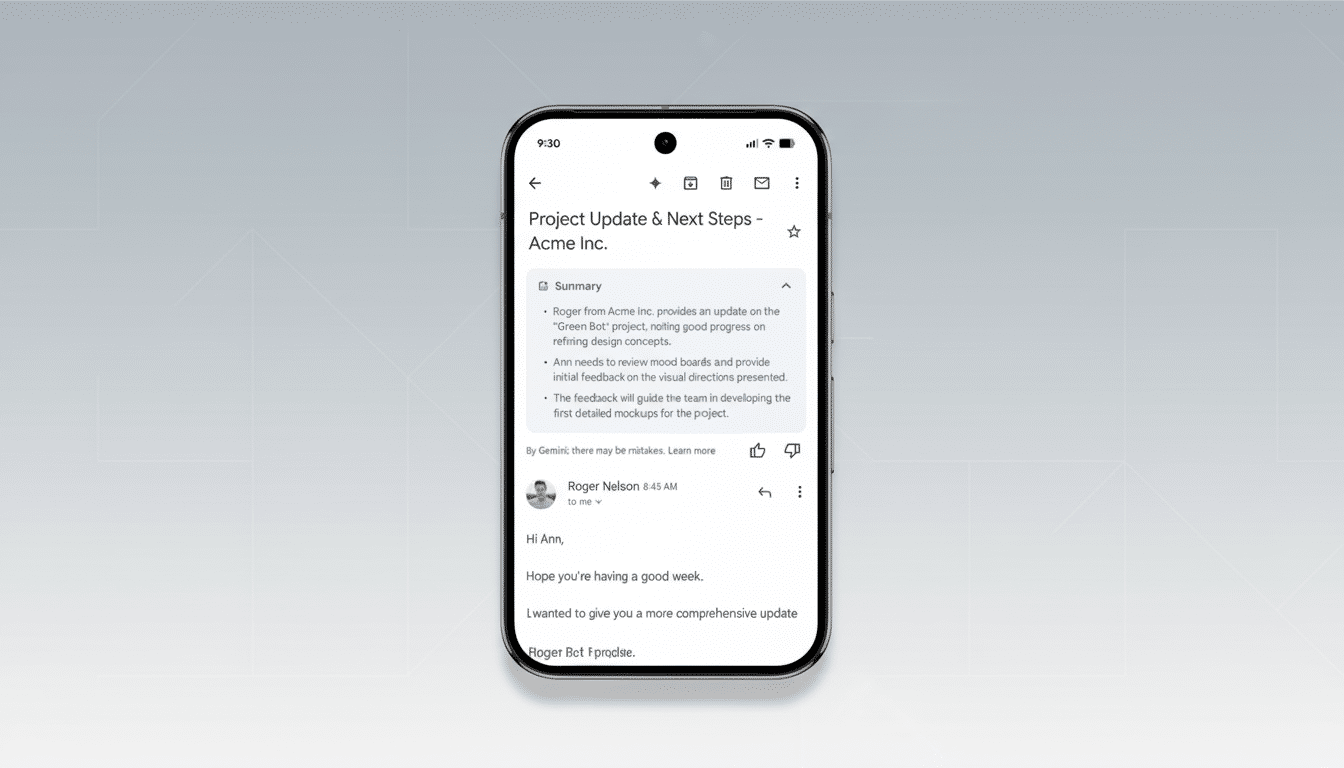
The new Proofread feature, which appears next to familiar tools such as Smart Compose, takes that a step further. It checks for clarity, correctness and tone, then makes suggestions you can accept or tweak. You can tell it to keep that note tighter or looser, change the formality of a reply, or untangle clunky phrasing before you press send. You keep the reins, too — suggested changes show up as suggestions (not muted rewrites).
Why these updates matter for busy, crowded inboxes
Knowledge workers devote a stunning share of their week to email — as high as 28%, according to McKinsey — and much of it goes to chasing down specific messages or refining language. AI Overviews in Gmail address the first issue by using AI to extract answers from long threads, receipts scattered across your inbox or buried attachments. Targets also don’t have to be all prose. Proofread addresses the second by transforming a rough draft into smooth, confident and on-brand messaging.
Think about a few scenarios:
- A freelancer trying to keep tabs on unpaid invoices.
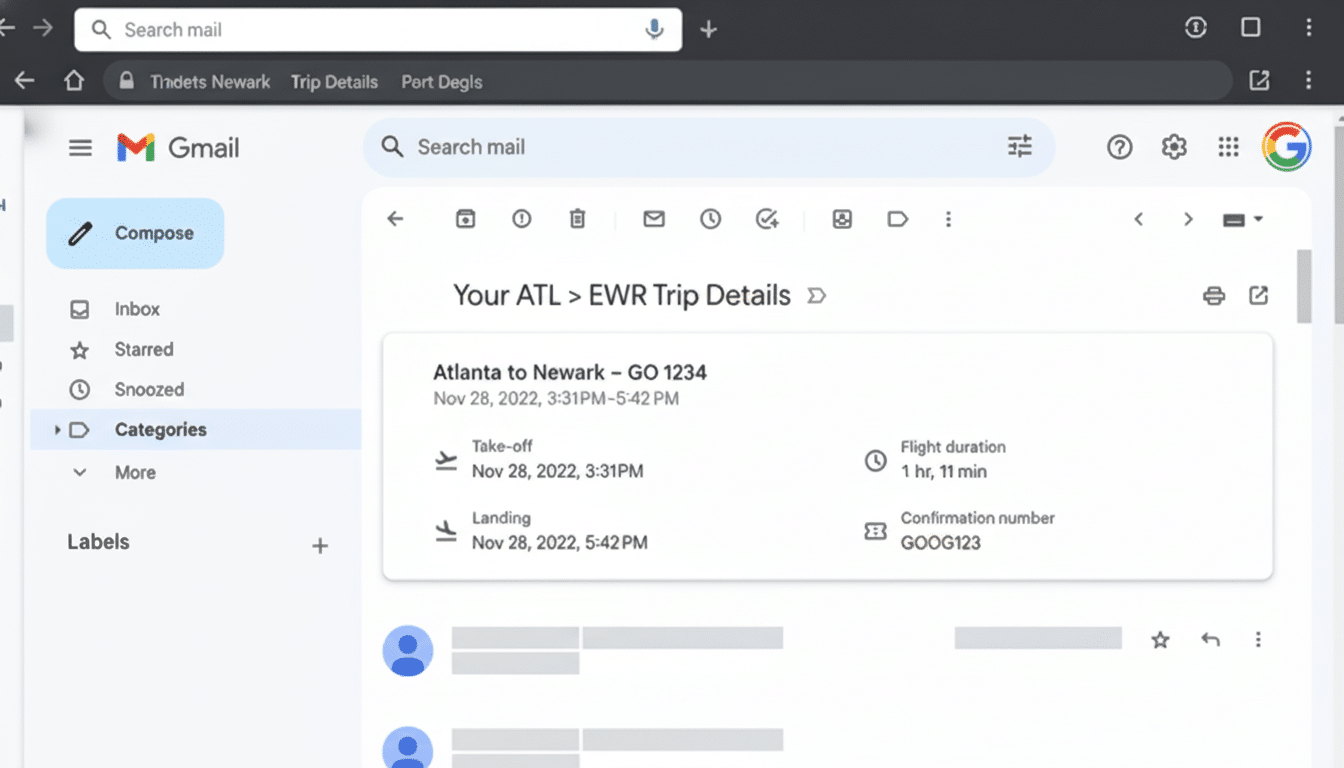
- An air traveler searching for the last flight change.
- An office manager who forgot which vendor quoted under $2,000 on a printer last spring.
Via natural-language search, Gmail can pick up the relevant name, price and date — then direct you to the exact source message. For senders, Proofread can whittle a rambler of an update into sharp bullets or change a terse note to sound warmer, more client-facing.
Who gets it and when these Gmail features arrive
Google is rolling out both the AI Overview search and Proofread features to paying Google AI Pro and Ultra subscribers initially. Availability is first limited to the web experience in English for users in the US, with other languages and regions as well as mobile next. That staged rollout reflects the launch of other Gemini products from early access/pre-general availability into a larger release across Google’s productivity suite.
Guardrails and privacy commitments for Gemini in Gmail
Google’s AI Overviews have spurred discussions of hallucinations as well as accuracy on the open web. Inside Gmail, the model’s knowledge is limited to your messages, and each response includes references to the emails it drew on. That design nudges users to verify any facts that can be easily verified, such as references to dates, amounts and attachments, before action is taken — an important human-in-the-loop check on any AI-generated summary.
Google says the Gemini capability in its productivity tools adheres to company privacy commitments, such as enterprise-grade controls for business users and policies that prohibit customer content from being used to train models without consent. For companies with compliance requirements, the ability to track sources and contain data within the inbox will be as important as the time savings.
The competitive landscape for AI email assistants
Gmail’s entry joins a crowded field. Microsoft’s Copilot is already available in Outlook, offering AI summaries and drafting assistance; email startups like Superhuman ship grammar and tone suggestions as table stakes. Google’s strength is distribution: Fold Gemini inside the huge pool of users that Gmail commands, and it can help normalize AI-powered search and writing at scale, so long as the experience proves accurate and unobtrusive.
Tips for better results with Gmail’s new AI features
For AI summaries, phrase queries in terms with useful context — names, time windows and nouns associated with documents or sums. Examples:
- “Send me an M&A call list of targets matched by size.”
- “Who confirmed the venue deposit, and how much was it?”
If the answer is important, follow through with a few sources and check for yourself first before responding or forwarding.
When using Proofread, be clear about your specific intentions. The recommendations get better with guiding prompts like “make this more concise and confident” or “soften the tone and fix grammar.” Scan updates for shifts in meaning, particularly regarding legal, financial or HR communications. AI can clean up typos and structure, but nuance and commitments should be left to your judgment.
Bottom line: By combining question-and-answer search with an effective writing assistant, Gmail is making two of email’s largest pain points — finding the right thread and saying the right thing — into quicker, more dependable tasks. Assuming it’s as accurate in scanning labels and expanding access as Google claims, this is the sort of AI that quietly makes itself worth your while to have in the inbox.
