


After years of living in Linux inboxes from Alpine to Evolution to Thunderbird, one app has finally pulled ahead in a way that feels decisive. Geary has become the smoothest, fastest, and least distracting email client on my Linux desktops, and it wins not with gimmicks, but with restraint.
Why Geary stands out on Linux for daily email
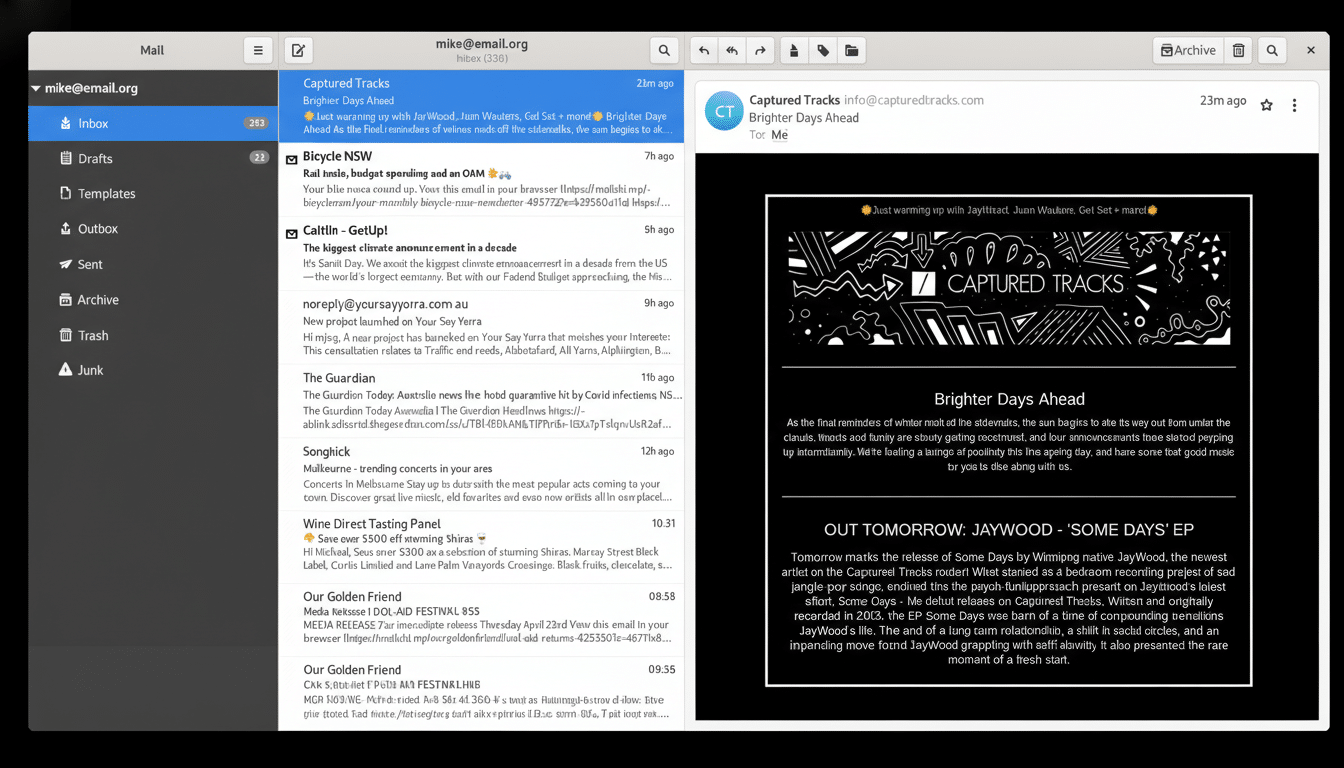
Geary follows the modern GNOME Human Interface Guidelines to the letter: clean, unobtrusive, and focused. The conversation view is tidy, the three-pane layout wastes no pixels, and visual noise is kept to an absolute minimum. Compared with the denser interfaces of Evolution or the more retro panels of classic Thunderbird, Geary feels contemporary without being flashy.
- Why Geary stands out on Linux for daily email
- Performance and resource discipline on Linux desktops
- A focused email tool without bloat or distractions
- Open source you can trust for privacy and control
- Where Geary may not fit more demanding workflows
- Installation and support across Linux distributions
- The verdict on Geary as a top Linux email client
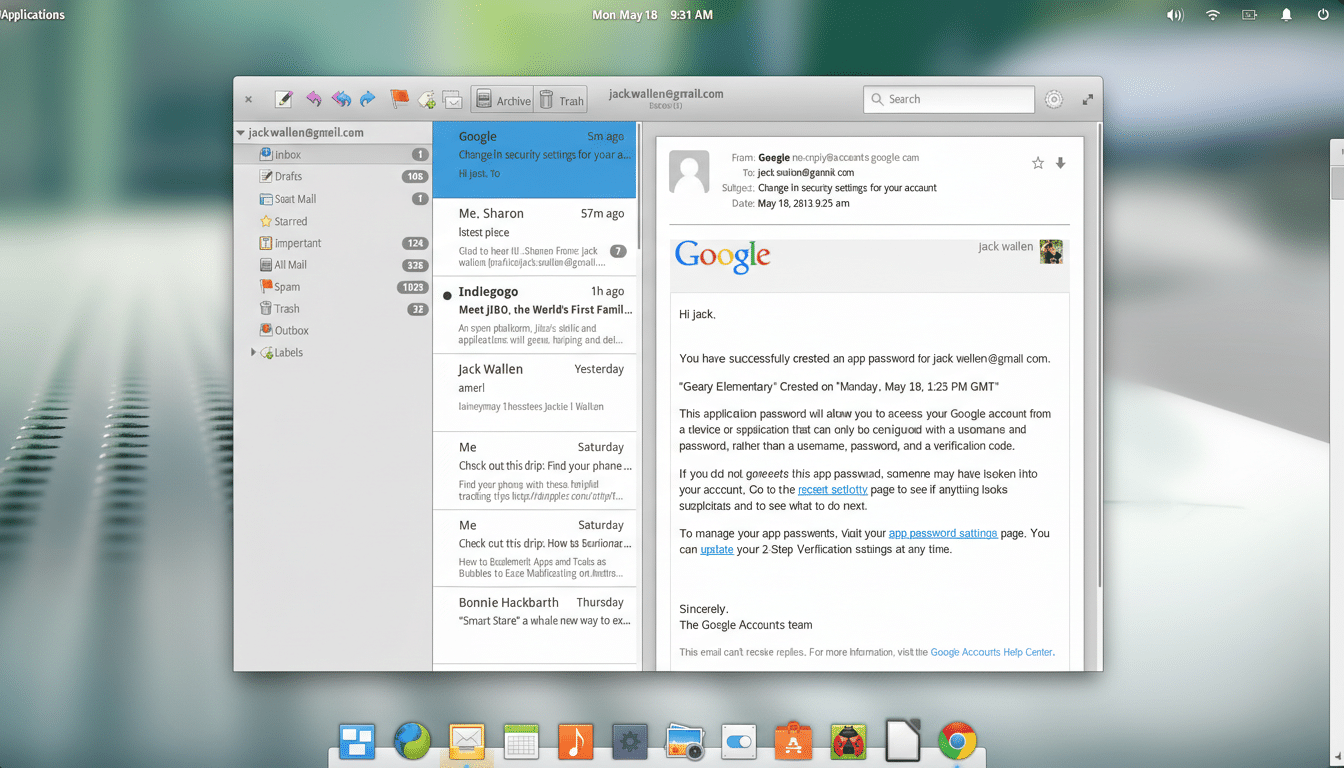
That matters. Linux desktop usage has ticked above 3% globally according to StatCounter, and the Stack Overflow Developer Survey shows Linux as a daily driver for more than 25% of professional developers. With that many people living in terminals and IDEs all day, the last thing they need is a busy mail app stealing attention.
Performance and resource discipline on Linux desktops
Geary launches quickly and stays snappy with multiple IMAP accounts. In my experience across mainstream hardware, it maintains a light footprint even when indexing large mailboxes, while heavier groupware suites can bog down over time as calendars, address books, and plugins pile on.
Thunderbird’s recent Supernova refresh from Mozilla brought a much-needed UI overhaul, yet Geary still feels more immediate in daily triage. Message lists render without stutter, scrolling is fluid, and searches resolve fast thanks to efficient local indexing. The result is a client that keeps up with how fast you process email, not the other way around.
A focused email tool without bloat or distractions
Geary is intentionally a one-trick app: it does email, and only email. There’s no built-in calendar or to-do pane vying for space, and no AI sidebar seeking attention. For many workflows, that is a feature, not a limitation. If you prefer modularity, you can keep calendars in GNOME Calendar or your preferred tool and let Geary stay out of the way.
Setup is straightforward. The account wizard supports multiple providers, IMAP and SMTP, and OAuth2 for services like Gmail and Microsoft accounts. Labels and folders map predictably, conversation threading is consistent, and the built-in composer makes quick replies painless. Keyboard shortcuts are well considered and customizable, so power users can churn through inboxes with minimal mouse time.
Open source you can trust for privacy and control
Originally started by the Yorba Foundation and now maintained by the GNOME community, Geary is open source and benefits from the same design discipline that underpins GNOME’s core apps. There is no telemetry by default, and its code is continuously reviewed in the open. For users who weigh privacy and transparency heavily—a group championed by organizations like the EFF—this matters as much as speed.
Crucially, being open source does not come at the expense of polish. Geary’s visual consistency across distributions makes it feel native on Fedora, Ubuntu, and Arch-based desktops alike, whether you install it from your distro’s repositories or via Flatpak.
Where Geary may not fit more demanding workflows
If your day depends on deep groupware features—shared Exchange calendars, task delegation, or complex server-side rules—Evolution remains the heavyweight. Thunderbird also offers an enormous extension ecosystem that some teams rely on. Geary’s minimal customization and tight focus are strengths for most users, but specialists who need advanced filtering or niche plugins may prefer those alternatives.
Installation and support across Linux distributions
Geary is widely packaged across mainstream Linux distributions, and its Flatpak build provides a consistent, sandboxed install. That makes testing it low risk: you can try it alongside your current client, import one account, and see how it behaves with real workloads before committing.
The verdict on Geary as a top Linux email client
Email is a routine, not a destination. Geary respects that reality better than any Linux client I’ve used: it starts instantly, shows exactly what I need, and disappears the second I’m done. In a landscape where feature creep is common, its clarity is refreshing. For most Linux users who want speed, simplicity, and open-source credibility, Geary is the client to beat.
