


More than 86% of internet users watched at least one online video last week, per Wyzowl’s 2024 video marketing survey, and a growing share of those uploads now come from people who would not call themselves video editors. They are parents, hobbyists, teachers, small business owners. The hidden bottleneck for that wave of casual creators is not creativity — it is the boring work of converting, trimming, and tidying clips before they reach a phone screen or a social feed. In this guide we walk through what to look for in a free video toolset in 2026 and the four tools we would actually keep installed. A small toolkit installed once and used consistently outperforms a sprawling collection of apps that lives mostly in the start menu, which is the harder lesson behind the numbers.
Why free tools deserve a serious look in 2026
Free no longer means watermarked or crippled. Several mature video tools have moved to a free-forever model funded by optional premium tiers, and the gap with paid software has narrowed for everyday tasks like format conversion, basic trimming, and resolution prep. Statista’s 2024 consumer software report found that 61% of households use at least one free creative app monthly, and the share is climbing as cloud and on-device AI absorb the work that used to need a paid license. For most everyday creators, a thoughtful free stack will cover the entire pipeline.
- Why free tools deserve a serious look in 2026
- What to look for in a free video tool
- Four free or freemium video tools worth keeping
- UniFab (free download + free converter)
- HandBrake (open source)
- DaVinci Resolve (free tier)
- CapCut (free desktop)
- A weekend workflow most households can adopt
- FAQ
- Are free video tools really safe to install?
- Can free tools handle 4K?
- Do I lose quality every time I convert?
- Will these tools stay free?
- Can I use these tools on a Chromebook?
- Final thoughts

What to look for in a free video tool
Most everyday creators do not need every codec or every effect. A useful checklist comes down to four practical questions.
- Format coverage. Does it accept what your phone and camera produce, and export to what your platform expects?
- Real free, not trial. Watch for time limits, watermark requirements, or feature locks that make a free tier unusable for real work.
- Hardware acceleration. A tool that uses your GPU exports a holiday montage in 5 minutes instead of an hour.
- Predictable updates. A free app that disappears in two years is worse than a paid one with a track record.
If a tool clears those four, you can usually stop shopping.
Four free or freemium video tools worth keeping
We tested the four tools below on a mix of phone clips and old camcorder transfers. Results below are from a 2023 mid-range Windows laptop.

UniFab (free download + free converter)
UniFab ships a free Windows download bundling 22 video and audio tools including a free converter, vocal remover, and background remover, with a 30-day full-feature trial on the AI modules. The toolkit is built for one-stop work: convert, trim, denoise, upscale, and export from the same window. Trade-off: the AI features revert to a paid tier after the trial, and the suite is Windows-only at the desktop level. For mixed-task households, the breadth makes it the easiest single install.
HandBrake (open source)
HandBrake is the long-standing free converter and remains the reference choice for batch conversion of large archives. It is open-source and cross-platform, but the UI assumes some technical fluency and there is no editing or AI cleanup. Best for people who already know what container and codec they want.
DaVinci Resolve (free tier)
Resolve’s free tier is the most generous in serious editing: color grading, basic effects, and a capable cut page. The price is a learning curve and a system that wants real GPU memory. Worth it if your goal is to grow into proper editing rather than just convert files.
CapCut (free desktop)
CapCut covers the social-first workflow most casual creators land on: vertical templates, auto-captions, and a forgiving timeline. Privacy and account terms have shifted more than once, so check current settings before processing sensitive footage.
A weekend workflow most households can adopt
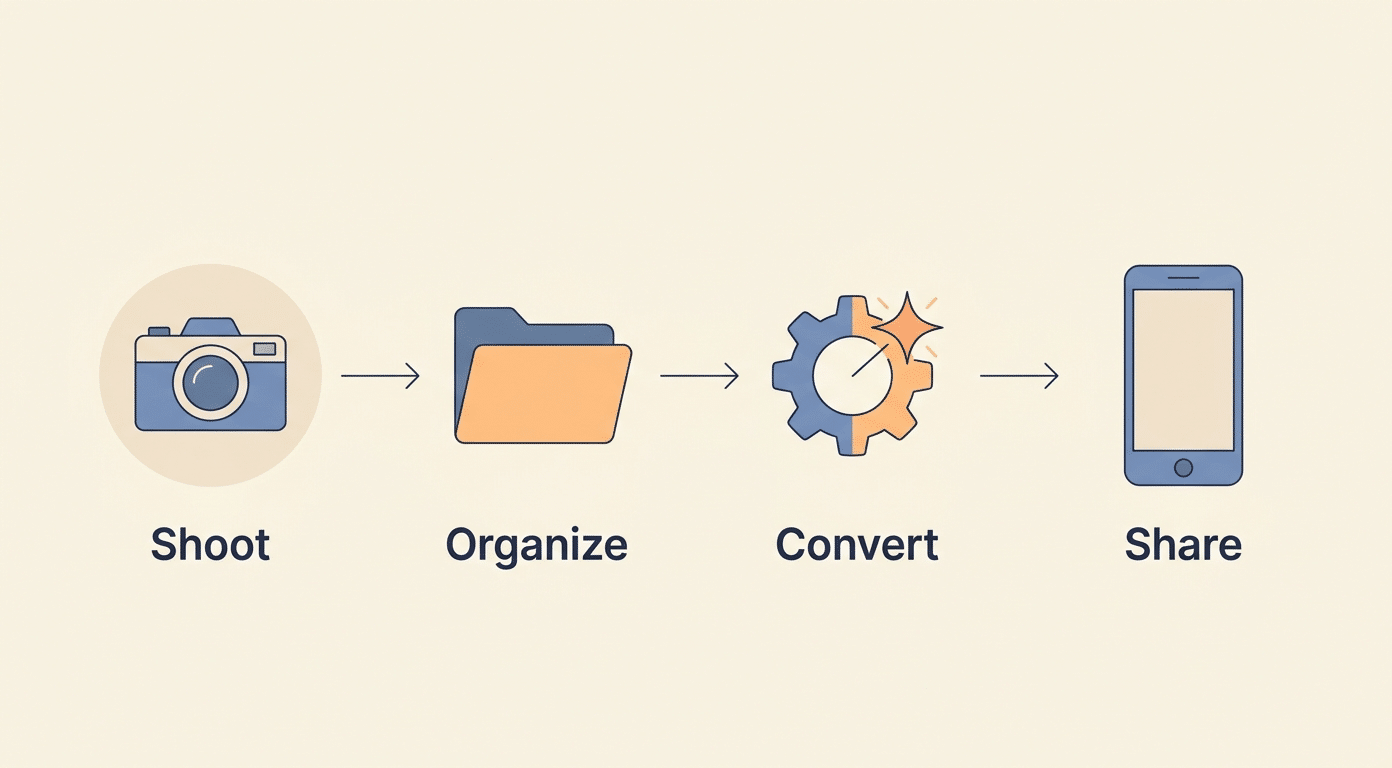
Here is the routine one tester used to digitize three boxes of family camcorder tapes last winter. She captured the tapes into MP4 with a basic capture card, then ran the lot through a Free Video Converter to normalize them to a uniform 1080p MP4 with the same audio codec. From there a short edit in Resolve and a quick share to a private family channel. Total time across three weekends: roughly 18 hours, most of it batch processing while she did other things. The point is not that any single tool was magic, but that a free stack handled the whole job without a subscription.
FAQ
Are free video tools really safe to install?
Stick to publisher sites and well-known repositories. Read the latest install instructions rather than third-party download portals, and check antivirus reports if available.
Can free tools handle 4K?
Most of the modern AI video upscaler tools can, though export time will scale with resolution. Hardware-accelerated converters keep 4K manageable on consumer laptops.
Do I lose quality every time I convert?
Lossy formats lose a little with each re-encode. For archive masters, keep one untouched original file and edit from copies.
Will these tools stay free?
The mature ones have stayed free for years, but always keep the latest installer in your own backup so a discontinuation does not strand you.
Can I use these tools on a Chromebook?
Browser-based options work fine on Chromebooks. Desktop apps are mostly Windows or Mac. Plan for a hybrid stack if Chromebook is your main machine.
Final thoughts
Free does not mean second-class anymore. For the everyday creator who shoots phone clips, digitizes family footage, or prepares short videos for a small audience, a well-chosen free stack covers nearly every weekly task. The cost is mostly the time spent learning which tool fits which job, and that investment compounds with every project.

