


Google is making its biggest Home app remake in years, and the backbone seems to be Gemini. An early build of the software has shown “Gemini for Home” interwoven into the interface, changing how you interact with your devices, create automations, and know what’s going on in your homes — all while being even more conversational and aware of context.
Gemini for Home is the star of the Home redesign
Code within a recent build of the Home app suggests Gemini will replace the traditional Google Assistant when it comes to controlling smart home devices.
The change is not merely a matter of branding — it recasts interactions as humanlike conversations. With the Gemini Live support, the app is already set up to deal with follow-ups, layered commands, and multi-device deployments in fewer taps and less menu digging.
The onboarding flow calls out “Ask Home” prompts such as explaining automations in plain language, searching video clips, and scanning history of activity. Also, look for richer event summaries and notifications, with AI-generated descriptions that read more like a helpful status report than a straight log of motion detections and door opens.
A simpler, faster Home tab with streamlined design
The design is being tidied up. “Favorites” has become “Home,” effectively turning that landing page into a dashboard. The oversized search bar at the top is an invitation for you to “Ask Home,” and a slimmed-down header gets clutter out of your face. Settings, Inbox, and Labs are no longer cramped into the top chrome; they’re nestled into the account switcher, reducing cognitive load.
What the Home Used to Look Like:
- Left panel — Currently Playing, Play on Another Device, Add to Queue, and Devices
- Right panel — Dedicated Devices (Recently Played and Settings)
Dedicated Devices & Settings tabs are a goner, with the grid icon now in Home to quickly access All devices.
Also, we’ve rearranged the tabs in the bottom tab row and updated Activity and Automations icons. There are hints of a new Create entry point to facilitate common building; it will join the general thrust toward natural-language automation.
It is the small but meaningful touches that stand out. Users can pin Outdoor AQI and Outdoor Temperature to the landing screen (so you better know whether to run fans or open windows, or if it’s time for your purifier to kick on). Icons for video and temperature on the Home page suggest deeper tie-ins to cameras and climate controls, presumably in conjunction with the next generation of Nest hardware.
‘Ask Home’ makes control a conversation with Gemini
Gemini’s revamped conversation window comes up when new terms are toggled on.
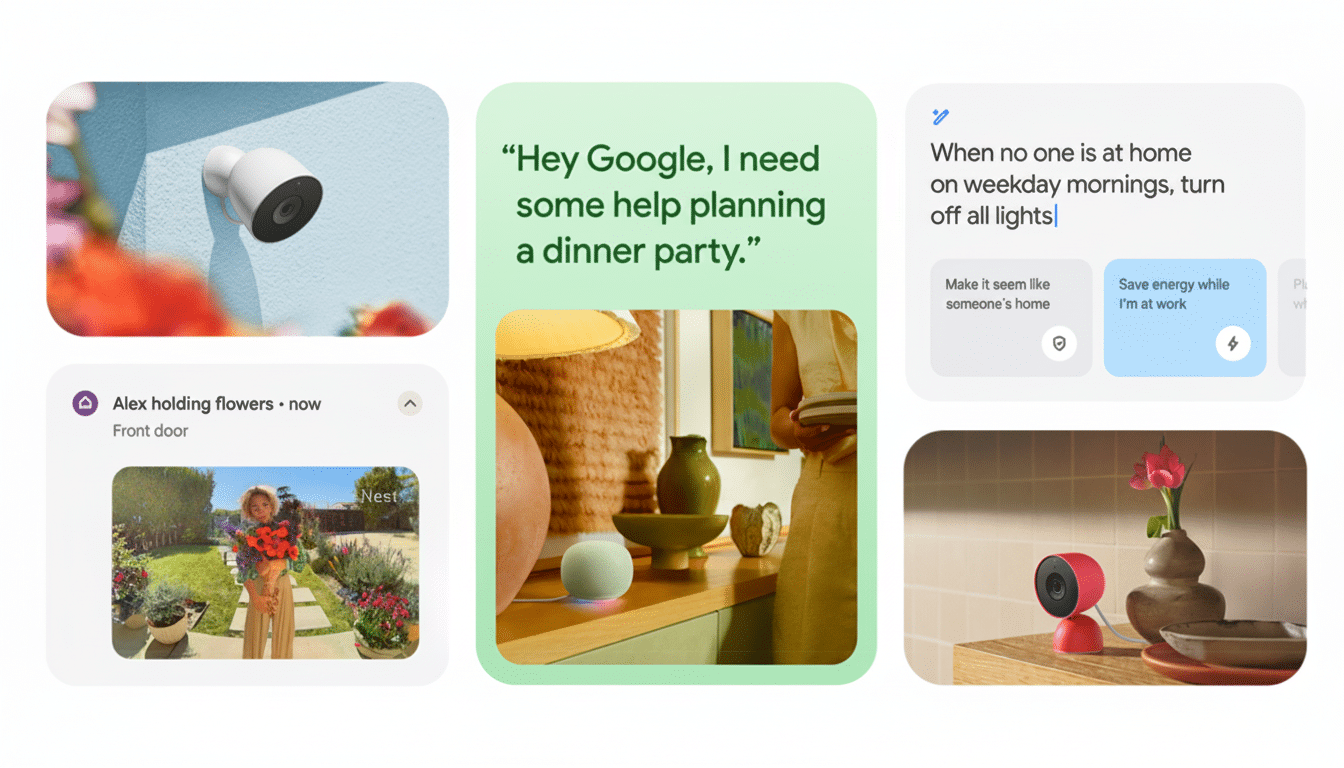
The interface offers thumbs-up and thumbs-down feedback, regeneration of the response, and a rapid reset for new threads. This is not a bolt-on chatbot; it’s a chat-execute system, as in “dim the living room to 30% and then arm away mode when the last phone has left” without having to navigate through miles of menu after menu.
Security camera workflows should benefit. Instead of slogging through timelines, you can ask for “the clip where a package was dropped at the porch” or “events where the backyard gate was opened,” and then narrow from there. AI-analyzed daily summaries would offer a top-level view of what mattered that day, not just what happened.
Hardware hints and premium features on the way
References in the intro screens signal an upcoming Google Home speaker with 360-degree audio and deeper Gemini integrations, as well as new Nest Doorbell and Nest Cam models. Look for features such as persistent context and deep insights to integrate closely with that hardware. Some features look like they may be locked behind a new Google Home Premium subscription, suggesting some advanced AI features — improved summaries or priority processing — could live under a paywall.
The hardware onboarding process is also getting some polish. The frame preview size of the QR code scanner has been reduced, which maintains the focus on alignment, thus allowing faster onboarding. It’s a little UX decision that really pays off when you’re adding multiple sensors or cameras in one session.
Why this redesign matters for smart home users
Smart home penetration has exploded, and IDC analysts track hundreds of millions of device shipments a year with cameras, lighting, and speakers among the most popular categories. When households grow in size, the old model — tapping through rooms and tiles — doesn’t work. A conversations-first approach is a practical solution to complexity.
It also keeps up with the broader market. Amazon has teased a more conversational Alexa, and Apple has slowly but surely streamlined the Home app while zooming in on local processing. And the Connectivity Standards Alliance currently lists thousands of Matter-certified products, highlighting the requirement for assistants that can manage mixed-brand ecosystems as much as they are able to manage individual devices. Gemini’s pitch is that you can define goals in natural language — “secure the house, save energy, and make it comfortable by 7 p.m.” — and let the system program devices across standards and rooms.
What to watch next as features begin rolling out
It’s not the case that these changes are widely live just yet and presumably depend on server-side flags for rollout. Look for Google to heavily leverage Labs and opt-in prompts as the company fine-tunes Gemini’s answers for the household. If history is any indicator, features will come in waves, with that new Home tab, “Ask Home,” and camera integrations coming first, followed by deeper automation and subscription perks.
Bottom line: This redesigned Google Home app isn’t just a fresh coat of paint. It’s a move toward AI-native control — fewer taps, better overviews, and more conversational use cases — designed to make an expanding web of devices feel less like management and more like assistance.
