


If you’ve been aching to reclaim the certainty of pressing buttons on a BlackBerry-style keypad, some Android developers are making an argument for buttons on your next smartphone.
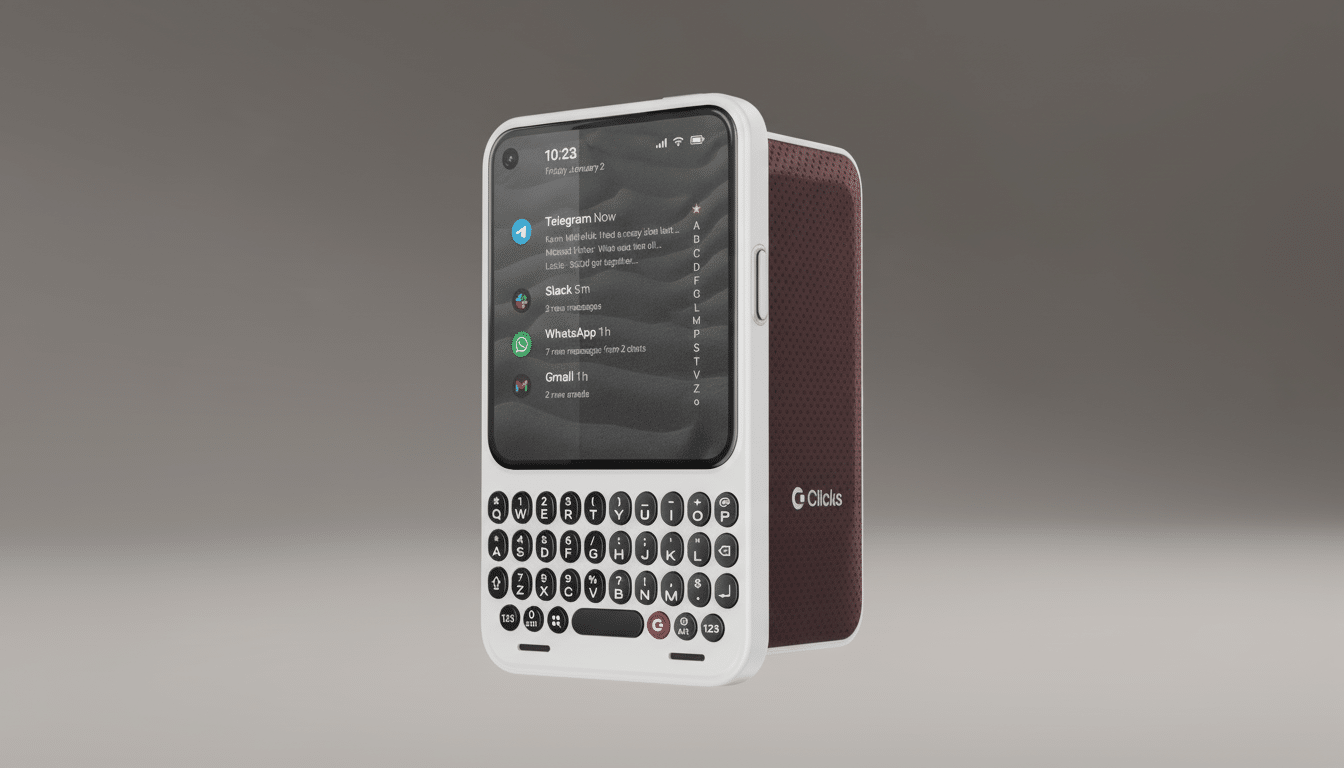
The Clicks Communicator breathes new life into the physical keyboard and stays up to date with modern amenities like 5G, Qi2 wireless charging, as well as a 3.5mm jack—all packed into a tiny communication-first device designed for people who type more than they swipe.
A Throwback Keyboard, With Modern Tricks
The keyboard is the star. In addition to the physical keys, Clicks hides a fingerprint reader in its spacebar and translates swipe gestures along the keys into scrolling—a clear shout-out to classic BlackBerry navigation. An assignable Clicks key is able to expedite one’s favorite apps or actions, lessening the reliance on touching the screen.
There’s also an actual Prompt Key on the right edge, which you can long press and immediately go into voice-to-text, audio notes, meeting transcriptions, or accessing a voice assistant. Built into this key is a tiny notification light called the Signal LED that you can customize per app or contact. On the left, a hardware kill switch for the radios can quickly switch them all off, even temporarily, for onboard quiet mode anytime in-flight or in noise-sensitive areas.
Smaller Screen and Modest Hardware Choices
Clicks marries the keyboard to an almost square 4.03-inch OLED panel rated at 1,080 x 1,200 resolution. It’s a choice that is very much about text legibility over widescreen video, a trade-off that makes sense on a device that treats messaging, email, and quick doc edits as first-class tasks. You’ll see fewer characters onscreen than on a 6.5-inch slab, but also significantly more stability and accuracy beneath your thumbs.
Under the hood you find a 4,000 mAh silicon-carbon battery—an anode chemistry that tends to kick energy density and low-temperature performance up a notch—256GB of storage with a microSD card slot, one 50MP rear camera, and one 24MP selfie camera. Connectivity is all the basics, plus: 5G, NFC, Wi‑Fi 6, and eSIM in addition to the physical SIM card slot in our sample model, alongside something becoming rarer these days: that old-school 3.5mm headphone jack for wired headsets and microphones.
Charging also offers Qi2 wireless capabilities, adding magnetic alignment to make for more reliable, efficient top-ups. For both creators and commuters, that takes a lot of fiddling out of desk and car docks.
Why We Need an IoT Chipset in This Phone
The Communicator is powered by an unnamed 4nm MediaTek 5G IoT platform. Though that may raise a few eyebrows compared to the latest smartphone SoCs, there’s logic here. MediaTek’s IoT parts, such as the family of MT8883 chips, are about long-term availability—MediaTek publicly cites support windows that go all the way into the 2020s—combined with cool-running thermals for always-on networking. For a communication-focused device, though, all-day reliability often matters less than peak gaming scores.
In real-world terms, that probably translates to slick messaging, email, navigation, and productivity apps with fewer bragging rights on graphics-heavy titles. It’s an understandable balance, given the target user.
Software Built for Messaging and Productivity
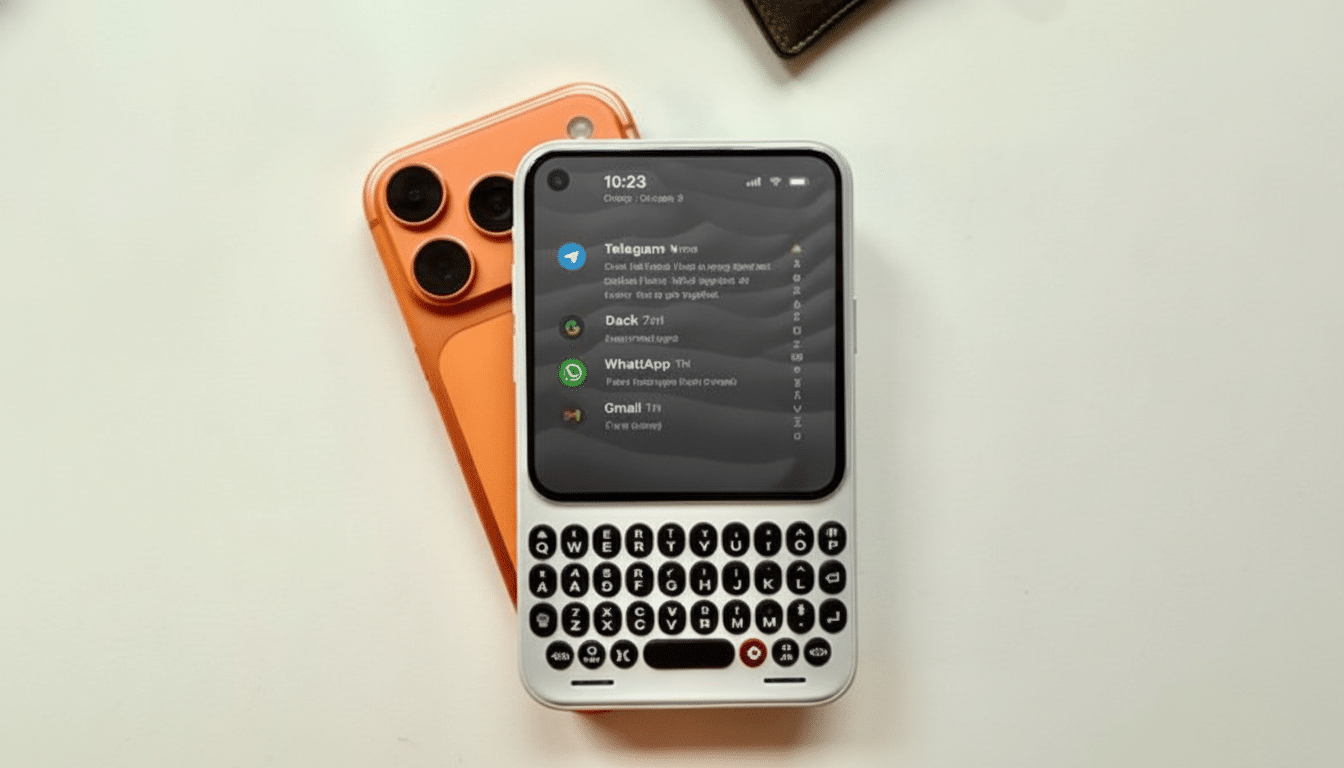
Clicks has worked with the team at Niagara Launcher to develop an interface that plasters our messages front and center. House view brings conversations from all of your apps together in a hub-like feed, presenting the sort of organizational clarity that power users loved about older QWERTY devices.
The Communicator arrives in a box with Android 16 pre-installed. Clicks promises two large OS upgrades and up to five years of security patches. That falls short of the extended policies that some major companies are now offering, but outpaces many smaller brands and should be enough to take your phone through its productive life for work-focused shoppers.
Price Positioning and Notable Alternatives
The Communicator costs $499, but an early offer of $399 is available to customers who are willing to pay a deposit. That puts it below the top-end pane of glass and roughly on par with midrange phones—fair enough given the bespoke hardware and small-batch economics of a device like this.
If you’ve been looking for a modern keyboard phone, then you know the offerings are not wide and varied. Unihertz has served enthusiasts with its Titan line, and Fxtec garnered attention through the slide-out design of its Pro1-X, rather than just by being a little-known piece of vaporware—but availability and update frequency are issues that never change. Clicks is gambling that a focused spec sheet, reliable accoutrements such as a microSD slot and headphone jack, and a modest price will lure more than just die-hard nostalgists.
Who This Phone Is For: Key Use Cases Explained
Heavy typists—journalists, customer support staff, field techs, and anyone who practically lives in Slack or email—are poised to gain the most out of this. Physical keys reduce thumb drift and autocorrect battles, and the small screen means this is a phone you can actually fit in your pocket. Wired audio fans get latency-free calls and clean mic input all without those dongles, a win in practical terms for offices and studios where Bluetooth can be finicky.
Clicks also is thinking of the Communicator more as a comms-specific handset that partners alongside a tablet for all of your media and camera needs. This two-device approach isn’t for everyone, but for working professionals who prioritize uptime and usable battery life over binge-watching TV series on their phones, it makes sense.
For fans of modularity, Clicks also announced a Power Keyboard accessory—a magnetic power bank with slide-out keypad that can connect via Bluetooth or magnetically attach to compatible phones in the manner of MagSafe alignment. It’s another indication that the company is serious about a typing-first ecosystem rather than just a one-off reliving of the good old days.
Bottom line, the Communicator is a surprisingly tasteful attempt to bring back the smartphone physical keyboard for an Android age—without skimping on must-have modern smartphone basics.
