


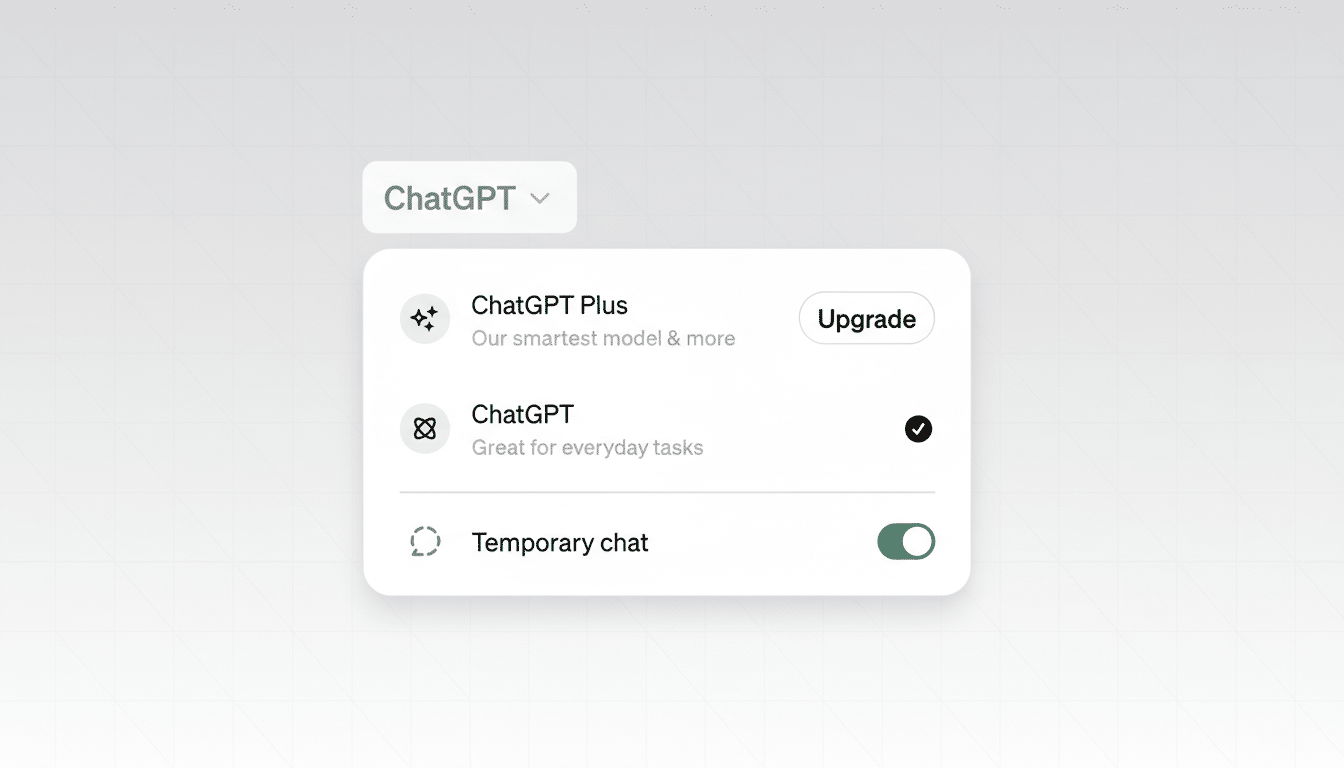
OpenAI appears to be testing a change to ChatGPT’s Temporary Chat that lets the assistant “remember” your preferences even while you’re in a private session. A new Personalize replies toggle spotted by AI engineer Tibor Blaho and surfaced by BleepingComputer suggests ChatGPT could apply your saved style, tone, and other Memory settings without logging the conversation to your history.
What the new personalization toggle actually does
Today, Temporary Chat functions like a private browsing window: it starts fresh, avoids adding to your chat history, and does not feed model training. The discovered toggle changes that balance by pulling in existing signals about you—your name, writing preferences, recurring tasks, even structured details you previously taught the assistant—while still preventing the new session from being stored as history.
- What the new personalization toggle actually does
- Why this change matters for privacy and user experience
- How it compares to incognito modes in other apps
- Availability, test scope, and expected rollout timing
- Using it safely and effectively with personalization
- The bottom line on ChatGPT’s personalized private mode
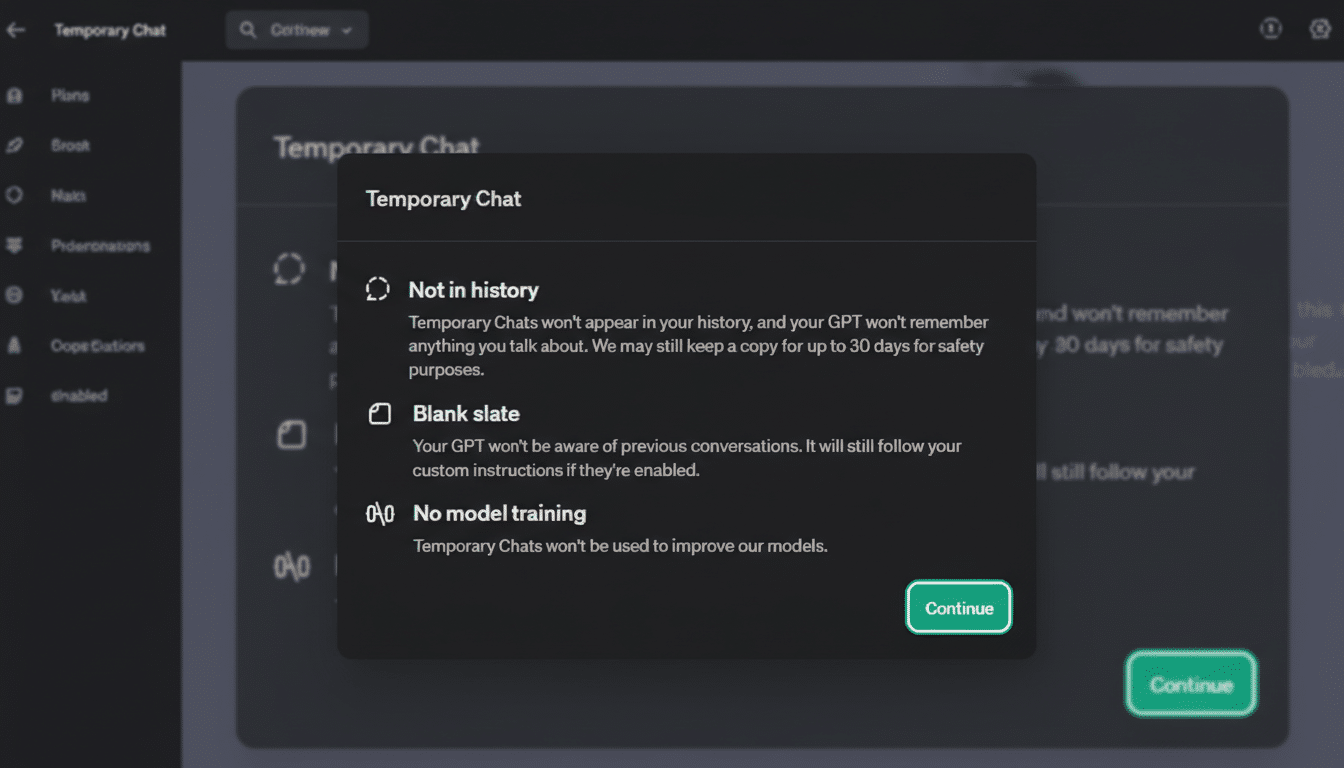
OpenAI’s data controls indicate messages in such private sessions may be retained for up to 30 days for safety and abuse detection, but are not used to train OpenAI’s models. There’s a key caveat: if you use GPTs with actions that call external services, data shared with those third parties is governed by their policies and could be kept longer or used differently.
In practical terms, it’s like browsing in incognito but with your preferred “voice” and context intact—useful for work drafts or sensitive brainstorming where you want a consistent assistant without leaving a trail in your history.
Why this change matters for privacy and user experience
Users have long faced a trade-off: switch to Temporary Chat and lose the personal touch you’ve cultivated, or stick with personalized sessions that add to your archive. This update narrows that gap. It restores the continuity many people want—brand voice for marketers, formatting rules for analysts, accessibility preferences for students—while keeping the current exchange private.
Privacy advocates will still urge caution. Even if OpenAI isn’t training on these private interactions, 30-day retention means messages aren’t immediately erased, and third-party tools may hold onto data beyond that window. The Electronic Frontier Foundation and similar groups consistently advise understanding data processors and minimizing exposure when possible.
The scale makes this move consequential. OpenAI has publicly cited over 100 million weekly active users for ChatGPT, and even small changes to defaults or toggles can reshape behavior at massive volume. Meanwhile, public sentiment remains mixed: Pew Research Center has reported that a majority of Americans say they are more concerned than excited about AI’s growing role, underscoring the sensitivity around features that nudge the line between convenience and confidentiality.
How it compares to incognito modes in other apps
Browser incognito modes typically avoid saving local history and cookies but don’t hide activity from networks or websites. ChatGPT’s Temporary Chat has a similar spirit—limiting what the service stores about your session—yet the personalization toggle is a twist. It selectively imports your existing profile signals without creating a new footprint in your chat archive, a blend we haven’t seen widely in consumer AI assistants.
Think of it as a “portable persona”: your assistant still knows you prefer bullet points and a formal tone, but it forgets the content of this particular conversation once the retention window and safety checks pass.
Availability, test scope, and expected rollout timing
The feature has been spotted in the interface by a limited set of users, suggesting an A/B test or staged rollout. OpenAI commonly introduces data and memory controls incrementally and adjusts based on feedback. There’s no official timeline or documentation change yet, so expect behavior and labeling to evolve before a broad release.
Using it safely and effectively with personalization
- Review your Memory entries. Delete anything you don’t want applied in private sessions. If you haven’t used Memory, add benign preferences—tone, formatting rules, citation style—so you benefit from personalization without unnecessary personal details.
- Check your GPTs and their actions. If a GPT connects to email, cloud storage, or other APIs, assume those providers’ policies apply. When privacy truly matters, prefer GPTs without third-party actions or use the base model.
- Adjust data controls. You can disable training on your content, clear history, and manage retention settings where applicable. Business customers using enterprise offerings already benefit from stricter data-use guarantees, and some plans allow reduced retention.
- Test with low-risk content first. Verify that the assistant’s tone and structure reflect your preferences while ensuring no new chats appear in your history after the session ends.
The bottom line on ChatGPT’s personalized private mode
If rolled out widely, personalized Temporary Chats would solve one of the most common user complaints about privacy modes in AI: the loss of the assistant’s “memory” that makes it feel helpful. The feature edges toward the best of both worlds—contextual consistency without persistent records—so long as users understand the retention window and the risks of third-party integrations.
In an era when user trust is as important as model accuracy, giving people granular control over how and when their assistant remembers them is not just a convenience feature—it’s table stakes.
