


After years of treating third-party watch faces like a battery tax, I finally have a rotation I trust on both Pixel Watch and Galaxy Watch. The difference is real: modern Wear OS faces now behave like native ones, look polished, and don’t wreck endurance. Here are my 10 favorites, chosen for everyday reliability, smart layouts, and just the right dose of personality.
Why Third-Party Faces Finally Work on Wear OS
The inflection point is Google’s Watch Face Format, a declarative framework that lets designers build faces that render efficiently, respect system health data, and skip clunky phone companion apps. It’s integrated in Samsung’s Watch Face Studio, so creators can focus on design while Wear OS handles power management, complications, and performance. In practice, that means smaller installs, snappier transitions, and far fewer oddities with heart rate, steps, and tiles.
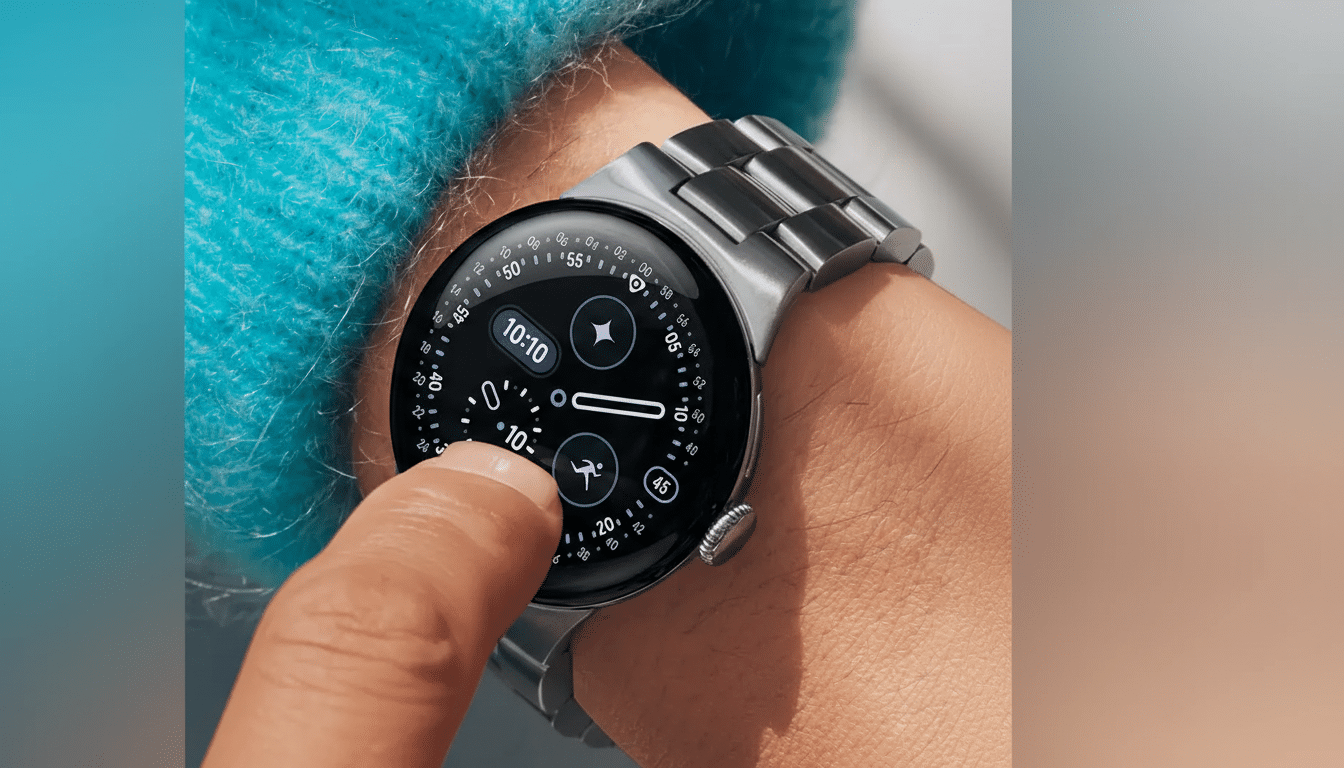
On my Pixel Watch and Galaxy Watch units, these newer faces matched stock AOD behavior and typically held battery draw to sub‑1% per hour with always‑on enabled. That’s the bar most people care about: style without sacrificing stamina.
How I Chose and Tested These Wear OS Watch Faces
I wore each face for workouts, commutes, and desk time, prioritizing fast loading, legibility at a glance, clean complication layouts, and an AOD that isn’t cluttered. All are built on Watch Face Format and worked across recent Pixel Watch and Galaxy Watch models running Wear OS 4 or newer.
My 10 Favorite Watch Faces for Pixel and Galaxy
- Sport XR by Amoled Watch Faces: A bold digital face with a gradient canvas and dotted texture that pops on OLED. One heart rate panel is fixed, but the remaining stats and four shortcuts are configurable. The pared‑back AOD keeps the time front and center, which helps battery life and glanceability at the gym.
- Nothing Fancy by Time Flies Watch Faces: The name undersells it. This analog showcase offers deep styling control — multiple colorways, index styles, hand sets, and AOD treatments — plus eight info slots. It’s a chameleon face that can swing from dressy to sporty without losing clarity.
- Pixel Watch 2 Face I by SOC Creations: If you love the clean Pixel aesthetic but want more data, this delivers by adding four customizable complications around a familiar digital core. It preserves the native vibe, offers thoughtful color options, and keeps AOD tidy.
- Minimal Digital Watch RE02 by Recreative Watch Faces: A masterclass in hierarchy. Big time readout, slim text, and just enough space to breathe. Several slots are purpose‑built for date, notifications, steps, heart rate, and battery; two open fields let you add weather or calendar. Great for information density without visual noise.
- Analogue Watch Face CRC082 by Creation Cue: High-contrast dial numerals and a subtle inner shadow make this one look “built in” on circular bezels. The center readouts for battery, heart rate, distance, and next event are fixed, with optional side complications if you want more. I prefer it minimalist with two side slots to preserve the dial’s drama.
- Material Stack by JH Watchfaces: A love letter to Google’s design language. You get the clean typography of a stock face plus extra complications and shortcuts on the left rail. It can get busy, so I leave the shortcuts empty and lean on two data fields. Would love an even simpler AOD, but as‑is it remains readable and modern.
- SG-128 by SG WatchDesign: Think neon‑sleek digital with razor‑thin lines and tasteful gradients. Many stats are fixed — battery, date, distance, steps, heart rate — so this is for people who want a set-it-and-forget-it dashboard. Two complication slots and three shortcuts offer just enough freedom; the monochrome AOD looks superb.
- Typograph by WatchFace-Designs: A font lover’s analog playground. Multiple numeral styles, index options, hand shapes, and color themes let you tune it from classic to playful in seconds. Three complications cover essentials, and the AOD smartly mirrors your typography choices for consistency.
- Prime Home OS 2 by Prado Design: The shortcut king. You get nine quick‑launch icons integrated into a techy panel, with three custom slots plus side complications. It’s ideal if you’re constantly jumping to heart rate, messages, music, or settings. Icon pack choices refresh the look without redoing the layout.
- Pixel Fanboy by Dobleuxyz: A dense but disciplined grid that channels the Pixel phone aesthetic. Battery and date are fixed; everything else is open across icons, stats, and text. Go colorful or all‑dark, and enjoy how much it surfaces at a glance without crossing into chaos.
Final Thoughts and Compatibility Across Wear OS
All ten faces run smoothly on Pixel Watch and Galaxy Watch families, plus other Wear OS 4 devices. Thanks to Google’s Watch Face Format and Samsung’s tooling, third‑party design finally feels native — fast, battery‑wise, and respectful of health data. If you’ve sworn off custom faces before, this is the moment to try again.
Sources and context: Google’s Watch Face Format documentation, Samsung’s Watch Face Studio guidance, and long‑term Wear OS testing informed these picks. The bottom line is simple — when the platform handles the heavy lifting, the best designs get to shine.
