


Lightweight Linux distributions tend to nudge you toward starting from zero-ish. Besgnulinux takes the inverse approach, combining a light footprint and core capability set of preinstalled open-source tools personally selected by the distro founder to provision day-one usability. It seems like a retro land grab on the surface, but what we end up with is solidly the now.
A Light Build That Starts Heavy on Useful Apps
Instead of a naked desktop and a web browser, Besgnulinux comes with enough actual tools for general computing: LibreOffice (documents), Sylpheed (email), Synaptic (package management), mpv (media player), KeePassXC (passwords), Deluge (torrents), and a selection of casual games and utilities. The idea is simple—reduce time-to-first-task. New users can write, browse, and manage files instantly, without needing to learn which of 20-odd repositories is the right one.

That decision distinguishes it from other “minimal” spin-offs that favor an empty canvas. Whether you’re loading it on a classroom computer, outfitting a library terminal, or giving new life to an old laptop, the preloaded method may be the difference between having a working machine and wrangling for a weekend.
Old-School Interface for Modern Work, Fast and Responsive
Besgnulinux uses Joe’s Window Manager (JWM) as its window manager, which is a lightweight stacking window manager for X11 written by Joe Wingbermuehle. There’s no compositing flash here—just a trim menu, snappy windows, and minimal overhead. On modest hardware, that matters. In reality, JWM sessions idle at well under a few hundred MB of RAM; Besgnulinux lists 250 MB as the minimum amount of memory, with 512 MB recommended.
That profile makes it a good home for devices that are on the wrong side of modern OS requirements—think older laptops or desktops that struggle to meet RAM or GPU demands of a heavier environment such as KDE Plasma or GNOME. The trade-off: few visual frills in favor of responsiveness and longevity.
Debian Trixie Underpinnings and Package Strategy
Besgnulinux is built around Debian “Trixie”, so it benefits from the Debian Project’s excellent packaging policies and huge selection of packages, and also from their great reliability in matters of security updates. By default, you only have support for APT as the package mechanism (a purist view that helps keep your system small and predictable).
If you want more access to available software, both Snap and Flatpak can be installed from APT repositories, which will let you use apps like Spotify or Slack straight from the usual channels such as Flathub.
That takes an even-keeled stance: default support for free and open-source software, without blocking users who depend on proprietary tools as part of their job.
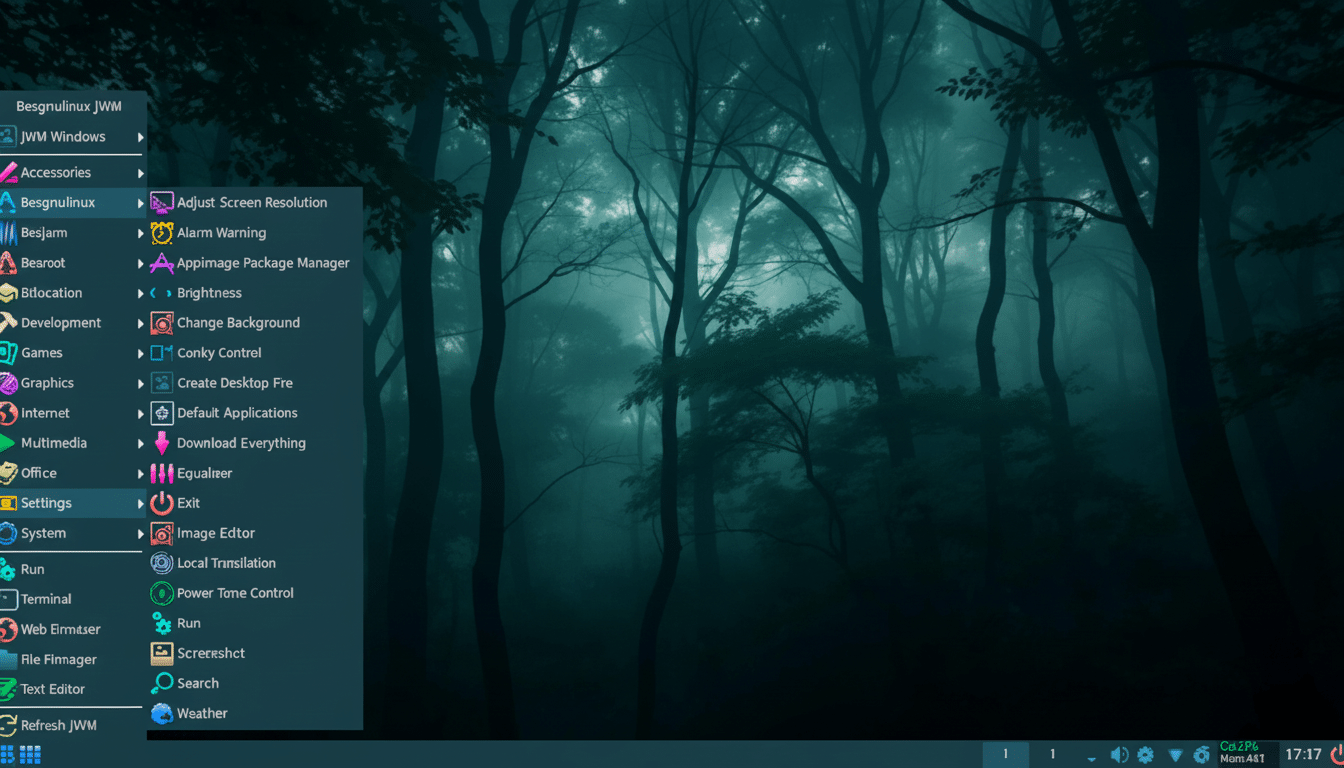
A cool addition is the kernel management tool, which presents several different Linux kernels for you at boot time so that you can test out newer ones for hardware support or roll back if something breaks. For an OS targeted at older and eclectic hardware, that’s not just a convenience—it’s practical risk management.
Maintain Privacy Without Extra Setup or Overhead
Besgnulinux offers Brave in two versions: a normal one and a Tor-enabled version. Simply launch the Tor option and your browser will immediately route traffic through the Tor network for anonymity on demand. It works out of the box, which is not something you find often on lightweight systems that usually eschew extras.
There’s nuance here. Brave’s Tor windows do not provide the same fingerprinting protections as those in the dedicated Tor Browser, according to The Tor Project. Even then, for some users, the simplicity of a one-click Tor trip—alongside Brave’s normal tracker blocking—will be sufficient for casual private surfing. High-risk users can install Tor Browser from Debian’s repositories or Flatpak.
Who It Serves and How It Compares to Other Light Distros
Besides the shipload of alternative lean distros (and I mean Puppy Linux or antiX, and yes, Lubuntu with LXQt), the standout feature in Besgnulinux—besides its abundant default app set—is the prepackaged workstation experience. You sacrifice a few extra megabytes in exchange for a prepackaged workstation. For people moving over from older versions of Windows, or institutions fixing up old hardware, that’s a welcome trade.
Because, as desktop Linux keeps slowly climbing up—recent StatCounter measurements put it at “just below 4%”—proofs of concept that are friendlier and more “just works” can be important. Reducing post-install friction: distributions that make people stay, not just pop in. Besgnulinux embraces that principle while keeping respectful of thin hardware.
No, it isn’t flashy. But it is speedy, highly practical and—for its weight class—unusually full. If you want to resurrect aging hardware without losing capability, this isn’t your daddy’s lean-looking GNU/Linux. It’s a lightweight that comes with the gloves on and is itching to go to work.
