


I spent a week working on Asus’ latest dual-screen ZenBook Duo, and for the first time a two-display laptop feels like it was built for the way I travel. The new model is sturdier, smarter about ergonomics, and far more efficient, turning airport lounges and aisle seats into surprisingly productive desks.
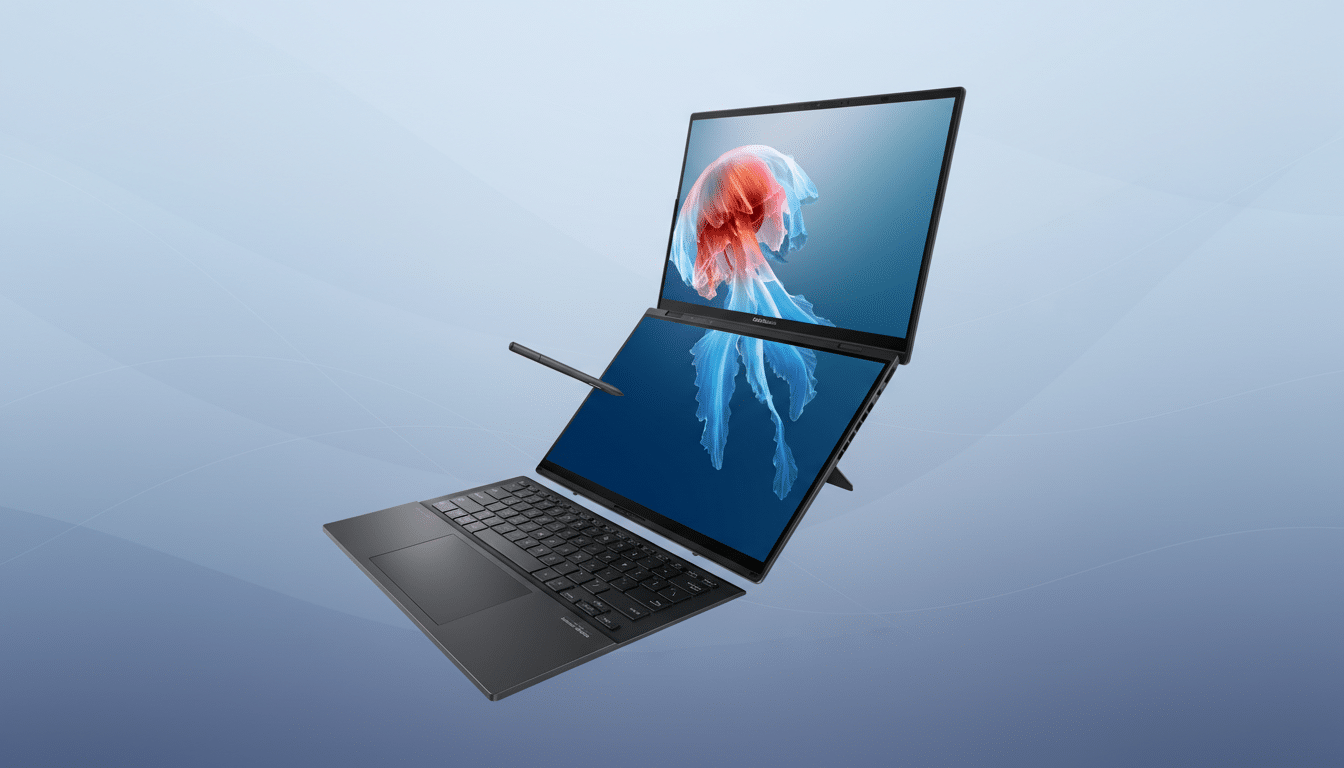
The headline act remains the twin 14-inch OLED touch panels, now with slimmer bezels around the hinge and a 93% screen-to-body ratio. They run at 2.8K resolution, 144Hz, and can spike to 1,000 nits for HDR—numbers that aren’t just brochure fodder. Text is razor crisp, and the high refresh keeps scrolling long documents buttery smooth.
Dual Screens That Actually Earn Their Keep
In landscape with the detachable keyboard on, you get a conventional laptop. Pop the keyboard off and prop the Duo with its reinforced kickstand, and you’re in “stacked” mode: a primary screen for writing or editing, and a secondary canvas for notes, timelines, Slack, or a reference deck. On a standard airplane tray table, I could keep my draft on the top display and sources below without window juggling.
Rotate into a book-style vertical setup and the narrower hinge bezels really pay off. Long spreadsheets and code blocks benefit, but so does news copy: fitting more lines per screen reduces context switching. The Windows Hello camera remains in the top bar, which is thicker by design, but unlocking is instant even in dim cabin lighting.
Build Quality And Ergonomics In Daily Use
Asus’ Ceraluminum chassis is tougher than it sounds, with a finish that resists scratches, wear, and greasy prints. At 1.65kg and 14.6mm thick (without the keyboard), it’s not the lightest ultraportable, but the weight is well distributed and the new kickstand no longer wobbles when you tap the lower screen. That matters when tapping UI controls in Lightroom or scrubbing a timeline.
The detachable Bluetooth keyboard is improved where it counts: a larger glass trackpad and deeper key travel. I clocked fewer typos and less fatigue during a 2,000-word edit session than on last year’s board. Magnetic alignment is more forgiving too—drop it on, it snaps straight and pairs without fuss.
Performance And AI Readiness For Real Workloads
Configurations span Intel’s Core Ultra 7 355 (48 TOPS NPU) and Core Ultra 9 386H (50 TOPS NPU), both paired with 32GB LPDDR5X and a 1TB NVMe SSD. The benefit isn’t just raw CPU headroom; the integrated NPUs let Windows 11 offload background AI tasks—transcription, live captions, noise removal—without spiking fans or battery. That’s the difference between finishing a call in peace and hunting for a charger.
While synthetic benchmarks are pending broader testing, the Duo’s behavior under real workloads impressed: two 4K streams playing on the lower display while the upper ran 20+ browser tabs and a photo batch export remained responsive. The six-speaker array (two front-firing tweeters, four woofers) is unusually full for this class, and dialogue clarity on video calls is notably better than many ultralights.
Battery And Connectivity For The Road Warrior
The move from a 75Wh to a 99Wh battery is the quiet game-changer. At 99Wh, it sits just under the 100Wh airline threshold referenced by FAA guidance, so you can carry it on without special approval. In mixed use—Wi-Fi on, brightness at ~200 nits, one display active most of the time—I wrapped a cross-country workday with gas in the tank. Run both screens at HDR brightness and you’ll drain faster, but efficiency gains from Intel’s latest silicon help.
Ports cover real-world needs: two Thunderbolt 4, HDMI 2.1 for direct projector hookups, a USB-A 3.2 Gen 2 for legacy dongles, and a headphone jack that still matters in press rooms. Wireless gets a future-proof bump with Wi-Fi 7 and Bluetooth 5.4; the Wi-Fi Alliance highlights Wi-Fi 7’s 320MHz channels and multi-link operation for more stable high-throughput connections, and I saw consistently higher speeds on a compatible router.
Who This Laptop Is For And Who Should Skip It
If your job involves research, writing, editing, or multitasking across apps, dual screens translate into fewer compromises on the road. Analysts at IDC have long pointed to multi-display setups as a key productivity driver; this is the most convincing mobile expression of that reality I’ve used. Designers and developers also gain from the tall stacked mode and precise OLED color rendering.
If you value the absolute lightest pack, a single-screen ultraportable like a recent MacBook Air still undercuts the Duo’s weight. But with a sturdier hinge, practical keyboard improvements, brighter 144Hz OLEDs, and that near-maximum 99Wh battery, this ZenBook finally balances ambition with execution. For my travel workflow, it’s no longer a clever demo—it’s a legitimate daily driver contender.
