


I witnessed an eye-popping desktop that would stop you in your tracks long before it even powered on. The new ROG G1000 from Asus isn’t just another RGB-touched tower; it throws animated “holograms” out of its side and front glass to turn your high-end rig into a living display. It’s a blockbuster with the serious hardware to back up the rave performance, combining flagship silicon with a three-way airflow design and a cavernous cooling layout designed for sustained loads.
Holograms you can see using spinning LED POV displays
Asus refers to the effect as ROG AniMe Holo. Rather than displaying actual volumetric images, the system employs rapidly spinning LED bars inside the glass to generate persistence-of-vision animations that appear suspended in mid-air. It’s a more grown-up, case-level version of the company’s AniMe Matrix displays on its laptops, only far larger and much more dramatic.
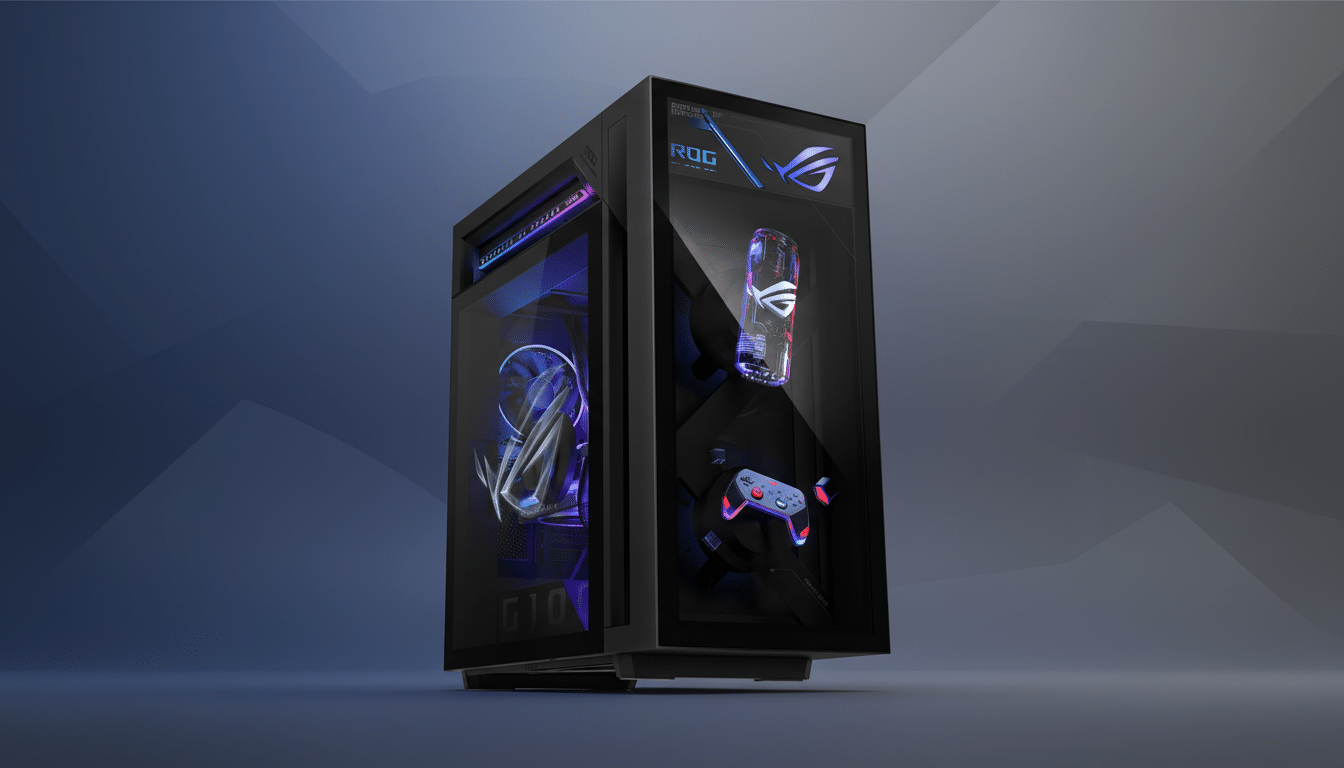
In the flesh, it does indeed jump out at you. Logos float up and drift, objects spin in mid-air, and movement feels legible even with just a few feet of observation distance. Asus says there will be visual customizations for users — the proof, though, will be in how easy it is to load assets, fine-tune brightness, and control noise from the spinning arrays. Persistence-of-vision systems do run in the thousands of RPMs to keep the image relatively smooth, as described in IEEE Spectrum’s coverage of POV displays, so bearing quality and damping vibration will be just as important as LED density.
It’s tempting to classify this under “just for show,” but there is practical potential.
Animated system notifications, esports team branding, or creator channel IDs could all live on the case without having to add monitors or strips. When every other product on the market is covered with see-me RGB, a programmable holographic face is an actual differentiator.
Thermals for flagship silicon with a three-zone layout
The G1000’s showmanship doesn’t hide the basics. Asus groups the heat sources into three separate compartments: a top cooling area for the CPU, a center mainboard and graphics card area, and a bottom section for the PSU. Because the zones are separated, there’s less interference with pressure and temperature; the design reduces recirculation and allows fans to do less work for the same delta T.
The star of the show is a 420mm (three-fan) radiator installed in the top compartment. The move from the more common 360mm to 420mm, in turn, increases face area by about 36% (three 140mm fans over three 120mm), and delivers either lower coolant temperatures or similar performance at a quieter fan speed. Air is taken in from the side intakes, flowing over the radiator and cleanly out through the roof — so there’s no chance of any hot air being chucked into the PSU’s lungs at the bottom.
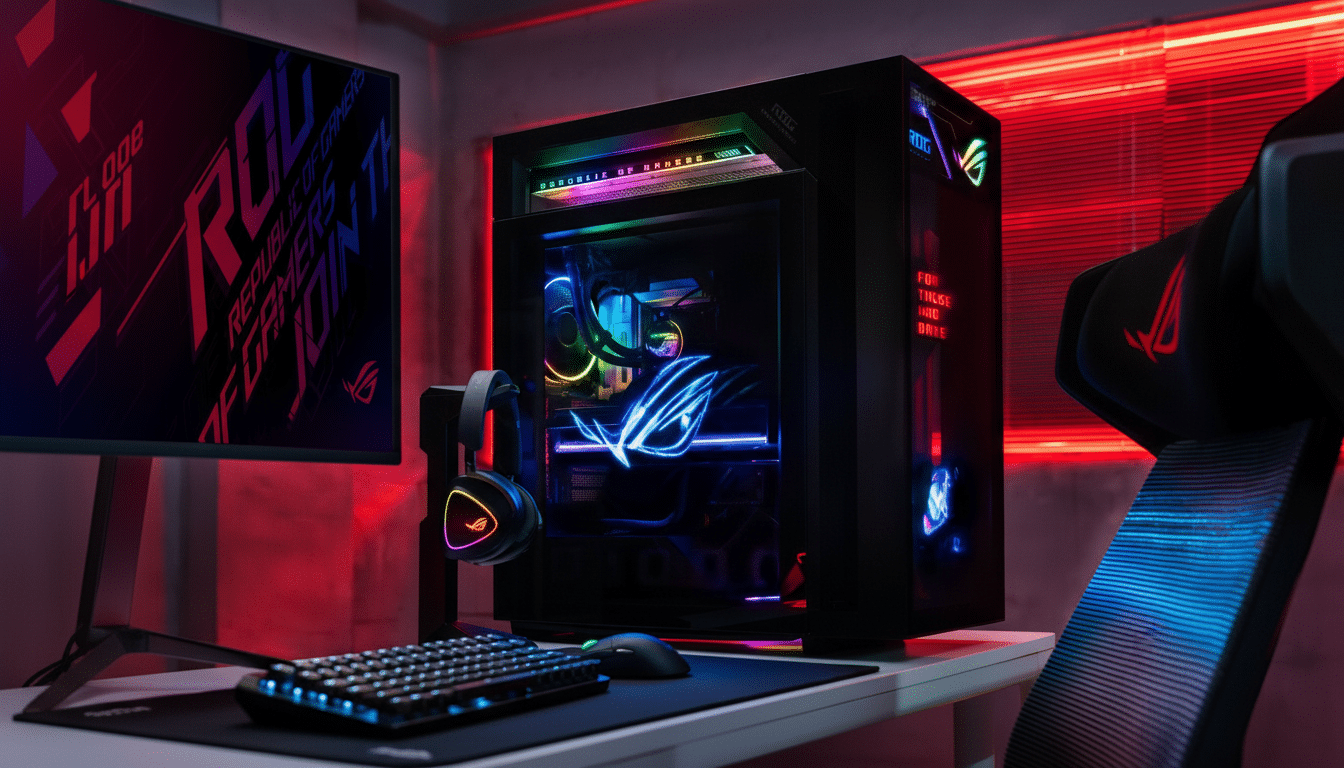
Small touches appear all over the place: lots of intake area, straight-through, front-to-back airflow through the GPU region, even a four-part control center on top for setting fan curves and light behavior that doesn’t require digging into software. Simple paper tests revealed the pressure paths during a demo, and even at idle the system moved plenty of air without much of that whine — positive signs for when it’s unleashed properly.
Specs and upgrades that show off the spectacle
Inside, the G1000 is specced as a no-compromise gaming workstation. Asus is aiming at a system configuration as high as an AMD Ryzen 9 9950X3D paired with the latest and greatest Nvidia GeForce RTX 5090 using an X870 motherboard supporting DDR5 memory (and Asus AEMP II for memory tuning). That combination is made for high-refresh 4K gaming and accelerated creation workloads, the very use cases that stress modern thermals and justify the oversized cooling budget.
The chassis has also been designed with standard ATX components, modular hard drive trays, and known hot-swap press-and-release slots and tool-free service points. That matters: Steam’s hardware survey has consistently shown that most players game at 1080p, and systems like this have a way of outliving any one GPU generation. The ability to interchange parts without wrestling with cables or proprietary brackets makes it appealing long after the first spec sheet was written.
Why this design matters for airflow and serviceability
PC builders have pursued visual flair for years — tempered glass, cable combs, infinity mirrors, and even LCD front panels — but not much of it feels like a truly novel concept. The G1000’s holographic panels cross that threshold by borrowing a display technology more often seen in retail signage and piping it into a premium desktop without impeding airflow or serviceability.
There’s also a larger design signal here. As power density of the components increases, thermal separation is becoming a must-have, not a nice-to-have. We’ve seen similar ideas in enthusiast cases from companies like Lian Li and Fractal, but Asus’ dedicated CPU chamber with a massive radiator takes the concept to another level in prefabbed form. If the holographic modules remain quiet and reliable, expect rivals to follow down a few POV rabbit holes of their own.
Open questions remain — software customization depth, acoustic behavior under full synthetic and gaming loads, and the long-term durability of those spinning light bars — but the direction is apparent. That’s the unapologetically bold desktop that marries best-in-class thermals with a blank slate for gamers to become whoever they want. Amid a sea of RGB hell, the ROG G1000 offers not just another modular take on case design, but a reaffirmation that cases can be improved when both form and function are given ample opportunity to strut their stuff.
