


Apple’s latest Xcode update introduces agentic coding directly into the IDE, shifting from chat-style assistants to autonomous software agents that can plan, build, test, and refine apps with minimal handholding. The 26.3 release candidate gives these agents deep project awareness and explicit hooks into Xcode’s workflows, aiming to cut the grind from day-to-day development on iPhone, iPad, Mac, Apple Watch, and Vision Pro.
Beyond predictive code edits, Apple says Xcode 26.3 grants agents broader autonomy and richer access to project context: they can navigate file trees, resolve compile errors, update settings, and even drive simulators for visual checks. It’s a notable escalation from the AI features first previewed in Xcode 26 and positions Apple’s IDE squarely in the race to operationalize AI for production software.
- What Agentic Coding Means Inside Apple’s Xcode IDE
- How It Works Inside the IDE and Xcode Workflow
- Why This Matters for Apple Developers and Teams
- Early Limits and Guardrails for Agentic Coding in Xcode
- A Practical Example of Agentic Coding in Xcode 26.3
- Availability and Release Timing for Xcode 26.3 Update
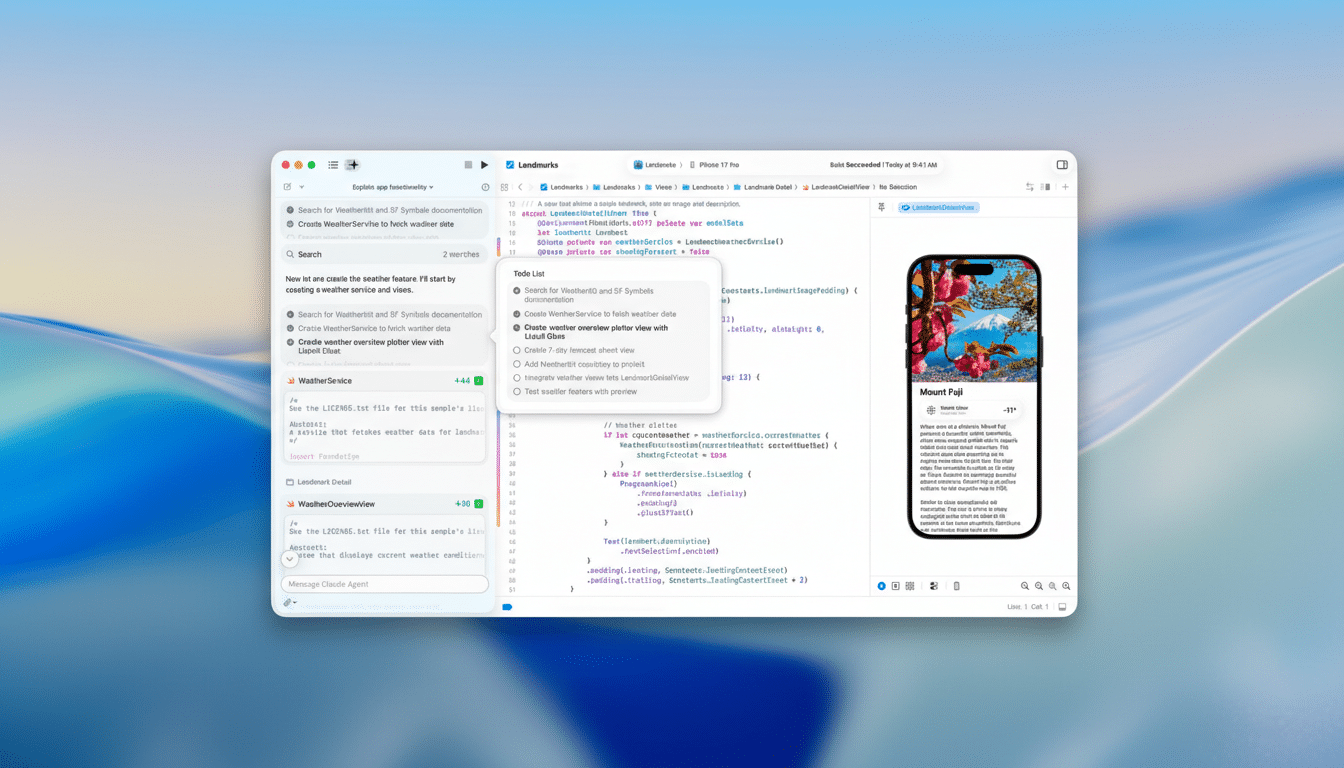
What Agentic Coding Means Inside Apple’s Xcode IDE
Agentic coding moves from “suggest and edit” to “decide and execute.” In Xcode 26.3, an agent can trace dependencies across targets, determine which files to modify, kick off builds, run unit and UI tests, and iterate until a change compiles cleanly. It can adjust project settings — such as schemes, build phases, and entitlements — and make configuration edits that previously required manual clicks through Xcode’s panels.
Agents can also launch apps in the simulator and capture screenshots to verify UI output, a practical step toward automated validation of visual changes. That said, simulator limitations remain: features like camera capture, NFC scanning, and iCloud sync still necessitate on-device testing, where screenshot-based verification does not apply.
How It Works Inside the IDE and Xcode Workflow
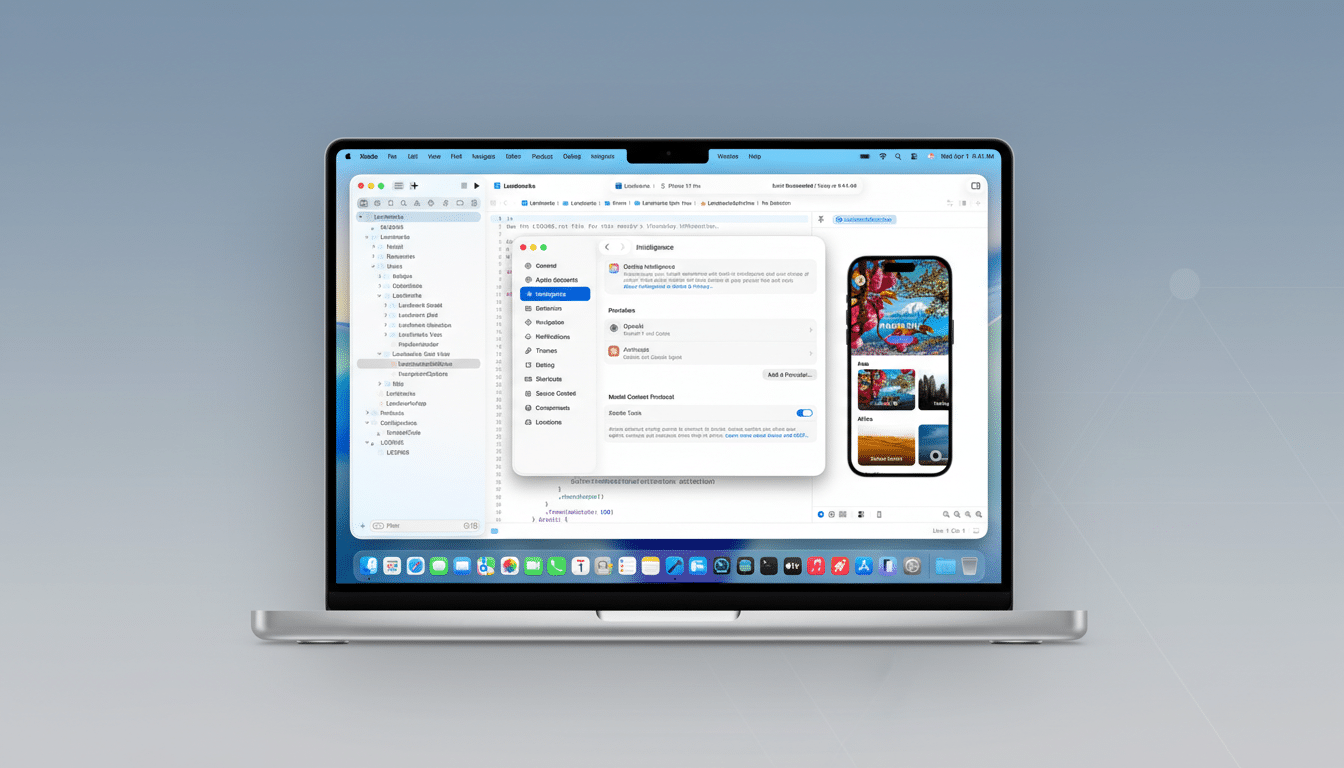
Xcode 26.3 includes native integrations for popular agent providers, including Claude Code and ChatGPT Codex, with an option to connect additional tools via the Model Context Protocol, an open standard originated by Anthropic for secure, structured context exchange between apps and models. That design choice means teams can bring preferred providers — and potentially local models — into the same unified workflow.
Within Xcode, agents operate with scoped permissions: they can inspect file structures, request changes, trigger builds, and run tasks that continue asynchronously until completion or a user checkpoint is reached. Developers retain review control with diffs before changes land, and the IDE surfaces task progress so you can intervene or re-scope work without losing context.
Why This Matters for Apple Developers and Teams
Other ecosystems have been experimenting with agentic flows — from GitHub’s Copilot Workspace to JetBrains AI Assistant — but Apple is embedding autonomy where it counts for platform development: code signing and provisioning, capabilities and entitlements, build settings, test plans, and simulator orchestration. Tight coupling to these Apple-specific constraints is what has traditionally made end-to-end automation brittle; Xcode 26.3 aims to make it routine.
There’s a growing body of evidence that AI-supported workflows move the needle. GitHub’s published study on Copilot reported developers completed tasks significantly faster, with a notable boost in perceived productivity and satisfaction. Stack Overflow’s Developer Survey has likewise tracked rapid adoption of AI coding tools among professionals. By wiring agents into the IDE’s core loops — edit, build, test, run — Apple is betting those gains will translate to Swift and SwiftUI projects at scale.
Apple frames agentic coding as a way to shorten iteration cycles and reduce friction for solo developers and small teams, so they can focus on architecture and product fit rather than mechanical setup. If the integrations hold up under real workloads, that could reduce context-switching between terminals, cloud tools, and Xcode, consolidating development into one pane of glass.
Early Limits and Guardrails for Agentic Coding in Xcode
Not everything can be automated. Simulator-only actions mean hardware-dependent flows — camera, NFC, iCloud, Bluetooth — still require device builds and human validation. Teams will also need policies for what context agents can access or transmit, especially when using cloud models. Xcode’s review gates and scoped access help, but enterprise developers should audit prompts, redactions, and repository permissions as part of onboarding agents.
Reliability is the other question. Earlier experiments with IDE-integrated agents struggled with long-running tasks and complex edits. Apple says Xcode 26.3 is engineered for larger assignments with better progress tracking and recovery, but the verdict will come from multi-target, code-signed projects that mirror production reality.
A Practical Example of Agentic Coding in Xcode 26.3
Consider a SwiftUI app that needs a new feature flag system and snapshot tests. An agent can add a configuration layer, update build settings for multiple schemes, refactor call sites, generate snapshot tests, run them in the simulator, capture screenshots for comparison, and propose a minimal diff. If a dependency update breaks a target, the agent can bisect, pin versions, and re-run tests until the pipeline is green — all from inside Xcode.
Availability and Release Timing for Xcode 26.3 Update
Xcode 26.3 is available as a release candidate to Apple Developer Program members, with a full release planned through the Mac App Store. Existing users will be able to update through standard App Store mechanisms. For teams evaluating agentic workflows, the combination of provider integrations and the Model Context Protocol makes this the most consequential Xcode update for AI-driven development to date.
