


Ad blocking on Android has become a daily habit for many users, and the debate over Private DNS versus dedicated apps is no longer academic. I’ve tested both approaches for years. While Private DNS is tidy and low maintenance, I consistently choose an ad‑blocking app because it gives me sharper control, fewer disruptions, and better visibility into what’s actually being blocked. With surveys from firms like GlobalWebIndex and Statista showing that roughly 30–40% of internet users deploy some form of ad blocking, the details matter.
Private DNS Is Clean but Ultimately Too Rigid
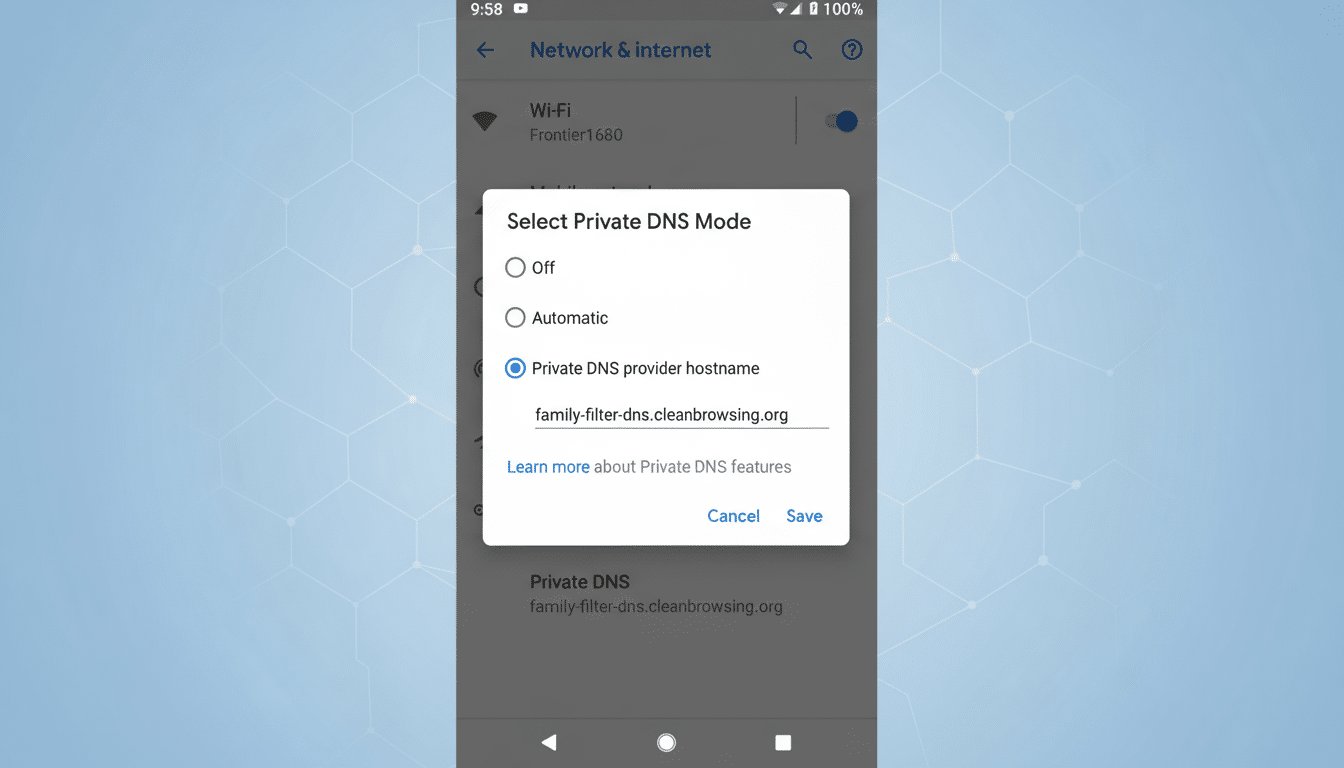
Android’s Private DNS feature routes your lookups through an encrypted resolver that can filter ads and trackers at the domain level. It’s built in, battery‑friendly, and easy to configure. If you want a set‑and‑forget solution, it’s compelling, and it plays nicely with any traditional VPN you might use for public Wi‑Fi.
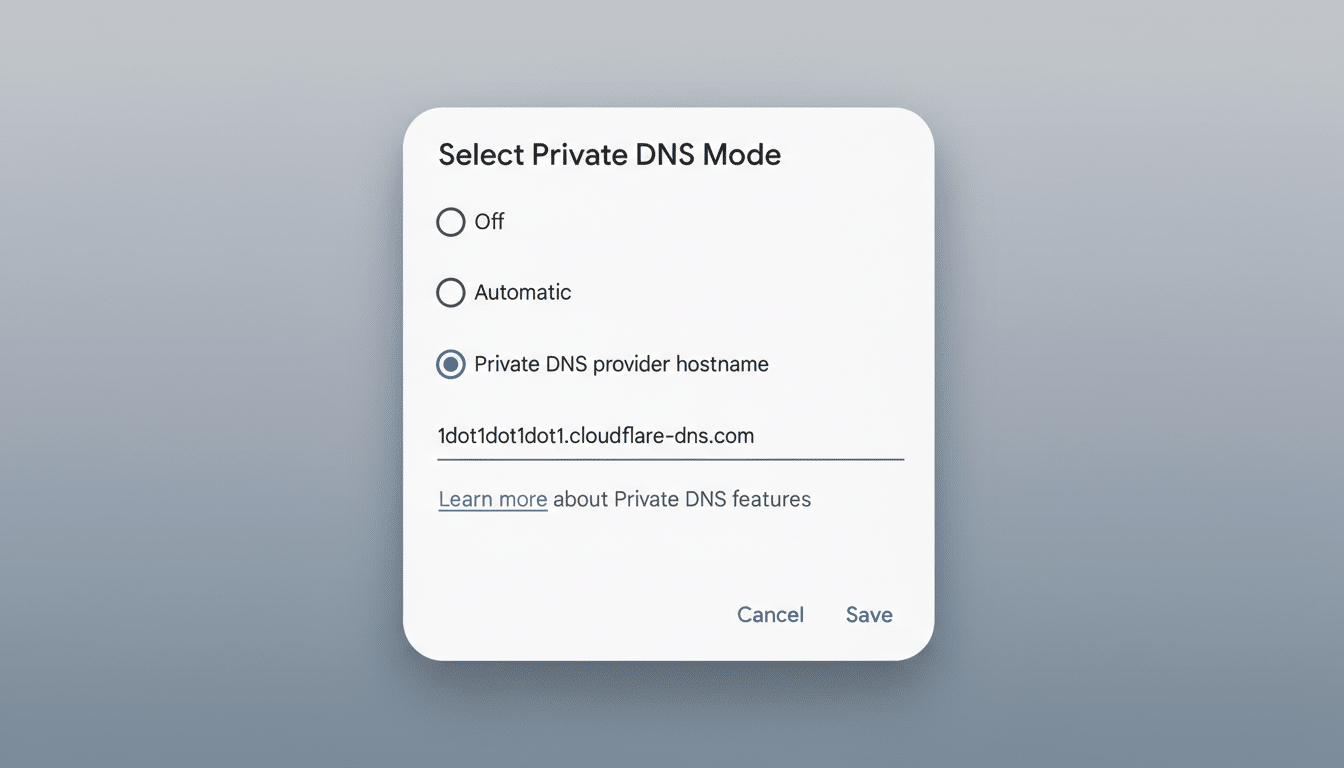
The friction starts when you need nuance. Private DNS lets you pick exactly one provider and largely live with its choices. You can’t easily combine multiple blocklists, fine‑tune categories, or whitelist a single app that breaks because it expects ad SDKs to load. If a banking or streaming app refuses to function with DNS‑level blocking, you’re toggling the feature off system‑wide, then back on again. Over time, that dance becomes a chore.
Reliability can also be inconsistent. Some ad‑blocking resolvers are aggressive, occasionally nuking legitimate CDNs or scripts. When a news site or checkout page fails to load, you’re forced into trial‑and‑error with hostnames. That’s not ideal when you just want your browser or apps to work.
Why App‑Based Blocking Wins on Control and Clarity
App‑based blockers take a different route: they create a local, on‑device VPN to evaluate traffic against curated blocklists such as OISD or Steven Black’s hosts. Instead of one resolver’s opinion, you decide which lists apply, in what combination, and when. If a travel app fails to load seat maps, you can exempt just that app. If a site breaks, you can quickly allow a specific domain without weakening protections everywhere else.
This level of granularity isn’t a luxury—it’s practical. The Princeton Web Transparency and Accountability Project has repeatedly shown that third‑party tracking is pervasive across popular sites, and blocking can be highly situational. Mozilla’s work on tracking protection has also demonstrated meaningful performance gains when trackers are curtailed, with visibly faster page loads on ad‑heavy pages. With app‑based blocking, you see what’s being blocked in real time, then adjust. It’s the difference between a sealed box and a dashboard with dials.
Another advantage is scope. Good mobile blockers let you target more than banner ads—think analytics beacons, social widgets, and cookie nags. You can enable specialized lists that trim these annoyances without breaking core site functionality. Over weeks of use, that translates to cleaner pages, fewer pop‑ups, and less data consumed. Independent tests from privacy labs and browser teams routinely show double‑digit reductions in requests when trackers are filtered, which aligns with my day‑to‑day results.
The Trade‑offs: Battery, VPN, and Reliability
No solution is perfect. Because app‑based blockers rely on the Android VPN API, you can’t run a traditional VPN at the same time unless the blocker supports split tunneling or a companion DNS mode. If you often secure coffee‑shop Wi‑Fi with a VPN, Private DNS may be the better fit for that moment, with the blocker paused.
There’s also a small battery cost for inspecting connections. On modern phones, I typically see a low single‑digit daily hit—acceptable for the control I gain, but not zero. And some Android skins are overzealous about killing background services. The community‑maintained Don’t Kill My App project has long documented issues with certain OEMs. The fix is usually simple—disable battery optimization for the blocker and allow it to run—but it’s one more knob to turn.
Finally, app availability matters. Some blockers distributed as APKs emphasize transparency and open‑source code, but may not be in major app stores due to policy constraints around system‑wide ad blocking. I prefer tools that publish their source, changelogs, and blocklist origins, and that offer optional paid tiers for sustainable development rather than harvesting user data.
How to Choose the Right Ad‑Blocking Approach on Android
If you want minimal overhead and you rely on a separate VPN, Private DNS is the simplest path. Pick a reputable provider known for uptime and conservative filtering, and you’ll likely forget it’s there.
If you value precision, app‑based blocking is the power play. Look for:
- Transparent blocklists (OISD, EasyList‑derived hosts)
- Per‑app and per‑domain rules
- Clear logging
- Active development
- Lean resource use
Start with a general‑purpose list, add specialty lists for trackers and social widgets, and whitelist apps that misbehave. Review logs weekly to keep false positives low.
The broader picture is clear: as mobile advertising grows more invasive, users need tools that adapt. Private DNS is a good baseline, but a dedicated ad‑blocking app puts you in the driver’s seat. For me, that extra control—what to block, when to bypass, and how to troubleshoot—wins every time.
