


Android System Intelligence sounds abstract, but it is one of the quiet engines behind modern Android conveniences. It is the rebranded Device Personalization Services introduced with Android 9 and expanded in recent releases. The short answer to the burning question: yes, you can disable or even remove it, but you will strip your phone of several headline features that many users rely on every day.
What Android System Intelligence Actually Is
Android System Intelligence (ASI) is a system app from Google that delivers on-device machine learning for everyday tasks. It ships on phones with Google Mobile Services and updates via the Play Store, allowing Google to improve features without a full OS update. The app works hand in hand with Android’s Private Compute Core and Private Compute Services, which isolate sensitive data and broker model updates without giving the intelligence engine direct network access, as outlined by Google’s security documentation.
- What Android System Intelligence Actually Is
- Features Android System Intelligence Powers On Your Phone
- Privacy Design and Data Handling for ASI on Android
- Can You Disable or Remove Android System Intelligence
- Performance, battery, and storage impact explained
- Bottom line: should you remove Android System Intelligence

Features Android System Intelligence Powers On Your Phone
ASI underpins features that feel “magical” when they work seamlessly. Examples include:
- Live Caption for instant subtitles on media
- Live Translate for on-screen translation
- Smart Reply in notifications
- Now Playing song recognition on Pixels
- Smart Auto-rotate that uses the front camera to avoid accidental flips
- App suggestions in the launcher and share sheet
Some capabilities are universal, while others, like Now Playing, remain Pixel-specific due to hardware or licensing constraints.
Because ASI updates independently of the OS, many of these features evolve between platform releases. Google often folds improvements into monthly updates and broader feature drops, a cadence the company has highlighted in Android developer communications. That means removing ASI doesn’t just turn off what’s there today—it also cuts you off from what lands tomorrow.
Privacy Design and Data Handling for ASI on Android
Google’s architecture places ASI inside the Private Compute Core, a sandbox that processes data locally. According to Google’s security briefings, ASI has no direct internet access; Private Compute Services fetches and verifies model updates and content such as language packs. Features like Live Caption and Now Playing are designed to run on-device, and Android settings provide toggles and data controls for each feature. The Android Compatibility Definition Document also requires transparent permission prompts for system apps that access notifications, microphone, or location, which ASI may request for context-aware suggestions.
Can You Disable or Remove Android System Intelligence
Most devices let you disable ASI from the app info screen. Doing so turns off dependent features but is reversible. Full removal is trickier: since it’s a system app, you’d need adb shell commands (targeting the package name com.google.android.as) or root access. Uninstalling will not break core telephony or connectivity, but you’ll lose functionality such as Live Caption, Smart Reply, and Pixel’s Now Playing until you restore the component.
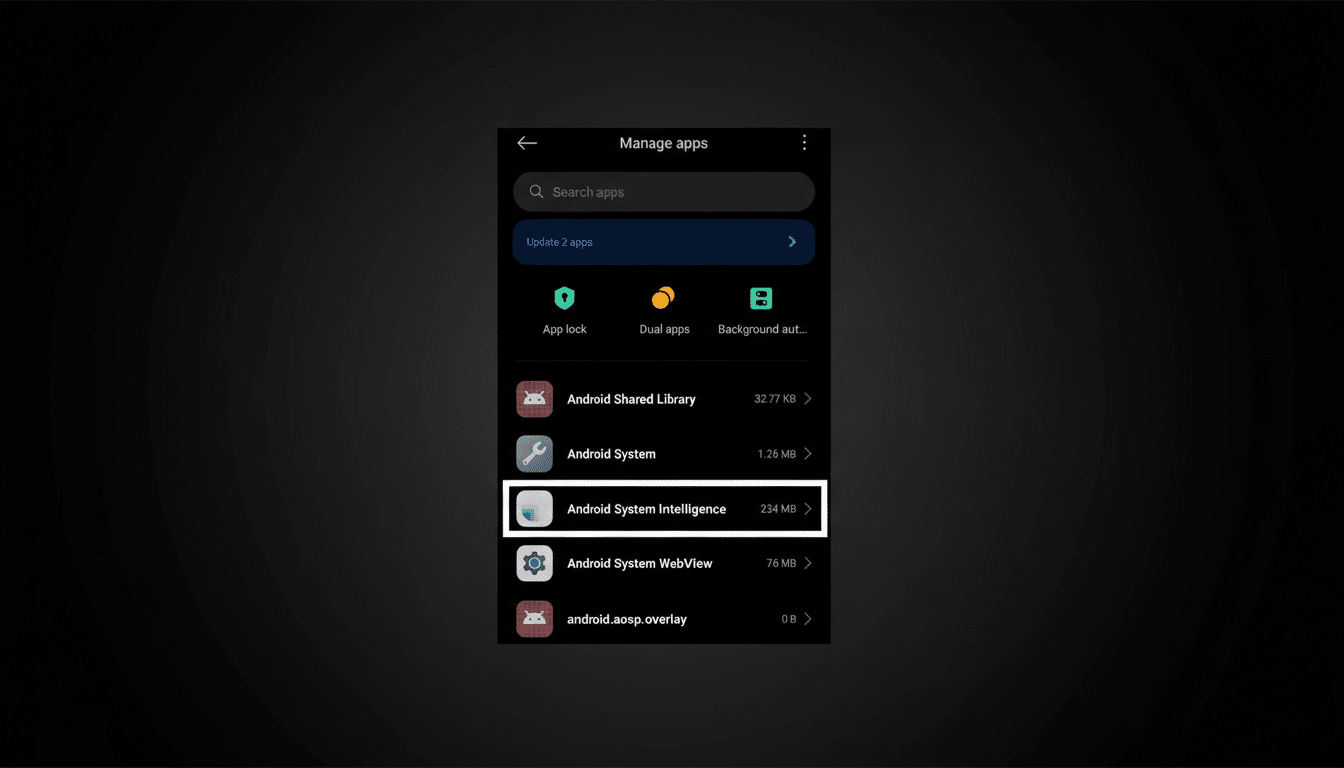
The practical risk is less about phone “safety” and more about experience. If you rely on accessibility tools, translation, or proactive suggestions, the hit is immediate. Reinstalling may require a factory reset on some devices if the Play Store cannot recover the package, a headache many users do not anticipate.
Performance, battery, and storage impact explained
Why do some users consider removal in the first place? Storage and perceived battery draw. ASI stores machine learning models and local indexes, which can total hundreds of megabytes depending on language packs and features (for example, song databases or translation models). Battery impact is typically modest; device telemetry reported by power users and reviewers often shows ASI in the low single digits, frequently under 1% on a normal day. Workloads spike temporarily during model updates or when features like Live Caption are in active use.
If you need to slim things down without losing capabilities, consider:
- Clearing ASI’s cache
- Disabling specific features you don’t use (such as Live Caption or app suggestions)
- Limiting permissions
These changes are safer and reversible compared with a full removal.
Bottom line: should you remove Android System Intelligence
If your goal is a stable, full-featured Android experience, keep Android System Intelligence enabled. It’s central to the “smart” parts of your phone and is designed to respect privacy through on-device processing and an isolated compute core, per Google’s security model. Disabling or uninstalling it is technically possible and won’t brick your device, but you’ll sacrifice marquee features and future enhancements for minimal battery or storage gains.
In short, leave ASI on, prune individual features you don’t use, and treat full removal as a niche, advanced tweak rather than a mainstream recommendation.
