


A new Android banking trojan known as Albiriox is silently giving attackers full control over bank and fintech accounts by substituting genuine apps, compromising on-device controls, and concealing its actions with fake screens.
Discovered by fraud prevention provider Cleafy and studied by several security researchers, the malware is another demonstration of professionalized cybercrime aiming at mobile banking users for its slick social engineering and subscription-based malware services.
- What Is Albiriox, And Why Does It Matter
- How the Albiriox attack unfolds on Android devices
- How it spreads and who is behind the Albiriox campaign
- How to identify and block the Albiriox banking threat
- What to do if you think your Android phone is infected
- The bottom line on the Albiriox Android banking threat
What Is Albiriox, And Why Does It Matter
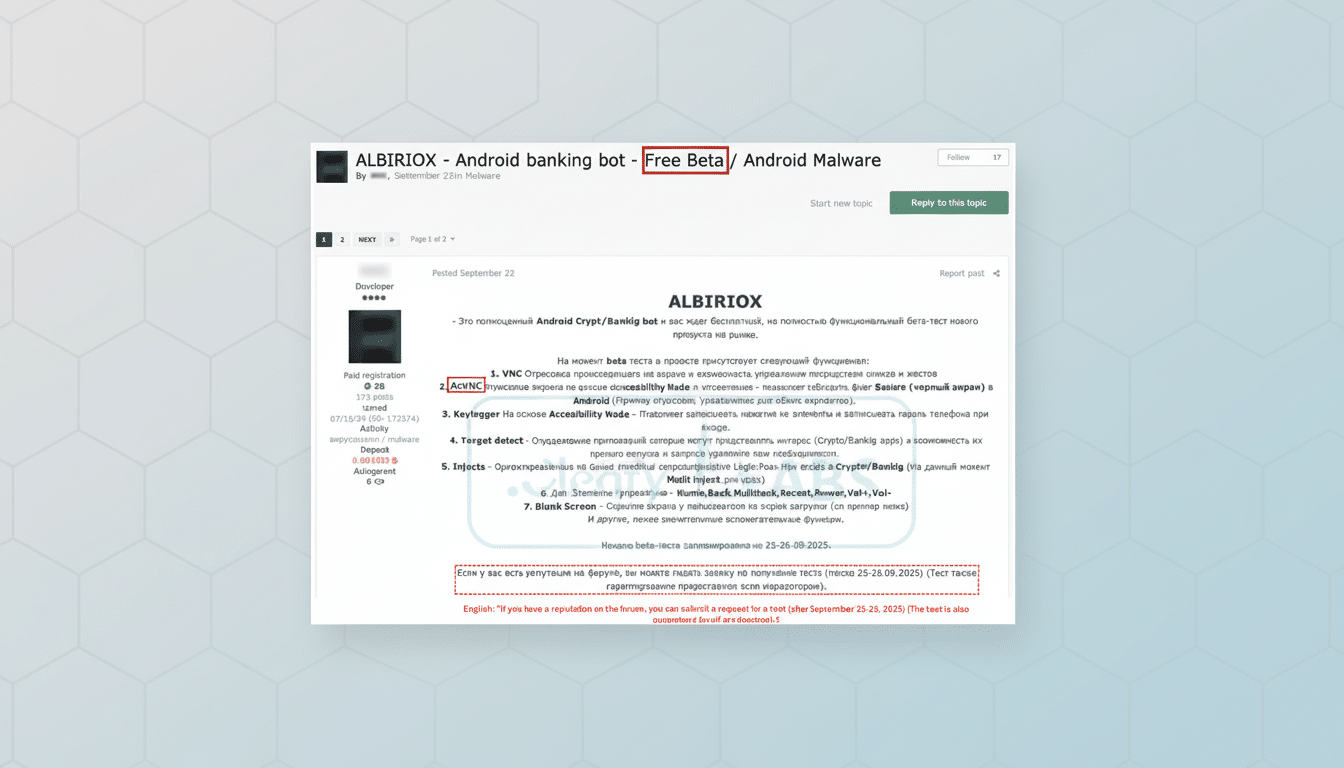
Albiriox is an aggressive Android trojan targeting account hijacking, not just password pilfering. It can install lookalike versions of banking, payment, and crypto apps, then allow criminals to remotely control the victim’s phone and make real-time transfers. The operators conceal their work under a blank overlay or a fake system update screen, so the device appears idle as money is siphoned out.
Unlike legacy mobile malware that used phishing overlays or keylogging, Albiriox is equipped with VNC-based remote control and automated transfer systems (ATS). That combination enables attackers to circumvent one-time codes and in-app challenges by conducting the entire transaction on the victim’s device, where they are naturally trusted by the bank.
How the Albiriox attack unfolds on Android devices
The campaign begins with a bait: a false promotion, a support message, or an appealing link that appears to be a Play Store listing. Victims are directed to download an APK and enable “Install unknown apps.” That first dropper then retrieves the actual payload containing Albiriox.
After it is running, the malware aggressively seeks powerful privileges like Accessibility Service, Notification access, and “Draw over other apps.” Once granted, it can read on-screen material, intercept notifications, and swap out icons with replicas while invisibly tapping, swiping, and typing. Cleafy claims to have identified over 400 tailored fake apps covering banking, fintech, internet-based payment services, and cryptocurrency.
To avoid suspicion, Albiriox can show a black screen or a fake update window when funds are transferred. In many cases, victims don’t realize until they receive a transfer alert or log back into their account and see money missing.

How it spreads and who is behind the Albiriox campaign
Analysts observe the operation relies extensively on unmoderated channels like WhatsApp and Telegram to disseminate APKs, along with spoofed Play Store pages that imitate genuine listings. While the practice is most popular among Russian and neighboring threat actors, it is now marketed as Malware-as-a-Service in underground forums—making it accessible even to low-skilled criminals to stage complex bank-draining attacks.
Albiriox comes riding in on the heels of a wave of modern Android banking trojans—families like Anatsa, SharkBot, SOVA, and now Sturnus—that marry social engineering and ATS features. Security companies have cautioned that the MaaS offers are not only increasing adoption but reducing the time frame from initial enticement to pilfered funds.
How to identify and block the Albiriox banking threat
- Install only finance apps directly from the Play Store and do so by going through the Store app itself rather than a link in a message. Compare the publisher name, review patterns, and number of installs; when in doubt, visit your bank’s site and navigate to the official app link from there.
- Keep Google Play Protect on and run a scan manually. Update Android and all applications to the latest versions. If you’re on Android 13 or later, pay attention to Restricted Settings warnings that prevent sideloaded apps from accessing sensitive permissions.
- Regularly audit high-risk permissions. Under Settings, review Accessibility, Notification access, Device admin apps, and “Draw over other apps.” Revoke anything you don’t recognize, especially apps that just appeared or that say “system update.” Turn off “Install unknown apps” for browsers and messaging applications.
- Implement monetary protections beyond the phone. Enable real-time transaction alerts, lower limits for transfers, and, if available, choose hardware tokens or in-branch verification to move a large sum. Consider doing banking on a limited, dedicated device with little else installed.
What to do if you think your Android phone is infected
First, turn off mobile data and Wi‑Fi to stop remote control. Call your bank’s fraud department from another source to stop all transfers and freeze accounts. Reset your account password and email password on a clean device, not the possibly compromised phone.
On the Android device, revoke suspicious apps’ Accessibility and Notification access, uninstall anything you don’t recognize, and then run a trustworthy mobile security scan.
If the malware is hard to remove, back up any critical data and do a factory reset. Then reinstall only trusted apps from the Play Store and resecure accounts with new credentials and multifactor authentication.
The bottom line on the Albiriox Android banking threat
Albiriox notes that mobile banking fraud is moving away from plain password compromise to hijacked devices and systems. With fraudulent app listings, MaaS toolkits, and sneaky remote-control software at their disposal, attackers can wipe accounts out in minutes with victims seeing nothing but a blank screen. Being vigilant about app hygiene, handling permission prompts carefully, and using strong bank-side protections are your strongest defense. Security teams at Cleafy and other companies continue to monitor these campaigns, but avoiding sideloaded apps remains the simplest and most effective measure to stay safe.
