


Android’s highest-security mode is getting tougher on the very apps power users love. In the latest Android pre-release builds, Advanced Protection Mode is testing a clampdown on apps that tap the AccessibilityService API without being bona fide accessibility tools, blocking new permissions and yanking previously granted ones. That means popular customization and automation utilities could lose key capabilities whenever this one-click hardening mode is enabled.
A One-Toggle Security Net Gets Even Tighter
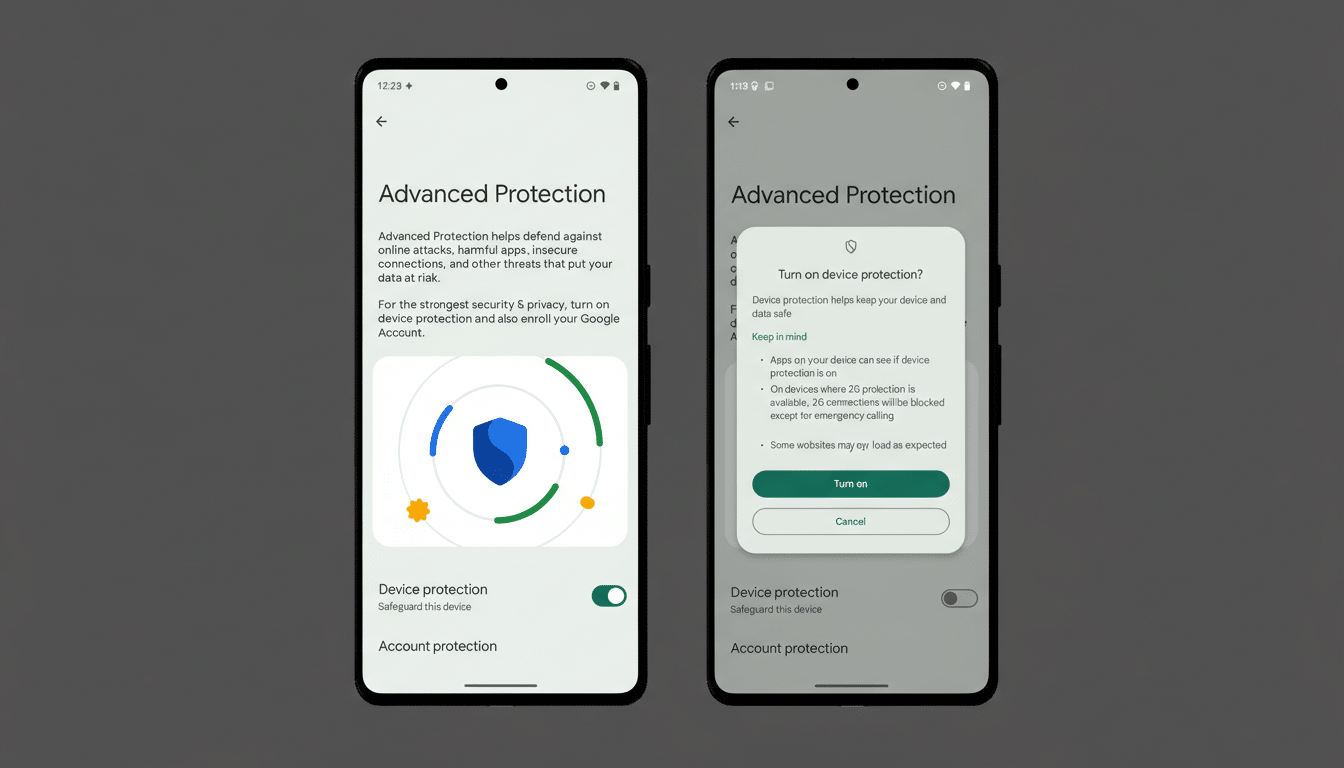
Advanced Protection Mode, introduced to bundle Android’s strongest safeguards for high‑risk users, already flips on features like Intrusion Logging, USB Protection, and Safe Browsing. The new behavior spotted in Android’s Canary channel extends that posture to accessibility permissions: if an app is not declared as an accessibility tool, the system will prevent you from granting it AccessibilityService access and will automatically revoke that access if it’s already in place.
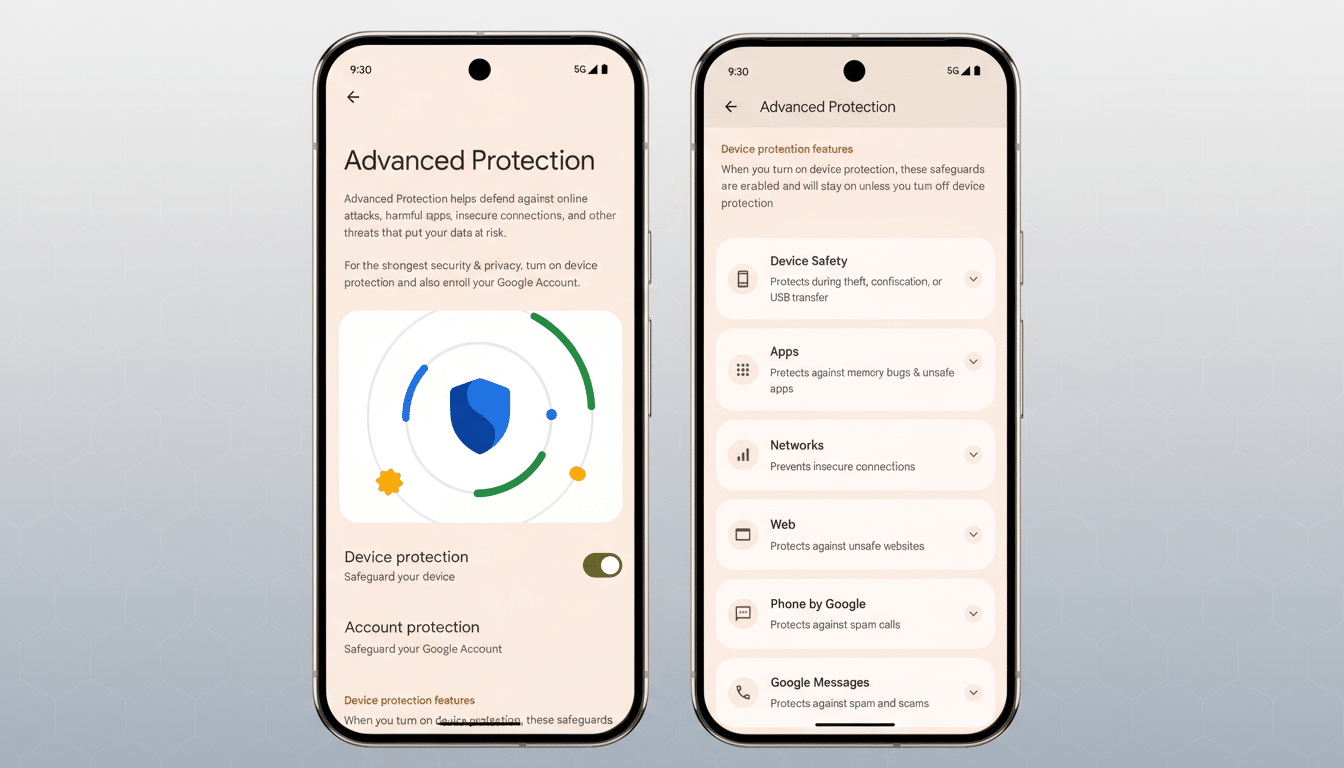
Apps that correctly declare themselves with the isAccessibilityTool attribute—screen readers, switch access tools, magnifiers, or assistive input services—are not affected. The focus is on curbing non-assistive apps that have leaned on accessibility privileges for convenience features or workarounds.
Customization And Automation Are In The Crosshairs
Plenty of beloved utilities rely on AccessibilityService to do their magic. Think dynamic overlays that read your notifications to create on-screen pop-ups, launchers that trigger gestures anywhere, or automation suites that react to UI changes across apps. Tools like dynamicSpot, Tasker profiles that require UI interaction, or MacroDroid workflows often depend on accessibility events to function reliably. With Advanced Protection on, those permissions will be disabled for non‑accessibility tools, and features that hinge on them simply won’t run.
Practically, this treats many customization apps as incompatible with a locked-down environment. The trade-off is intentional: Advanced Protection is designed for users who would rather sacrifice convenience than leave an opening for sophisticated attacks.
Why Accessibility Permissions Raise Red Flags
The AccessibilityService API can read on-screen content, interact with UI elements, and perform gestures—powerful capabilities that enable assistive tech but can also be abused. Over the years, Android developers have used the API to bypass system limitations, and threat actors have followed suit. Security firms have repeatedly documented banking trojans and spyware families that exploit accessibility to intercept one-time codes, grant themselves permissions, or automate clicks. Research from organizations like ThreatFabric and ESET has tied campaigns such as SharkBot and Anatsa to accessibility abuse.
Google has been tightening policy and enforcement in response. Play policy updates require apps using accessibility for non-assistive reasons to justify their use or remove it, and developer documentation emphasizes declaring isAccessibilityTool only when the primary purpose is assisting users with disabilities. Beyond policy, platform-level guardrails are growing. According to Google’s annual app safety reporting, the company blocked over 2 million policy‑violating submissions on Play last year and ramped up protections from Play Protect, reflecting a broader push to reduce attack surface across Android’s ecosystem.
Who Is Affected and How to Prepare for Changes
If you never enable Advanced Protection, you likely won’t notice a change. But for journalists, activists, executives, and others who opt into maximum security, any non‑assistive app requesting accessibility access will be blocked, and existing permissions will be stripped. Expect some automations to break, overlays to stop, and antivirus or monitoring utilities that piggyback on accessibility to lose visibility.
Developers targeting assistive use cases should ensure they genuinely qualify as accessibility tools, declare the correct metadata, and align with Play’s policy and the Android developer guidelines. For everyone else, it’s time to pursue alternatives: Notification Listeners for reading alerts, the Shortcuts and Tile APIs for quick actions, MediaSession for playback control, or updated platform hooks that no longer require accessibility. The closer an app hews to sanctioned APIs, the more future‑proof it becomes under hardened modes.
What Comes Next for Android’s Advanced Protection
Google has not formally announced the change, but its presence in Canary builds is a strong signal. It could arrive with the next Android release as part of Advanced Protection’s one‑tap setup, or roll out in phases as the company evaluates edge cases. The direction is clear: on devices where security stakes are highest, Android will err on the side of denying broad, easily abused permissions—even when that frustrates customization fans.
That shift aligns with a larger industry trend toward least‑privilege design. For high‑risk users, the calculus is simple: fewer powerful permissions in the wild mean fewer paths for attackers. For developers and tinkerers, the message is equally clear—build features on modern, scoped Android APIs, or expect them to be switched off the moment the user turns the lock all the way.
